🎮 Pixel Time Machine — Turn Minecraft Into a Retro Adventure!
Travel back to the golden age of handheld gaming!
Ever wondered what Minecraft would look like on a classic retro gaming console?
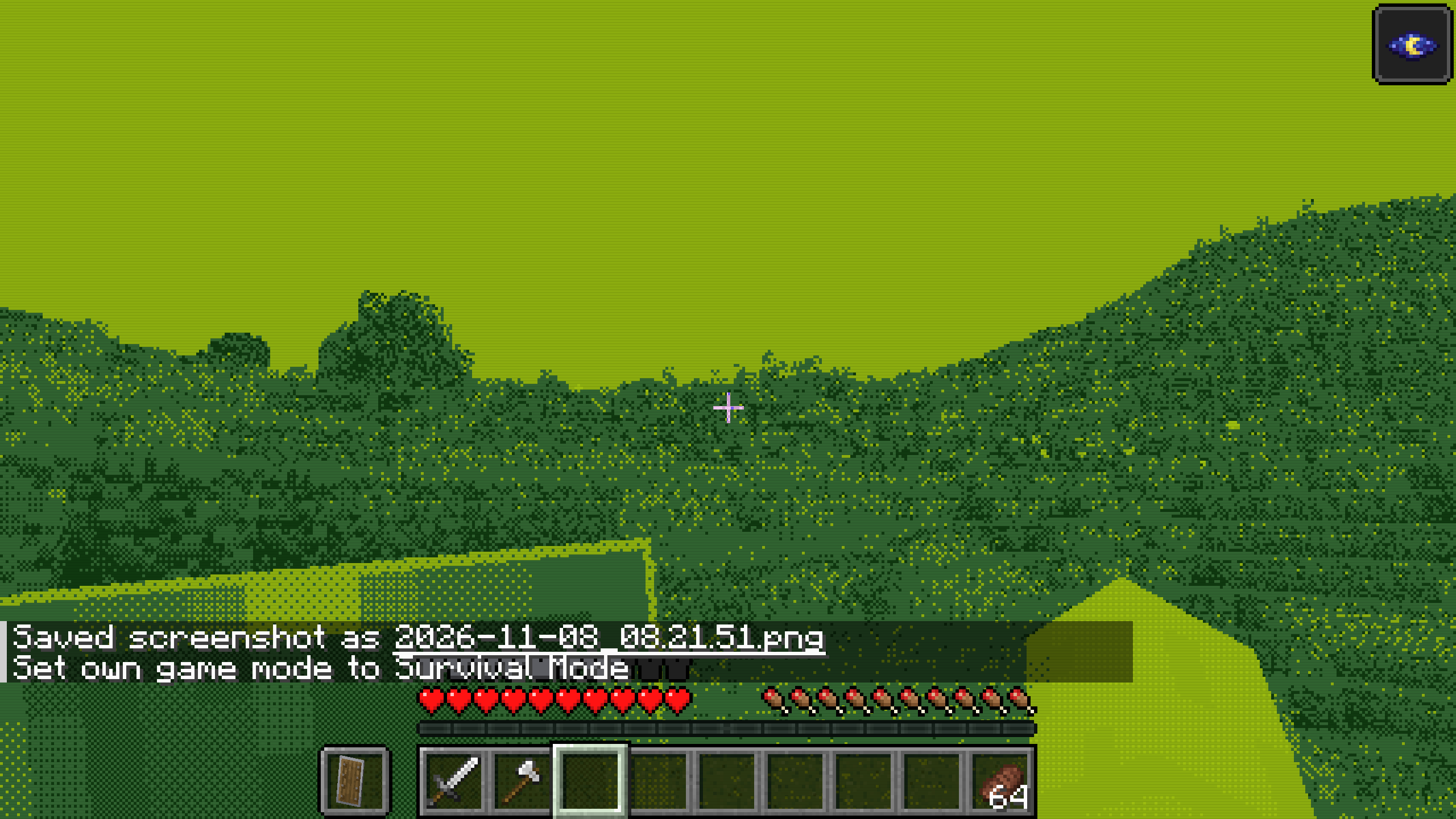
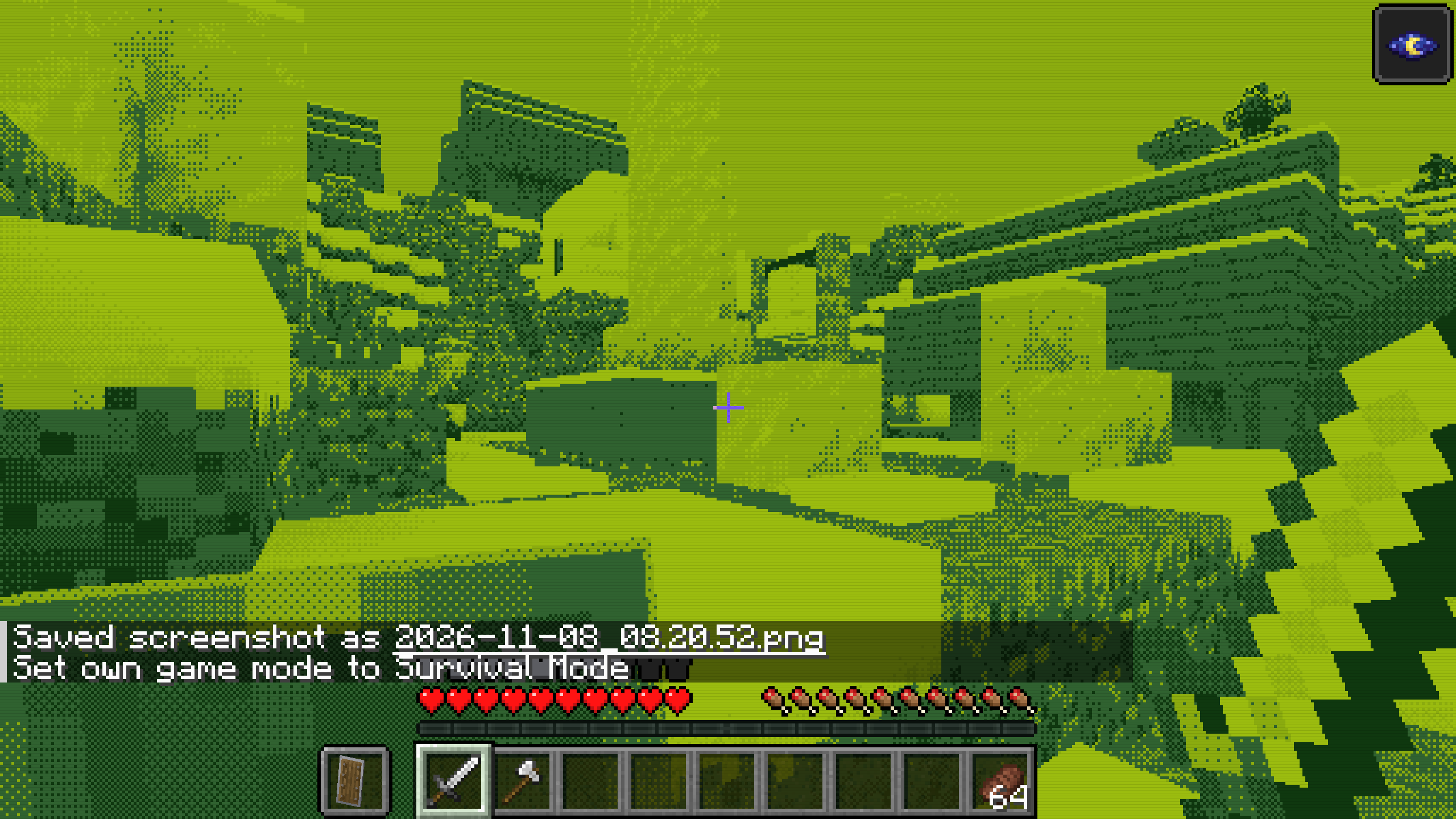
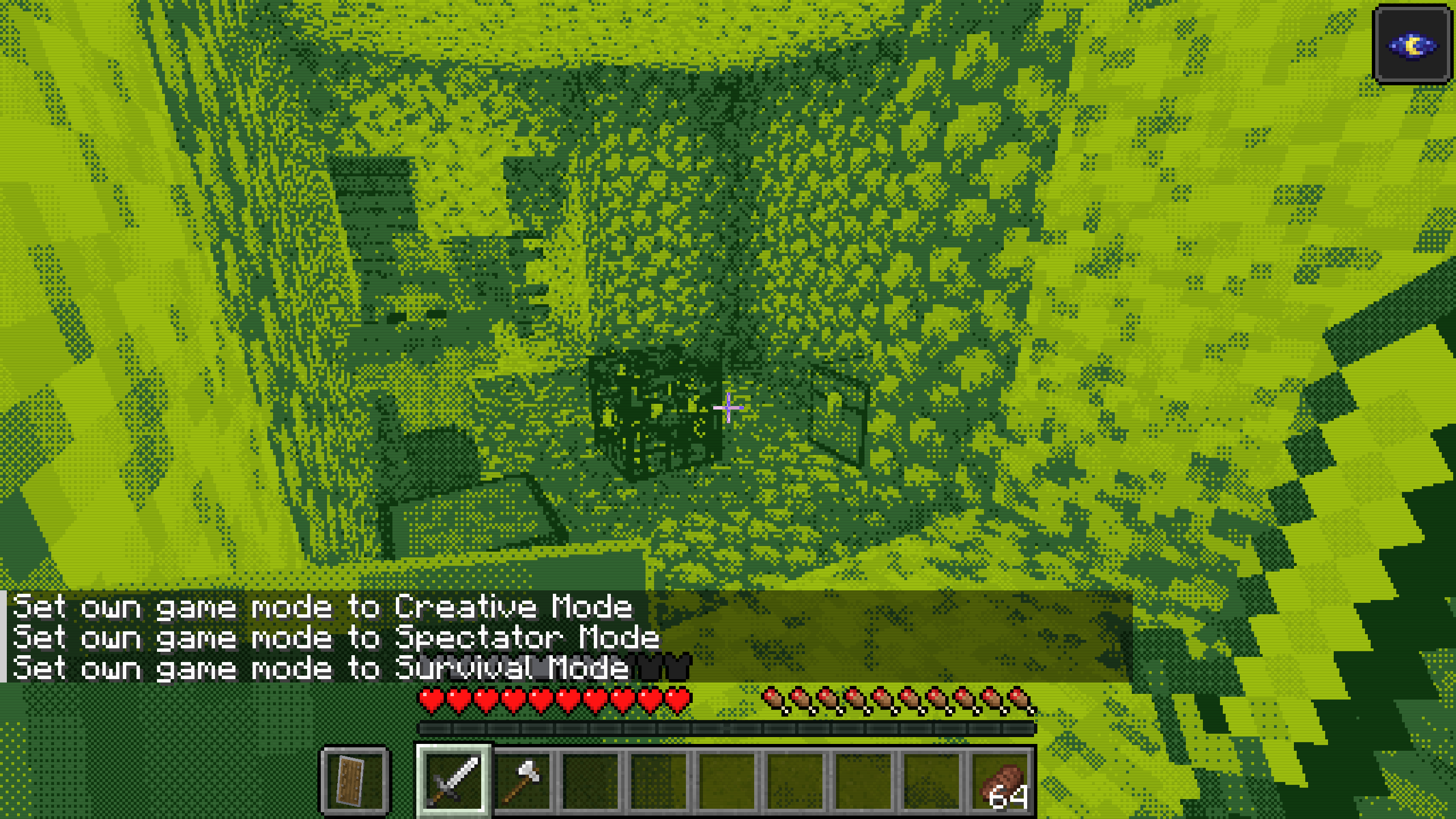
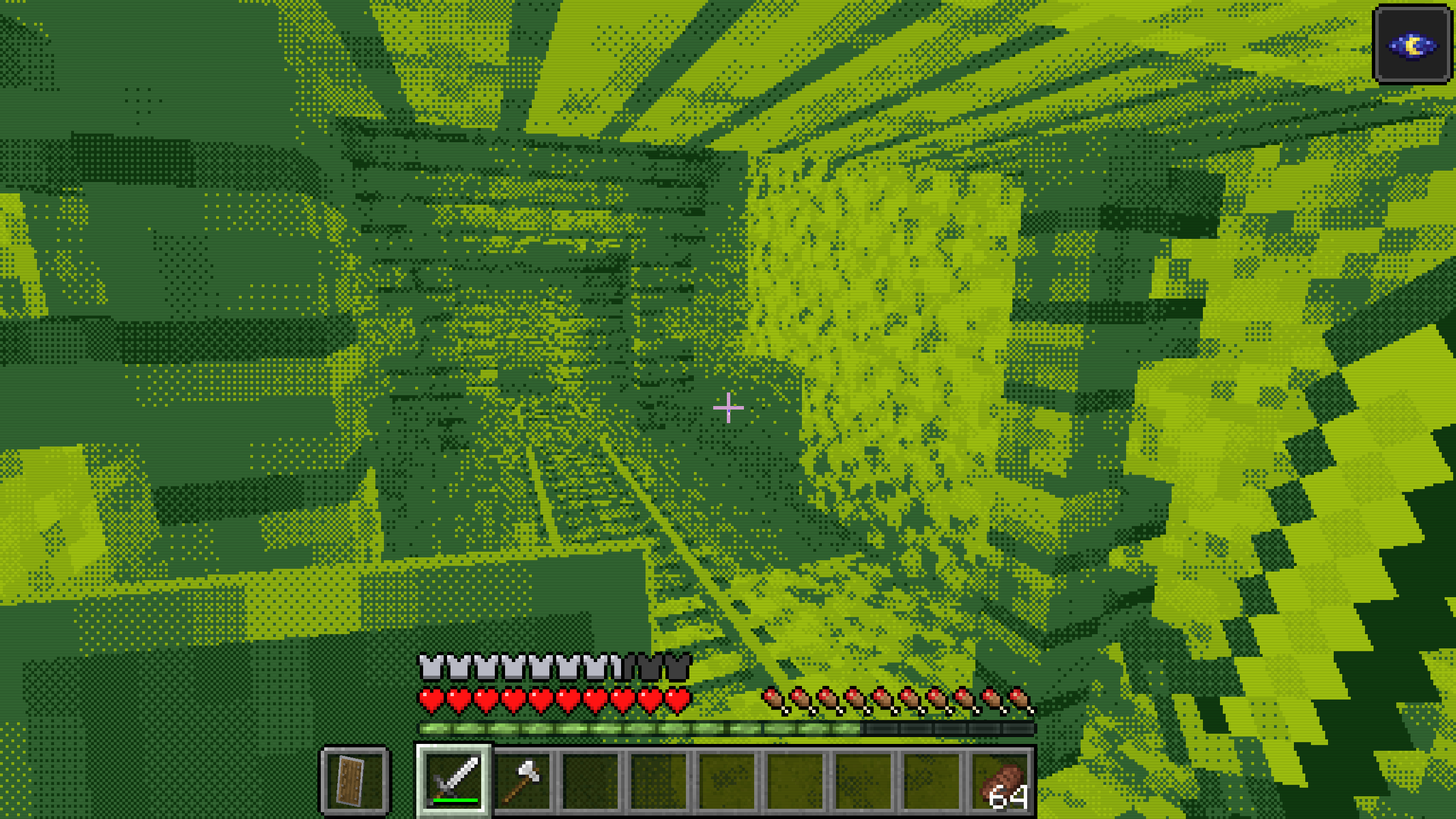
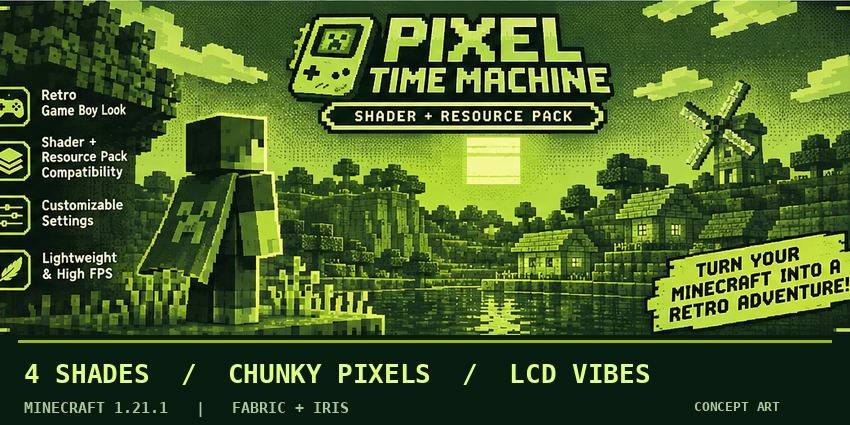
Pixel Time Machine transforms your Minecraft world into a nostalgic pixel-art experience, featuring an iconic 4-shade green color palette, chunky pixels, retro dithering, and classic LCD screen effects.
Rediscover your favorite landscapes, explore mysterious caves, build incredible structures, and survive epic adventures — all through the lens of vintage gaming!
✨ Features
🟢 Classic 4-Color Palette — Experience Minecraft in four nostalgic shades of green inspired by legendary handheld consoles.
🎮 Authentic Retro Aesthetics — Transform modern Minecraft visuals into an old-school pixel gaming experience.
🧱 Adjustable Pixel Size — Customize the pixelated look to match your preferred retro style.
🔳 Retro Dithering — Enjoy classic pixel-pattern shading for an authentic vintage appearance.
📺 LCD Screen Effects — Enable subtle screen lines inspired by traditional handheld displays.
⚡ Lightweight Design — No additional realistic lighting, complex shadows, or heavy reflection effects.
🎨 Customizable Settings — Fine-tune the retro visuals to create your perfect nostalgic experience.
⚙️ Compatibility
- Minecraft Java Edition 1.21.1
- Fabric
- Iris Shaders
- No additional resource pack required!
📥 Installation
-
Install Fabric and Iris Shaders for Minecraft 1.21.1.
-
Download Pixel Time Machine.
-
Place the ZIP file into your .minecraft/shaderpacks folder.
-
Launch Minecraft and open Video Settings → Shader Packs.
-
Select Pixel Time Machine and enjoy the retro experience!
💚 A Whole New Way to Experience Minecraft
Whether you're exploring, building, surviving, or simply enjoying the scenery, Pixel Time Machine brings a nostalgic twist to every block.
Four Shades. Endless Adventures.
Pixel Time Machine — Your World, Reimagined in Retro.
🎮 Pixel Time Machine — Minecraft'ı Retro Bir Maceraya Dönüştür!
Efsanevi el konsollarının altın çağına geri dön!
Minecraft'ın eski bir taşınabilir oyun konsolunda nasıl görüneceğini hiç merak ettin mi?
Pixel Time Machine, Minecraft dünyanı dört farklı yeşil tonundan oluşan nostaljik bir piksel deneyimine dönüştüren özel bir shader paketidir.
Büyük pikseller, klasik dithering efektleri ve eski LCD ekran görünümüyle Minecraft'ı yeniden keşfet!
İster mağaraları araştır, ister devasa yapılar inşa et, ister hayatta kalmaya çalış. Artık her maceran retro oyun dünyasının unutulmaz atmosferinde geçecek!
✨ Özellikler
🟢 Klasik 4 Renk Paleti — Minecraft dünyasını dört nostaljik yeşil tonuyla yeniden deneyimle.
🎮 Gerçek Retro Atmosferi — Modern Minecraft grafiklerini klasik piksel oyunlarını anımsatan bir görünüme dönüştür.
🧱 Ayarlanabilir Piksel Boyutu — Piksellerin büyüklüğünü değiştirerek istediğin retro görünümü oluştur.
🔳 Dithering Efektleri — Eski oyunların karakteristik noktalı gölgelendirme görünümünü yaşa.
📺 LCD Ekran Efektleri — Eski el konsollarından ilham alan ekran çizgilerini etkinleştir.
⚡ Hafif Tasarım — Ekstra gerçekçi ışıklandırma, karmaşık gölgeler veya ağır yansıma efektleri içermez.
🎨 Özelleştirilebilir Ayarlar — Retro deneyimini kendi zevkine göre kişiselleştir.
⚙️ Uyumluluk
- Minecraft Java Edition 1.21.1
- Fabric
- Iris Shaders
- Ekstra resource pack gerektirmez!
📥 Kurulum
-
Minecraft 1.21.1 için Fabric ve Iris Shaders kur.
-
Pixel Time Machine ZIP dosyasını indir.
-
ZIP dosyasını çıkartmadan .minecraft/shaderpacks klasörüne yerleştir.
-
Minecraft'ı aç ve Video Settings → Shader Packs menüsüne gir.
-
Pixel Time Machine'i seçerek retro dünyana adım at!
💚 Minecraft'a Yepyeni Bir Bakış
İster keşfet, ister inşa et, ister hayatta kal. Pixel Time Machine ile Minecraft'ın her bloğu geçmişin unutulmaz oyun atmosferine dönüşüyor.
Dört Ton. Sonsuz Macera.
Pixel Time Machine — Dünyanı Retro Tarzda Yeniden Keşfet.