


EIQFEP
- By
EIQFEP_09_end.png
EIQFEP_08_nether2.png
EIQFEP_07_nether1.png
EIQFEP_06_mountain.png
EIQFEP_05_lighthouse.png
Description
EIQFEP — Every Image Quality For Every PC
One shader pack. Five quality levels. From a weak laptop to a ray-tracing gaming rig.
EIQFEP is a shader pack for Iris, written completely from scratch. Instead of making you hunt for a "lite" version, it ships as a single pack with five quality levels: pick the level in the first line of the shader menu, then choose a look that suits you. Overworld, Nether and End all get their own lighting, sky and fog.
⚠️ Early alpha — please read
EIQFEP is still in early development. It is not yet known what kind of errors, oddities, or wonders it might produce on other hardware.
Your feedback is the most valuable thing you can give this project. If you try it, tell me what works, what looks wrong and what runs badly. See How to give feedback below.
🖼️ Screenshots
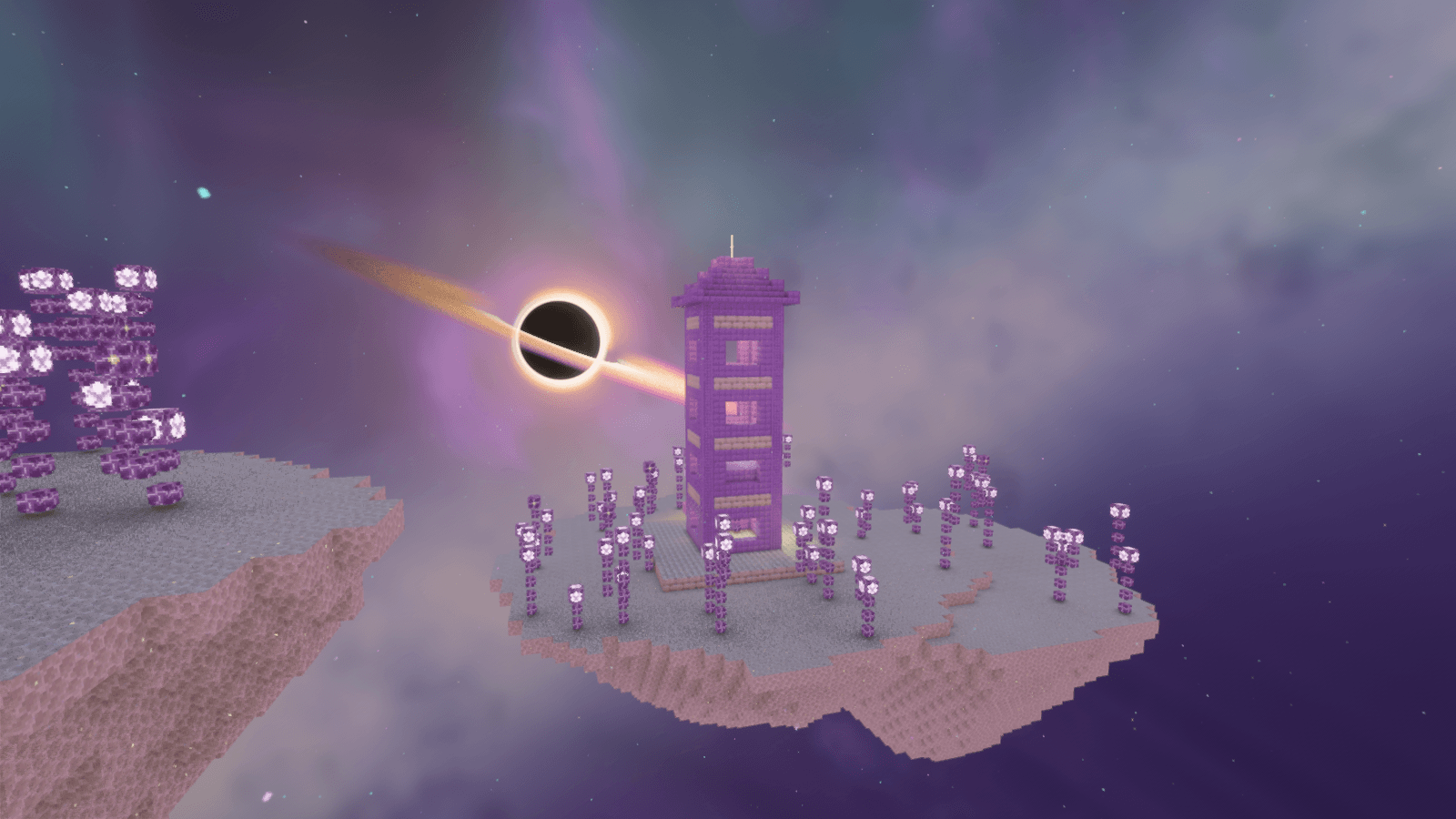
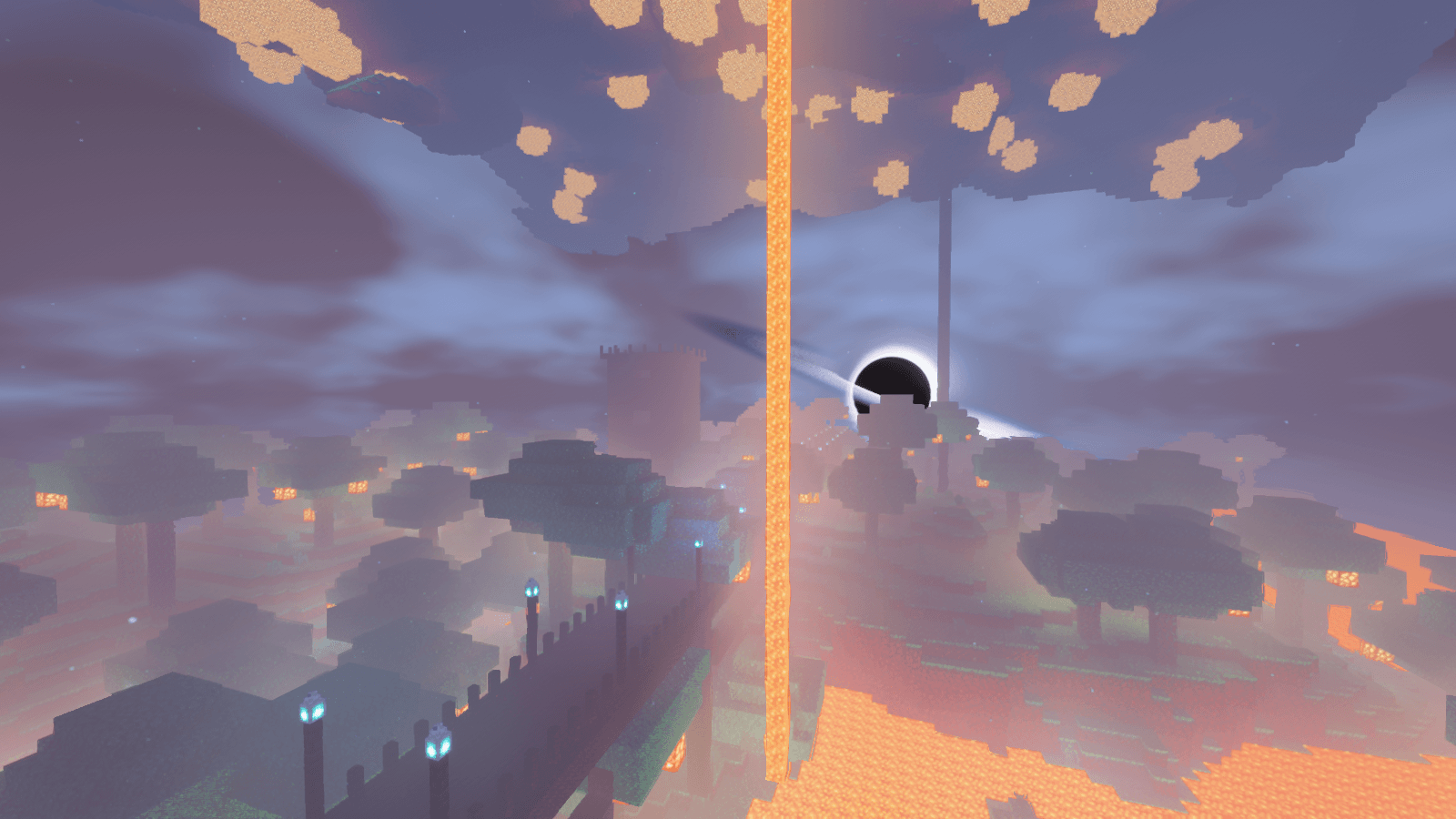
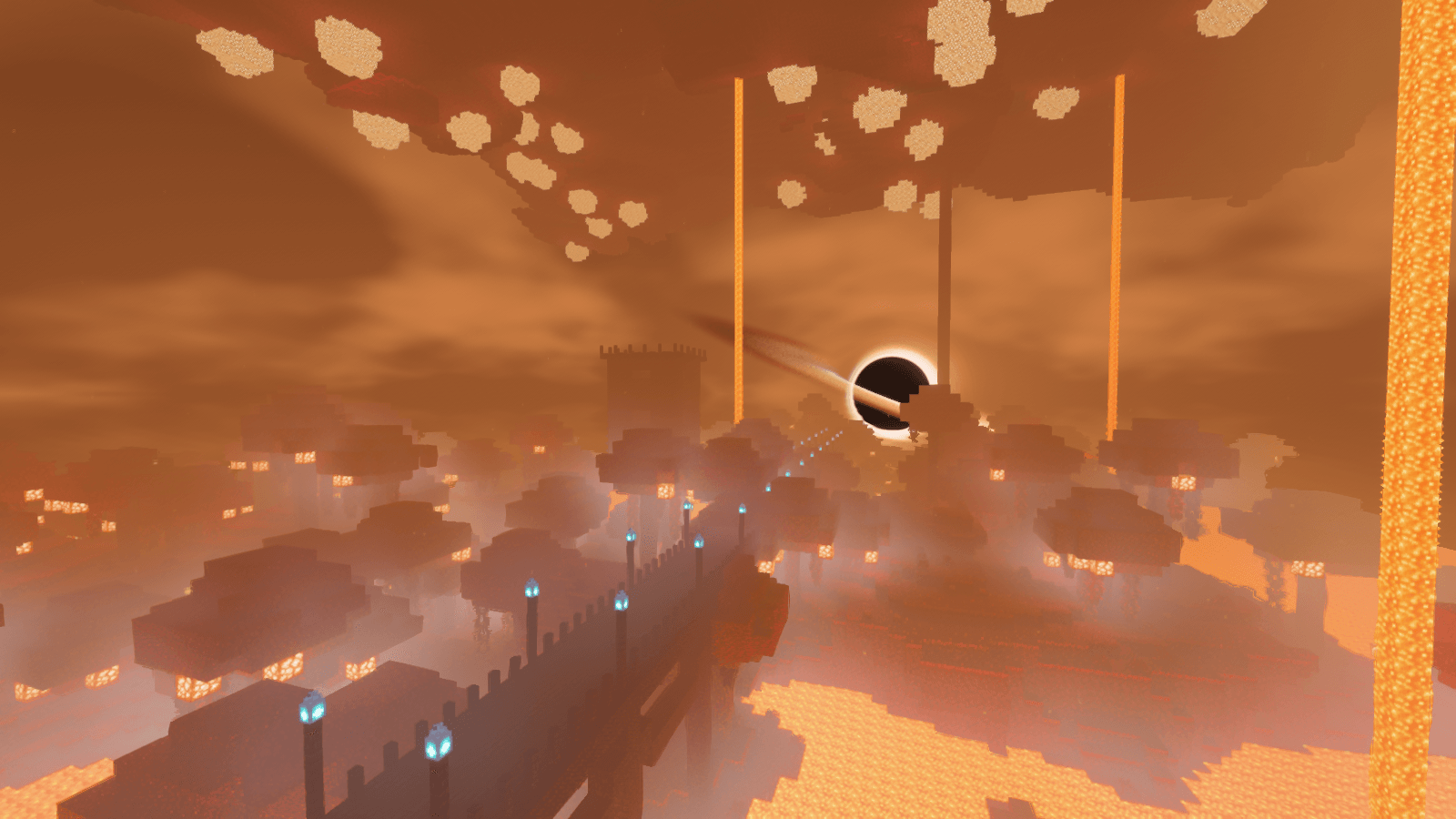
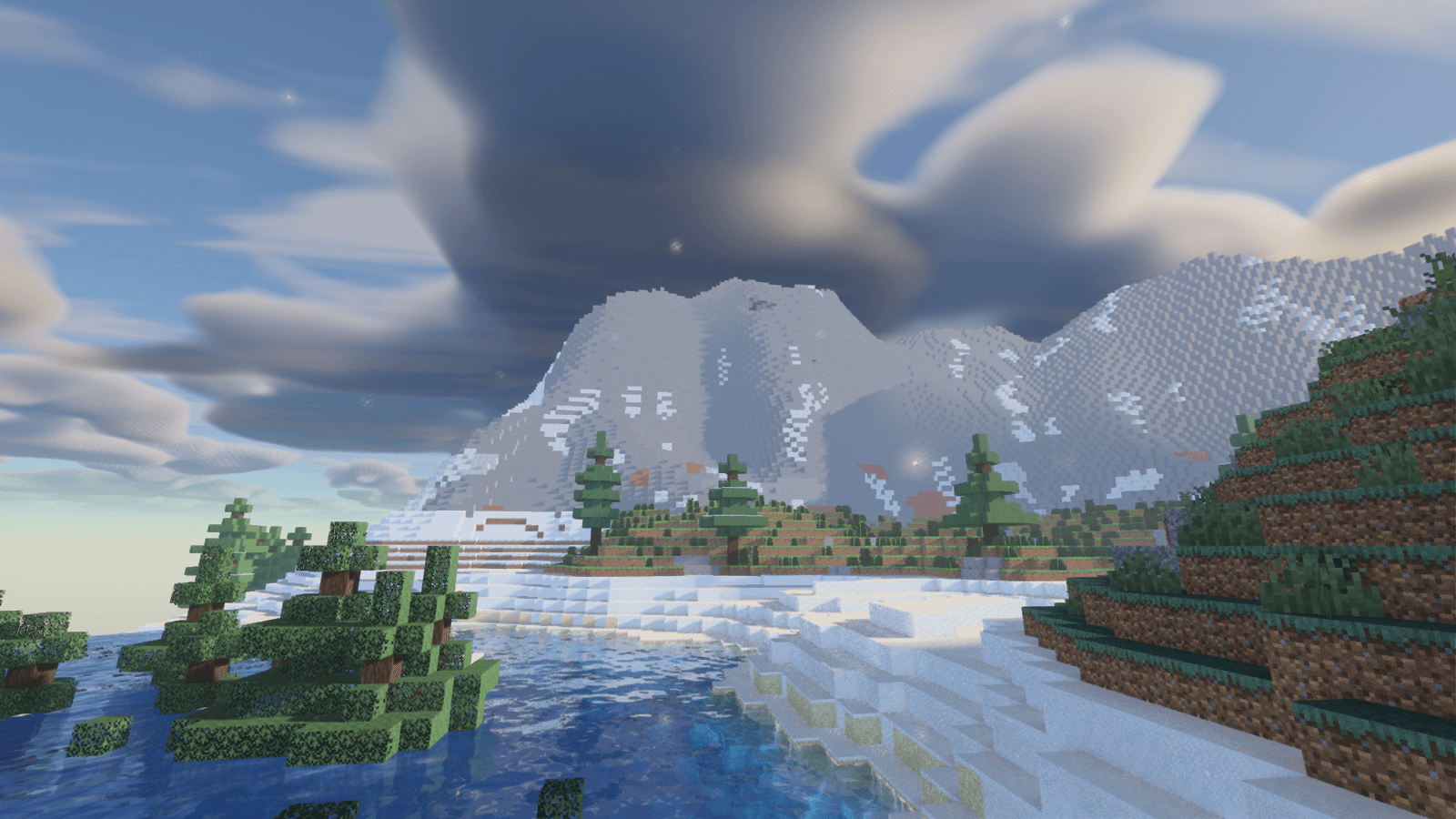
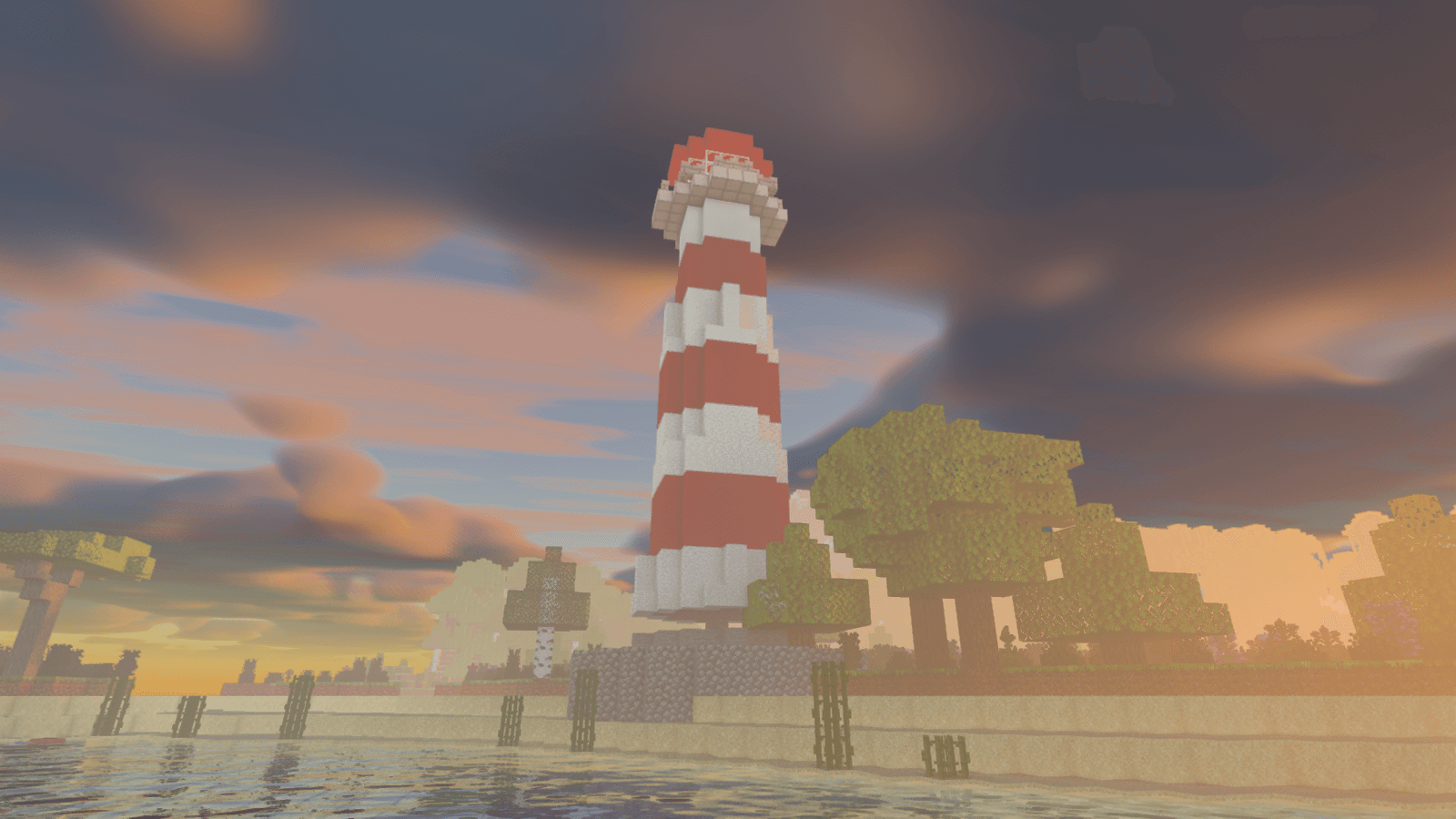
Nine scenes, one per mood: a plains village at golden hour and in dawn mist, a snowy taiga night with aurora, a desert pyramid, a lighthouse at sunset, an alpine lake, a crimson and a warped Nether, and an End island with an End city.
A note about the scenes: the buildings and structures in these screenshots were built by hand for the pictures, in every dimension, just to make them look nice. They are our own simplified builds and are not meant to look exactly like vanilla villages, pyramids or End cities. Our builder was not great at everything either :D — if a roof looks odd or a tower is a bit too plain, that is on the builder, not the shader.
✨ Pick your look
Five styles, switchable in-game, all built on the same lighting:
| Style | Feel |
|---|---|
| EIQ (natural) | Balanced, realistic colors and light |
| BSL-like (vivid) | Saturated colors, warm sun with blue shadows, bright clouds, stronger bloom |
| Dark Mode (moody) | Dark nights and caves, high contrast, cool tones, denser fog |
| Cinematic (warm, filmic) | Warm tones, higher contrast, light vignette |
| Pastel (soft, dreamy) | Soft, light, lower saturation, generous bloom |
Then make it yours with the Fine Tune menu. Every slider stacks on top of the style you chose:
- Light & mood: ambient light, sunlight strength, shadow tone (warm ↔ cool), cave darkness, night brightness
- Sky & weather: sky saturation and brightness, cloud brightness, cloud speed, fog density, daily weather variation, moon size, star brightness, sun path tilt, rainbows after rain, fireflies, meteor showers
- Water: water color (natural / turquoise / deep blue / swamp), turbidity, wave height, underwater visibility
- Materials & world: translucency (light through leaves and grass), waving plants, waving leaves, waving lava, bobbing lily pads, foliage color variation, surface variation (hides texture repetition)
- Image: exposure, eye adaptation speed, contrast, saturation, vibrance, color temperature, bloom, vignette, tonemapper
🎚️ Five quality levels
| Level | Name | Highlights |
|---|---|---|
| 1 | Performance | 1024 shadows, FXAA, cheap sky/clouds, no AO |
| 2 | Low | Colored shadows, 4-sample SSAO, procedural normals, clouds |
| 3 | Medium | Soft PCSS shadows, contact shadows, GTAO, TAA, volumetric light, SSR, bloom, colored block light |
| 4 | High | More samples, sharpening, longer SSR / volumetrics, larger light volume, ray tracing on |
| 5 | Ultra | 4096 shadows, 24-tap soft shadows, 40-step SSR, 24-step light shafts, largest light volume, ray-traced GI / lights / reflections |
Not sure where to start? Try Level 2–3 and go up while the game stays smooth. Adaptive Quality (Performance screen) reduces shadow filtering, AO, ray-traced GI and generated normals with distance to save GPU time; turn it off for full quality at every range.
🌤️ Sky & weather
- Physically inspired atmosphere with sunrise/sunset, twilight and sun halo; large adjustable sun, moon, stars, aurora and shooting stars
- Volumetric clouds with a high cirrus layer, cloud shadows and light shafts (god rays)
- A rainbow after the rain, a warm low moon with a soft halo, glowing fireflies on humid nights, dust and pollen drifting in the sunlight, desert heat shimmer, desert sandstorms, slanted rain, rare noctilucent clouds, extra-frequent auroras in snowy biomes and the occasional meteor shower
- The Darkness effect (Warden, Sculk Shriekers) fades the world to black with distance
- Snow cover: while it snows in cold biomes, block tops and leaves gradually turn white
- Rain, thunder flashes, wet surfaces with puddles and ripples, snow sparkle, biome fog (desert dust, humid air), morning mist
💡 Lighting
- Soft shadows (PCSS) with colored shadows through stained glass
- GTAO ambient occlusion and contact shadows
- Colored block light: glowing blocks light their surroundings in their own color — soul torch = blue, redstone = red, amethyst = purple, plus lava, glowstone, enchanting tables, ender chests, lit copper bulbs and more. Held light sources light the world around you and glow in your hand. Visual only; it does not change the real game light level.
- Ray tracing (Levels 4–5): voxel ray-traced global illumination, many-light selection with colored shadow rays, and ray-traced reflections where screen-space reflections miss. Needs OpenGL 4.3+; falls back to vanilla block light on older GPUs and macOS.
💧 Water & materials
- Animated waves, reflections, refraction, absorption, caustics and foam
- Automatic surface detail for textures without a normal map
- labPBR support, including the labPBR metal table for correct colored metal reflections
🔥 Nether & End
- Rewritten Nether: real ambient light, biome-aware colors and fog (crimson, warped, soul sand valley, basalt deltas), glowing lava sea, heat haze, embers; glowing fungus caps and lava falls light their surroundings
- The Eye: a black hole in the Nether/End sky with an accretion disk and lensing; in the End it is the key light of the dimension
- End nebula, aurora, void motes and volumetric fog; chorus plants, end rods and purpur glow in their own colors
🎨 Image & color
- 6 tonemappers: EIQ, ACES, Filmic, Neutral, AgX, AgX Punchy
- Auto exposure, bloom, vibrance, saturation, contrast, color temperature, vignette
- Optional (off by default): ink outlines (cartoon look), motion blur, depth of field, lens flare, rain drops, film grain, chromatic aberration
- A Debug View (normals, lightmap, material, distance, luminance) for bug reports; spider/Enderman eyes, beacon beams and lightning glow correctly, and translucent entities/blocks are lit properly
- HDR output with the "Shaders + HDR" mod when HDR is on
- Experimental Distant Horizons support
The menu is available in English and Turkish.
📦 Installation
- Install Iris (with Sodium) for your Minecraft version.
- Put the downloaded
.zipinto yourshaderpacksfolder — do not unzip it. - Important (Minecraft 26.2+): if your game has a Graphics API setting, set it to OpenGL (Options → Video Settings). Iris does not work with the native Vulkan renderer.
- In-game: Options → Video Settings → Shader Packs → choose EIQFEP.
- Pick a Quality Level (first entry), then a Style.
🖥️ Requirements
- Minecraft Java Edition with Iris (Sodium)
- A GPU/driver with OpenGL 3.3+ for Levels 1–2, and OpenGL 4.3+ (compute shaders, image load/store) for Levels 3–5 (colored light, ray tracing)
- Ray tracing (Levels 4–5) is heavy; expect it to need a fairly strong GPU
⚠️ Known limitations
- Real-hardware testing is still in progress: performance numbers are rough, and driver-specific problems may exist.
- The looks were tuned in a small test world, not in every real biome. Use Fine Tune to match your taste, and tell me what looks off.
- Distant Horizons support, Nether biome colors and the Nether/End eye lighting are experimental.
- macOS and old GPUs: colored light and ray tracing fall back to vanilla block light.
💬 How to give feedback
Every report helps — including "it just works fine". Please include:
- PC: GPU model + driver version, OS, CPU (laptop or desktop)
- Game: Minecraft, Iris and Sodium versions, plus other mods that affect rendering (Distant Horizons, HDR mod, etc.)
- Pack settings: Quality Level, Style, and anything you changed
- What happened: a screenshot or short clip if you can, and when it happens (time of day, weather, dimension, underwater…)
- FPS: roughly what you got, and on which level / render distance
- If the pack fails to load: the error text (Iris shows it in chat and in
latest.log)
Especially valuable right now:
- Does it load at all on your GPU (NVIDIA / AMD / Intel / Apple)?
- Performance per quality level, with and without Adaptive Quality
- Anything too dark, too bright, flickering, noisy or glitchy (especially nights, caves, water, Nether, End)
- Whether the BSL-like, Dark Mode, Cinematic and Pastel styles look good in your world
Bugs and suggestions: https://github.com/omurberaisik/EIQFEP
Thank you for testing — this pack gets better with your help!
EIQFEP is released under the Apache License 2.0. Written from scratch; no code from other shader packs. Because the shader is still under development, it may contain leftover or unfinished elements.
EIQFEP Team
