DarkMist Picture.png
Description
# DarkMist
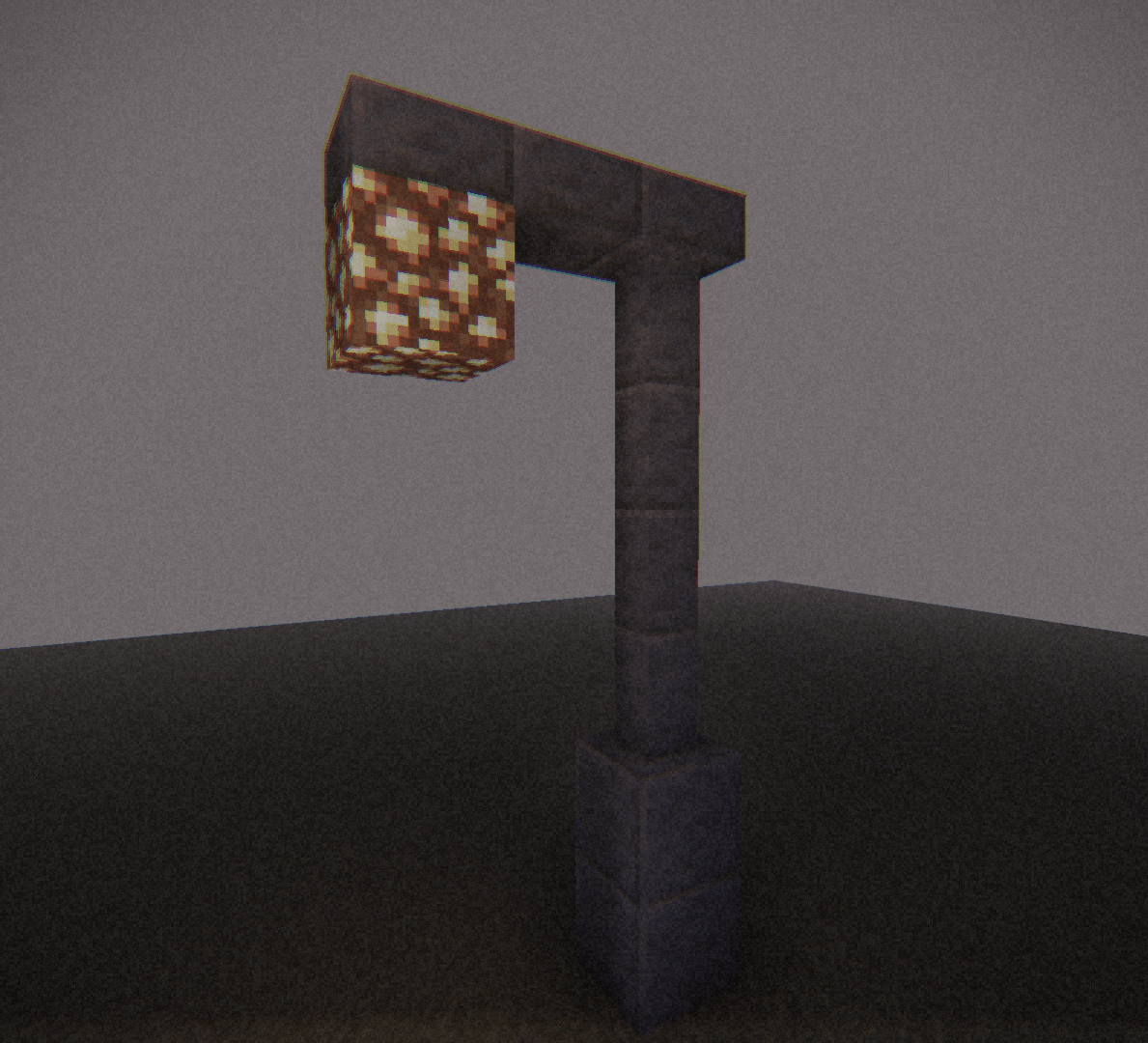
Step outside, and the world ends a few dozen blocks away. Everything beyond that melts into a pale, grayish haze, and all that's left is the sound of your own footsteps.
DarkMist isn't trying to make Minecraft look pretty. It's trying to make it feel like you shouldn't be here.
## What it does
- **Heavy, drifting fog.** Distant terrain fades into a cold, mauve-gray haze, and low fog rolls over the ground in slow, uneven patches. The sky disappears into it completely.
- **Old-tape look.** Black bars on the sides, fine film grain, flickering static, soft color fringing at the edges and a dark vignette. It feels like footage from a camera you found in a drawer.
- **Muted, dusty colors.** Everything is desaturated and pushed toward a warm, faded tone, so even a sunny meadow looks like a memory.
- **Shadows and depth.** The sun and moon cast soft shadows, and ambient occlusion darkens corners and crevices so blocks don't look flat.
- **Warm block light.** Torches, lanterns and glowstone glow a warm orange against the cold fog.
## Make it yours
Almost everything can be changed in the shader settings:
- fog density, ground fog, fog brightness and swirl
- exposure, contrast and color
- grain, static noise, chromatic aberration and vignette
- side and top/bottom bar size, or a square view
- shadow strength and softness
- ambient occlusion and block light
Want it lighter and calmer? Turn the fog down. Want it properly oppressive? Turn it all the way up.
## Good to know
- Made for **Iris** (built for version 26.1.2).
- Shadows and ambient occlusion cost some performance. If your game stutters, set **Shadow Strength** or **AO Strength** to 0.
- This is an early version, so you may run into small bugs. If something looks off, please tell me and include a screenshot.
## Installation
1. Download the `.zip` file.
2. Put it in your `shaderpacks` folder.
3. Open the shader settings in Iris and select **DarkMist**.
## Credits
Inspired by the look of Cursed Fog by LoLip_p.
Dark Mist Team