Crownlight Shader
- By
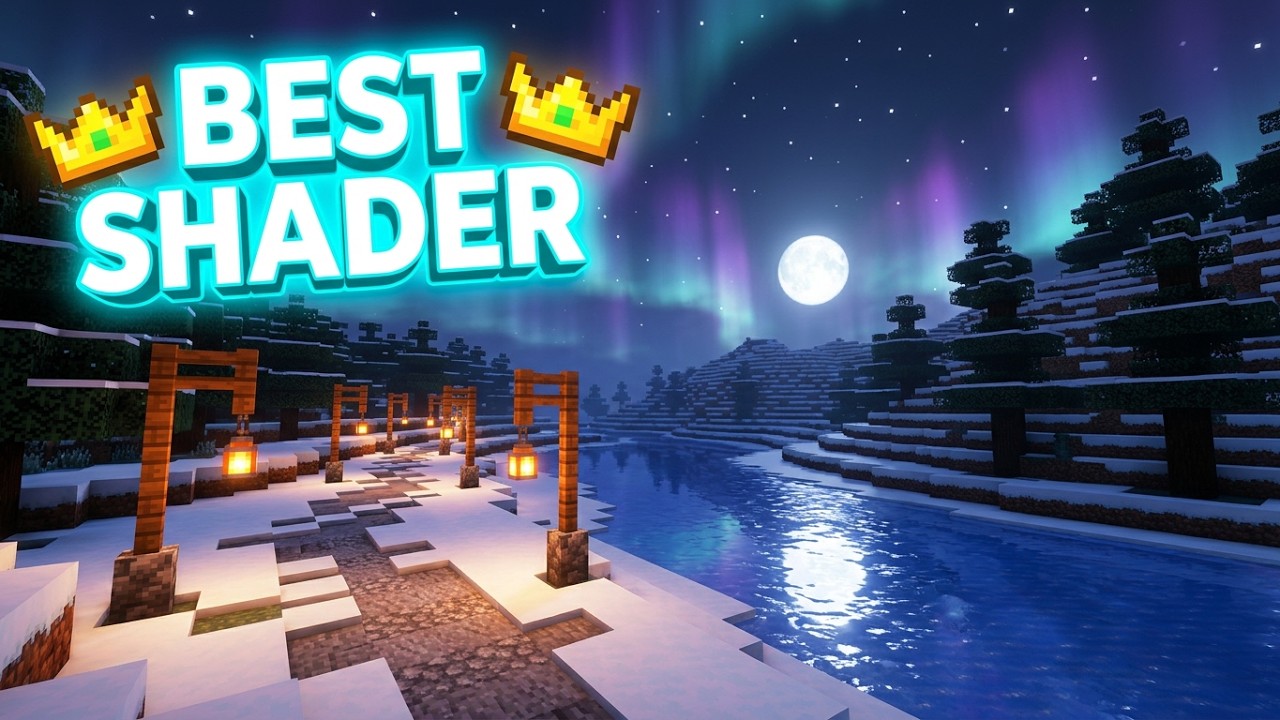
Aesthetic Village with Crownlight Shader.👑
Description
👑 Crownlight Shaders
✨ A bright, clean shader pack with a real sky, living water, glowing ores and a menu built around YOU.
- 🌅 Custom sky and clouds
- 🌊 Realistic water
- 💎 Glowing ores
- 🔦 Coloured torch light
- 🎛️ Make your own look
🌟 Why Crownlight?
Vanilla Minecraft looks flat. Crownlight gives it a real sky, soft light, moving water and glowing details, and it still runs well, because you pick a quality profile and tune only what you like.
🔥 Highlights
🌅 Sky and Atmosphere
- Custom blue sky with orange sunrises and sunsets
- Soft clouds lit by the sun
- Glowing sun, moon and twinkling stars
- ☀️ Light rays through trees and clouds
- Distant land fades into the real horizon colour (no ugly flat fog)
🌊 Water
- Ocean-style waves
- Sky reflections
- White foam on shallow shores
- Light patterns on the sea floor
- Clear, natural-looking underwater view
🌧️ Rain and Weather
- Raindrop ripples on wet, glossy ground
- Rain that slants in the wind
- Extra weather settings for desert, savanna and snowy biomes
💎 Ores, Metals and Lights
- ⛏️ Ores glow in their own colours, even in total darkness
- ✨ Shiny gold, diamond, emerald, iron, netherite and copper blocks
- 💠 Gems and ingots sparkle in your hand and on the ground
- 🔦 The light you hold changes colour: torch (warm), soul torch (blue), redstone torch (red), copper torch (green) and more
- 🔥 Torch light flickers softly
- 🌋 Balanced lava glow that keeps its detail
🔴 Nether and 🟣 The End
- Nether biomes each get their own colours
- A dark, colourful End sky with a soft aurora
🚀 Motion
- A speed effect when you glide fast with an Elytra
- Boats and Water Motion settings
🎨 Look and Feel
- Soft shadows
- Bloom, tonemapping, exposure, saturation, contrast, warmth, sharpen, vignette and film grain
🎛️ My Own Shader
Do not like a setting? Make it yours.
- Open the shader menu and go to My Own Shader
- Turn USE MY OWN SHADER on
- Choose a Style
- Move the sliders you want: Brightness, Colour Strength, Contrast, Warm / Cool Tint, Glow, Dark Corners, Sunlight, Shade Brightness, Torch Light, Fog, Cloud Amount and Water Colour
💾 Iris saves your settings automatically, so your look is there next time you play.
🧭 Best Way to Play
| Profile | Best for |
|---|---|
| 🟢 Low | Older PCs and laptops, or if you want the highest FPS |
| 🟡 Medium | Balanced looks and speed |
| 🔵 High | Recommended for most gaming PCs |
| 🟣 Ultra | Strong GPUs and screenshots |
⭐ Recommended setup
- Use Iris with Sodium
- Start with the High profile, then lower it if you lag
- Render distance 12 to 16 chunks looks great and stays smooth
- Use the vanilla texture pack for the best look. Other packs can change how the shader looks
- 🌇 Best moments to look around: sunrise, sunset and night with a torch in your hand
⚡ If You Lag (Quick Fixes)
- Switch the profile to Medium or Low
- Lower Shadow Quality (the biggest FPS cost)
- Turn off Water Reflections
- Turn off Light Rays
- Lower your render distance
📥 Installation
- Install Iris (and Sodium)
- Put the downloaded
.zipinto.minecraft/shaderpacks. Do not unzip it. - In game: Options > Video Settings > Shader Packs
- Select Crownlight Shaders and click Apply
✅ Compatibility
- 🧪 Tested with Iris 1.11.6 on Minecraft 26.3
- 🌍 Works in the Overworld, Nether and End
- ⚠️ Made for Iris. OptiFine has not been tested.
🛠️ Troubleshooting
- Black screen or an error? Update Iris and Sodium to the latest version for your Minecraft version
- Looks too bright or dark? Use the Colors and Post Effects menu or My Own Shader
- Something looks wrong with another texture pack? Try the vanilla textures first
💬 Feedback and Bugs
Found a bug or have an idea? Leave a comment or open an issue. Please include:
- Your Minecraft version
- Your Iris version
- A screenshot
- You can join you official discord server too like in below... JOIN DISCORD SERVER
⭐ If you enjoy Crownlight, please follow and leave a review. It helps a lot!
📜 Project License
Copyright © 2026 Kingofall. All Rights Reserved (ARR). No parts of this shader pack may be redistributed, modified, re-uploaded, or used in other projects without the explicit written permission of the original creator.
Crownlight Shader Team