Arcane Shaders
A fantasy-styled shader pack that turns Minecraft into a magical world: glowing auroras, nebula skies, shooting stars, enchanted water and warm, living light. Supports Iris, Oculus and OptiFine.
logo
Description

Arcane Shaders is a fantasy shaderpack for Minecraft Java Edition, created to bring a magical atmosphere, vibrant colors, and cinematic lighting to your world.
Watch emerald and violet auroras shimmer across the night sky. Discover distant nebulae and shooting stars, explore forests swaying in the wind, and follow golden sunlight as it passes through the clouds. With reflective water, atmospheric fog, glowing lights, and a uniquely reimagined End, Arcane transforms familiar Minecraft landscapes into something otherworldly.
Whether you're building a fantasy kingdom, exploring an enchanted wilderness, or venturing into the depths of another dimension, Arcane Shaders brings a little more magic to every adventure.
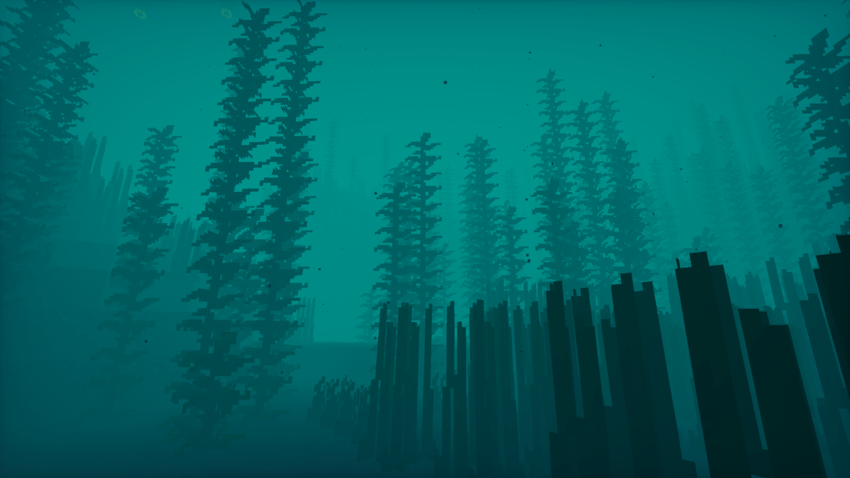
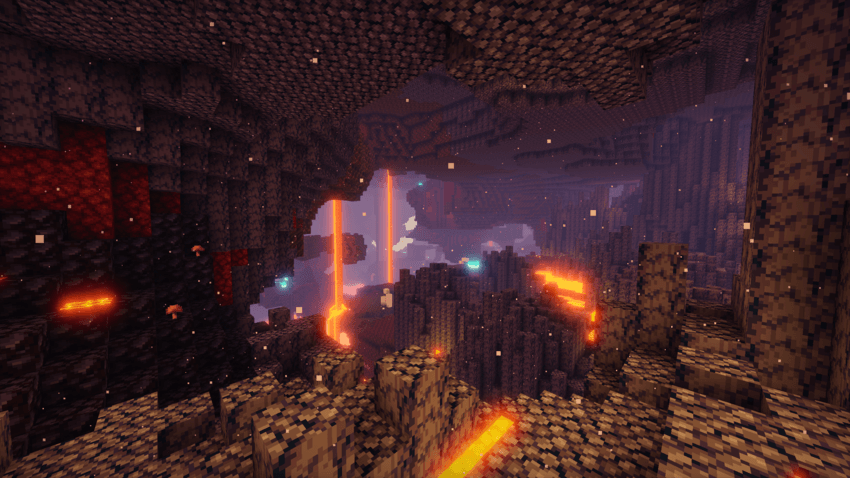
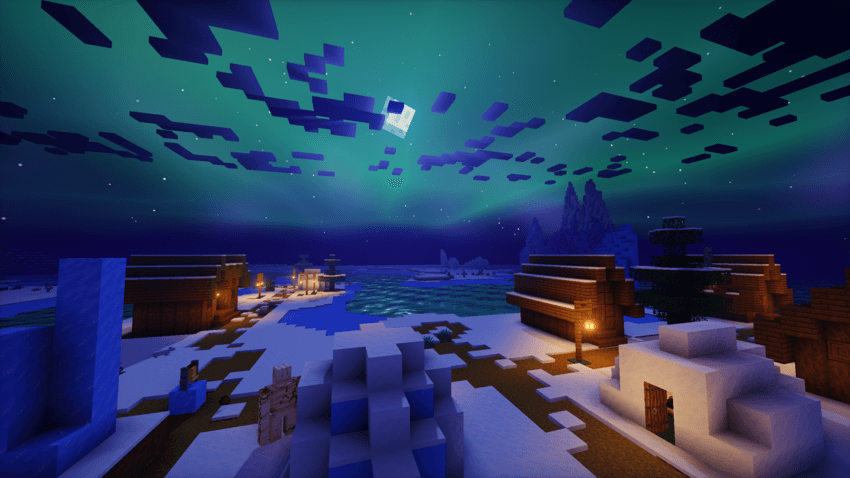
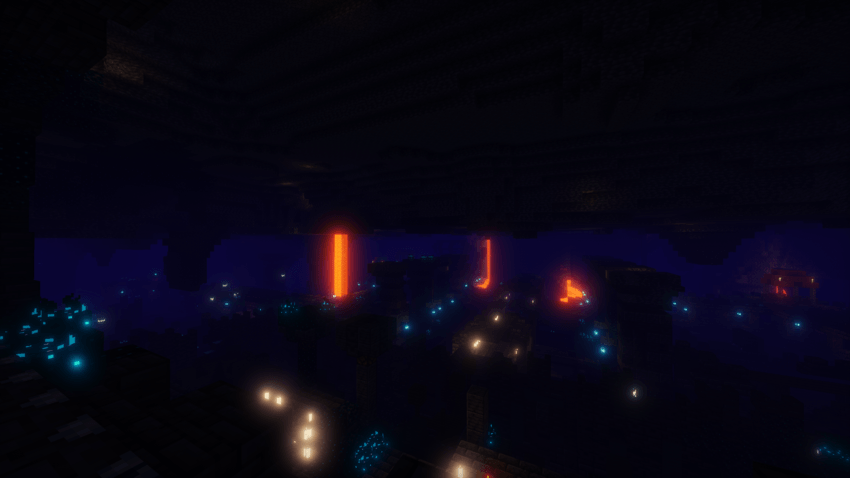
A Sky Full of Magic
The night sky is one of Arcane's defining features, filled with celestial details that give your world its own fantasy atmosphere.
Northern Lights: Shimmering auroras with multiple color styles, from green and violet to teal, pink, and gold.
Cosmic Nebulae: Dreamy violet and teal clouds drifting among the stars.
Shooting Stars: Occasional streaks of light across the night sky.
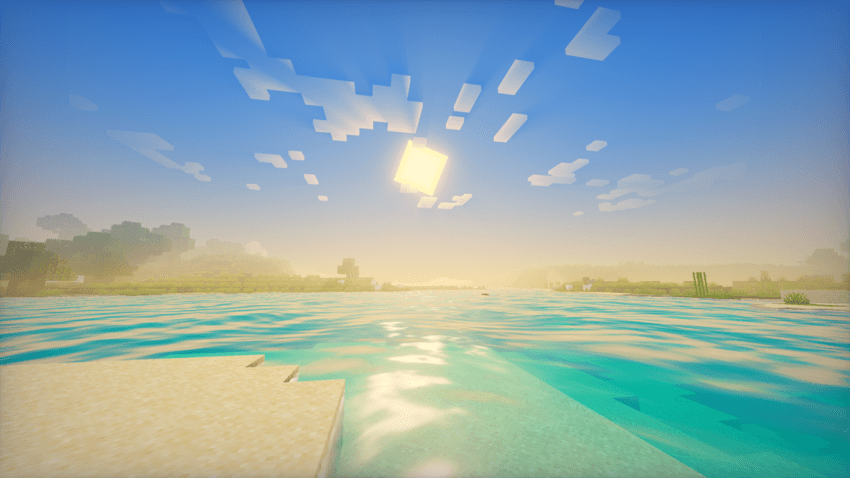
Atmospheric Sunsets: Golden sunlight, colorful horizons, and glowing celestial bodies.
Reflective Night Skies: Water can reflect the stars, auroras, and nebulae above.
Water That Brings the World to Life
From peaceful lakes to winding rivers, water adds movement and atmosphere to your surroundings.
Animated surface waves and detailed ripples.
Reflections of the sky and celestial scenery.
Sunlight glinting across the water's surface.
Dynamic refraction that distorts the underwater view.
Dancing caustic light patterns in shallow water.
Soft shoreline foam and optional magical water sparkles.
Customize the wave height, movement speed, water clarity, reflections, and additional effects to suit your world.
Cinematic Lighting
Arcane combines carefully tuned lighting and post-processing effects to create depth without losing Minecraft's recognizable visual style.
Soft Shadows: Configurable sunlight and moonlight shadows.
Ambient Occlusion: Adds depth to corners, crevices, and shaded areas.
Bloom: A magical glow around bright lights, luminous blocks, and the sun.
God Rays: Atmospheric beams of light from the sun or moon.
Emissive Glow: Enhanced brightness for glowing blocks and light sources.
Held Item Lighting: Torches, lanterns, and other supported light-emitting items illuminate your surroundings when held.
Golden highlights and violet-tinted shadows help establish Arcane's signature fantasy color palette.
A Living Landscape
Bring forests, meadows, and distant horizons to life with subtle environmental effects.
Wind-swaying leaves, grass, and flowers.
Light passing through backlit foliage.
Natural variation in grass and foliage colors.
Atmospheric fog that changes with environmental conditions.
Clouds with glowing silver linings near the sun.
Light shafts passing through gaps in the clouds.
These effects create a more immersive world, whether you're exploring a dense forest or watching the sunset over a distant castle.
The End
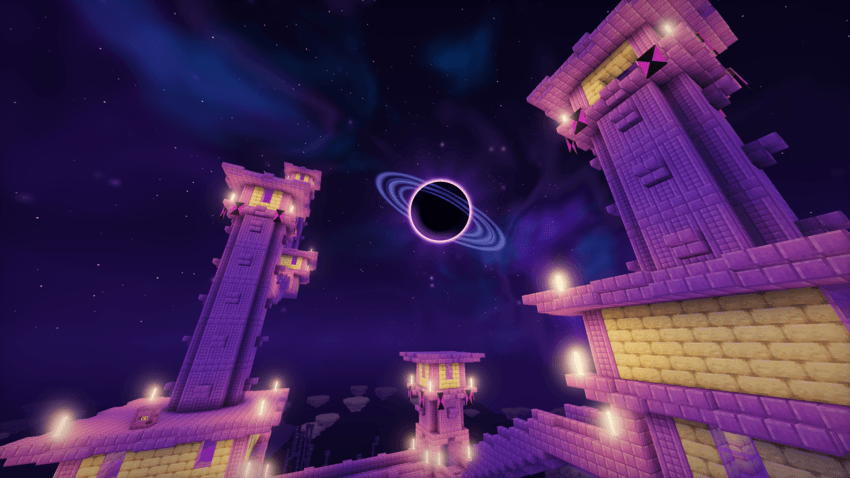
The End receives its own dark-fantasy atmosphere, featuring a cosmic sky and distinctive visual settings.
Nebulae and stars against a mysterious celestial backdrop.
The Void Moon: A huge dark moon surrounded by a glowing corona and a dusty ring.
Three sky styles: Violet Void, Crimson Rift, and Emerald Abyss.
Optional deeper ambient occlusion and darker screen edges for a more ominous atmosphere.
Performance & Quality Presets
Choose the balance between visual quality and performance that suits your PC.
| Preset | Designed for |
|---|---|
| Low | Lighter rendering with reduced effects |
| Medium | A balance of visual quality and performance |
| High | The default Arcane experience |
| Ultra | Higher-quality, longer-range shadows and enhanced effects |
| Maximum | The highest available settings for more powerful hardware |
Individual settings can be adjusted beyond the presets, letting you tailor the shader to your preferences.
Installation
-
Install a compatible shader loader for your Minecraft version, such as Iris, Oculus, or OptiFine.
-
Download Arcane Shaders and place the shaderpack ZIP file in your Minecraft
shaderpacksfolder. Do not extract the ZIP file. -
Launch Minecraft and open Options → Video Settings → Shader Packs.
-
Select Arcane Shaders and enjoy your new world.
The included configuration targets Minecraft 1.20.1. Compatibility may depend on your Minecraft version and shader loader.
Enter a world of enchantment. Explore beneath magical skies. Let your next adventure begin with Arcane Shaders.
Arcane Shaders Team