


Shuu's Complete FPS
- By
The complete Minecraft FPS experience, with game orchestration, movement, and built-in worlds.
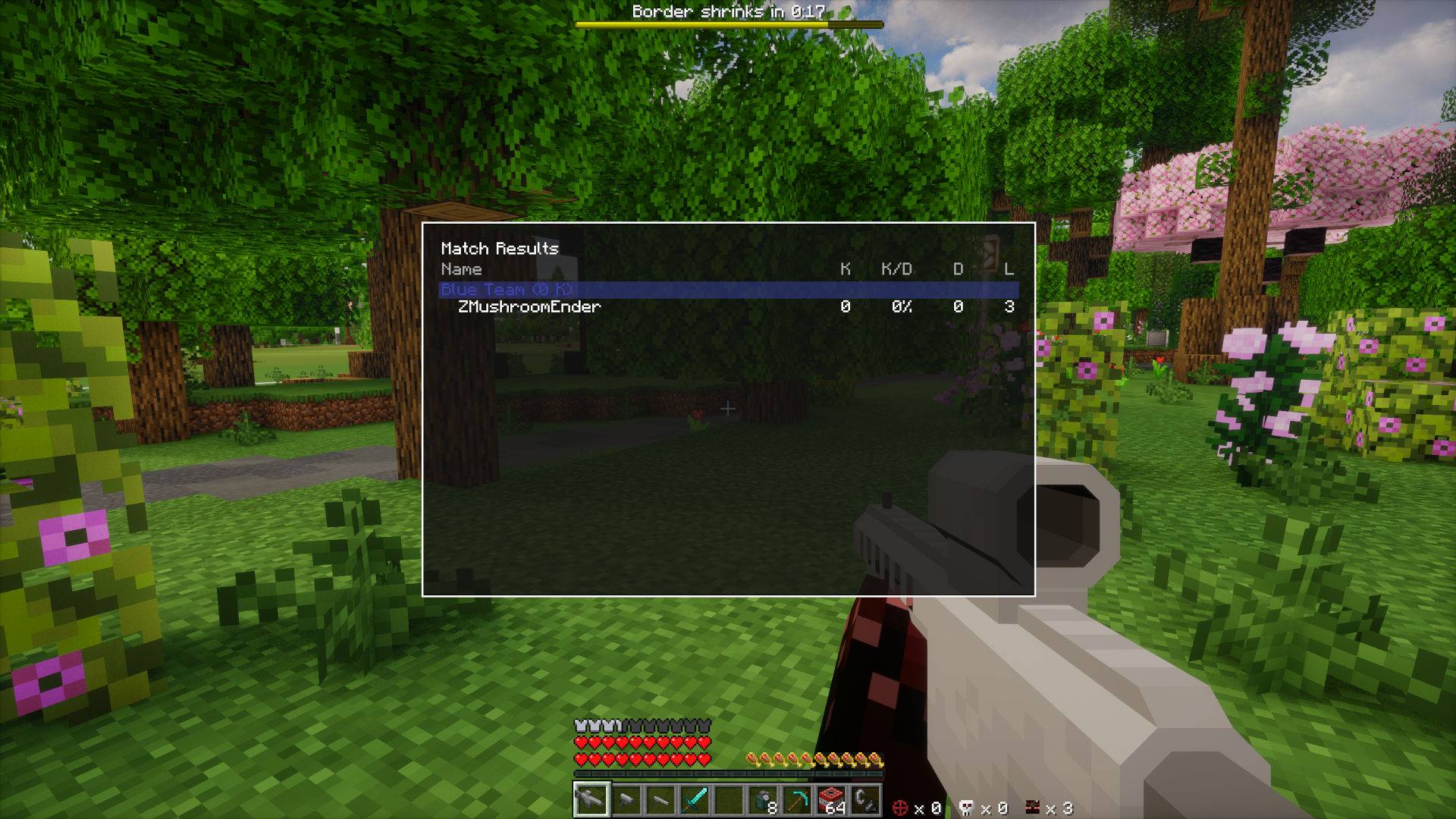
LeaderboardMenu.jpg
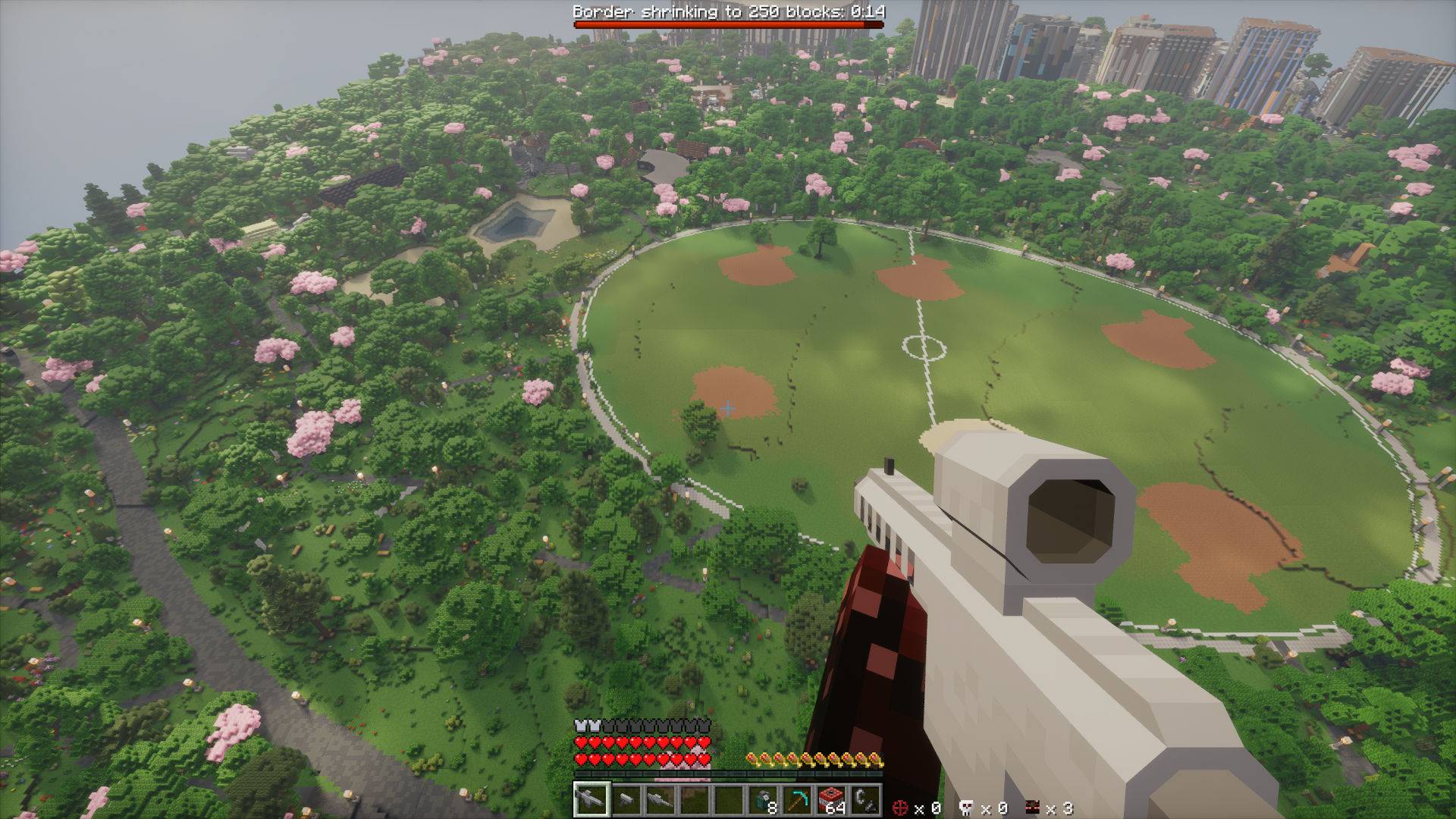
WhereWeDroppin.jpg
The modpack comes with realistic shaders, and Distant Horizons for viewing distance!
Host This Modpack With BisectHosting
Create your game server with 

Description
Shuu's Complete FPS
This is the complete Minecraft FPS experience. It comes with with game orchestration, movement, and built-in worlds.
Controls
Use v to hold onto the edge of blocks (a more manual vaulting), hold t to slide on walls, or run along them, press space a second time to double jump, press CapsLock to dash!
Features
1) Game Mode Orchestration
This game has 2 game modes: Battle Royale and Arena Timed
2) Arena Backup
When you set an area to make your arena (using the init commands), the mod will automatically save that area of your world separately. Once a game ends (running the reset command or the game naturally ends) those chunks will immediately and automatically be restored.
3) Leaderboard
When a game is running, you can view the leaderboard by holding <tab>. It is organized as original FPS intended!
Game Modes
1) Battle Royale (/br)
- Last player or team alive wins.
- The world border starts large, then shrinks in steps.
- You can configure war time, shrink amount, shrink timing, and lives.
2) Arena Timed (/at)
- Set a fixed match duration.
- Rack up kills before the timer ends.
- Winner selection uses match stats at the end of the round.
3) Arena Utilities (/shuufps)
- Manage arena backup and reset flow.
- Keep your map reusable between matches.
Starting Games
All commands below require operator permission (level 2+). Run them in the Overworld.
Stand where you want arena center and initialize:
/br init <size> <warTime> <shrinkAmount> <shrinkTime> [lives]Example:
/br init 300 90 25 45 3Start Battle Royale:
/br startStop Battle Royale if needed:
/br stopStart Arena Timed for a quick fight:
/at start <durationSeconds>Stop Arena Timed if needed:
/at stopMake or restore arena backup:
/shuufps backup/shuufps reset
Command Reference
/br (Battle Royale)
/br startStarts Battle Royale with the saved arena config and game settings./br stopStops the current Battle Royale and restores gameplay state./br settings warTime <value>Sets the delay (seconds) before border shrinking starts./br settings shrinkAmount <value>Sets how many blocks the border shrinks each cycle./br settings shrinkTime <value>Sets cycle duration (seconds) for each shrink./br settings lives <value>Sets lives per player./br set center <size>Saves your current location as arena center and sets arena size./br init <size>Sets center/size and starts backup initialization./br init <size> <warTime> <shrinkAmount> <shrinkTime> [lives]Sets center, game settings, and starts backup initialization in one command.
/at (Arena Timed)
/at start <durationSeconds>Starts a timed match using the saved arena size and center./at stopStops the current Arena Timed match./at set center <size>Saves your current location as arena center and sets arena size./at init <size>Sets center/size and starts backup initialization.
/shuufps (Arena Utilities)
/shuufps backupCaptures and saves the current arena so you can reset later./shuufps resetRestores the most recent arena backup.
Match Flow Tips
- Use a medium border (200 to 400) for 6 to 20 players.
- Keep war time short (60 to 120 seconds) to avoid slow starts.
- Use low lives (1 to 3) when you want higher tension.
- Run either
/br init,/at init, or/shuufps backupafter preparing your arena so every round starts clean.
Credits
Maps -- Open Street Maps (https://www.openstreetmap.org/) & Arnis (https://arnismc.com/) Guns -- MrCrayfish's Gun Mod [Unofficial] for the weapons (https://www.curseforge.com/minecraft/mc-mods/mrcrayfishs-gun-mod-unofficial) FPS Orchestration -- ShuuFPS for FPS orchestration and game state (https://www.curseforge.com/minecraft/mc-mods/shuus-fps)
Shuu's Complete FPS Team

