


Nermagitek
- By
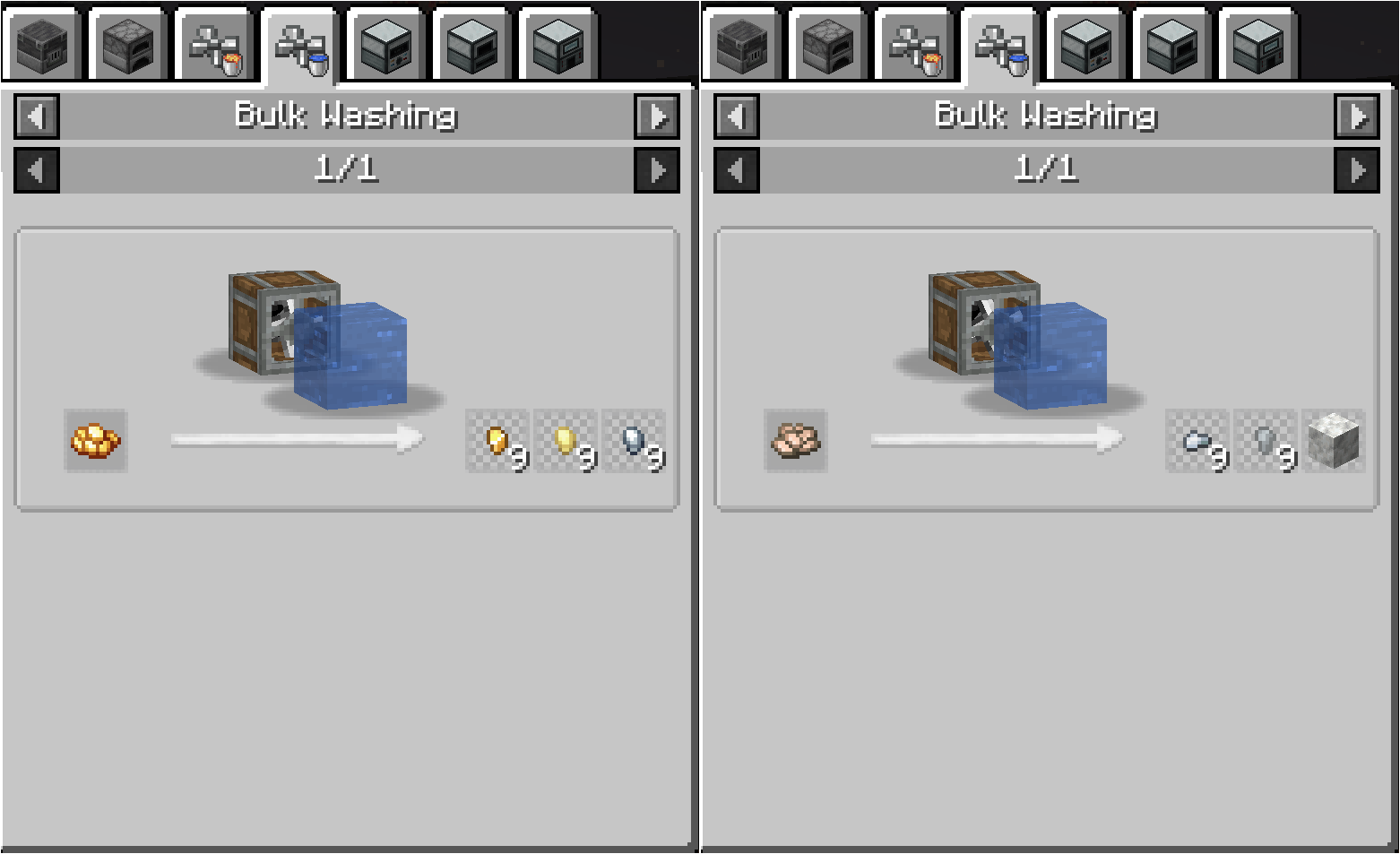
Many custom washing recipes also have a chance of doubling the crushed ore's output, as well as having a chance of yielding related metals, such as Silver and Electrum, in the case of Crushed Gold
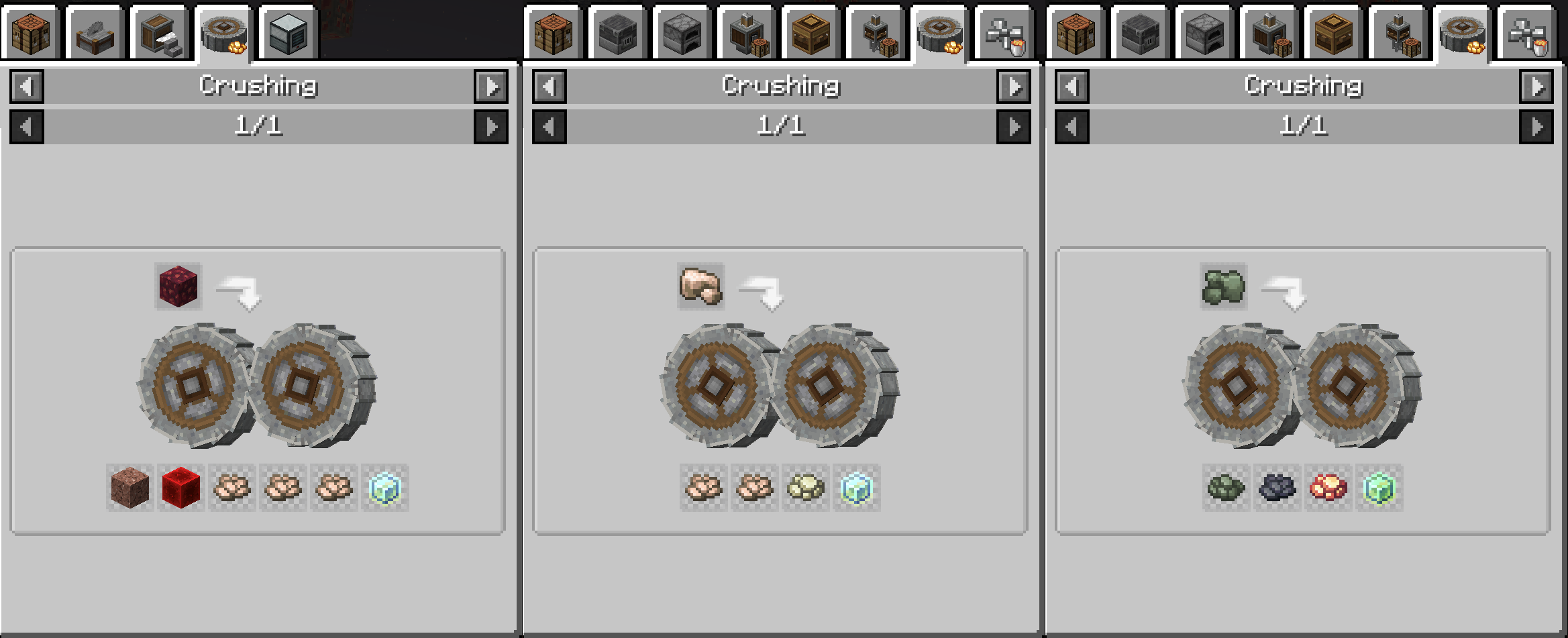
Many custom crushing recipes have chances of doubling outputs and sometimes even low chances of giving certain side products
Description
This pack expands on player customisation and decoration options, letting them change their avatar with CPM and adding many extra blocks with things like Stoneworks and Pam's suite of mods. The typical QoL mods like JEI make sure the progression and crafting experience feels smooth.
CraftTweaker is used for developing the modpack and making sure the balance functions as intended, as well as being used to correct recipe conflicts.
Project comments are disabled but any registered user can create a new issue.
Progression
The modpack features heavy modifications to the default recipes added by many mods. In particular, Create is currently the focus of general progression for processing ore and materials, but if possible TE will be changed up too, so it can be mixed in to make up part of the side-product processing.
Both TE and IE are meant to be used as side progressions that help with acquiring more of both raw and highly refined materials, rather than helping with the processing of raw materials into basic materials.
Tetra and the mods supporting it make sure that players have the usual expanded material options when making tools, making copper, tin, zinc and bronze particularly useful beginner's materials, but further support is added with modpack-specific features that allow use of otherwise unsupported materials, such as Invar and Enderium.
ProjectE
ProjectE is included to make life somewhat easier in some aspects but it has restrictions so as to not trivialise gameplay in other areas. For that reason, crafting Energy Collectors Mk1 is disabled by default via a CraftTweaker script.
While nothing else is disabled, there are other balance changes that make getting the powerful ProjectE gear more of a grind, as well as changes that make sure food never feels too trivial as a choice. Few food items have EMC values too, so players have an added incentive to farm, but Hunger-replenishing stones are still available if players want to spend their hard-earned EMC on those.
After v6, there is a 0.25 EMC covalence ratio, in other words, items being burned for EMC return 1/4 or 25% of their actual EMC value. Some Vanilla cooked items now have more value than their non-cooked variant, so the 1/4 value when burning to gain EMC prevents players from exploiting this mechanic, while still letting players make use of farming, herding, mining and processing to gain additional EMC. If players choose to make use of IE drilling, they'll be able to use that for EMC too if it's of a metal they don't have much use for, but basically it's up to the players to figure out how to get around the EMC restrictions.
The idea is for players to have normal progression through IE, AE2 and TE without being able to jump through actually making the stuff by use of EMC. Players can still have some forms of passive EMC generation if they make use of things like harvest setups from Create, or growing and extraction machines from IE and TE. Players can still make use of EMC to produce basic materials they need for the mod progressions however.
Multiplayer
NOTE: As this is a project I develop for fun, I will not provide direct support for any server setup-related issues. This is a VERY basic setup guide meant to get people started. Further of your own research into full Forge server setup is advised.
There are a couple of ways of playing together with other players. In both cases, you may require some additional knowledge on how to correctly set up your machine and IP so that players from outside your network can join you.
At least 6GB of RAM are recommended for decent server performance. A decent-ish CPU and a hybrid drive or SSD are recommended too for smoother gameplay.
LAN:
Players can open the menu after loading a world and "open to LAN"; if the host port-forwarding and IP are setup correctly, players from outside their local network will be able to join them.
Using the "/publish [port]" command lets hosts specify a port that clients can add to their saved server lists.
Forge Server:
Setting up a forge multiplayer server is slightly more difficult but is possible. You'll have to separately download an appropriate Forge version (most likely 43.2.14) and set it up as a server, by running the Forge installer .jar and choosing an option to "install server". If you want to install a Forge server on a headless server you'll need to run the forge installer .jar with --installServer instead.
Once the server is installed, you'll need to run it once so that all the default settings and configs can generate. You'll also need to "accept" the Minecraft EULA file setting.
Once all that is done, you'll have to place the folders found in the "override" folder from the modpack .zip archive, into the Forge server installation. Then all you need to do is change any server/world settings as you wish, and launch the server with a .sh or .bat file, as appropriate to your system.
Wishlist/to-do
- Quests/questbook (WIP)
- In-game documentation/manual for modpack features and guidance (WIP as part of quests)
- Custom mod for specific modpack content
- More block variations/alternatives for wooden block types
- Add more magical things
Progression mods:
- FTB Quests
- AE2
- Create Suite
- Pam's Suite
- Thermal Expansion Suite (partial)
- Immersive Engineering
- ProjectE
- Tetra
Cosmetic/aesthetics mods:
- Customizable Player Models
- Stoneworks
- Chipped
- Decorative Blocks
- Macaw's Suite (partial)
- BlockCarpentry
- FramedBlocks
Other behind-the-scenes mods are included to make sure performance doesn't deteriorate too much, given the extra variety of blocks and items added by the pack.
Nermagitek Team
