MagoCraft Visual
- By
Choose Your Edition
MagoCraft Visual is available in three independent editions, each designed for a different level of hardware performance.
🟢 Vanilla Plus — Lightweight
Lightweight visual enhancements featuring MakeUp UltraFast shaders. Designed for entry-level computers and players who prioritize performance.
🔵 Much Better — Balanced
Enhanced textures, animations, and Complementary Unbound shaders. Designed for mid-range gaming computers seeking a balance between visual quality and performance.
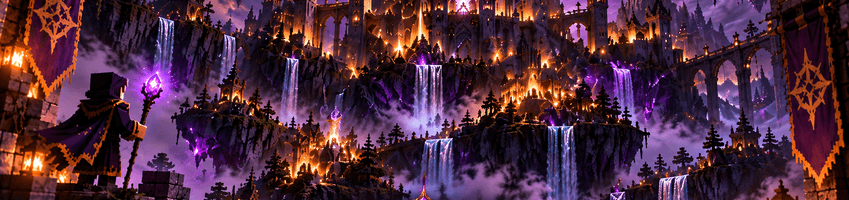
🟣 Absolute Cinema — Ultimate
Maximum visual quality with advanced atmospheric effects, enhanced particles, and cinematic visuals. Designed for powerful gaming computers.
Hardware Recommendations
The following specifications are estimated recommendations for playing at 1080p. Actual performance depends on shader settings, render distance, and the complexity of the Minecraft world.
| Hardware | Vanilla Plus | Much Better | Absolute Cinema |
|---|---|---|---|
| Performance Tier | Entry-Level | Mid-Range | High-End |
| NVIDIA GPU | GTX 1050 | GTX 1660 Super / RTX 2060 | RTX 3060 Ti / RTX 4060 Ti |
| AMD GPU | RX 560 | RX 5600 XT / RX 6600 | RX 6700 XT / RX 7700 XT |
| CPU | Intel Core i5 6th Gen / Ryzen 3 2200G | Intel Core i5-10400 / Ryzen 5 3600 | Intel Core i5-12400 / Ryzen 5 5600 |
| System RAM | 8 GB | 16 GB | 16–32 GB |
| GPU VRAM | 2 GB+ | 6 GB+ | 8 GB+ |
These specifications are preliminary recommendations, not benchmark-verified minimum requirements. Lower-end hardware may require reduced shader settings. Distant Horizons settings can significantly affect performance.
Important Installation Information
These are alternative editions, not sequential upgrades.
Open the Files tab and select the edition that best suits your computer.
We recommend installing each edition in a separate Minecraft profile to avoid replacing your existing configuration.
MagoCraft Visual Team