End To Bed
- By
The official End To Bed modpack: the backwards hardcore challenge, ready to play, client and server
END TO BED / À l'envers - Modpack
Everything you need to play End To Bed, ready to go: the mod, Fabric API and performance mods. One click and you're in the End.
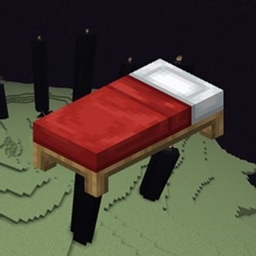
End To Bed is a challenge imagined by Aypierre: take the reverse path of a normal Minecraft game. Start in the End, kill the Ender Dragon, cross the Nether, reach the Overworld and sleep in a village bed. Hardcore, one life.
All the rules are on the End To Bed mod page.
PLAYING
1. Open the CurseForge app.
2. Search for End To Bed and click Install.
3. Click Play.
4. Go to Singleplayer, then Create New World. You spawn straight in the End. Good luck!
Multiplayer: install the modpack, then join a server running the End To Bed Server Pack.
HOSTING A SERVER
1. Download the Server Pack (Files tab, Additional Files).
2. Unzip it on your server.
3. Run start.bat (Windows) or start.sh (Linux).
4. The first launch stops by itself: open eula.txt, set eula=true, then launch again.
5. Players join with the modpack installed. GG!
Memory is set to 4G by default: you can change it in start.bat / start.sh.
WHAT'S INSIDE
- End To Bed: the challenge.
- Fabric API (FabricMC): required by the mod.
- Sodium (CaffeineMC): better FPS. Client only.
- Lithium (CaffeineMC): optimizes the game logic. Client and server.
REQUIREMENTS
- Minecraft 26.2
- Fabric Loader 0.20.1
- Java 25+ for the server
----------------
Tout ce qu'il faut pour jouer à End To Bed, prêt à jouer: le mod, Fabric API et des mods d'optimisation. Un clic et tu es dans l'End.
À l'envers est un défi imaginé par Aypierre: faire le chemin inverse d'une partie normale de Minecraft. Commence dans l'End, tue l'Ender Dragon, traverse le Nether, rejoins l'Overworld et dors dans le lit d'un village. Hardcore, une seule vie.
Toutes les règles sont sur la page du mod End To Bed.
JOUER
1. Ouvre l'appli CurseForge.
2. Cherche End To Bed et clique sur Installer.
3. Clique sur Jouer.
4. Va dans Solo, puis Créer un nouveau monde. Tu apparais directement dans l'End. Bonne chance !
En multijoueur: installe le modpack, puis rejoins un serveur qui utilise le Server Pack End To Bed.
HÉBERGER UN SERVEUR
1. Télécharge le Server Pack (onglet Files, Additional Files).
2. Décompresse-le sur ton serveur.
3. Lance start.bat (Windows) ou start.sh (Linux).
4. Le premier lancement s'arrête tout seul: ouvre eula.txt, mets eula=true, puis relance.
5. Les joueurs se connectent avec le modpack installé. GG !
La mémoire est réglée sur 4G par défaut: tu peux la changer dans start.bat / start.sh.
CONTENU
- End To Bed: le défi.
- Fabric API (FabricMC): nécessaire au mod.
- Sodium (CaffeineMC): plus de FPS. Client uniquement.
- Lithium (CaffeineMC): optimise la logique du jeu. Client et serveur.
PRÉREQUIS
- Minecraft 26.2
- Fabric Loader 0.20.1
- Java 25+ pour le serveur
End To Bed Team