Eclipse FPS Boost & PvP
Way more FPS, a clean HUD and PvP textures - one click, Minecraft 1.21.1 (Fabric).
Made for low-end laptops AND gaming PCs. On first launch it asks how strong your PC is (Low / Medium / High) and sets everything for you.
What you get
- Big FPS boost - Sodium, Lithium, FerriteCore, ModernFix, ImmediatelyFast, Entity Culling, MoreCulling, Cull Leaves, BadOptimizations, Dynamic FPS (saves power when the game is in the background)
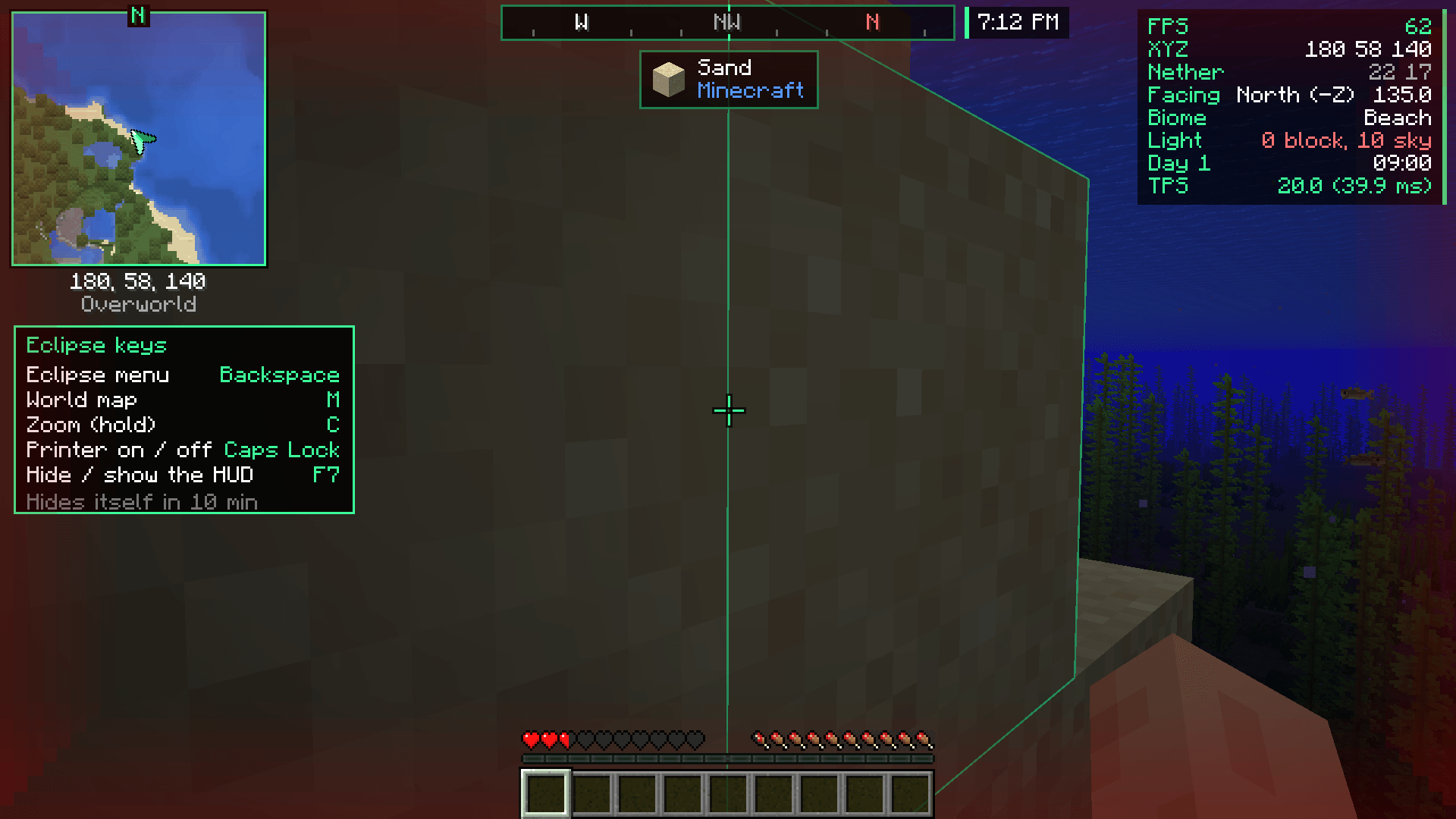
- Eclipse Suite - clean HUD (FPS, coords, biome, TPS), compass bar, minimap + world map, zoom, waypoints and the Eclipse menu
- See super far - Distant Horizons
- Shaders ready - Iris + Eclipse Shaders (turned on with the High setting)
- PvP textures - Eclipse PvP Pack (short swords, low fire, small shield, clear pumpkin) + Clear Glass & Clean UI
- Nice extras - Zoomify, 3D Skin Layers, Not Enough Animations, Chat Heads, AppleSkin, Continuity (connected glass)
Install
- Open the CurseForge app.
- Search Eclipse FPS Boost & PvP and press Install.
- Press Play. Pick Low, Medium or High on the first screen.
Every mod here is client-side, so it works on normal vanilla servers.
Good to know
- Minecraft 1.21.1, Fabric Loader 0.20.1, Java 21 (the CurseForge app sets this up for you).
- Tested by installing the pack, making a world and playing - no crashes.
- Made by nobub. Part of the Eclipse family: Eclipse Suite, Eclipse Shaders, Eclipse PvP Pack.
Some code and art in my Eclipse projects was made with help from AI tools, then tested in game.