


Doc's Hardcore Pack
- By
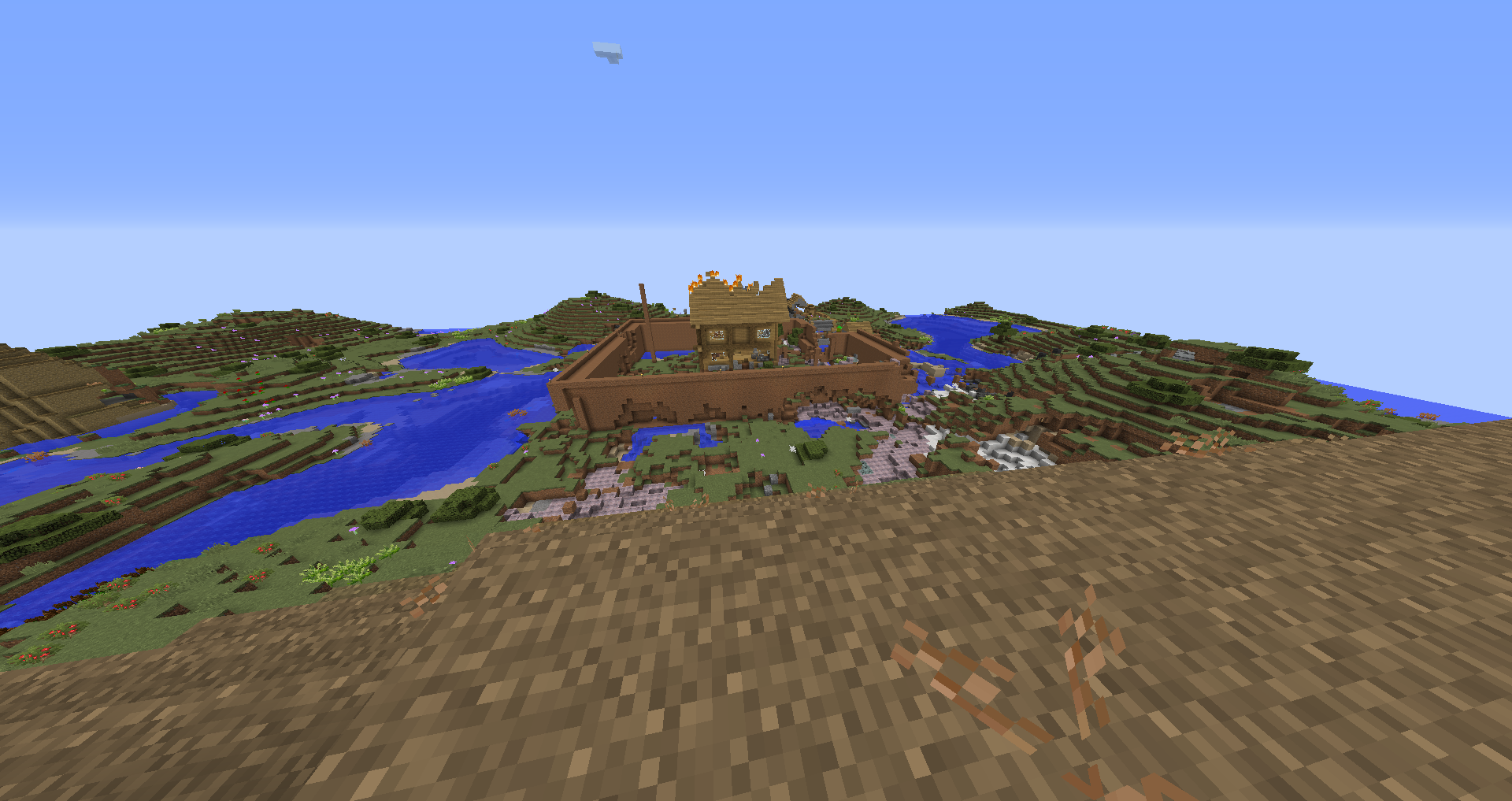
My friends and I used to live here.. until the bloodmoon showed up.
Description
CURRENTLY NOT WORKING ON MODPACK AND NOT PLANNED TO BE UPDATED ANYTIME SOON. IF YOU'RE LOOKING FOR A HIGH QUALITY MODPACK WITH FREQUENT UPDATES DON'T DOWNLOAD THIS.
OPTIFINE ISN'T INCLUDED DUE TO CURSEFORGE RULES, FOLLOW SETUP AND INSTALLATION GUIDE ON HOW TO INSTALL OPTIFINE MANUALLY (NOT REQUIRED)
This modpack was originally made for me and my friends, but then I decided to make it public because I wanted to see if others would like our modpack.
You have the rights to record and play this modpack, but you're not allowed to post this modpack on any other websites.
What is this modpack?
This isn't your casual easy modpack, this is pretty much RLCraft but isn't stupidly hard to where you can be one shot to the head from a skeleton or just not know how to use a diamond pickaxe and have to "level up" in pickaxe level. In this modpack, you can learn magic, eat different types of food to gain extra max health, learn about how to go to space, and get loot from killing mobs. You must be thinking, how could this be RLCraft difficulty level? This seems really easy? Well, it really isn't.. because there're smart mobs now.
This modpack makes you use your imagination on how to create a secure base because mobs can break blocks and pillar up to you in this modpack. Mobs are also harder to kill and there're new mini bosses you have to kill, there're dragons in this modpack and insane mobs that will do anything to get to you. At night, you cannot see without a torch and mobs don't burn during the day. You can though, create armor out of anything to protect yourself. There're over 20 new dimensions and a bunch of sweet items! So what're you waiting for?? Come on in and try to live in a world in a modpack with magic and skills!
Before you Play
The modpack is still being worked on, if you come across a crash or a bug please report it in the Issues tab so we can fix it. If you're providing feedback and suggestions, comment it instead.
This modpack is meant to be played with friends so you might not have a fun time playing the modpack solo.
This modpack is considered a beta, there may be bugs and incompatibilities. The modpack is also unoptimized and tedious at times, this is being fixed at the moment though.
If you want to prevent lag and pregenerate, you can try but I haven't tested this with the pre generator mod yet.
If you couldn't tell already, you're going to die a lot in the modpack..
Minimum and Recommended Specs
Specs were tested with Optifine, so I'd suggest getting Optifine for best performance
Minimum Client Specs (Fps is usually from 30 to 90. Sometimes the game will freeze if there's a lot of mobs. These were the lowest specs I could test so worse specs could work. These specs were recorded on multiplayer, fps could be worse in single.)
CPU: Intel i7-7560U
GPU: Intel Iris Plus Graphics 640
RAM: 8 GIGS
Recommend Client Specs and Recommended Server Specs (I got a stable 100 to 120 fps, while hosting a server. Bloodmoon may cause a lot of client lag but not server lag. Worse specs could work hosting and playing a server. Sometimes freezes but only if a bunch of mobs.)
CPU: Intel i5-10400F
GPU: GTX 1660S
RAM: 16 GIGS
Setup and Installation Guide
Automatic Install (Recommended)
https://www.curseforge.overwolf.com/
In order to download the modpack install the curseforge app and then download the modpack using the app. Done! If you want though you can change the ram allocated for the modpack. You can do this by clicking the modpack, clicking the 3 dots next to Play then clicking "Profile Options", check "Use System Memory Settings" and then change the slider to any amount of ram you want but don't go below 4096 and don't go above half of your pc ram.
Optifine Install (Highly recommended): Download optifine using the link below, click on the modpack in the curseforge app, then click the 3 dots near the down arrow and the play button, click Open Folder, then open mods and put optifine into the folder. Done!
Optifine Link: http://optifine.net/adloadx?f=OptiFine_1.12.2_HD_U_G5.jar
Manual Install and Server Install (Only for advanced users or users that know what to do)
FORGE: Latest version of forge should work but if it breaks a mod then use forge-1.12.2-14.23.5.2855-universal.jar
Server Install: Download the serverpack, unzip it and then follow the instructions in the folder.
Modpack Install: In order to download the modpack download the server pack (Yes you use this as the modpack). Unzip it, then create a new minecraft installation, then set minecraft directory to the server folder. Done! One last thing though before you start playing, look below and follow ram instructions. I'd not recommend doing this though and instead download the modpack using the app, the reason for this is because you'll not have any client side mods which help you and you'll have mods for servers that aren't meant for the client resulting in lag.
RAM: Allocate at least 4 gigs of ram to the client. You can do this by editing your modpack installation in your minecraft launcher, then click More Options below, then change "-Xmx2G" to "-Xmx4G"
It should look something like this
-Xmx4G -XX:+UseConcMarkSweepGC -XX:+CMSIncrementalMode -XX:-UseAdaptiveSizePolicy -Xmn128M
If you want to allocate more ram, change the 4 in "-Xmx4G" to any number below half of your pc ram but DON'T go below 4.
Optifine Install (Highly recommended): Download optifine using the link below, open the modpack folder wherever you put it, then drop the optifine mod into the mods folder. Done!
Optifine Link: http://optifine.net/adloadx?f=OptiFine_1.12.2_HD_U_G5.jar
What you Should do When you Start a World
Biomes O Plenty is in this modpack so when you're starting a singleplayer world, you can change the world type to the Biomes O Plenty setting or if you're hosting a server, in server properties you can change level type to "BIOMESOP"
After you make a world, get some basic tools. Make some armor too, any type of armor could really help. After you get your basic set of tools, get some food, and make some armor.. you should also start making a base before night. I'd recommend one in the air as it's the safest way to avoid mobs from noticing you. You might need to switch bases at some point though because dragons could spot you and kill you. Also make sure to place torches in your base or something since it gets pitch black during the night.
After you survive your first unforgiveable night everything seems tough right? Well there are some mods that can help you out! What I'd suggest doing first is by finding a wizard's tower and making a magic wand. You can use this magic wand to then attack mods or defend yourself, you can also use the arcane workbench in the wizard's tower to upgrade your magic wand or trade with the wizard. You'll need magic books though so you can learn spells for your wand and magic crystals to refill your wand's mana over time, magic books can be found in lootbags or chests or mob loot. Afterwards, practice with your magic wand and it'll upgrade over time allowing you to use higher grade magic books that can aid you in escaping mobs or killing mobs. After you're done with your magic wand and everything, try learning about the mod "Advent of Ascension". This mod can help you survive nights and adds a lot of cool content in the game featuring over 20 dimensions and more items!
One last thing I'd recommend doing is getting a transmutation table, although I wouldn't get one straight off the bat since it requires hard resources to get. But, you must be wondering. What is a transmutation table? Basically in a hopefully short summary, you can trade items in for emc to get other items that require emc. Let's say I wanted a diamond that costed 6000 emc, and I had an emerald that costed 8000 emc. I trade in that emerald and get maybe at max 7000 emc back, then I can get that diamond for 6000 emc. Although there are some reasons you may not want to use a transmutation table, it's useful but trading in items will not get you all their emc in this modpack. You'll also have to get an item first legit and then put it into the table in order to actually emc that item. So you can't just get a diamond from the transmutation table without getting it legit first and putting it into the table.
Things you Should Know
The rest of what you want to do, is up to you in this modpack. Maybe make a cool space ship and go to space because that's the only safe base you can have or use other magic mods such as Mahou Tsukai or turn into a werewolf.
Did I also forget to mention there were smart mobs, and passive mobs attacking you if you hit them once? Yeaaah just like Rlcraft anything that looks dangerous, is probably dangerous and you should run. While running, maybe check for trees with chests in em. They contain pets that can help you in some way.
This modpack contains some resource packs that you may like which fit into the modpack. (Tissou's Zombie Pack requires Optifine)
Bugs
Tombstone doesn't appear when endermen pet is in hotbar and player dies. (Enderman pet is currently disabled because of this bug)
In multiplayer, pcs that have around the minimum specs tend to lose fps a lot (By a lot I mean like 15 fps permanent drops every 1 player) when more players are in the server until the players leave. (For now the only way to help this fps issue is by allocating 5 or 6 GIGS to your Installation.
The Doc's Hardcore Pack Team


