Bingo Dos Crias
- By
2025-11-18_18.08.42.png
2025-11-18_18.22.46.png
2025-11-18_18.09.50.png
2025-11-18_18.11.59.png
2025-11-21_21.58.58.png
Description
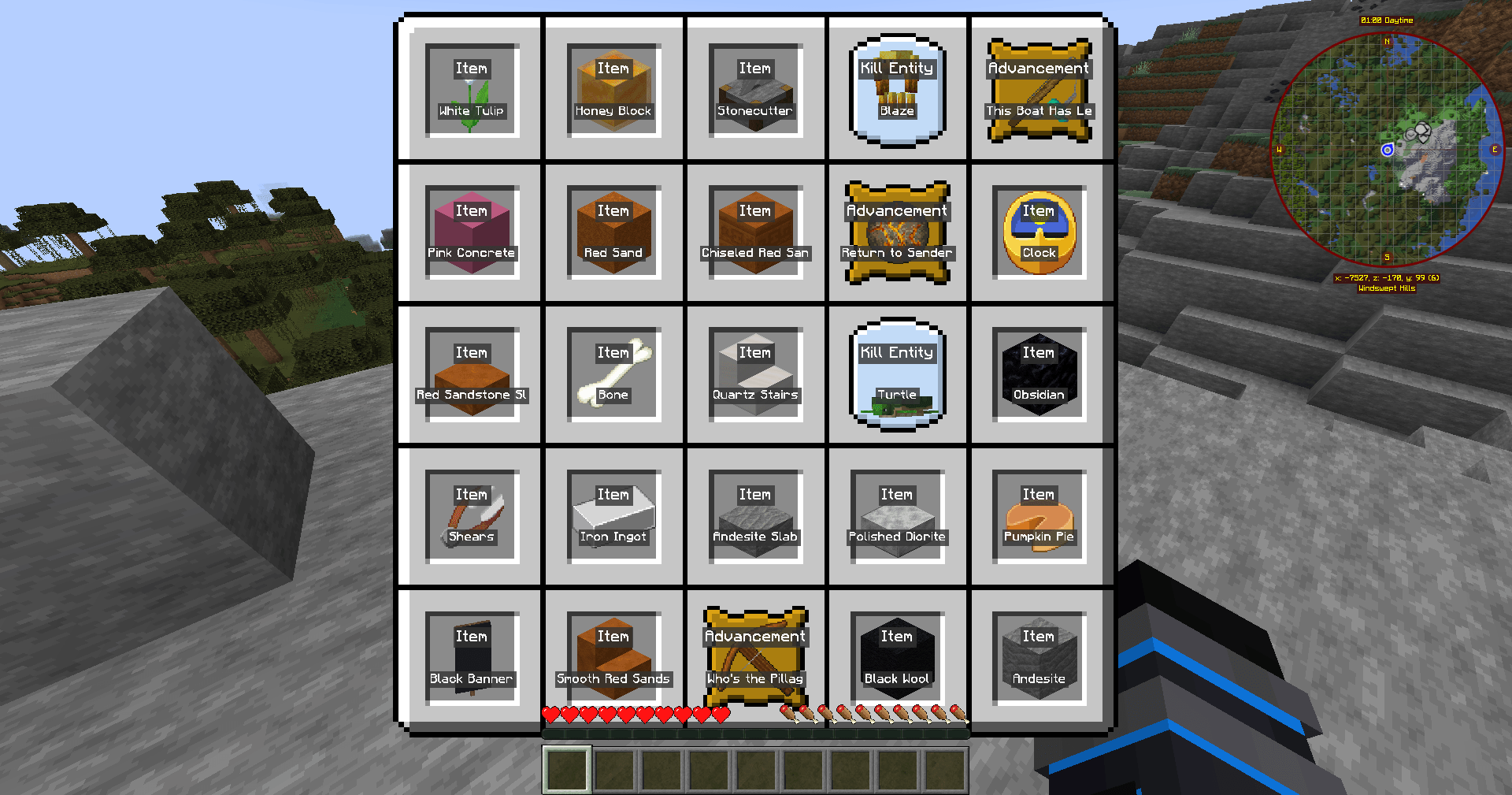
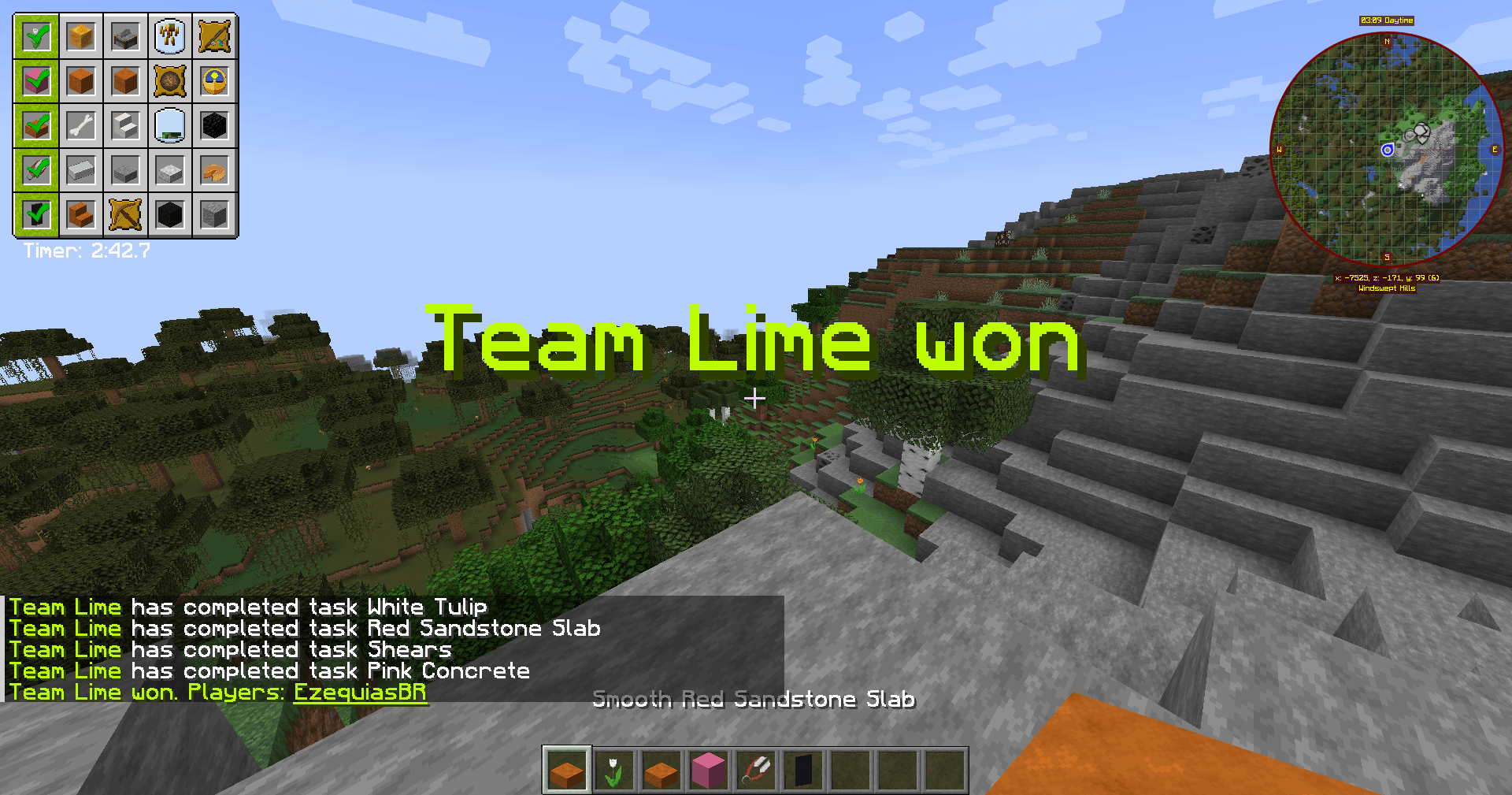
"Minecraft Bingo is a competitive mini-game where each player receives a card filled with items, blocks, tasks, and even in-game achievements. The goal is to explore the world, gather resources, defeat mobs, complete challenges, and perform specific actions to mark each objective. Achievements can range from simple goals, like obtaining stone, to more advanced ones, such as entering the Nether or taming animals. The winner is the first to complete a row, column, diagonal, or even the entire card. The mix of exploration, strategy, skill, and luck makes every match unique, unpredictable, and incredibly fun."
"O Bingo no Minecraft é um mini-jogo competitivo onde cada jogador recebe uma cartela contendo itens, blocos, tarefas e até conquistas do próprio jogo. A partida consiste em explorar o mundo, coletar recursos, derrotar mobs, completar desafios e realizar ações específicas para marcar cada objetivo. As conquistas podem incluir desde feitos simples, como obter pedra, até desafios mais avançados, como entrar no Nether ou domar animais. O vencedor é quem completar uma linha, coluna, diagonal ou até toda a cartela primeiro. A mistura de exploração, estratégia, habilidade e sorte torna cada partida única, imprevisível e extremamente divertida."
🎮 Bongo Mod – Commands (English Version)
/bingo create <tasks_id> <settings_id> Creates a new Bingo game. Examples for task sets: bongo:easy, bongo:normal, bongo:hard Examples for settings: default, pvp
/bingo join <team> Lets a player join a team.
/bingo start Starts the game. This clears players’ inventories and advancements.
/bingo stop Stops the current game and hides the card.
/bingo leave Leaves the current team.
/bingo spread <teams> Automatically spreads players into a chosen number of teams.
/bingo teams Shows a list of all teams and their members.
/bingo backpack or /bp Opens the shared team backpack during the game.
/bingo teamchat or /tc Toggles team-only chat mode.
🎮 BingoLobby Add-on:
/bingo vip, /bingo unvip, /bingo vipteam, /bingo unvipteam Manages VIP players or VIP teams.
/bingo maxplayers <number> Sets the maximum number of players allowed per team in the lobby.
🎮 Comandos do mod Bongo
/bingo create <tasks_id> <settings_id> — Cria um novo jogo. Por exemplo: bongo:easy, bongo:normal ou bongo:hard para a cartela; para configurações: default ou pvp.
/bingo join <team> — Um jogador entra em um time.
/bingo start — Começa o jogo (limpa inventário e avanços dos jogadores).
/bingo stop — Para o jogo e esconde a cartela.
/bingo leave — Sai do time.
/bingo spread <teams> — Distribui os jogadores em times, definindo quantos times você quer criar.
/bingo teams — Lista todos os times com seus membros. 9Minecraft
/bingo backpack ou /bp — Abre a mochila compartilhada do time (durante o jogo).
/bingo teamchat ou /tc — Alterna o chat para modo apenas do time.
BingoLobby (mod complementar), há comandos adicionais:
/bingo vip, /bingo unvip, /bingo vipteam, /bingo unvipteam — para gerenciar jogadores VIP.
/bingo maxplayers <numero> — Define o número máximo de jogadores por time no lobby
TUTORIAL
🎨 Color & Team System with Carpets
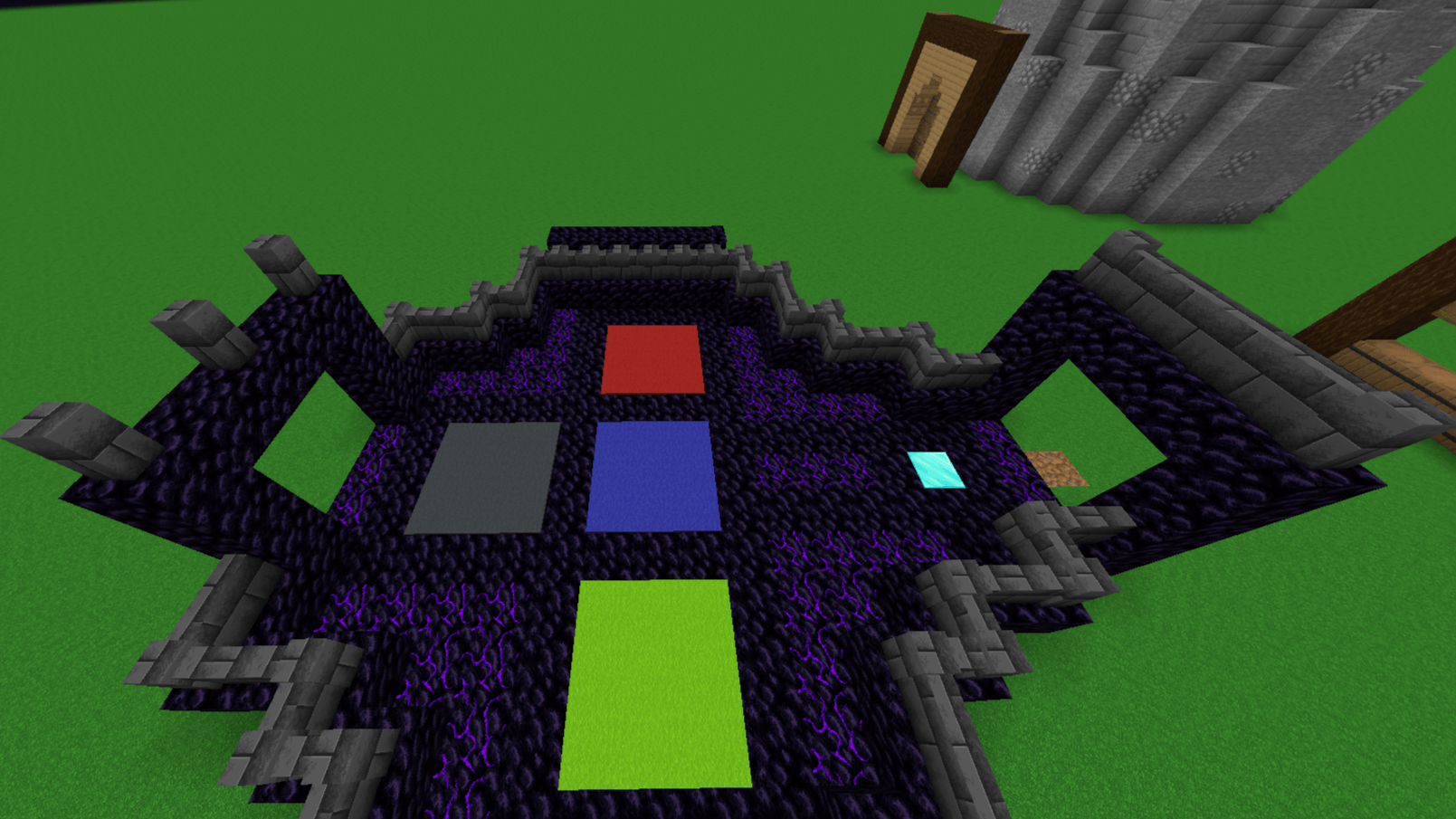
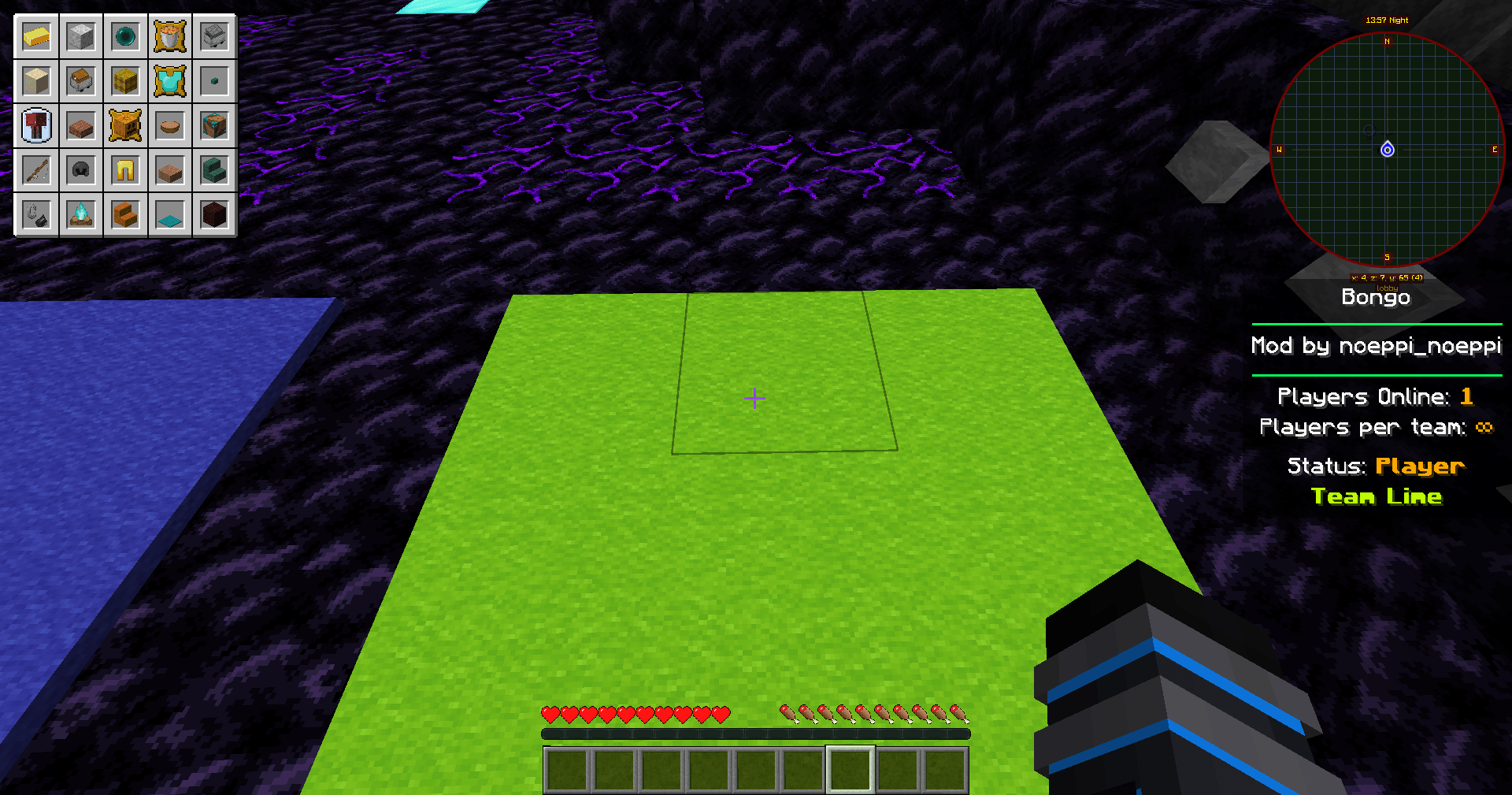
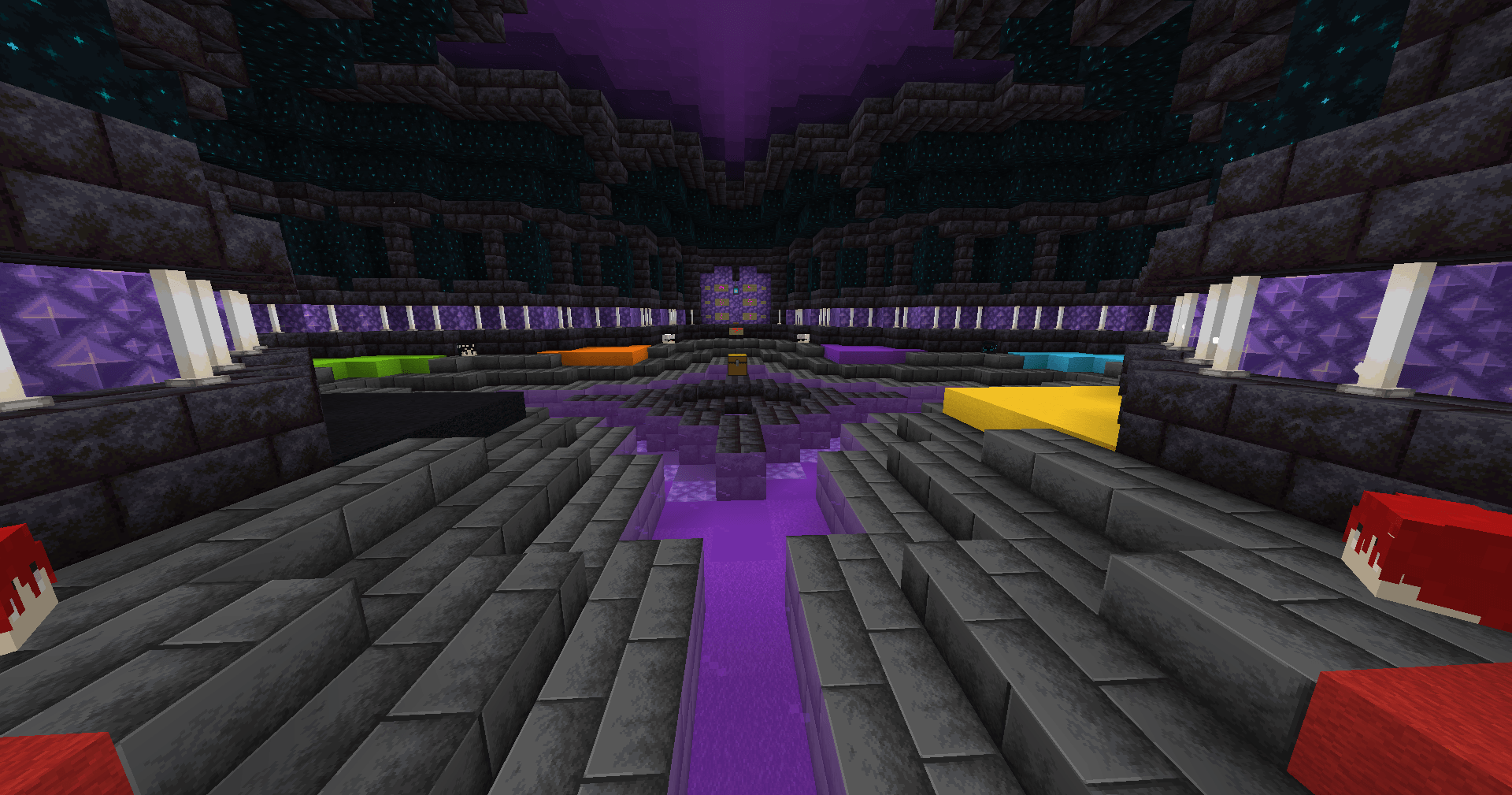
When you use Bongo together with BingoLobby, the lobby creates an area where each team is represented by a colored carpet on the floor. These carpets work like buttons that players step on to choose their team.
🟥 1. Each carpet represents a team
The mod places several colored wool carpets in the lobby, one for each team:
Red carpet → Team Red Blue carpet → Team Blue Green carpet → Team Green Yellow carpet → Team Yellow Purple carpet → Team Purple Orange carpet → Team Orange Cyan carpet → Team Cyan etc.
Players choose their team simply by stepping on the carpet.
👣 2. How it works in practice
When a player steps on a carpet, the mod automatically: Detects the color of the carpet Registers the player in the corresponding team Shows a message in chat: "Player joined Team Red" Changes the player’s name color Applies this color to the Bingo card and team chat
❗ You do NOT need to use commands to join a team when using the lobby.
🧢 3. How carpets are used in the lobby
A typical lobby includes: A large area with 8 to 12 different colored carpets A sign or text showing the team name A counter showing how many players are in each team A team limit (for example, max 3 players per team) If a team reaches the limit, its carpet becomes disabled.
👥 4. Automatic balancing
If you want the mod to distribute players into teams automatically, you can use:
/bingo spread <number_of_teams>
But in the lobby, the carpets already manage this automatically — they prevent a team from filling up while others are empty.
🎒 5. Advantages of the carpet system
Visual and easy to understand No need to use commands Players choose teams quickly Works perfectly for large groups Fully synchronized with Bongo’s team colors
🧱 6. Customizing the lobby
With BingoLobby, you can build the lobby manually: Place the carpets Configure the area Set the spawn and waiting zone But in most versions, the lobby is generated automatically.
🎨 Sistema de Cores e Times com Tapetes (Carpets)
Quando você usa o Bongo junto com o BingoLobby, o lobby cria uma área onde cada time é representado por um tapete colorido no chão. Esses tapetes funcionam como botões para escolher o time.
🟥 1. Cada tapete representa um time
O mod coloca no lobby vários tapetes de lã coloridos, um para cada time:
Tapete vermelho → Time Red Tapete azul → Time Blue Tapete verde → Time Green Tapete amarelo → Time Yellow Tapete roxo → Time Purple Tapete laranja → Time Orange Tapete ciano → Time Cyan etc.
O jogador escolhe o time pisando no tapete.
👣 2. Como funciona na prática
Quando um jogador anda em cima de um tapete, o mod automaticamente: Detecta a cor do tapete Registra o jogador naquele time Mostra no chat: "Player joined Team Red" Muda a cor do nome do jogador
Aplica essa cor na cartela e no team chat
❗ Você NÃO precisa digitar comando para entrar no time se estiver usando o lobby.
🧢 3. Como os tapetes são usados no Lobby
Normalmente o lobby tem: Uma área grande com 8 a 12 tapetes diferentes Um texto ou placa mostrando o nome do time Um contador mostrando quantos jogadores têm naquele time O limite configurado (ex.: máximo 3 por time) Se o time atingir o limite, o tapete fica desativado.
👥 4. Balanceamento automático
Se quiser que o mod distribua jogadores nos times baseado nos tapetes, você pode usar:
/bingo spread <number_of_teams>
Mas no lobby, os tapetes fazem isso automaticamente — eles não deixam um time ficar cheio se os outros estiverem vazios.
🎒 5. Vantagens do sistema de tapetes
Visual e fácil de entender Não precisa usar comandos Jogadores escolhem rápido o time Ótimo para partidas grandes Totalmente sincronizado com cores do Bongo
🧱 6. Personalizando o lobby
Com BingoLobby, você pode criar o lobby manualmente: Coloca os tapetes Configura a área Define spawn e zona de espera Mas a maioria das versões já cria automaticamente.
🎮 Main FTB Essentials Commands (English Version)
/kickme — Kicks yourself from the server.
/trashcan — Opens a trash inventory; any items inside are deleted when closed.
/hat — Places the item you're holding on your head as a “hat.”
/nick <name> — Changes your chat nickname.
/heal — Fully restores health and hunger.
/fly — Toggles flight mode on or off.
/invsee <player> — Lets you view and edit another player’s inventory.
/nickfor <player> <name…> — Changes another player’s nickname.
/mute <player> — Mutes a player in chat.
/unmute <player> — Unmutes a player.
/teleport_last <player> — Teleports you to the player’s last known location.
🔁 Teleport / Home / Warp Commands
/back — Teleports you to your previous location.
/spawn — Teleports you to the server spawn.
/rtp — Teleports you to a random (safe) location.
/home [name] — Teleports you to a saved home.
/sethome <name> — Sets a home at your current position.
/delhome <name> — Deletes a home.
/listhomes [player] — Lists all homes of a player.
/warp <name> — Teleports you to a warp point.
/setwarp <name> — Creates a warp at your current location.
/delwarp <name> — Deletes a warp.
/listwarps — Shows all available warps.
/tpa <player> — Requests to teleport to another player.
/tpahere <player> — Requests another player to teleport to you.
/tpaccept <id> — Accepts a teleport request.
/tpdeny <id> — Denies a teleport request.
⚙️ Important Configuration Notes
Every command can be enabled or disabled in the file ftbessentials.snbt inside the serverconfig folder.
You can set cooldowns, such as delays for /home or /back.
Some modpack/server setups use namespaced commands, like:
/ftbessentials home instead of /home.
🎮 Principais Comandos do FTB Essentials
/kickme — Se expulsa do servidor.
/trashcan — Abre um inventário onde itens colocados são deletados ao fechar.
/hat — Coloca o item que você está segurando na cabeça como “chapéu”.
/nick <nome> — Muda seu apelido no chat.
/heal — Cura completamente vida e barra de comida.
/fly — Ativa/desativa o modo de voar.
/invsee <player> — Permite ver e editar o inventário de outro jogador.
/nickfor <player> <name…> — Muda o apelido de outro jogador.
/mute — Silencia um jogador no chat.
/unmute — Remove o silêncio de um jogador.
/teleport_last <player> — Te teleporta para a última localização conhecida de um jogador.
🔁 Comandos de Teleporte / Casa / Warp
/back — Te teleporta para a localização anterior.
/spawn — Teleporta para o spawn do servidor.
/rtp — Teleporta para uma localização aleatória (safe).
/home [name] — Teleporta para uma “casa” que você definiu.
/sethome <name> — Define uma “casa” na posição atual.
/delhome <name> — Deleta uma casa.
/listhomes [player] — Lista todas as casas de um jogador.
/warp <name> — Teleporta para um warp configurado.
/setwarp <name> — Cria um warp no local atual.
/delwarp <name> — Deleta um warp.
/listwarps — Mostra todos os warps disponíveis.
/tpa <player> — Pede para se teletransportar até outro jogador.
/tpahere <player> — Pede para outro jogador se teletransportar até você.
/tpaccept <id> — Aceita um pedido de teleporte.
/tpdeny <id> — Nega um pedido de teleporte.
⚙️ Configurações Importantes
Você pode ativar ou desativar cada comando no arquivo ftbessentials.snbt dentro de serverconfig. Também dá pra definir cooldowns dos comandos, por exemplo, para /home. É possível usar “namespace” nos comandos: em algumas versões configuráveis os comandos ficam como /ftbessentials home ao invés de /home.
Bingo Dos Crias Team