


Zoom Item
- By
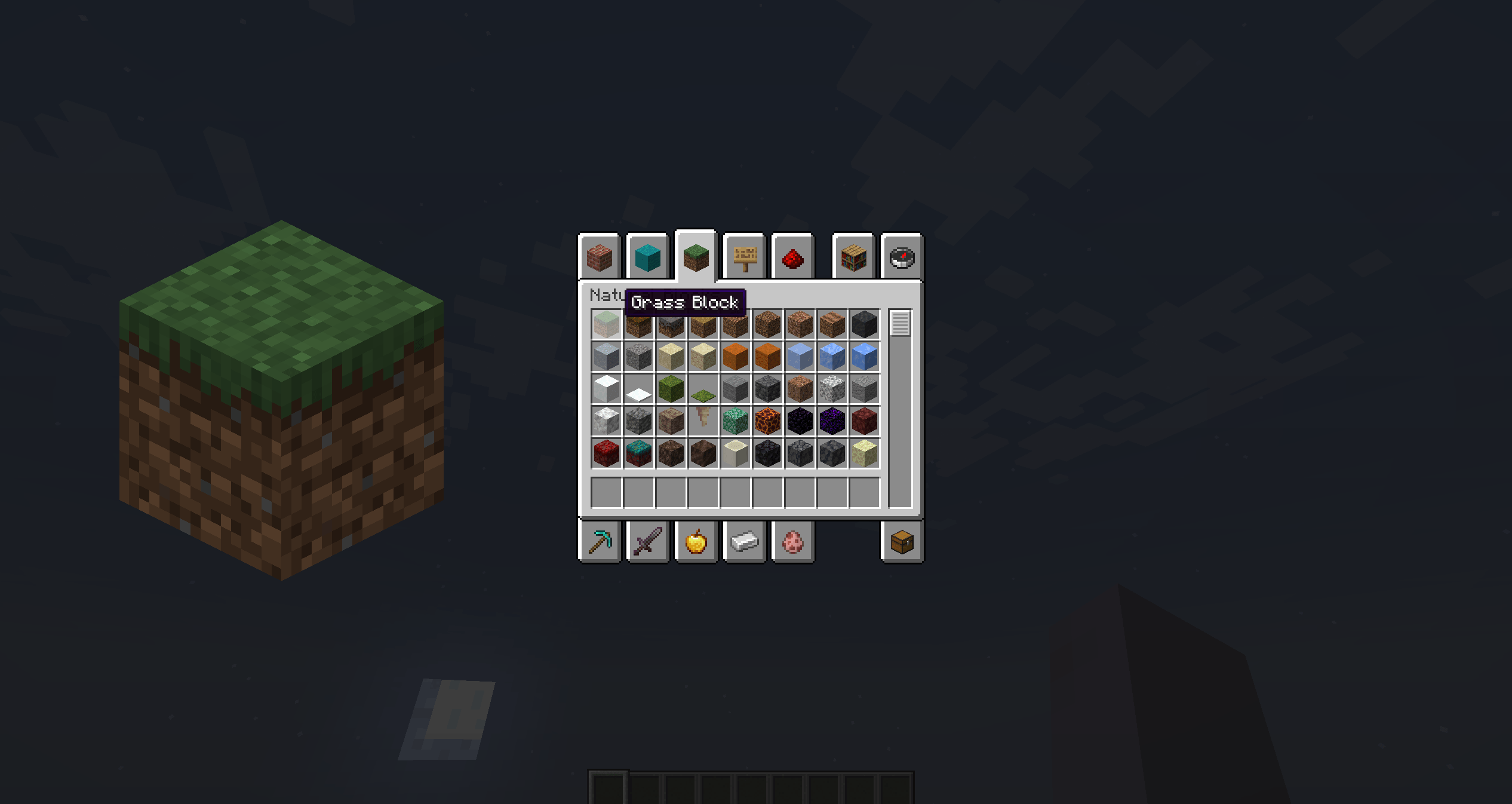
Demonstration ZoomItem
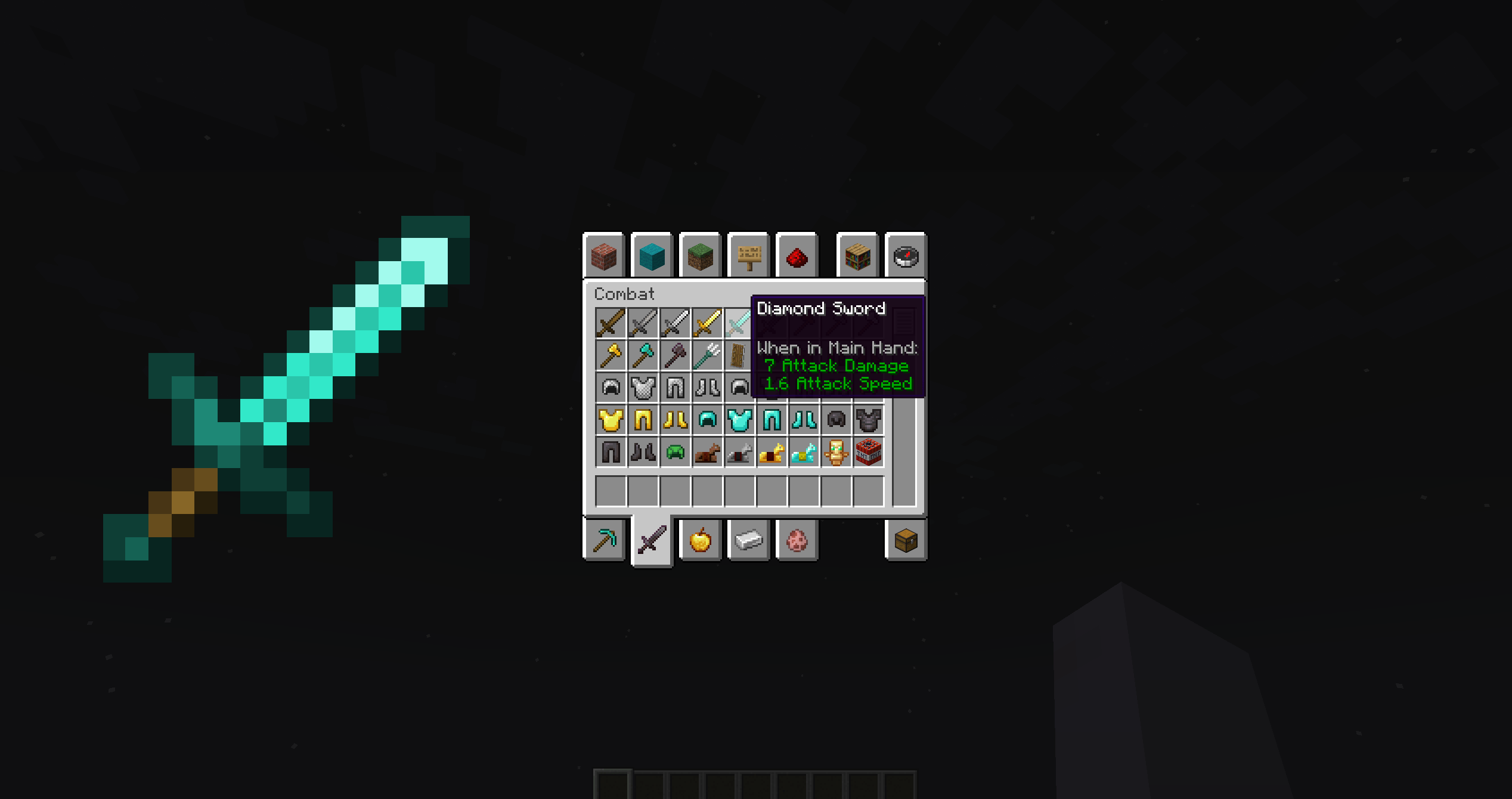
Demonstration ZoomItem
Description
A small client mod that increases the display of items when hovering over slots in the inventory and other GUIs.
Features:
🔍 Hover to zoom – place your cursor over any item slot and see an enlarged version
⌨️ Hotkey support – press Z to quickly toggle the mod ON/OFF (fully customizable in settings)
⚙️ Mod Menu integration – configuration screen to change key binding and toggle the mod
🌍 Localization – supports English and Russian (automatic language detection)
📦 Works everywhere – player inventory, chests, crafting tables, furnaces, and any other container
📐 Adaptive size – the zoomed item automatically scales based on your screen resolution
🧠 Smart positioning – appears on the left side of the inventory, or on the right if there's not enough space
⚡ Lightweight & optimized – uses caching for smooth performance, no lag
How to use:
-
Toggle mod – press Z to enable or disable ZoomItem (you'll see a message)
-
Change hotkey – open Mod Menu → ZoomItem → Config → click on "Toggle Key" and press any key
FAQ:
Q: Does this mod work on servers?
A: Yes! It's a client-side mod, so it works on any server without requiring installation on the server side.
Q: How do I change the hotkey?
A: Open Mod Menu → ZoomItem → Config → click on "Toggle Key" and press any key. You can also change it in Minecraft's Controls settings (Options → Controls → ZoomItem category).
Q: Does it work with modded containers?
A: Yes, it should work with any containers.
Supported Languages:
English (US)
Русский (Russian)
Source Code:
https://github.com/Apres21/ZoomItem
License: MIT
If you enjoy this mod, please leave a like and share your feedback!
Zoom Item Team
