ZakeysFPS
- By
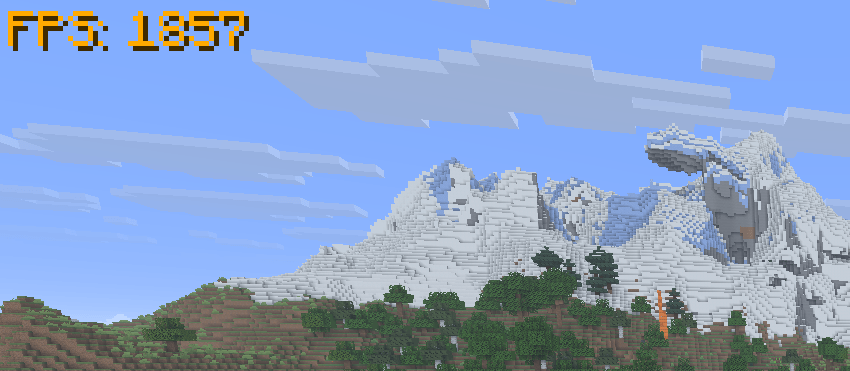
A simple, lightweight and customisable FPS display with adjustable size, colours, custom hex support and automatic F3 hiding.
FPScolourDisplay.png
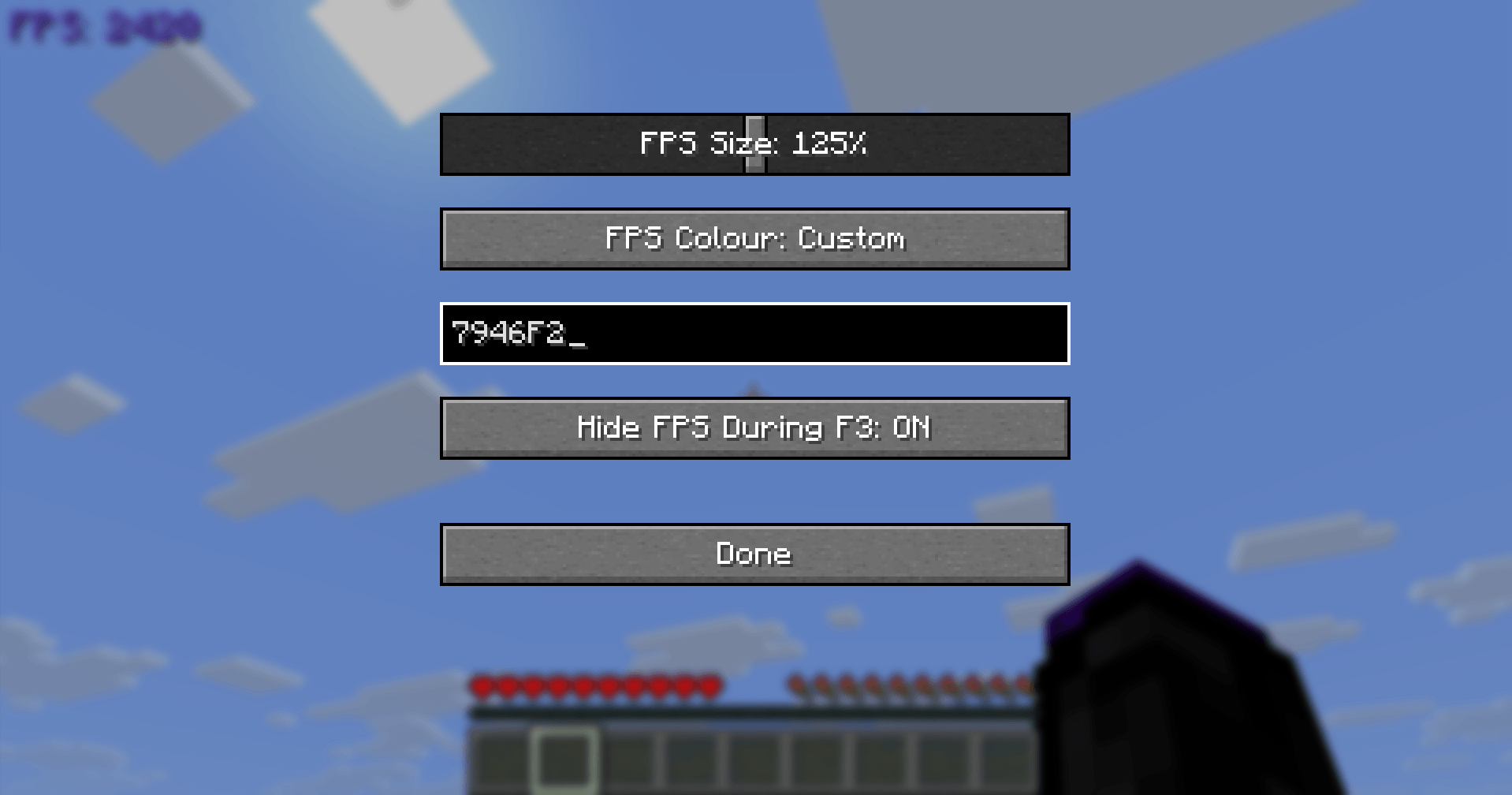
image_2026-10-17_002920881.png
aa0c57b9-3256-4712-90f6-5535485e6d8c (1).png
Description
ZakeysFPS is a simple, lightweight and customisable FPS display for Minecraft.
It gives you a clean FPS counter without needing to keep the F3 debug screen open, with built-in options to customise how it looks.
Features
- Live FPS counter – Displays your current FPS directly on screen.
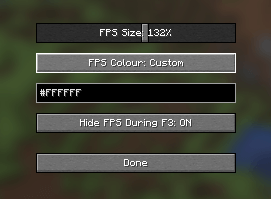
- Adjustable size – Scale the FPS display from 50% to 200%.
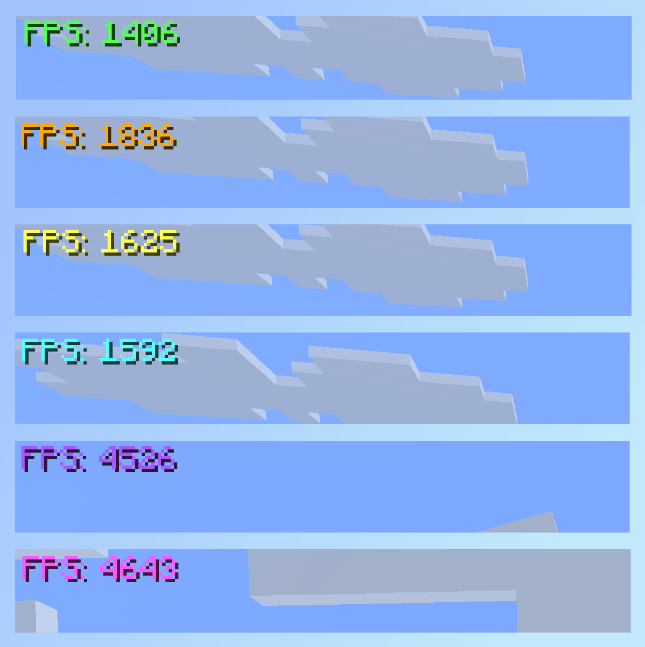
- Colour presets – Quickly choose from a selection of built-in colours.
- Custom colours – Enter your own HEX colour code for full colour customisation.
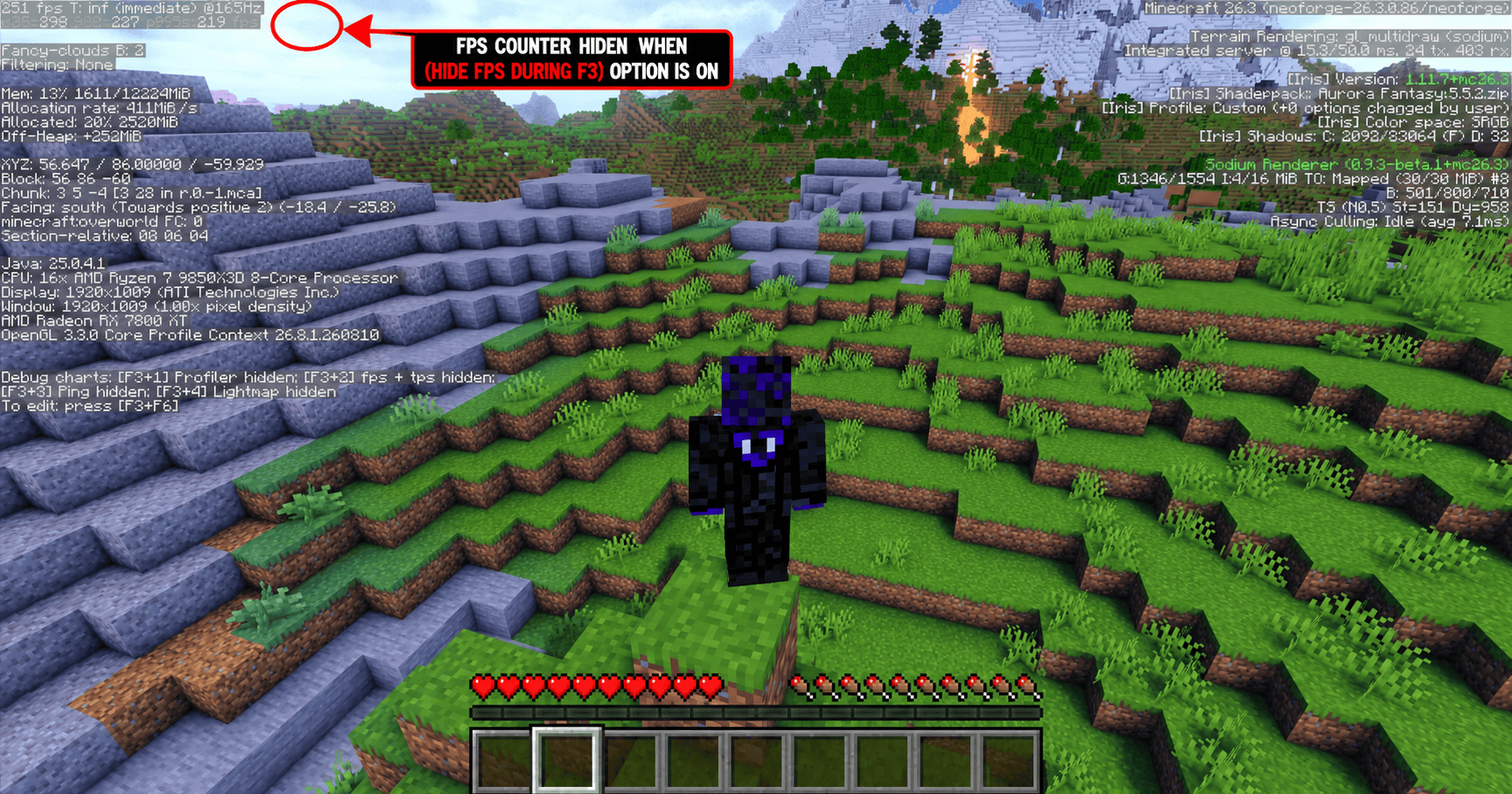
- Automatic F3 hiding – Optionally hides the FPS counter whenever the F3 debug screen is open and automatically shows it again when closed.
- In-game settings menu – Press
]by default to open the ZakeysFPS settings. - Client-side only – No server installation required.
- Lightweight – Designed to do one job without adding unnecessary features or clutter.
Compatibility
Minecraft: 26.3
Mod Loader: NeoForge
Environment: Client-side
ZakeysFPS does not increase or optimise your FPS — it simply provides a lightweight and customisable way to display it.
Keybind
The default keybind for opening the settings menu is:
] – Open ZakeysFPS Settings
This can be changed at any time through Minecraft's normal Controls → Key Binds menu.
Created by Zakey7
ZakeysFPS Team