


Wrights
GZxq1OFSks.png
PUtIsrWw6i.png
UXUZmbiBYB.png
sPDkHPQbhv.png
Description
Factorio inspired mod
Wrights are small builders that place a copy of something you have already built. Mark the structure, save it as a blueprint, and send a Wright to put it down somewhere else. Mirror can repeat the block in your other hand, or a whole blueprint, around an anchor. Blocks come from your inventory, a bound chest, or a linked digital storage network.
How It Works
Hold the Wright Controller. Ctrl + Shift + scroll changes mode: Build, Jobs, Manage, Info, and Link. Inside Build, Shift + scroll picks the tool.
1. Make a Blueprint
Choose New, then one of the capture tools.
- Two corners: Right-click the first corner, then the second.
- Box: Drag a box out from where you start.
- Move: Slide a box you already marked.
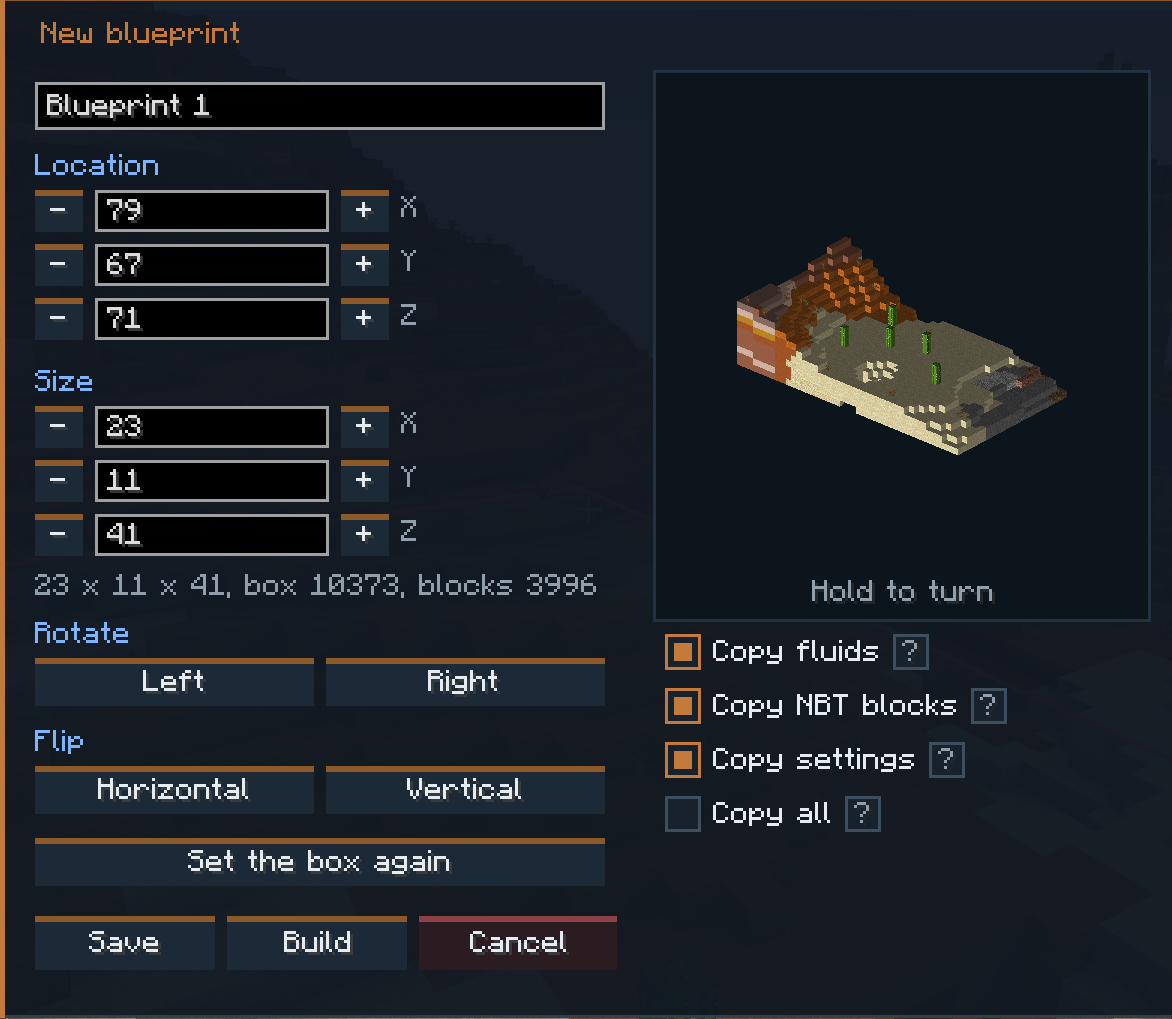
The blueprint screen lets you preview, rotate, and flip the selection. Save chests and machines empty, keep their settings, or, in Creative, save an exact copy.
2. Send the Wrights
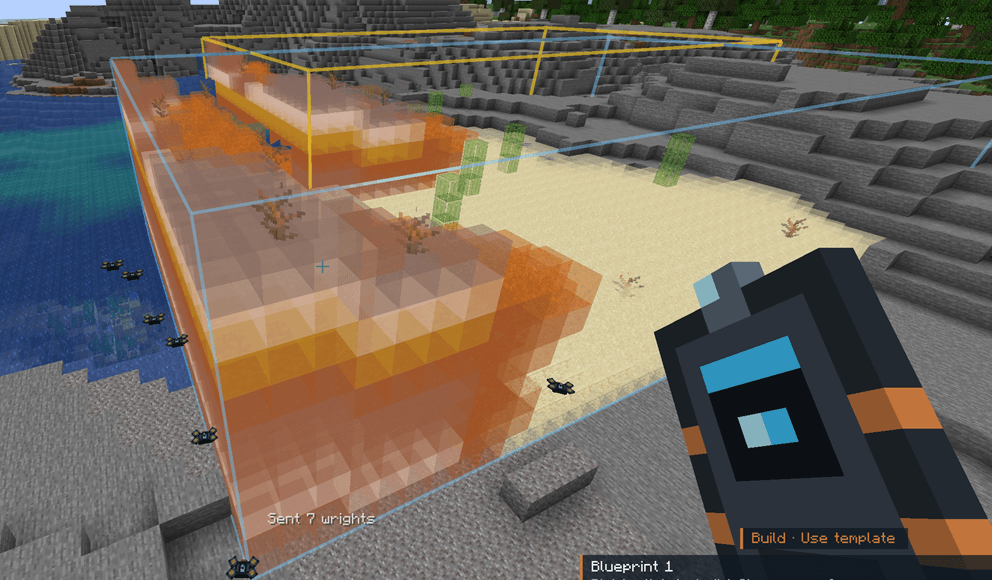
Pick a blueprint and choose Build. A hologram follows where you look. Right-click to place it.
Before the job starts, the list shows every block it needs, split by where those blocks will come from: what you are carrying, a bound chest, or a linked network. Survival spends those items. Creative builds for free. If no Wright is free, the job waits in the queue.
3. Mirror
Mirror sits under Build. Shift-right-click a block to set the anchor, and shift-right-click air to clear it.
- Blocks: Place the block in your other hand, and Wrights build the reflected copies.
- Blueprints: Send Wrights to build mirrored copies of the blueprint you are placing.
- Copies: A slider makes 1 to 32 copies around the anchored face, or you can mirror through the middle of the anchor on X, Y, and Z.
- Mining: Break a block and Wrights mine the copies as one job. Drops follow the tool you are holding. Void removes them with no drops.
Every copy from one click is one job, so Undo removes them together.
Managing Your Wrights
- Personal Wrightport: Worn in the Curios slot. These Wrights travel with you. The bulb, and the lamps on a placed Wrightport, mean the same thing:
- Red: No Wrights stored.
- Yellow: Every stored Wright is out on a job.
- Green: At least one Wright is free.
- Wrightport: Placed in the world. Its Wrights stay with that block and work builds inside its reach.
- Manage: Add Wrights, move them between jobs, and upgrade them. An upgrade crafts from the tier below, and that tier is handed back. Network stock and a craft request can supply them.
- Jobs: Pause, resume, remove, and highlight a build. A highlight draws a box and a guide line. In Creative, Go teleports you to a highlighted Wright.
- Info: Look at a ghost, hologram, Wright, mirror anchor, or Wrightport to see what it is and which job it came from.
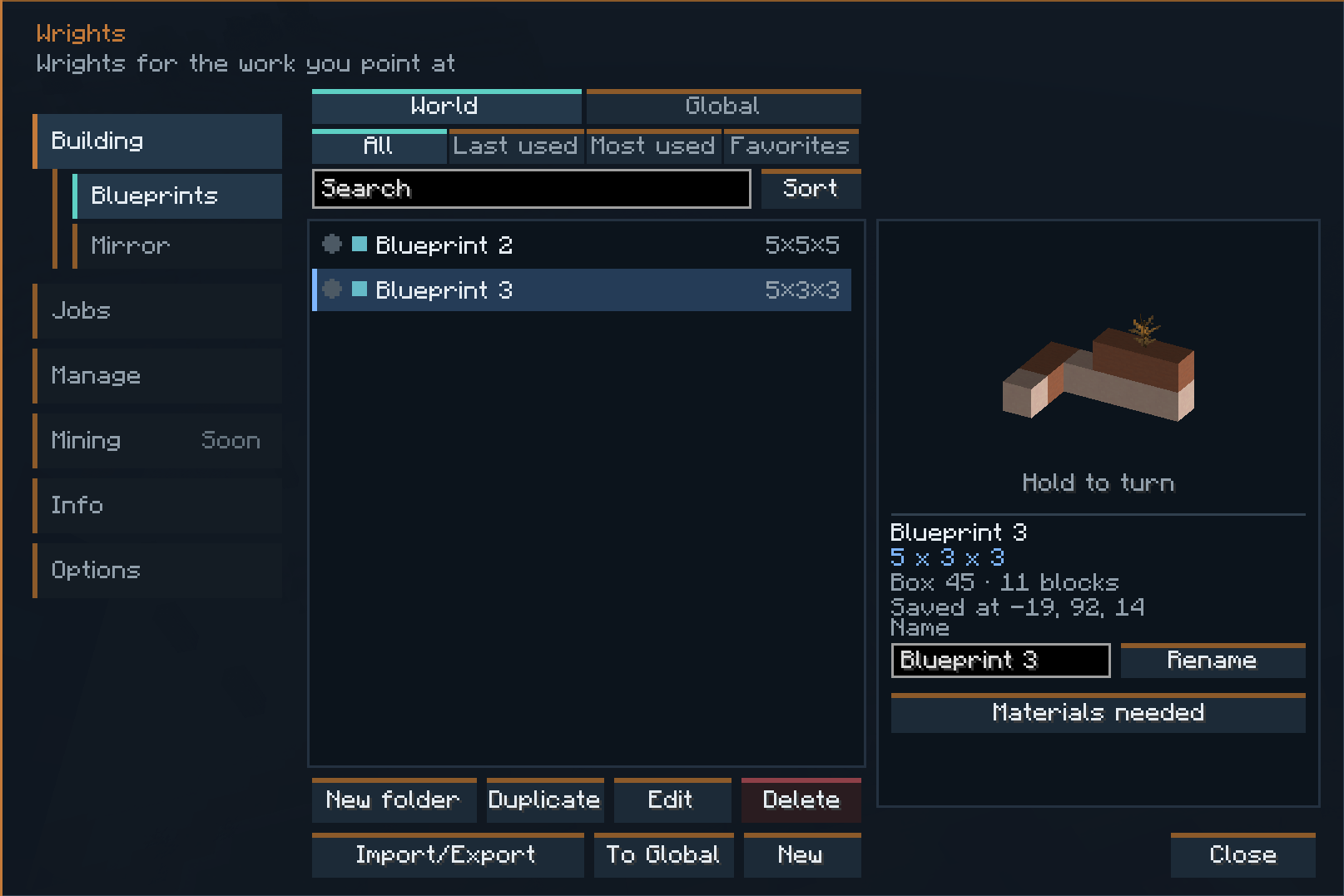
Press B with the controller in hand to open blueprints, jobs, and Wrights. Blueprints can be put in folders, favorited, and carried between worlds on sheets.
Requirements & Compatibility
- Minecraft: 1.21.1
- NeoForge: 21.1+
- Curios API: Required. The personal Wrightport uses this slot.
- Java: 21
Optional Integrations
- Jade: Tooltips on a working Wright.
- JEI: Recipes and menus.
- AE2: Link from a wireless access point, in Link mode.
- Refined Storage: Link from Link mode, so the network can supply the build.
Wrights Team
