Worldstitch
- By
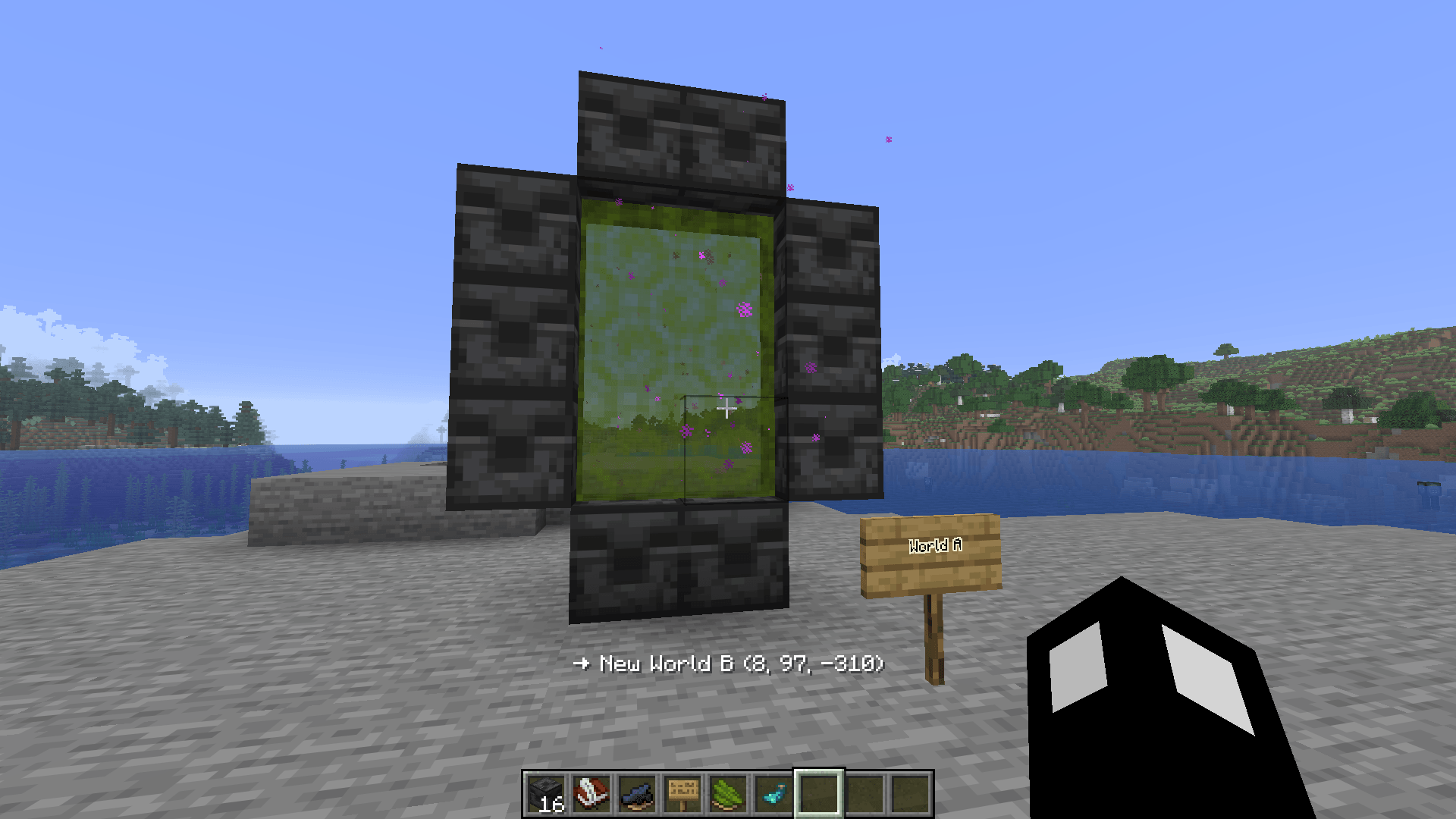
Adds portals that let you warp between different save files in singleplayer. Portals can also be used to warp within the same world.
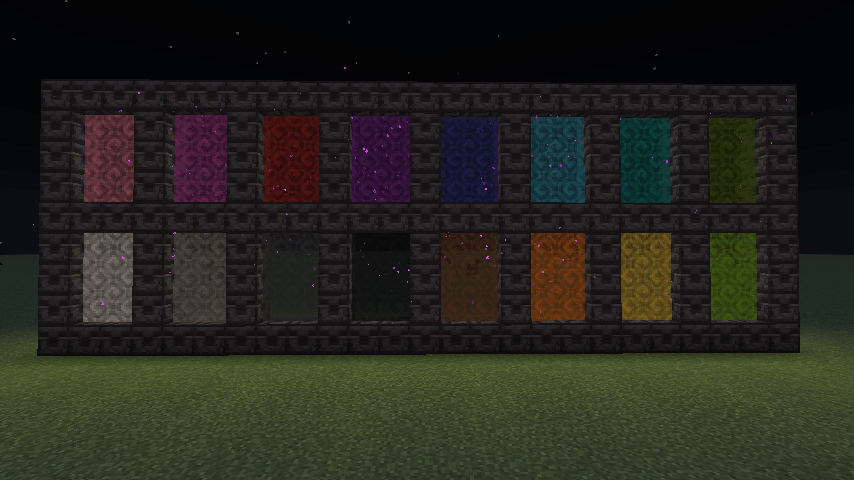
2026-10-20_16.06.00.png
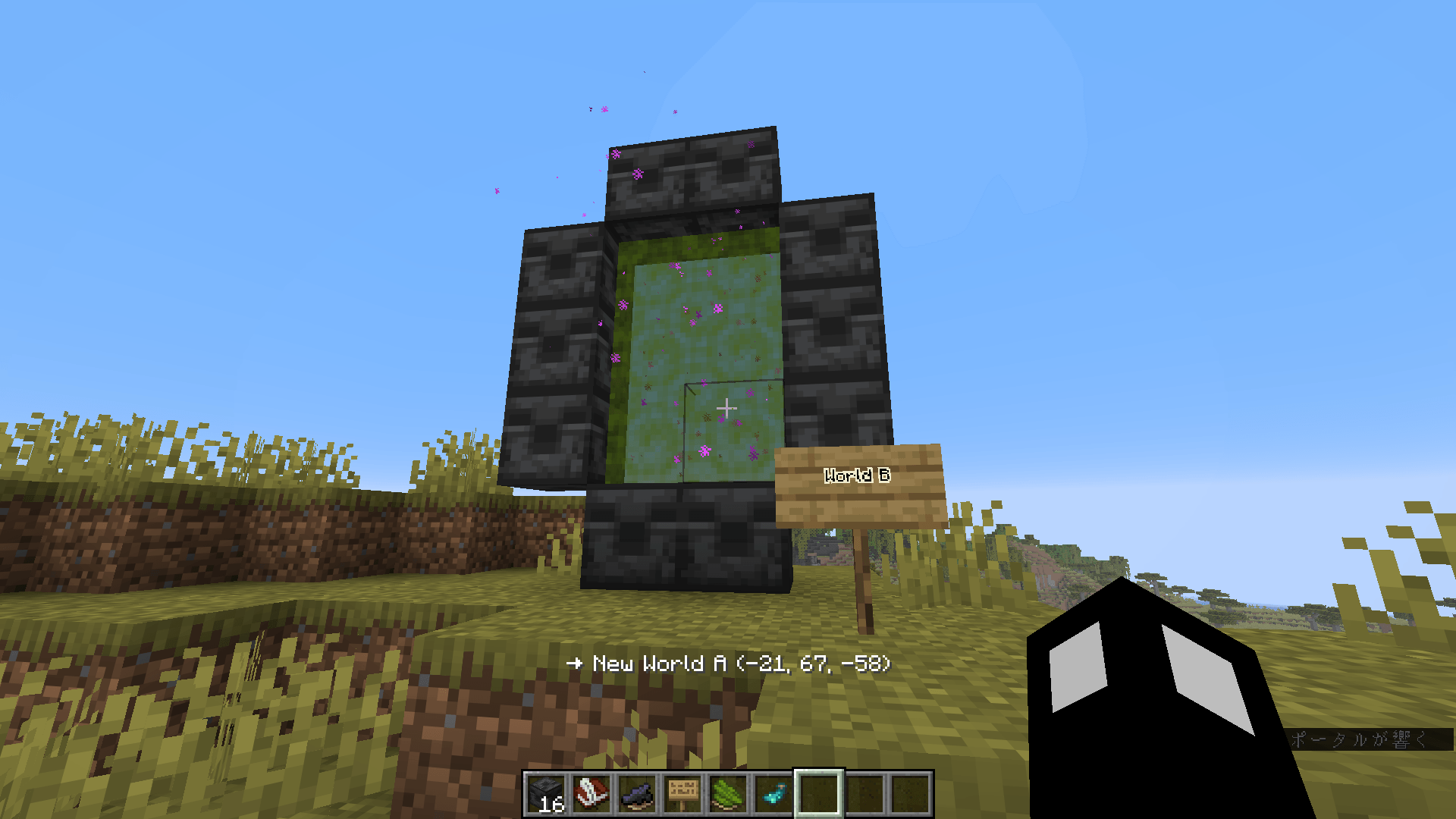
2026-10-20_16.05.46.png
Description
# Worldstitch
Link separate singleplayer saves with portals and travel between them.
Tired of a fully explored world? Keep your base and explore a fresh one. Build a frame, link it to a frame in another save, and step through.
## Features
- Frame-style portals connecting two saves (or dimensions within one save)
- Two-way links, with unlinking and optional break protection for frames
- Per-world respawn points
- Mobs and items can also pass through portals (within the same save)
- In-game config screen (Mod Menu) with tooltips
- English / Japanese
## Loaders & Versions
- Fabric: 26.1.2, 26.2, 26.3 (requires Fabric API; Mod Menu optional)
- NeoForge: 26.1.2, 26.2, 26.3
## Note
When you travel to another save for the first time, your character data in the destination save is overwritten by your current one. Unlinking does not restore it. Back up your saves before use.
---
# Worldstitch(日本語)
別々のシングルプレイのセーブデータをポータルでつなぎ、行き来できるMODです。
探索し尽くしたワールドに飽きても、拠点はそのままに新しいワールドを探索できます。枠を組み、別セーブの枠とリンクして、くぐるだけです。
## 機能
- 枠型ポータルで2つのセーブ(または同一セーブ内の別ディメンション)を接続
- 相互リンク、リンク解除、枠の破壊保護(任意)
- ワールドごとのリスポーン地点
- Mob・アイテムもポータルを通過可能(同一セーブ内)
- ゲーム内設定画面(Mod Menu)、項目のツールチップ付き
- 英語 / 日本語対応
## ローダーと対応バージョン
- Fabric: 26.1.2 / 26.2 / 26.3(Fabric API 必須、Mod Menu は任意)
- NeoForge: 26.1.2 / 26.2 / 26.3
注意
別セーブへの初回ワープ時、ワープ先のキャラクターデータが現在のデータで上書きされます。リンクを解除しても元には戻りません。使用前にセーブデータのバックアップを取ってください。
## How to Use
### 1. Crafting
**Gate Frame ×8** – place 1 Ender Pearl in the center and surround it with 8 Chiseled Deepslate.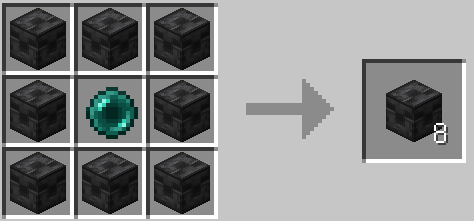
**Gate Linker** – combine 1 Ender Pearl + 1 Book and Quill (shapeless).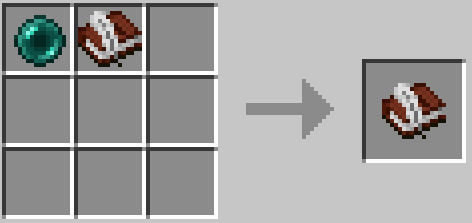
### 2. Building a Portal
1. Place Gate Frames in a rectangle, the same size rules as a Nether portal (corners can be anything, e.g. decorative frames).
2. The inside of the frame must be empty.
3. Build one frame in each save you want to connect.
### 3. Linking
1. In Save A, right-click a frame block with the Gate Linker. This marks the frame.
2. Quit and open Save B. The mark stays in the Gate Linker.
3. In Save B, right-click a frame block with the same Gate Linker. The two frames are linked and the portal surface appears on both sides.
4. Step into the portal surface to travel. There is a 3-second cooldown.
Linking works from any block of the frame. Linking within the same save (including between dimensions) works the same way.
### 4. Gate Linker Screen
Right-click a linked frame with the Gate Linker to open its screen:
- Description: give the gate a note (shown when you look at the portal, together with the destination save name and coordinates)
- Unlink: remove the link without destroying the frame
- Break protection: make the frame unbreakable
### 5. Commands
/worldstitch mark, link, unlink, protect, residency allow|block|clear
### 6. Config (Mod Menu / config file)
- allowCrossDimensionTravel: allow links between dimensions
- allowEnteringDepartedSave: allow opening a save you already left via a portal
- frameBreakProtectionEnabled: enable break protection
---
## 使い方
### 1. クラフト
**ゲートフレーム ×8**:作業台の中央にエンダーパール1個を置き、周囲を模様入りの深層岩8個で囲みます。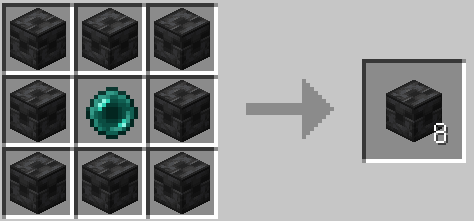
**ゲートの目印帳**:エンダーパール1個+本と羽ペン1個(並び順は自由)。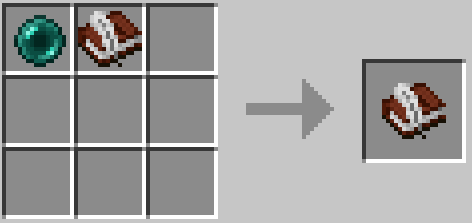
### 2. 枠の作り方
1. ゲートフレームを長方形に並べます。サイズはネザーポータルと同じルールです(角は何でもOK。装飾用のフレームも置けます)。
2. 枠の内側は空けておきます。
3. つなぎたいセーブそれぞれに、枠を1つずつ作ります。
### 3. リンクの方法
1. セーブAで、ゲートの目印帳を持って枠のブロックを右クリックします。枠が記録されます。
2. セーブを閉じて、セーブBを開きます。記録は目印帳に残ります。
3. セーブBで、同じ目印帳で枠のブロックを右クリックします。2つの枠がリンクされ、両側にポータル面が出ます。
4. ポータル面に入ると移動できます(クールダウン3秒)。
枠のどのブロックからでもリンクできます。同じセーブ内(ディメンション間を含む)のリンクも同じ手順です。
### 4. 目印帳の画面
リンク済みの枠を目印帳で右クリックすると、画面が開きます。
- 説明:ゲートにメモを付けられます。ポータルに照準を合わせると、接続先のセーブ名と座標と一緒に表示されます
- リンク解除:枠は壊さずにリンクだけ解除します
- 破壊保護:枠を壊れなくします
### 5. コマンド
/worldstitch mark, link, unlink, protect, residency allow|block|clear
### 6. コンフィグ(Mod Menu / 設定ファイル)
- allowCrossDimensionTravel:ディメンションをまたぐリンクを許可
- allowEnteringDepartedSave:ワープで離れたセーブを直接開くことを許可
- frameBreakProtectionEnabled:破壊保護機能を有効にする
Worldstitch Team