WorldLink
- By
Connect independent Minecraft worlds and servers through configurable in-game portals, with safe and persistent player-data transfer.
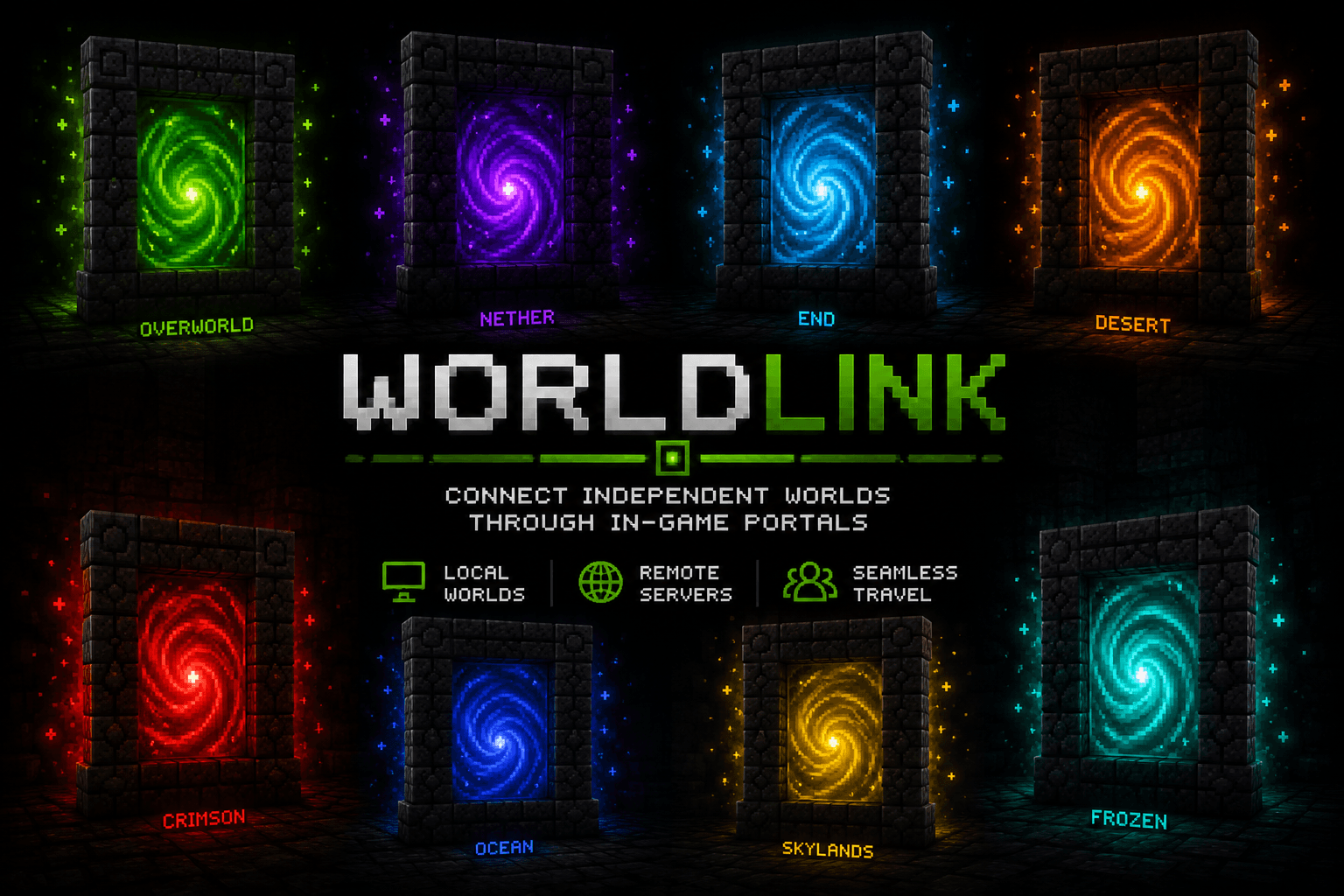
WorldLink Rainbow Portals.png
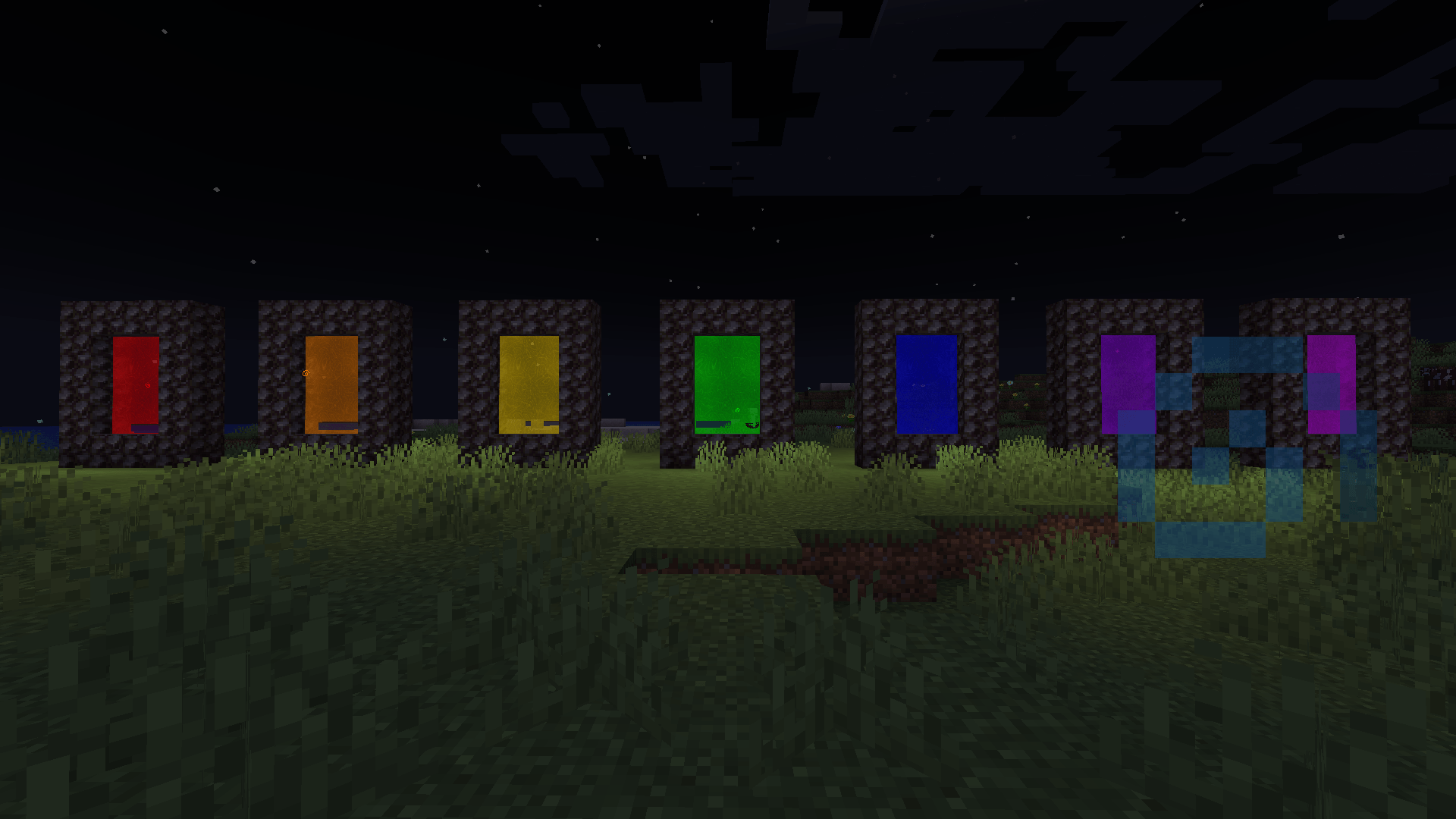
2026-09-08_15.01.59.png
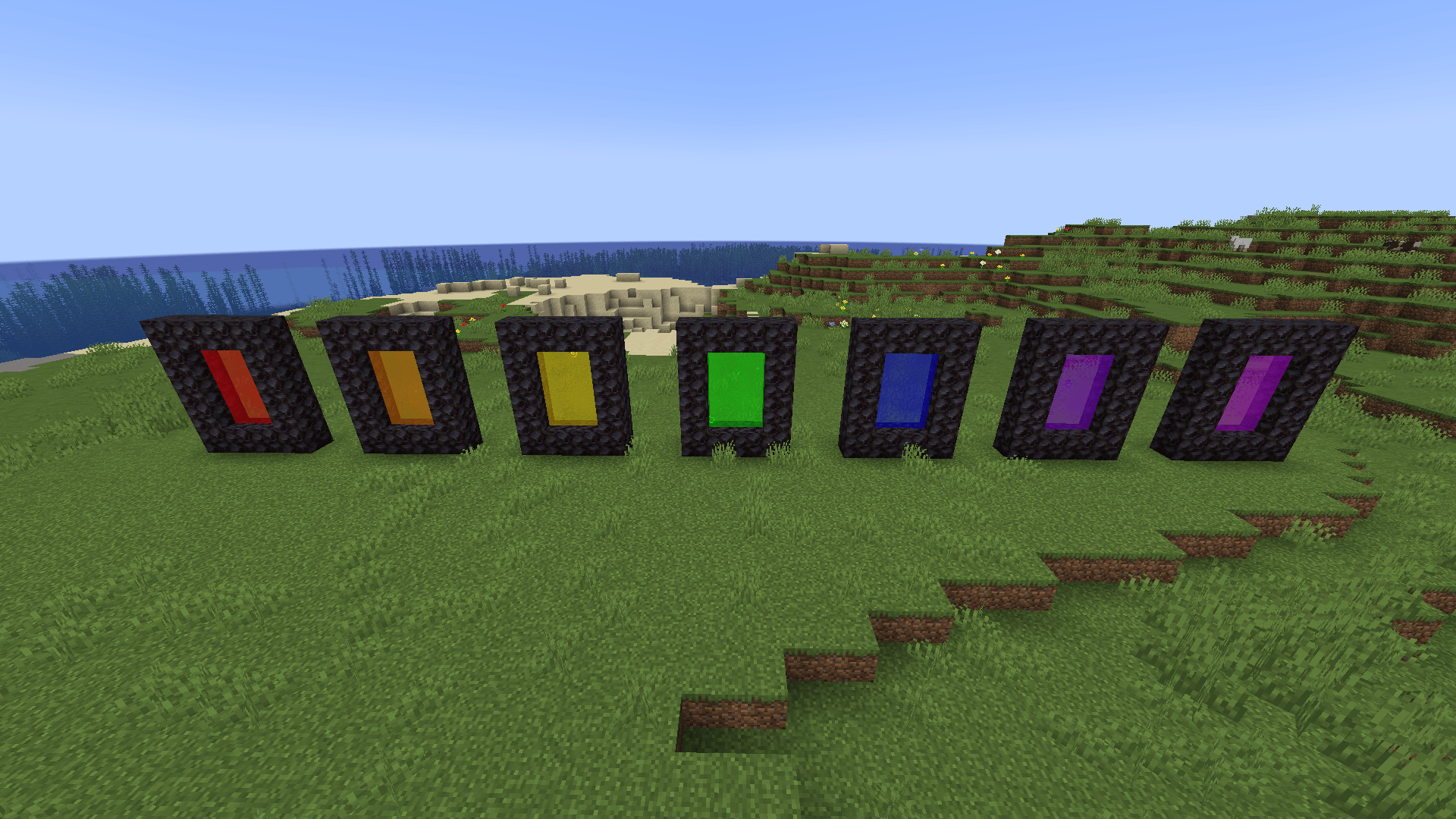
2026-09-08_15.04.55.png
Description
🌀 WorldLink
Your worlds were never meant to be islands.
Every Minecraft world normally exists alone.
Your survival world. Your building world. An old save you haven't visited in years. A friend's server. A massive modpack server running somewhere else entirely.
They're separate places, divided by menus, loading screens, server lists, and save folders.
WorldLink turns them into destinations.
Build a portal.
Ignite it.
Choose where it leads.
Step inside—and continue your adventure somewhere else.
🎬 See WorldLink in Action
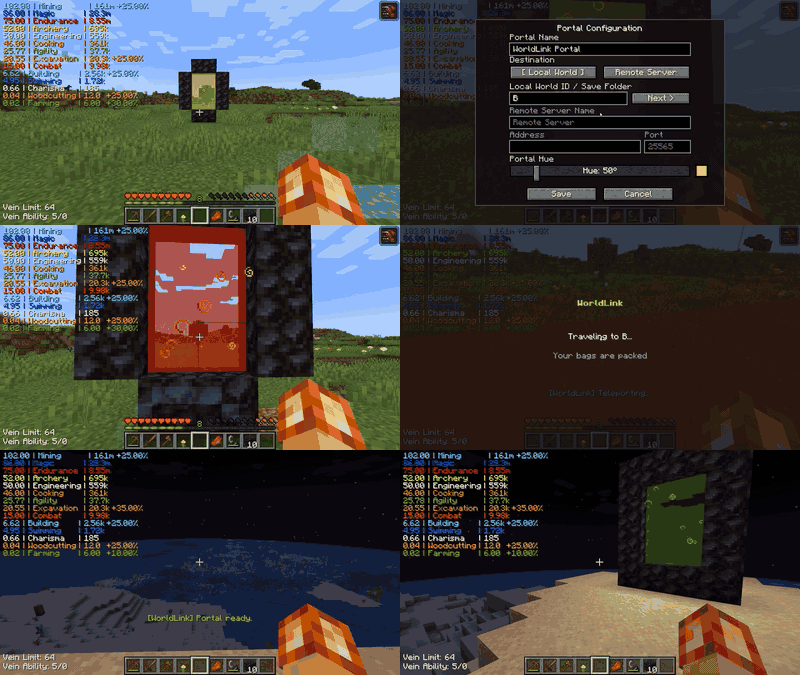
Build. Ignite. Configure. Travel.
No server-selection screen pretending to be a portal.
Just walk through.
🌎 Connect Minecraft Worlds
WorldLink is a Forge 1.20.1 mod that connects independent Minecraft worlds and servers through physical, configurable in-game portals.
A WorldLink portal can lead to another configured local world or a remote Minecraft server, allowing places that normally exist completely independently to become part of one connected adventure.
Instead of leaving the game, navigating menus, finding another save or server, and reconnecting manually, the portal becomes the boundary between worlds.
Walk in here.
Walk out there.
🌀 A Portal That Feels Like a Portal
WorldLink portals are designed to feel like part of Minecraft—not like a server-selection menu disguised as a block.
Build the frame, ignite it with Flint and Steel, configure the destination, and the interior comes alive.
WorldLink portals feature:
- Configurable portal destinations
- Customizable portal colors
- Dynamic rectangular portal sizes
- Optional frame corners
- Animated portal rendering
- Layered visual effects
- Swirling ambient particles
- Lightning ignition
- Portal implosion effects
- Nether-inspired travel distortion
- Nether-style ambient sound
- Survival travel countdown
- Arrival protection
- Automatic portal rearming
- Protection against accidental travel after login
- Player-facing travel status and failure messages
- Automatic collapse when required frame blocks are destroyed
- Explosion-aware portal collapse
- Support for complicated shared-frame portal structures
When you ignite a valid frame, lightning strikes the point of activation as the portal comes alive.
Step inside and the screen begins to distort. As the travel countdown progresses, the effect intensifies until the transition begins.
Destroy a required part of an active portal and the membrane implodes, accompanied by its collapse effects rather than simply disappearing.
WorldLink also understands that portals can get weird.
Shared frames, intersecting structures, large portals, missing metadata, and orphaned portal membranes are handled defensively. If the physical structure of an active portal is compromised—including by an explosion—WorldLink works to invalidate the affected portal instead of leaving a floating ghost membrane behind.
The portal isn't just how you select another world.
It's how you get there.
🚀 The Player Can Travel Too
Connecting worlds was only the beginning.
WorldLink includes a transactional player-data transfer system designed to allow supported player state to follow the player between independent Minecraft environments.
Before travel, the source prepares a snapshot of participating player data.
WorldLink then manages that snapshot through the journey:
Capture → Persist → Travel → Claim → Restore → Verify → Consume
The destination doesn't simply assume the transfer worked.
It verifies it.
Only after restoration succeeds and the resulting player state has been verified is the transaction considered complete.
WorldLink treats player-data movement as a transaction rather than a blind copy operation.
🎒 Pack Your Bags—or Leave Them Behind
Sometimes you want the player and their supported data to cross worlds.
Sometimes you only want the player to travel.
WorldLink supports both.
Administrators can enable or disable player-data transfer for a WorldLink environment.
PLAYER_DATA_TRANSFER
When player-data transfer is enabled, WorldLink prepares a transfer transaction and attempts to carry supported player state through the journey.
The player is told:
Your bags are packed.
TRAVEL_ONLY
When player-data transfer is disabled, WorldLink performs the journey without creating a player-data transaction.
No player snapshot.
No transfer UUID.
No pending transfer.
No restore claim.
The player simply travels to the destination while transferable player data is left behind.
The player is told:
Your items are left behind.
This allows WorldLink to function both as a player-data transfer system and as a portal network connecting otherwise independent Minecraft environments.
🧩 WorldLink 0.2.1 — Player Data Compatibility Update
Minecraft players don't stop at their vanilla inventory.
Modded Minecraft can attach equipment, progression, capabilities, backing storage, skills, and other persistent state to a player.
WorldLink 0.2.1 dramatically expands the amount of modded player data that can make the journey.
⛏️ Project MMO
WorldLink includes compatibility with Project MMO (PMMO).
Supported PMMO player progression participates in WorldLink's transactional player-data process:
Capture → Restore → Synchronize → Verify
PMMO progression can therefore follow the player through supported WorldLink transfers instead of being treated as unrelated server-side state.
🎒 Sophisticated Backpacks
WorldLink 0.2.1 adds dedicated support for Sophisticated Backpacks.
A Sophisticated Backpack is more than the ItemStack visible in a player's inventory. Its contents can exist in separate backing storage referenced by the backpack.
WorldLink understands that distinction.
For supported backpacks carried through the player's normal inventory, WorldLink can:
- Detect backpack backing-storage references
- Capture the corresponding backpack contents
- Transfer that backing data with the player transaction
- Restore it at the destination
- Verify the restored backing data before declaring the handler successful
That means the backpack doesn't merely arrive.
Its supported contents can arrive with it.
💍 Curios
WorldLink 0.2.1 includes Curios player-data transfer support.
Rather than hard-coding individual equipment slots, WorldLink transfers the participating Curios capability state.
This allows supported equipped items and their slot assignments to participate in the same transactional journey as the rest of the player.
Curios data is:
Captured → Restored → Reprocessed → Verified
Because WorldLink works with the Curios capability rather than maintaining a fixed list of equipment slots, this compatibility can naturally extend to mods that build their equipment systems on Curios.
Which leads to...
☁️ The Aether
The Aether's accessory slots are supported through WorldLink's Curios integration.
WorldLink has been runtime-tested with Aether-specific accessory equipment slots, including Aether's specialized Curios equipment.
Items remain equipped in their appropriate slots after the supported transfer.
No separate WorldLink Aether handler was required.
Curios already gave us the bridge. WorldLink simply takes it across worlds.
🛠️ Tool Belt
Tool Belt presented a different challenge.
Tool Belts placed in ordinary Curios equipment participate through WorldLink's Curios integration.
But Tool Belt also provides its own dedicated V-key equipment slot, separate from the ordinary Curios state.
WorldLink 0.2.1 therefore includes dedicated compatibility for that slot.
The dedicated Tool Belt state is:
Captured → Serialized → Restored → Verified
This allows Tool Belt's special equipment state to participate in WorldLink's transactional player-data system without requiring modifications to Tool Belt itself.
🔌 Optional Compatibility
Project MMO, Sophisticated Backpacks, Curios, The Aether, and Tool Belt are not required dependencies of WorldLink.
WorldLink remains usable without them.
Compatibility handlers participate when their corresponding mods and supported data are present.
That allows WorldLink to provide deeper integration in heavily modded environments without requiring every WorldLink installation to use the same collection of mods.
🛡️ Designed to Fail Safely
Cross-server player data is something WorldLink treats carefully.
A transfer can involve multiple independent mods, persistent state, two Minecraft environments, a client disconnect, another connection, and plenty of opportunities for something to go wrong.
WorldLink therefore uses a fail-closed transactional design.
If participating player data cannot be safely prepared, travel preparation can be aborted rather than intentionally creating a partial transfer.
If a compatibility handler throws an exception, WorldLink isolates the failure instead of allowing an incomplete snapshot to silently continue.
If ownership doesn't match, the transfer isn't restored to the wrong player.
If restoration cannot be verified, the transaction isn't treated as successfully completed.
And a successful transfer isn't considered finished merely because some data was written.
Restore first. Verify second. Consume last.
WorldLink also maintains persistent recovery state where appropriate so interrupted journeys don't have to depend entirely on volatile server or client memory.
🌐 Built for Independent Servers
WorldLink supports travel to remote Minecraft servers.
For supported player-data transfers between independent environments, WorldLink includes an authenticated client-relay transfer path.
The source prepares the transaction.
The client carries the prepared transfer envelope through the server transition.
The destination validates the arriving transaction before attempting restoration.
Remote WorldLink environments therefore do not inherently need to share the same physical transfer directory just to perform a supported relay transfer.
The destination still owns the important decisions:
Is this transfer valid?
Does it belong to this player?
Was restoration actually successful?
Only after successful restoration and verification does the player-data transaction complete.
🔌 Public Player Data API
WorldLink's built-in integrations are not intended to be the end of mod compatibility.
A heavily modded Minecraft player can contain:
- Skills
- Levels
- Mana
- Progression
- Capabilities
- Persistent attributes
- Unlocks
- Statistics
- Equipment systems
- Other mod-specific player state
WorldLink cannot safely guess what another mod's data means.
So it doesn't try.
Instead, WorldLink provides a public Player Data API that allows another Forge mod or compatibility addon to teach WorldLink how its data should participate.
A handler owns its data:
Should I participate? → Capture → Restore → Verify
WorldLink owns the infrastructure around it:
Transactions → Persistence → Claims → Recovery → Cleanup → Failure Isolation
A compatibility implementation doesn't need to recreate WorldLink's entire cross-world transfer system just to move its own player state.
Implement a handler.
Register it.
Let WorldLink handle the journey.
🧠 You Own Your Data. WorldLink Owns the Journey.
The Player Data API supports stable handler IDs and handler data versions so compatibility implementations can evolve without silently treating incompatible data formats as valid.
Multiple handlers can participate in the same transaction.
Each handler remains responsible for understanding and verifying its own data.
If a participating handler fails during preparation, WorldLink can identify the failure and abort rather than deliberately creating a snapshot already known to be incomplete.
WorldLink's compatibility philosophy is simple:
You own your mod's data. WorldLink owns the journey.
📦 Persistent Transfer Storage
WorldLink maintains persistent transaction storage for transfer states that require durable recovery.
A fresh local installation uses:
WorldLink-Transfers
Transfer storage separates pending and consumed transactions.
A pending transaction represents player data that has been prepared but has not yet successfully completed its lifecycle.
After successful restoration and verification, applicable pending transfers can move into consumed storage rather than simply disappearing.
WorldLink also provides expiration, retention, and cleanup behavior for obsolete records.
This creates durable boundaries between states such as:
Prepared → Pending → Restored → Verified → Consumed
And importantly:
Expired does not necessarily mean immediately destroyed.
Retained transfers can provide administrators with an opportunity to inspect or recover player data when something goes wrong.
🛟 Administrative Recovery
WorldLink includes administrative tools for inspecting and recovering transfer transactions.
Administrators can inspect transfer state, view pending transactions, and recover an eligible retained pending transfer for its intended player.
Recovery follows the same safety philosophy as normal travel:
Read → Validate → Restore → Verify → Consume
The target player must match the transfer's intended owner.
The pending transfer is consumed only after restoration and verification succeed.
If recovery fails, WorldLink does not intentionally consume the pending transaction first and hope for the best.
Recovery should recover data—not destroy the evidence that recovery was needed.
⚙️ Administrative Controls
Administrators can control player-data travel policy with:
/worldlink transfer items on
/worldlink transfer items off
/worldlink transfer items status
WorldLink also provides player-transfer diagnostic and recovery commands:
/worldlink player pending
/worldlink player pending <player>
/worldlink player inspect <transferId>
/worldlink player recover <transferId> <player>
/worldlink player pending is available as a self-service diagnostic for a player inspecting their own pending-transfer state.
Commands that inspect another player or perform administrative recovery require administrative permission.
🔄 Persistent Portal Registry
Configured WorldLink portals are not intended to exist only in temporary runtime memory.
Portal registrations can persist across normal server restarts so configured endpoints can return to the WorldLink network when the environment starts again.
A normal restart shouldn't mean rebuilding your portal network from scratch.
🧪 Tested Across Independent Environments
WorldLink has been tested across local worlds and independent dedicated-server environments.
Testing has deliberately included both successful journeys and broken conditions.
WorldLink 0.2.1 testing has included:
- Local-world portal travel
- Remote dedicated-server travel
- Player-data transfer enabled
- Player-data transfer disabled
- Remote TRAVEL_ONLY travel
- Vanilla inventory capture and restoration
- Project MMO capture, restoration, synchronization, and verification
- Sophisticated Backpacks backing-storage capture, restoration, and verification for supported carried backpacks
- Curios capability capture, restoration, and verification
- Aether-specific Curios accessory slots
- Tool Belt dedicated V-key slot capture, restoration, and verification
- Multiple modded player-data handlers participating in one transaction
- Persistent transfer storage
- Transfer ownership verification
- Destination restoration verification
- Client-relay authentication
- Interrupted/incomplete transaction state
- Expiration and retention
- Administrative recovery
- Recovery ownership mismatch
- Transfer consumption only after verified recovery
- Missing or incompatible compatibility handlers
- Handler data-version mismatches
- Intentional compatibility-handler exceptions
- Preparation failure handling
- Client recovery state
- Portal arrival protection
- Portal rearming
- Cold-login accidental-travel protection
- Dynamic portal ignition
- Shared-frame portal structures
- Intersecting portal structures
- Orphaned membrane cleanup
- Manual portal-frame destruction
- Creeper explosion collapse
- TNT explosion collapse
- Dedicated-server restart
- Persistent portal-registry reload
WorldLink is designed with the assumption that eventually something will fail.
The goal isn't to pretend failure is impossible.
The goal is for failure to be controlled, visible, and recoverable.
⚙️ Requirements
Minecraft: 1.20.1
Mod Loader: Forge 47.x
Java: 17
Environment: Client + Server
WorldLink must be installed in the participating WorldLink environments required by the configured travel setup.
For player-data transfer, participating environments must have compatible WorldLink versions and the appropriate compatibility support for mod-specific data expected to travel.
WorldLink does not promise automatic transfer of arbitrary player data belonging to every Minecraft mod.
Mods with custom player state may require explicit compatibility through the WorldLink Player Data API.
📖 For Mod Authors
Want your mod's player data to travel through WorldLink?
WorldLink's Player Data API is deliberately centered around a small lifecycle:
Participate → Capture → Restore → Verify
Compatibility handlers identify themselves using stable handler IDs and data versions.
This allows WorldLink to coordinate independently owned mod data without requiring WorldLink itself to understand the internal implementation of every supported mod.
Developer documentation covers handler registration, IDs and versions, participation, capture, restoration, verification, failure behavior, compatibility expectations, and example integrations.
The contract remains straightforward:
You own your mod's data. WorldLink owns the journey.
⚠️ Back Up Important Worlds
WorldLink contains systems capable of restoring player state across independent Minecraft environments.
That is powerful functionality.
Back up important worlds and player data before deploying WorldLink into a production environment.
This is especially important when first configuring cross-server player-data transfers or introducing new third-party compatibility handlers.
No transactional system can make incompatible mods, corrupted worlds, broken servers, hardware failures, or every possible mod interaction impossible.
WorldLink is designed to provide safety boundaries and recovery mechanisms.
It is not a replacement for backups.
❤️ The Hailey Update
Some of WorldLink's personality came directly from my daughter, Hailey. ❤️
While WorldLink's portal system was being developed, Hailey suggested ideas that changed how traveling between worlds should actually feel.
Her ideas became three of WorldLink's signature portal effects:
⚡ Lightning Activation
Igniting a valid WorldLink frame doesn't merely fill the opening with portal blocks.
Lightning strikes the point of activation. (Also inspired by the Aether mod)
The bolt lands where the player ignites the frame, giving the portal's creation the dramatic moment Hailey imagined.
💥 Portal Implosion
Hailey also inspired the idea that destroying an active portal shouldn't simply make it disappear.
It should implode.
Breaking a required part of the frame triggers WorldLink's portal-collapse effects as the membrane is torn down.
🌀 Visual Travel Distortion
And stepping through a WorldLink portal shouldn't feel like standing inside an ordinary block while a timer counts down.
Hailey's third idea became WorldLink's Nether-inspired travel distortion.
As the player remains inside the portal, the visual distortion progressively intensifies during the countdown and carries into the transition sequence.
But Hailey's ideas ended up changing considerably more than the visuals.
Implementing them drove WorldLink into some wonderfully horrible portal edge cases:
Large portals. Shared frames. Intersecting portals. Multiple portals occupying complicated structures. Missing metadata. Orphaned membranes. And the infamous floating ghost portal that could survive after its surrounding frame was gone.
Solving those problems ultimately made WorldLink's entire portal system more robust.
So the effects weren't merely decoration.
They helped make WorldLink better.
A huge thank-you to Hailey for the ideas that became the heart of WorldLink's portal experience:
Portal implosions. Lightning activation. Visual travel distortion.
Thanks, Hailey, for making WorldLink considerably more awesome. ❤️
WorldLink 0.1.2 — The Hailey Update
❤️ The Thomas Release
Then another member of my family changed WorldLink's direction again.
My nephew Thomas inspired a different question.
WorldLink had become a way to make traveling between Minecraft worlds feel like actual travel instead of navigating menus and server lists.
But Thomas's idea pushed the concept further:
What if it wasn't just the connection that traveled?
What if the player could travel too?
That question changed WorldLink.
It became the foundation of persistent player-data transfer, transactional restoration, verification, recovery, and eventually the public Player Data API.
Instead of simply moving a player between environments, WorldLink began learning how to safely carry pieces of that player's Minecraft identity with them.
That architecture became:
Capture → Persist → Travel → Claim → Restore → Verify → Consume
WorldLink 0.2.0 was the release that brought that vision together.
And it was named in his honor.
WorldLink 0.2.0 — The Thomas Release
This one's for you, Thomas. ❤️
🌟 And Now — WorldLink 0.2.1
Hailey helped answer:
What should traveling through a WorldLink portal feel like?
Thomas helped inspire:
What if the player could travel too?
And WorldLink 0.2.1 asks the next question:
How much of a modded player's identity can safely make that journey with them?
Project MMO progression.
Sophisticated Backpack contents.
Curios equipment.
Aether accessories.
Tool Belt's dedicated equipment state.
And a public API designed so this list doesn't have to end there.
Each release has pushed the same original idea a little further.
Not merely connecting servers.
Not merely transferring data.
But making separate Minecraft worlds feel like places belonging to the same adventure.
🌀 WorldLink
One portal. Another world. Same adventure.
Your worlds were never meant to be islands.
❤️
WorldLink Team