
World Ping
- By
world-ping-banner.png
1.jpg
2.jpg
Description
World Ping (pingmod)
Point out a cave entrance, mark a meeting place, or show your friends where to go. pingmod adds shared green pings to Minecraft Java, with a floating 3D marker, distance information, and clearly labelled coordinates.
Press Left Alt while looking at a block to place a ping. Players who receive your ping message and have the mod installed can see the same target in their world.
Keep track of the target
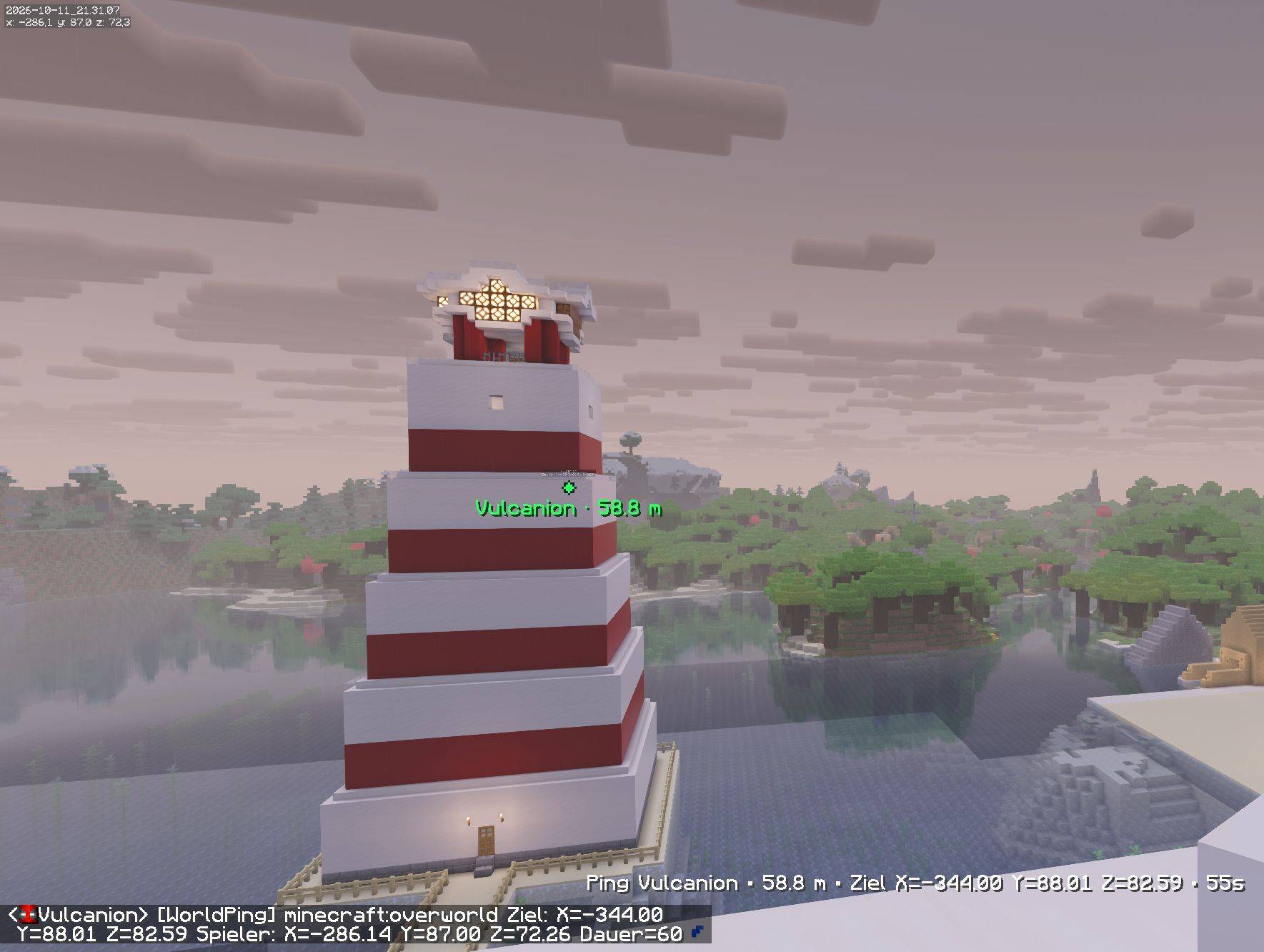
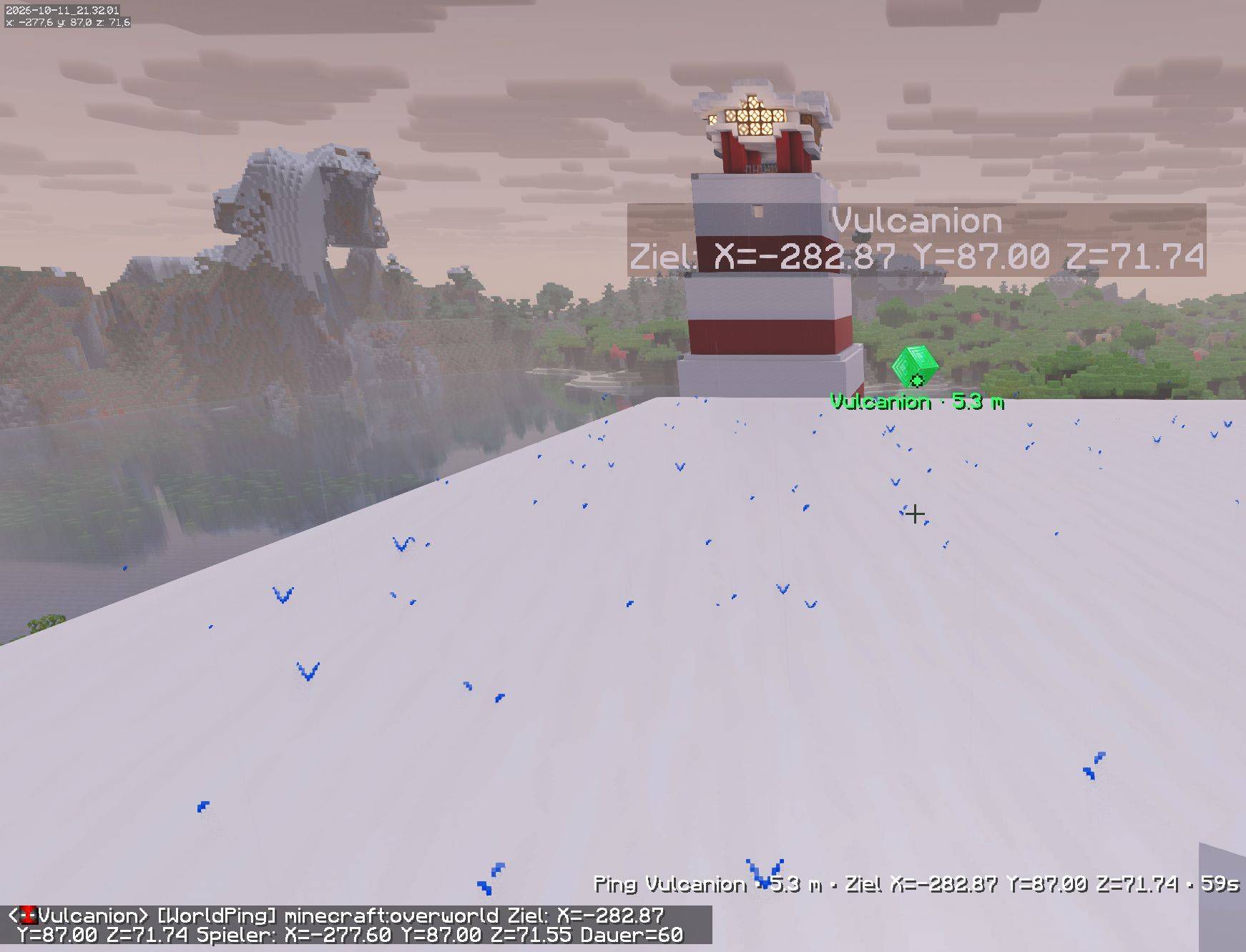
Each ping has a floating emerald-block marker and a green screen dot. The dot keeps the same size at any distance, so a faraway target stays easy to spot. If the target moves outside your field of view, a dot at the screen edge points you towards it.
By default, the dot, marker outline, and label remain visible through walls. You can turn this off in the settings. The solid 3D block itself uses normal depth rendering.
The display can show your distance to the target and its X, Y, and Z coordinates. You can also include your own position at the moment you place the ping. Coordinates use explicit X=, Y=, and Z= labels, and the shared message contains no visible ID.
Share pings without installing a server mod
pingmod runs on the client. Every player who wants to see world markers installs the mod locally; the server does not need a pingmod installation.
Pings travel through ordinary Minecraft player chat. Clients with pingmod read the message and display its target. Players without the mod see the readable chat message. No external relay service is used.
Settings
Open Mod Menu → World Ping → Settings, or use /worldping settings.
You can change the ping key directly in the menu, along with its duration, cooldown, range, marker size and height, dot radius, animation, brightness, and visibility through walls. Distance information, coordinates, chat-message visibility, and sending or receiving pings can also be toggled. The teleport link action is configurable as well.
| Setting | Default |
|---|---|
| Place a ping | Left Alt |
| Duration | 60 seconds |
| Cooldown | 0 ticks |
| Permanent pings | Off |
| Visibility through walls | On |
| Green dot and screen-edge indicator | On |
| Teleport link action | Prompt Teleport Link |
A cooldown of 0 ticks removes the mod's waiting period between new pings. The server's own chat rules still apply.
Enable permanent pings to place new pings without a timer. They remain until replaced, cleared, or reset when you disconnect. Each player has one active ping; placing another replaces their previous one. The local limit on active pings still applies.
For permanent pings, install v1.1.1 on every participating client. Changing this setting affects the pings you place next; it does not change an existing ping's duration.
Installation
This release targets Minecraft Java 26.3 and requires:
- Fabric Loader 0.19.5 or newer
- Fabric API 0.162.0+26.3
- Mod Menu 21.1.1, if you want access through the mod list
Controls and commands
- Left Alt: place a ping on the block you are looking at. The key is configurable.
/worldping: place a ping using a client command./worldping settings: open the settings menu./worldping clear: remove your current ping and share the removal when ping sharing is enabled.
World markers appear in the target's dimension. Pings from other dimensions can be received and identified in the information display, but are not drawn at an unrelated position in your current world. Players who join later receive future pings; earlier pings are not sent again. Pings are not saved to disk.
Teleport link
Ping messages include a green [TELEPORT] link. Starting with version 1.2.0, choose what happens when you click it using Teleport-Link: Klickaktion in Mod Menu:
- Instant Teleport: Runs the teleport command through the chat link. Minecraft may ask for confirmation; the required server permissions still apply.
- Prompt Teleport Link (default from v1.2.1): Puts the teleport command into the chat. Press Enter when you want to send it.
- Copy Teleport Coordinates: Copies only the target coordinates as
X Y Z, for example123.45 64.00 -78.90. You can add/tpyourself; make sure you account for the target dimension.
Instant and Prompt include the target dimension in the command. The mod does not grant teleport permissions. The destination is the exact ping target; it does not automatically find a safe place to stand.
License
Copyright © 2026 Vulcanion · All Rights Reserved
This release uses the pingmod Personal Use License 1.0. You may download and play with the unmodified mod for free, and change its intended settings and key bindings. Selling copies, modifying the mod or its original assets, and redistributing it require prior written permission from Vulcanion, except where mandatory law permits otherwise. See the full license included with the download. Third-party components retain their own licenses.
World Ping Team
