


0ce2ae55-a6c0-4ae6-9702-01e4b003d21d.png
Screenshot_5.png
Screenshot_6.png
Screenshot_7.png
Screenshot_8.png
Description
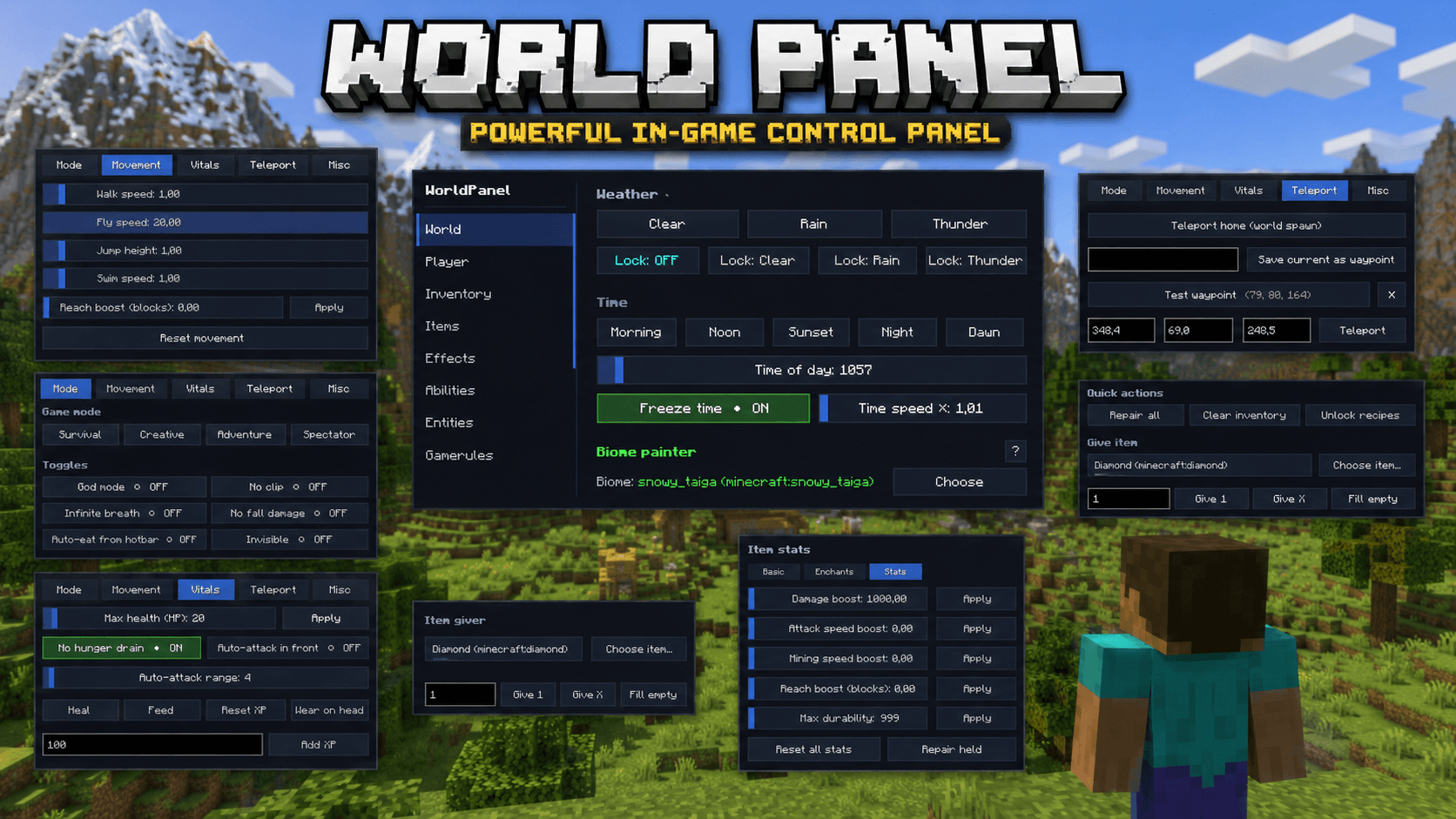
The all-in-one in-game control panel for Minecraft. Open a single GUI with the M key and run your world — weather, time, mobs, items, abilities, buildings, schematics, players, permissions, photo mode and dozens more tools — without ever typing a command.
Quick start
- Drop the jar into your
mods/folder - Launch Minecraft with NeoForge 21.11.42
- Press M in-game to open WorldPanel
- (Optional) Bind extra hotkeys via
Esc → Options → Controls → WorldPanel - (Optional) Drop
.litematic/.nbtfiles intoworldpanel-schematics/orworldpanel-houses/
Full feature list
🌍 World tab
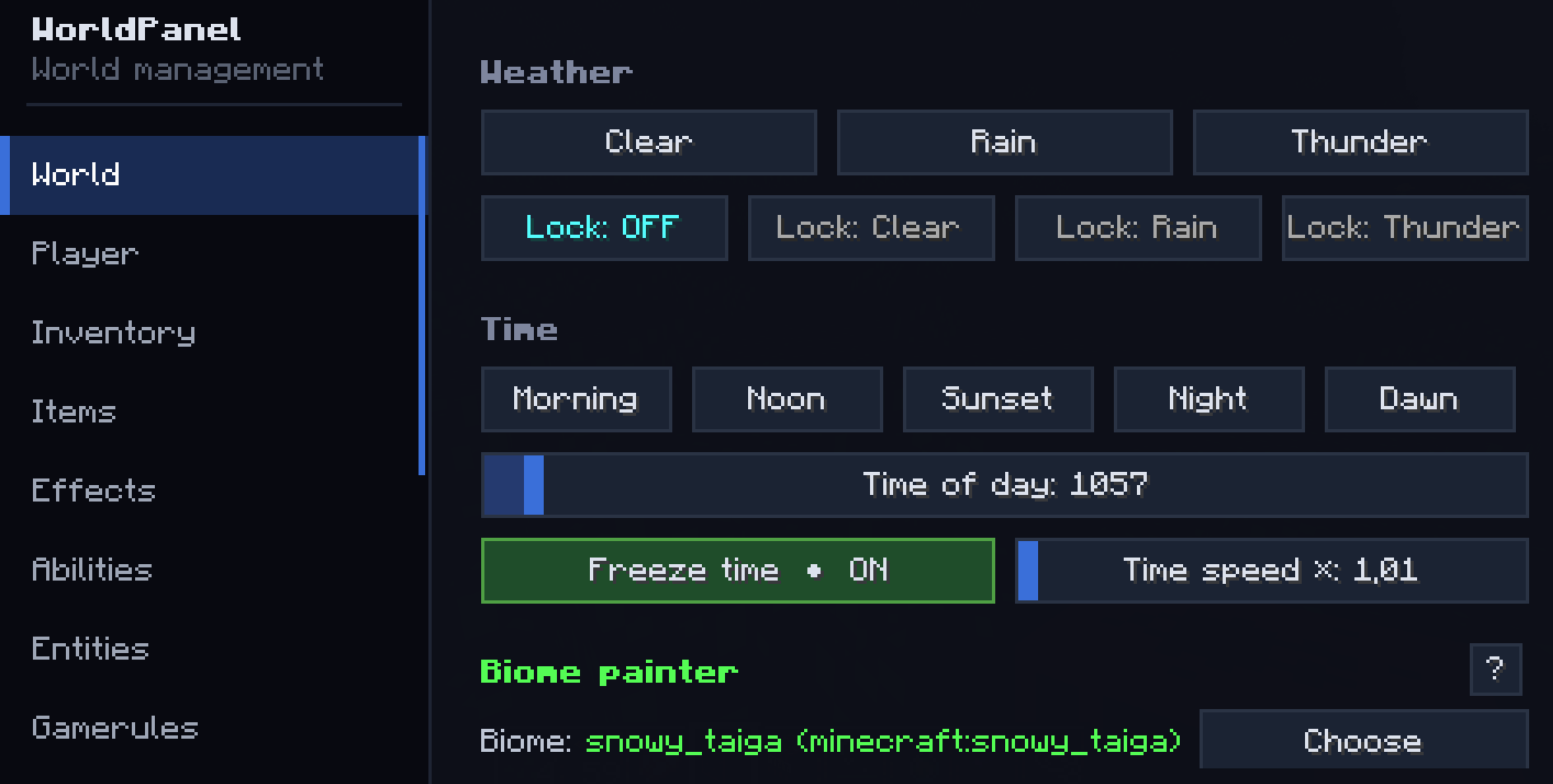
- Weather: Clear / Rain / Thunder + Weather lock (server keeps the chosen weather)
- Time presets: Morning / Noon / Sunset / Night / Dawn
- Time slider (0–24000) + Freeze time + Time speed multiplier (0–100×)
- Difficulty: Peaceful / Easy / Normal / Hard
- Biome painter: replace biome in a sphere around you (any vanilla biome)
- World backup: one-click snapshot to
worldpanel-backups/<world>-<timestamp>/ - Keep inventory toggle
- Anti-AFK auto-kick (configurable minutes)
🧑 Player tab
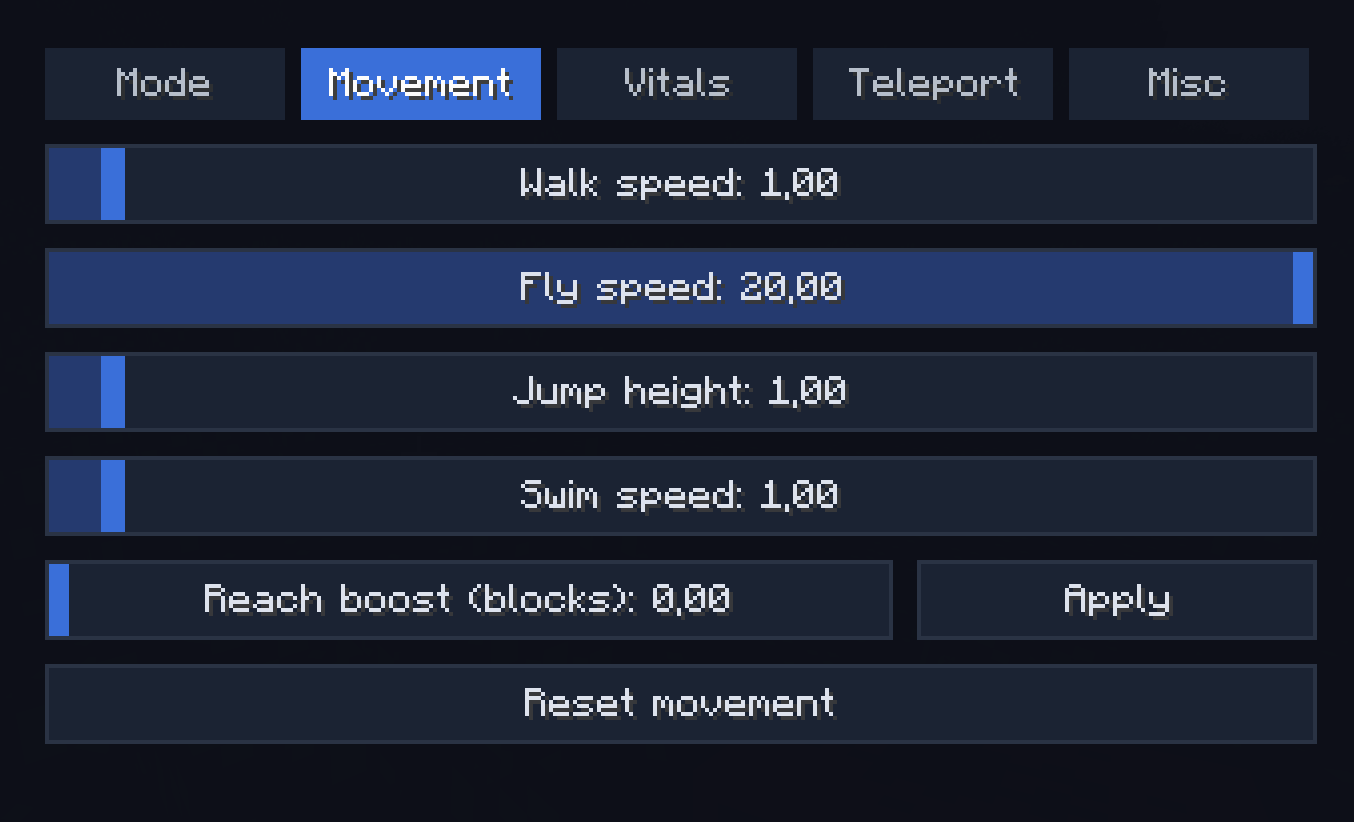
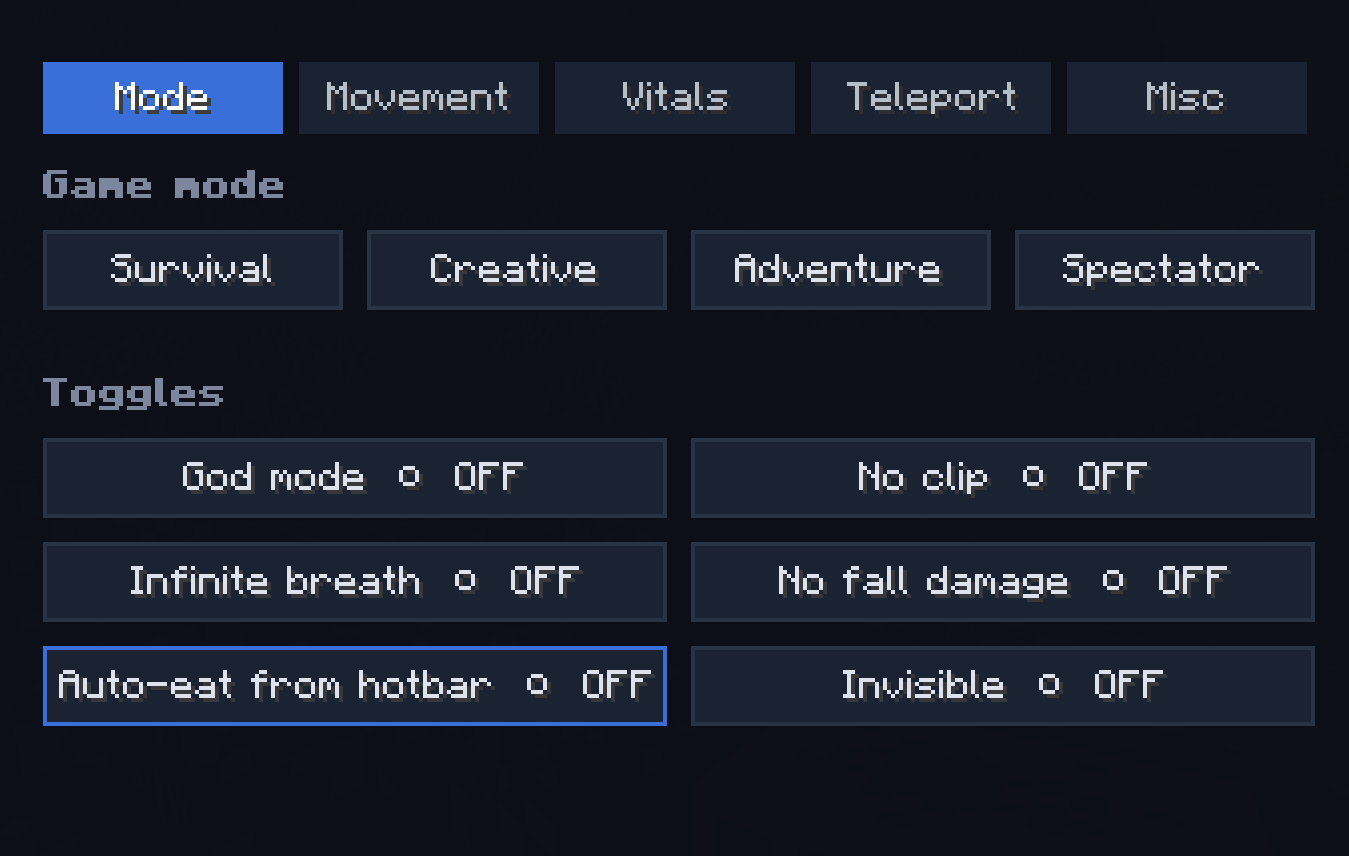
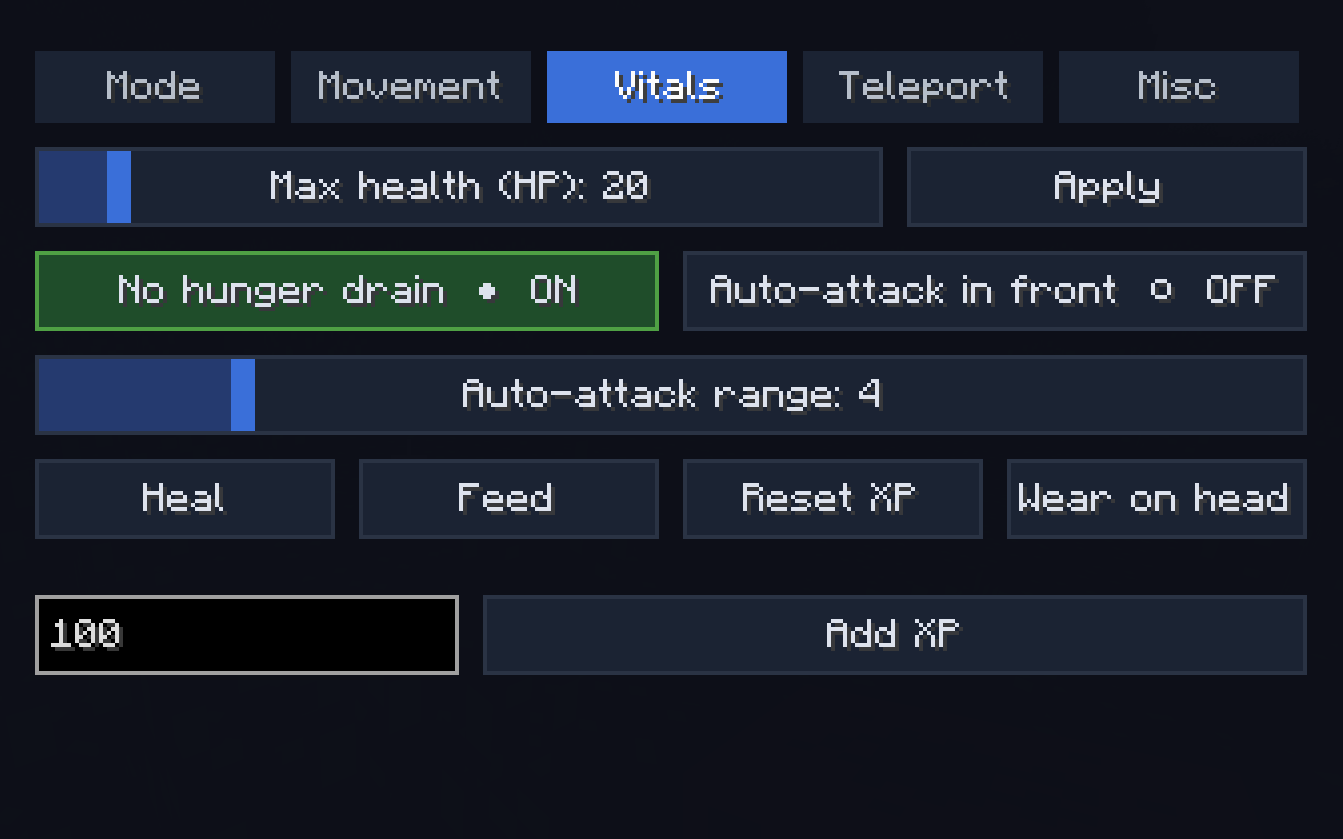
Sub-tabs: Mode / Movement / Vitals / Teleport / Misc
- Game mode switch (Survival / Creative / Adventure / Spectator)
- Walk / Fly / Jump / Swim speed sliders (with No fall damage + Reset)
- Heal / Feed / Max health (HP) up to 200 / No hunger drain
- God mode / Infinite breath / Invisible / Auto-eat from hotbar / Reach extender
- Teleport to coordinates / Teleport home / Waypoints (save & jump)
- XP add/reset / Wear held item as helmet
- Free-cam (spectator-detach, body stays in place)
- Run server command sender
🎒 Inventory tab
- Give item (count input) / Fill empty slots with picked item
- Clear inventory / Repair all / Unlock all recipes
🗡 Items tab
Sub-tabs: Basic / Enchants / Stats
- Custom name (with formatting) / Repair held / Unbreakable / Hide enchant glint / Apply all curses
- Add any enchantment at any level (1–255) / Max all valid enchants in one click / Clear all
- Damage / Attack speed / Mining speed / Reach / Max durability boosts (attribute modifiers)
✨ Effects tab
- Apply any vanilla potion effect at any duration/amplifier (timed or infinite)
- Clear all
- Potion crafting: assemble a custom potion with multiple effects, give as Drink / Splash / Lingering
💥 Abilities tab
Sub-tabs: Bombardment / Waves / Powers / Midas
- Bombardment: Lightning at crosshair, Smite, Lightning storm, Fireball, Fireball volley, Explosion, TNT rain, Nuke (any radius), TNT power multiplier (up to 2000×)
- Waves: Wind burst, Knockback wave, Vacuum, Levitate, Freeze nearby, Heal & buff wave
- Powers: Player scale (×0.1..×10), Velocity boost (rocket-self), Ender chain dash, Withering touch, Break wave, Berserker mode (Strength X + Speed X + Regen X + Resistance IV + Haste V + Fire Resistance), Annihilate (instakill in look line), Apocalypse combo, Meteor shower
- Midas Touch: walk-mode (turn ground under your feet into the chosen block) or attack-mode (every block you break converts instead of dropping)
🧟 Entities tab
- Spawn any vanilla mob (count + HP / Damage / Scale sliders)
- Mob variants: Armored / Diamond / Baby Zombie, Husk with sword, Drowned with trident, Skeleton with iron sword, Armored Wither Skeleton, Spider Jockey, Chicken Jockey, Giant / Tiny Slime, Giant Magma Cube, Pink / Rainbow Sheep, Angry Wolf, Piglin Brute, Huge / Tiny Zombie / Creeper / Skeleton, Huge Spider, Huge Enderman, Tank Zombie (500 HP + armored), Glass Zombie (1 HP)
- Kill hostile mobs in radius (filter: hostile only / + neutral / + passive / everything)
- Freeze mobs / Disable mob spawning
- Live nearby-entity counter
⚙ Gamerules tab
Every gamerule in the world — sliders for ints, toggles for bools, instant apply.
🛠 Tools tab
- Tree feller (only with axe, configurable: damage axe? max logs?)
- Vein miner / Instant mine / Fullbright (client-side)
- Auto-grow: Trees / Crops / Grass / Other (in 10-block radius)
🏗 Build tab
Sub-tabs: Shapes / Replace / Schematics / Editor / Structures / Houses
- Shapes: Sphere / Cube / Pyramid / Cylinder / Dome / Ring / Floor / Wall (any block, size up to 128×128×128, optional hollow)
- Replace: swap block A → B in a radius
- Schematics: load
.litematicand vanilla.nbtfrom disk, library persists inworldpanel-schematics/; ghost preview (look-aimed, 90° rotate, build/cancel) - Editor (click-based world editor):
- Start selection → LMB block = corner A → RMB block = corner B (wireframe ghost between them)
- Wall / Roof / Floor templates (separate picker each):
- 11 wall templates (Cottage, Tudor, Brick facade, Castle stone, Castle slits, Modern glass tower, Japanese shoji, Gothic cathedral, Nether fortress, Dungeon, Plain)
- 7 roof templates (Flat, Flat + cornice, Pitched oak/dark/brick, Hipped, Dome)
- 7 floor templates (Plain, 3 checker variants, Carpet over oak, Stone path, Polished pattern)
- Fill solid / Hollow / Walls / Floor / Roof / Replace / Clear within selection
- Clipboard: Copy selection, Paste at A, Save / Load named templates (
worldpanel-clips/)
- Structures: 26 vanilla structures one-click (villages, fortresses, monuments, ancient cities, end city…)
- Houses: pre-built houses library from
worldpanel-houses/(drop your.litematicfiles there)
🎨 Photo / FX tab
- Photo mode (FOV slider 20°–170°, optional Hide HUD)
- Free-cam
- Cosmetic particles on self: Halo / Fire / Sparkle / Hearts / Notes
- Movement trails: Fire / Ice / Flowers / Lava / Portal
- Live HUD overlay toggle — corner display of every active toggle
👥 Players tab (server admin)
Full per-player admin screen:
- View / edit target's inventory (6×9) and ender chest (3×9)
- Game mode quick-switch (current highlighted)
- Fly / God / Invisible ON/OFF (live status)
- Lightning / TNT rain on player
- Apply any effect with duration/amplifier
- Heal / Feed / Kill / Op / Deop / Kick / TP to / Pull to me
- Max health slider per target
- Permission group (default / vip / admin) + per-feature ✓/✗ overrides
- Export permission groups + README to Desktop
💾 Profiles tab
- Save full panel state (every slider, toggle, picked item/effect/mob) as a named preset
- Load / delete profiles, stored as
.propertiesinworldpanel-profiles/
⏱ Cooldowns tab
- Per-ability cooldown slider (0–120s) for every ability
- Server enforces and shows on-cooldown message
⌨ Hotkeys tab
- Every action has a bindable keybind, visible in this tab
- Quick link to vanilla Controls screen
- Default hotkeys unbound — set in
Controls → WorldPanel
🩺 Diagnostics tab
- Live server / player / system info
- Chat command sender
🔎 Spotlight
- Cmd-K style global search: type "fly speed" → jump straight to the setting
- ~110 indexed features
Permission system
Every action belongs to one of 36 fine-grained Features (e.g. WORLD_BIOME, ABILITY_POWERS, BUILD_SCHEMATICS, PLAYER_ADMIN…).
- Groups (
default/vip/admin) in<world>/worldpanel-groups.properties - Per-player overrides through the GUI (✓/✗ buttons)
- OP players always bypass the check (you can never lock yourself out)
Cooldowns per ability stored in <world>/worldpanel-cooldowns.properties
File / folder reference
World Panel creates and uses several folders and configuration files:
- config/worldpanel-client.properties — client-side panel state
- worldpanel-schematics/ — auto-loaded schematic library
- worldpanel-houses/ — pre-built houses library
- worldpanel-profiles/ — saved settings presets
- worldpanel-clips/ (world dir) — saved building templates
- worldpanel-backups/ (world dir) — one-click world backups
- <world>/worldpanel-groups.properties — permission groups
- <world>/worldpanel-permissions.properties — per-player overrides
- <world>/worldpanel-cooldowns.properties — cooldown config
The World Panel Team
