Wireless Automate
- By
Wireless routers that move items, fluids, energy and chemicals between machines, with no pipes and no lag.
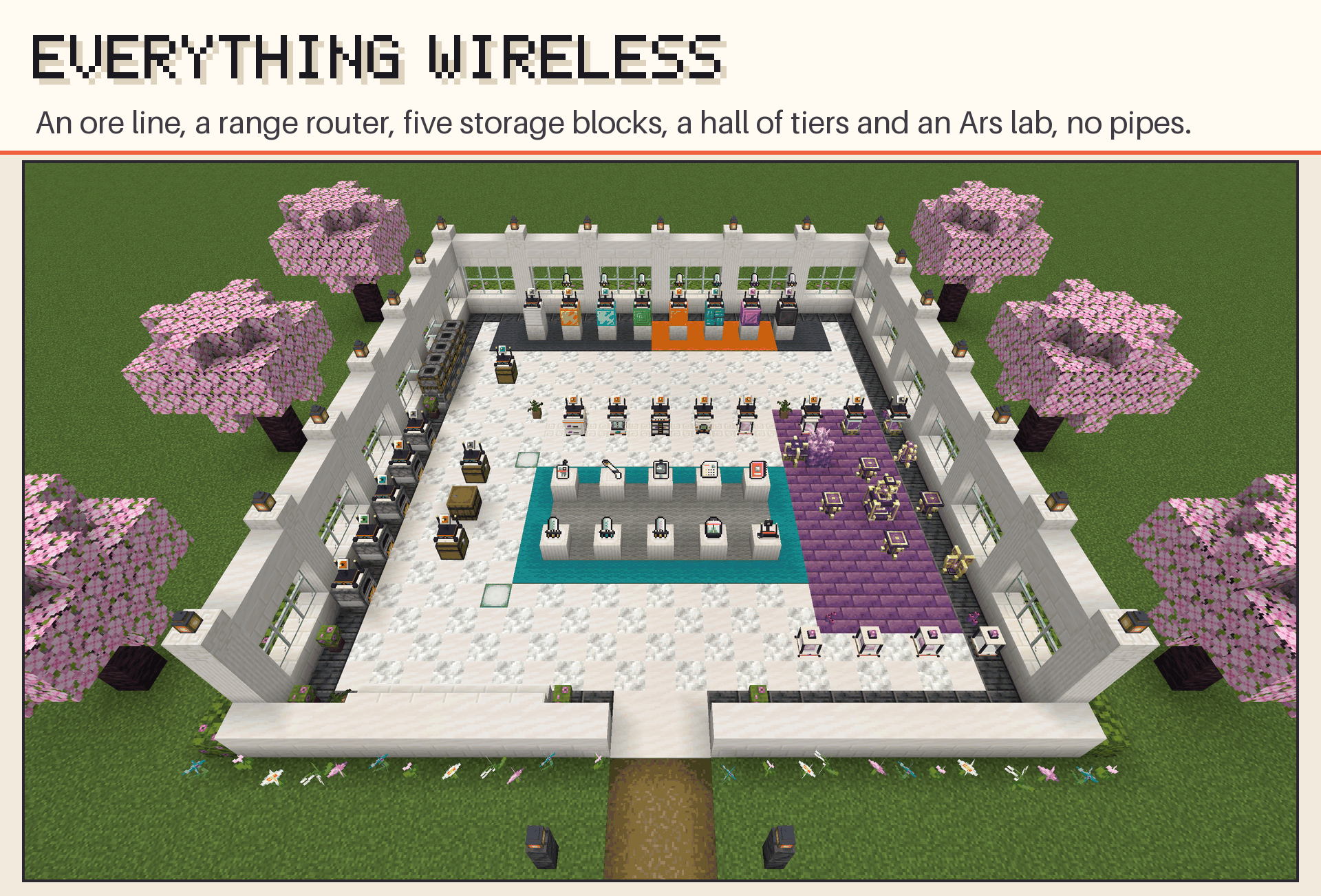
feature-0-overview.png
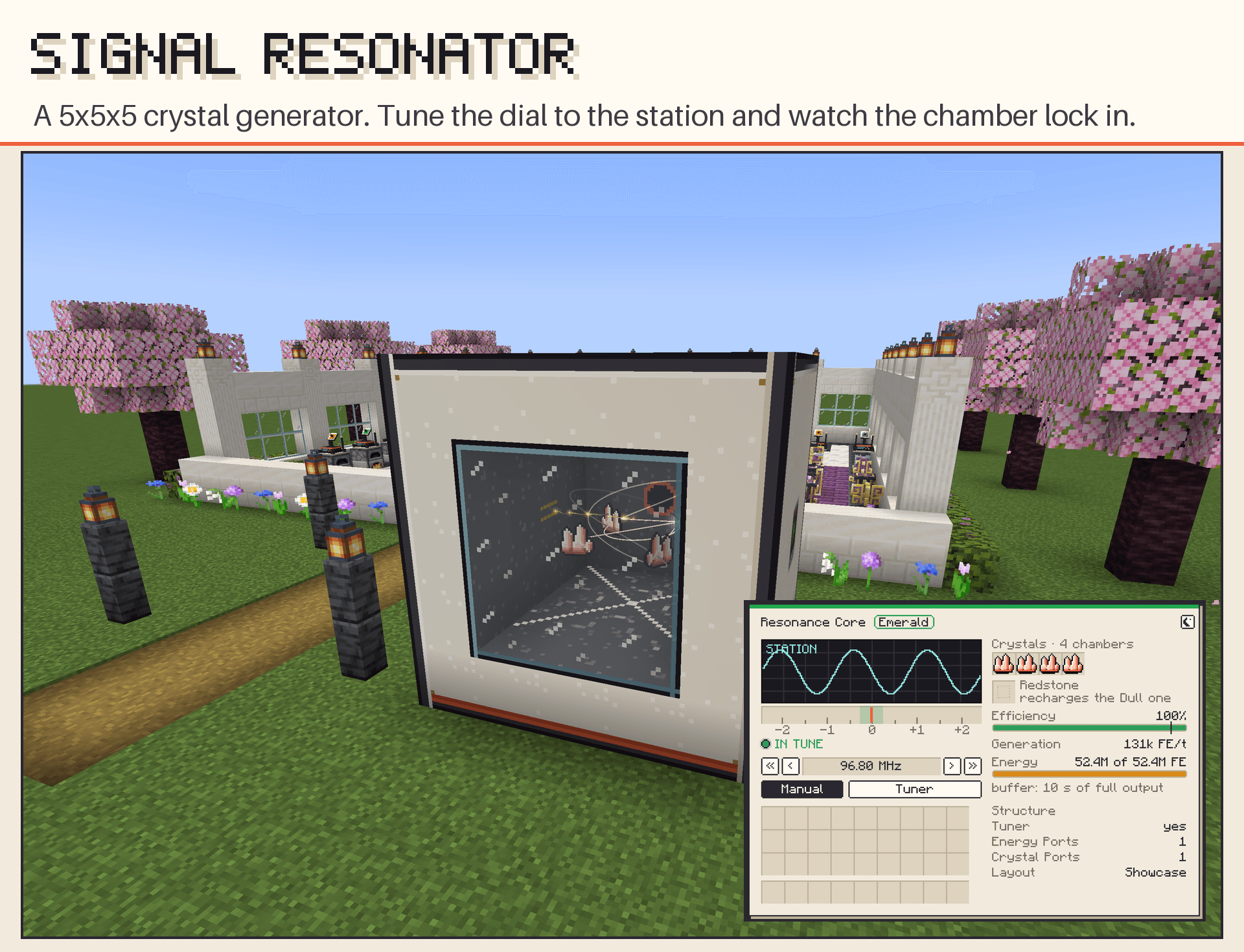
feature-21-resonator.png
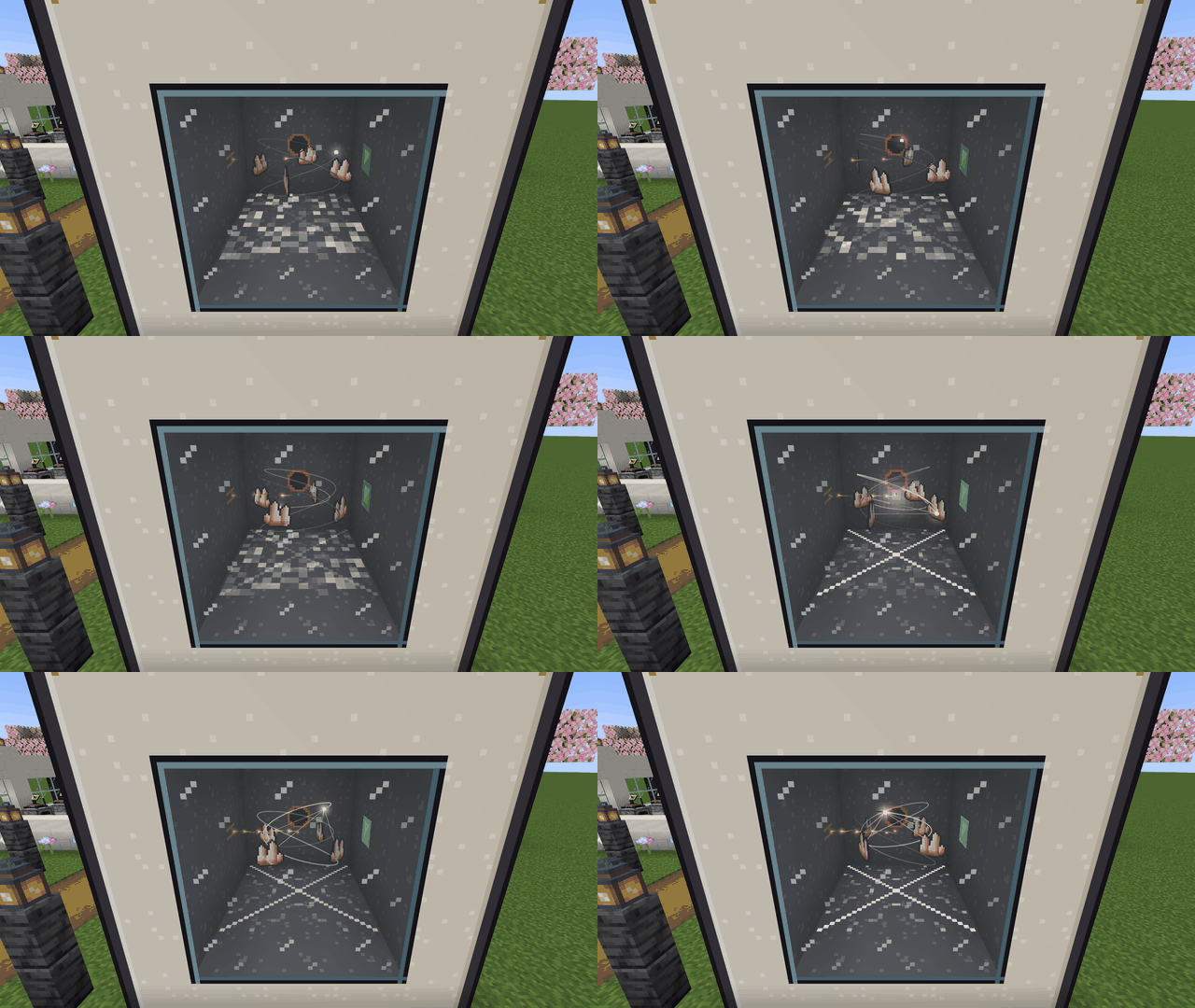
ressonador.gif
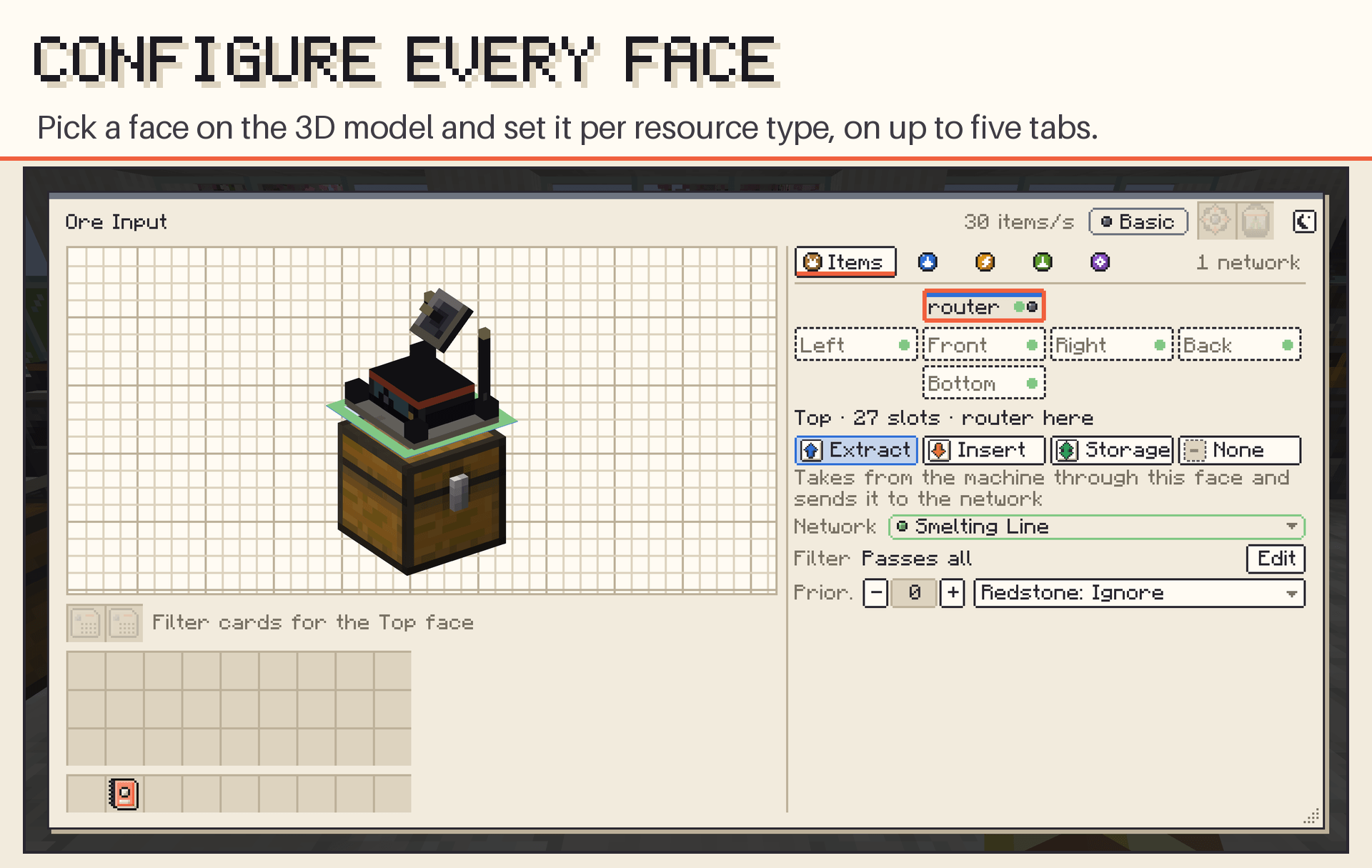
feature-2-router.png
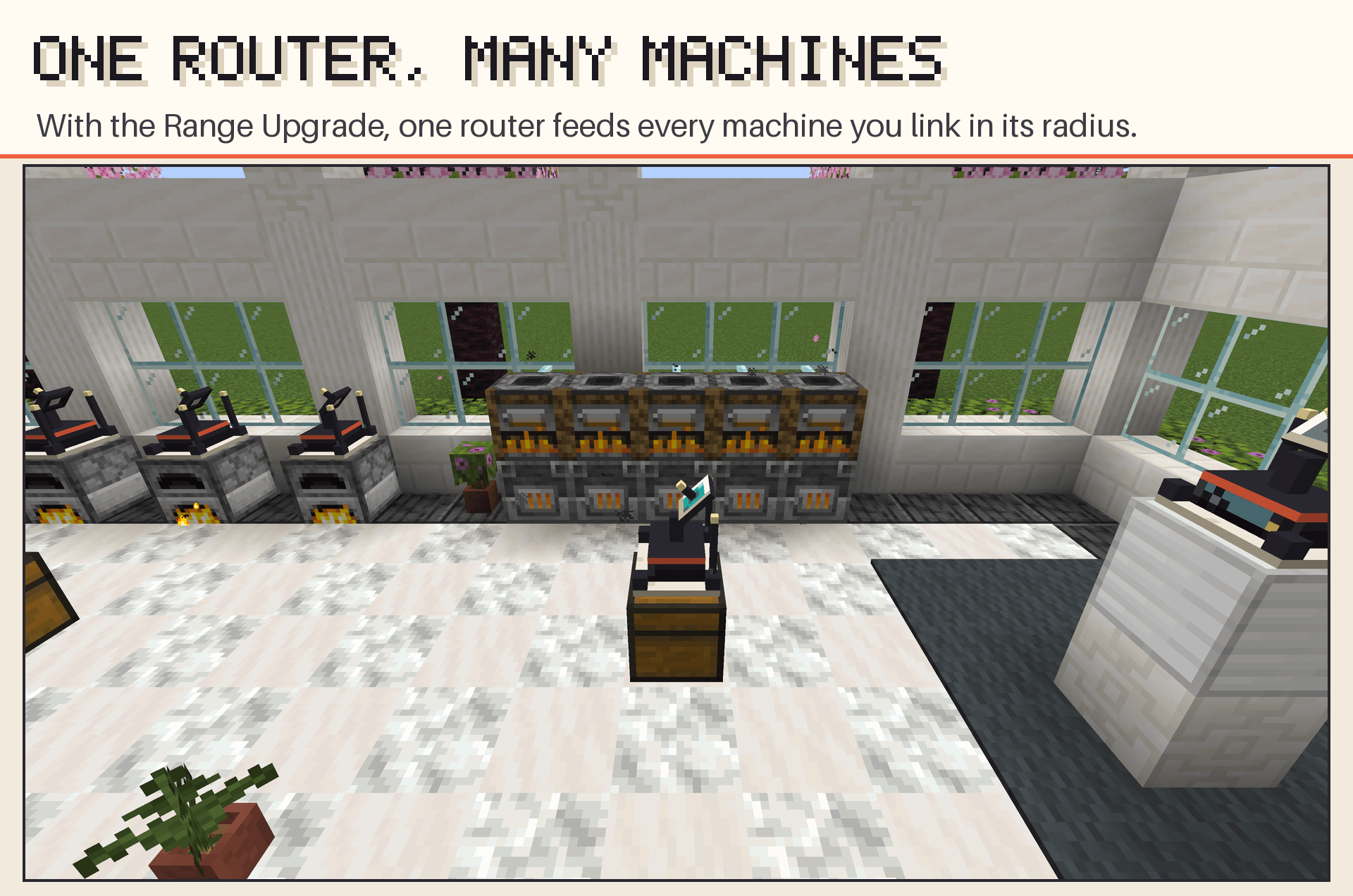
feature-17-range.png
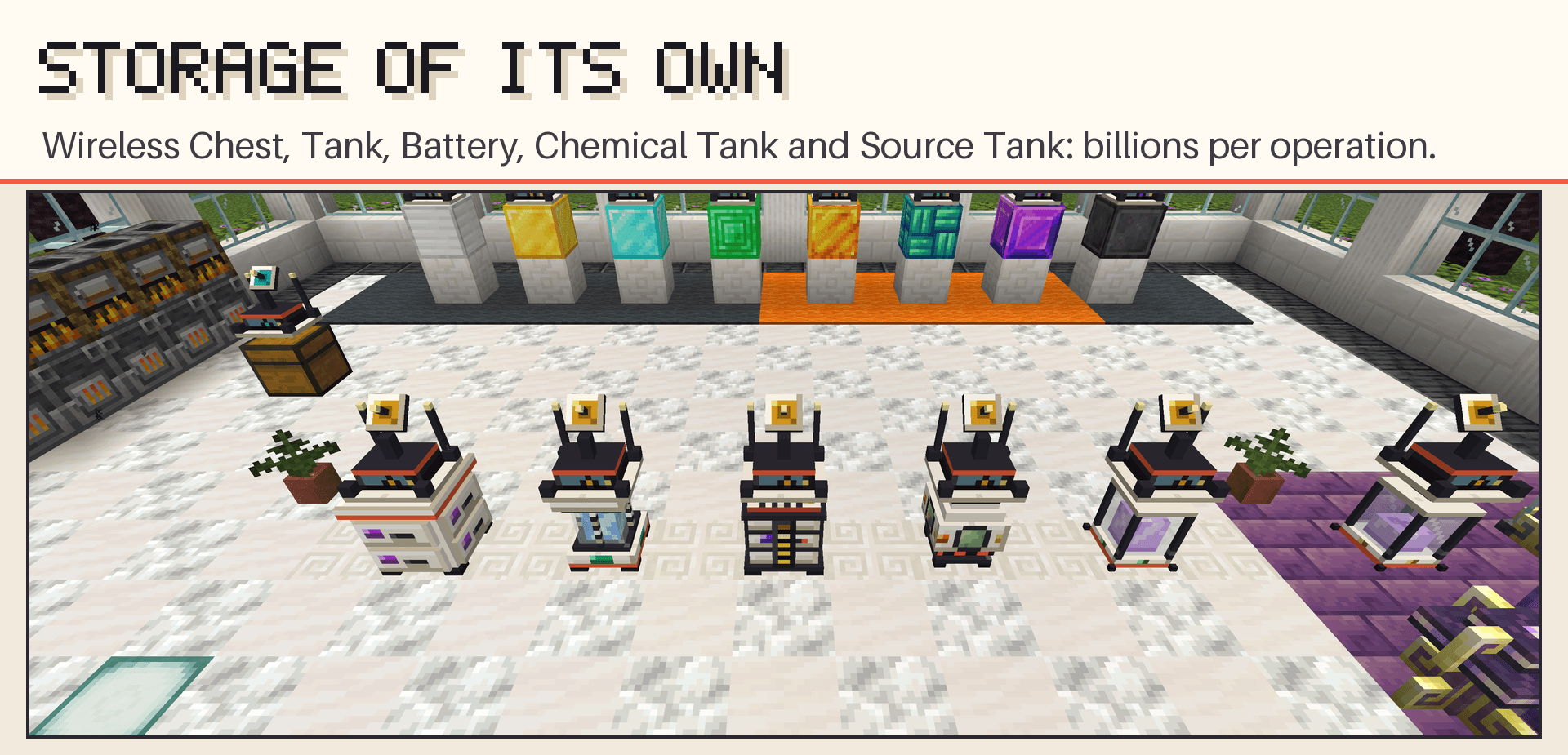
feature-9-storage.png
Description
Wireless Automate moves items, fluids, energy, Mekanism chemicals and Ars Nouveau Source between machines without pipes. Attach a router to a machine, choose what each face of the machine does, and every router on the same network trades with the others, near or far. It also brings storage blocks of its own that move billions per operation, filters that pick tags in one click or match any enchanted item, and a crystal generator you tune like a radio, the Signal Resonator.
It was built for large modpacks: instead of every block ticking on its own, one central manager moves everything within a small time budget per tick, so hundreds of machines don't turn into lag.
Features
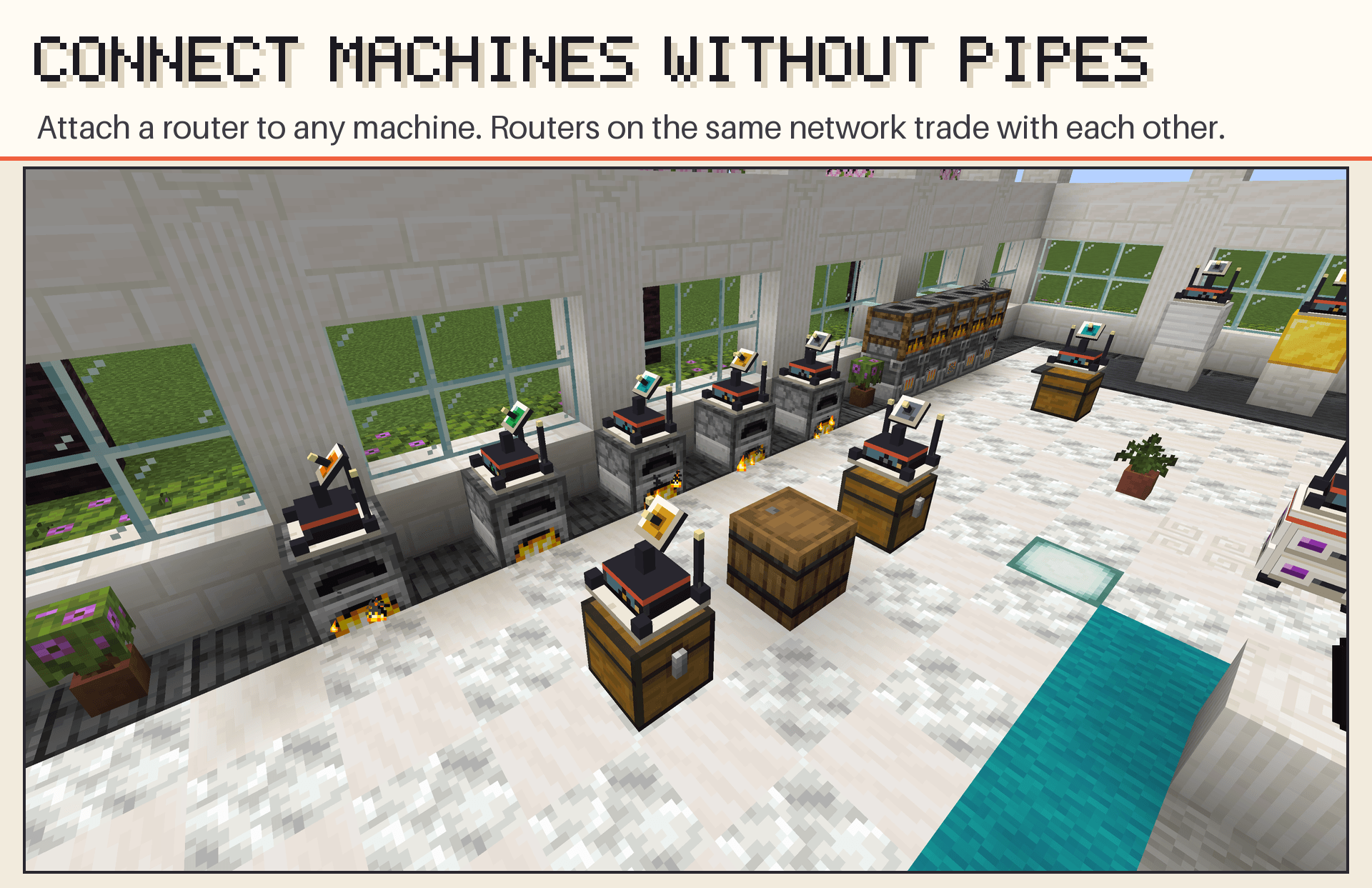
- One router per machine. Attach it to any face of any block. From its screen you configure all six faces of the machine, not just the one it sits on. Shift + right-click it with empty hands to turn it to face any way; the setup of each face stays put.
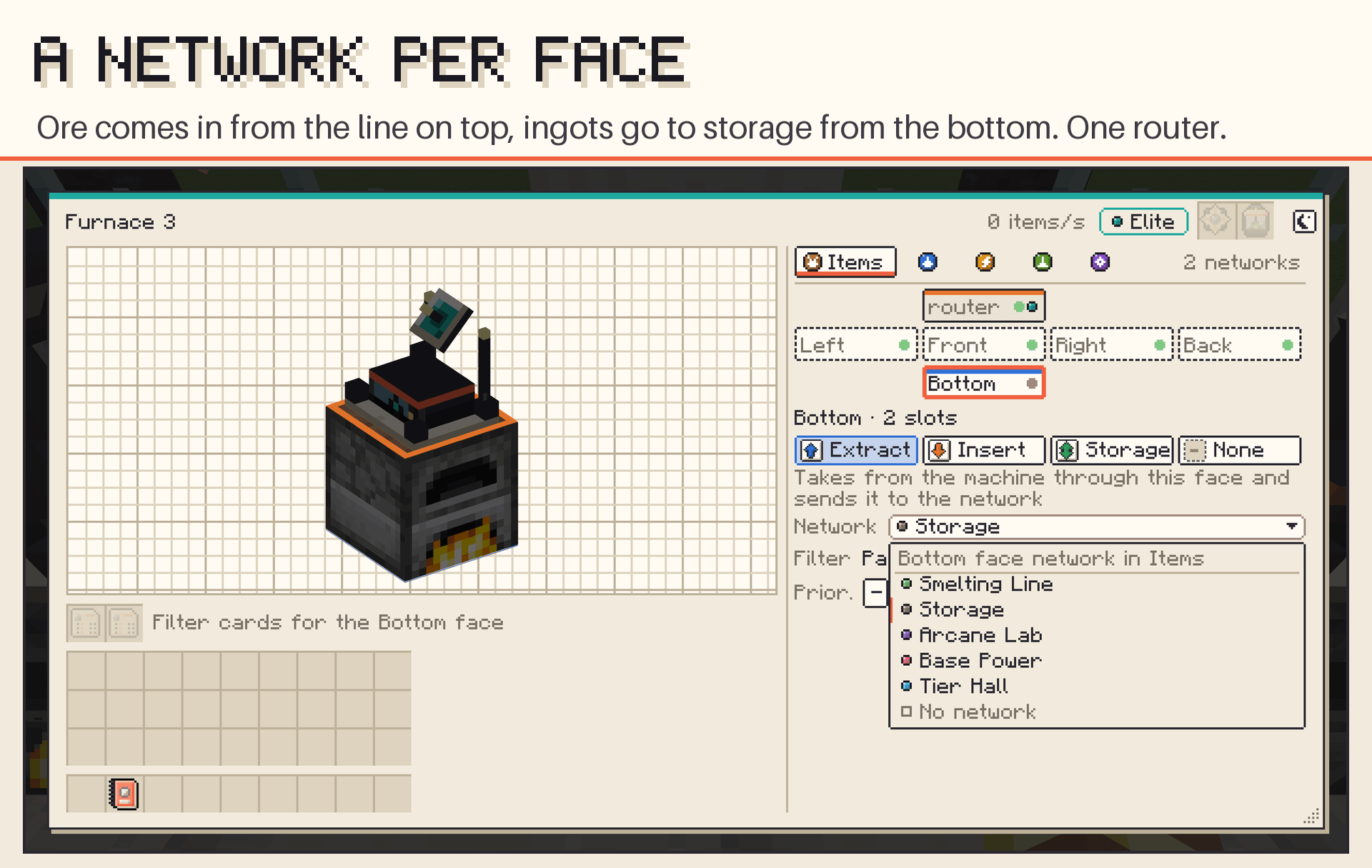
- Networks, not cables. Routers on the same network trade resources of the same type (items, fluids, energy and, with the optional mods, chemicals and Source). Each face of the machine joins its own network, per resource type, so one furnace can take ore from your mining line on top and send ingots to storage from the bottom, while its energy comes from your base grid.
- One router, many machines: with the Range Upgrade, a single router serves every machine you link around it, so a whole farm is set up once (see Range Upgrade below).
- Four modes per face: Extract, Insert, Storage (a buffer that takes from extractors and gives to inserters) or None.
- Priority, round-robin and redstone control for every face and resource type.
- Resizable screens: the router, Network Tablet and Linker can be resized from their edges and corner, and the router tabs adapt to the width.
- Light and dark theme: every screen has both; switch with the moon/sun button in the header.
Range Upgrade
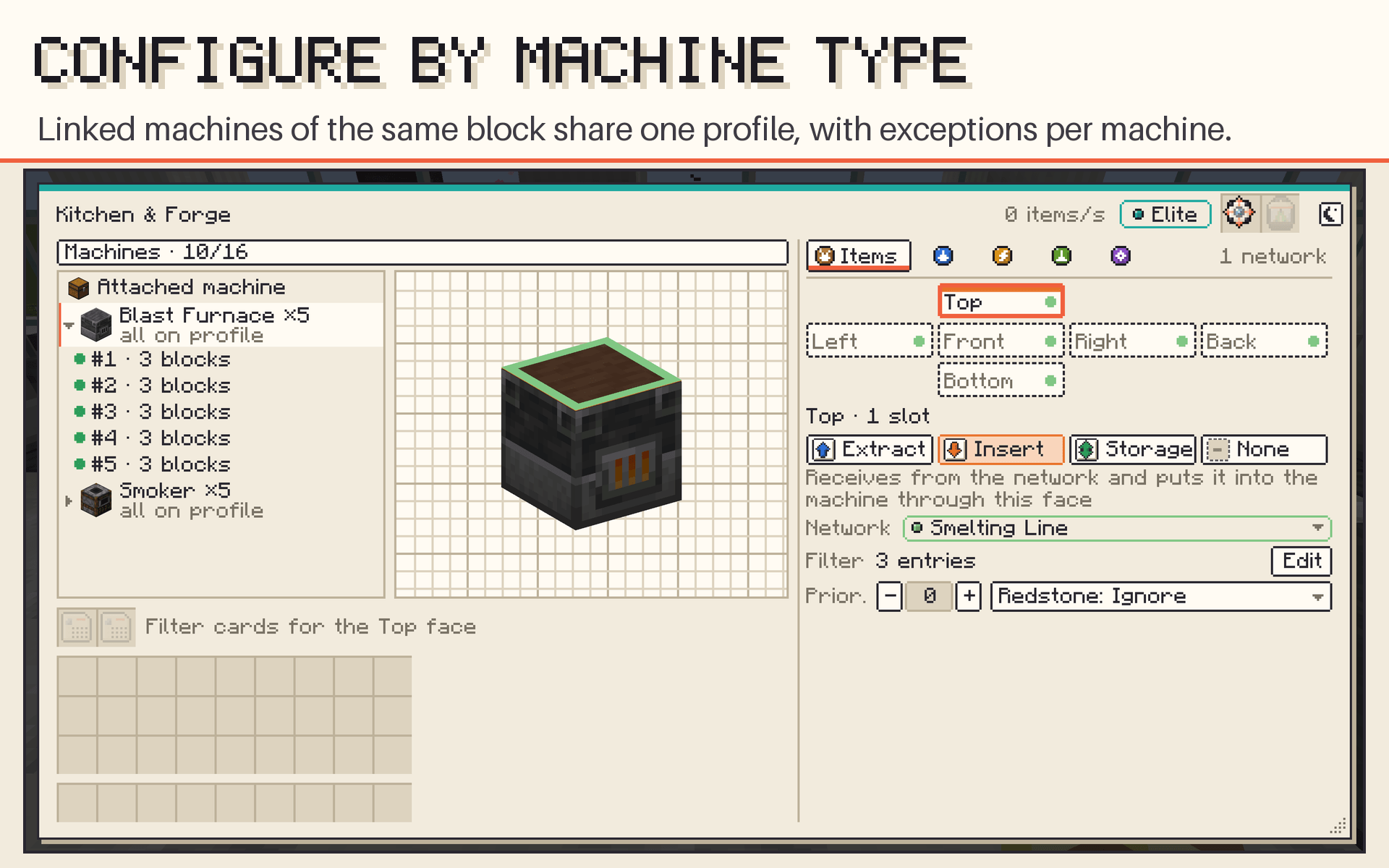
One router moves to and from every machine you link in its radius (6 blocks and 8 machines on Advanced, up to 64 blocks and 128 machines on Ultimate). Linked machines of the same block form a group with one profile, with exceptions per machine, and their sides follow each machine's front. Machines wake the router as soon as they change, and nothing scans the world while it runs.
Filters with no entry limit
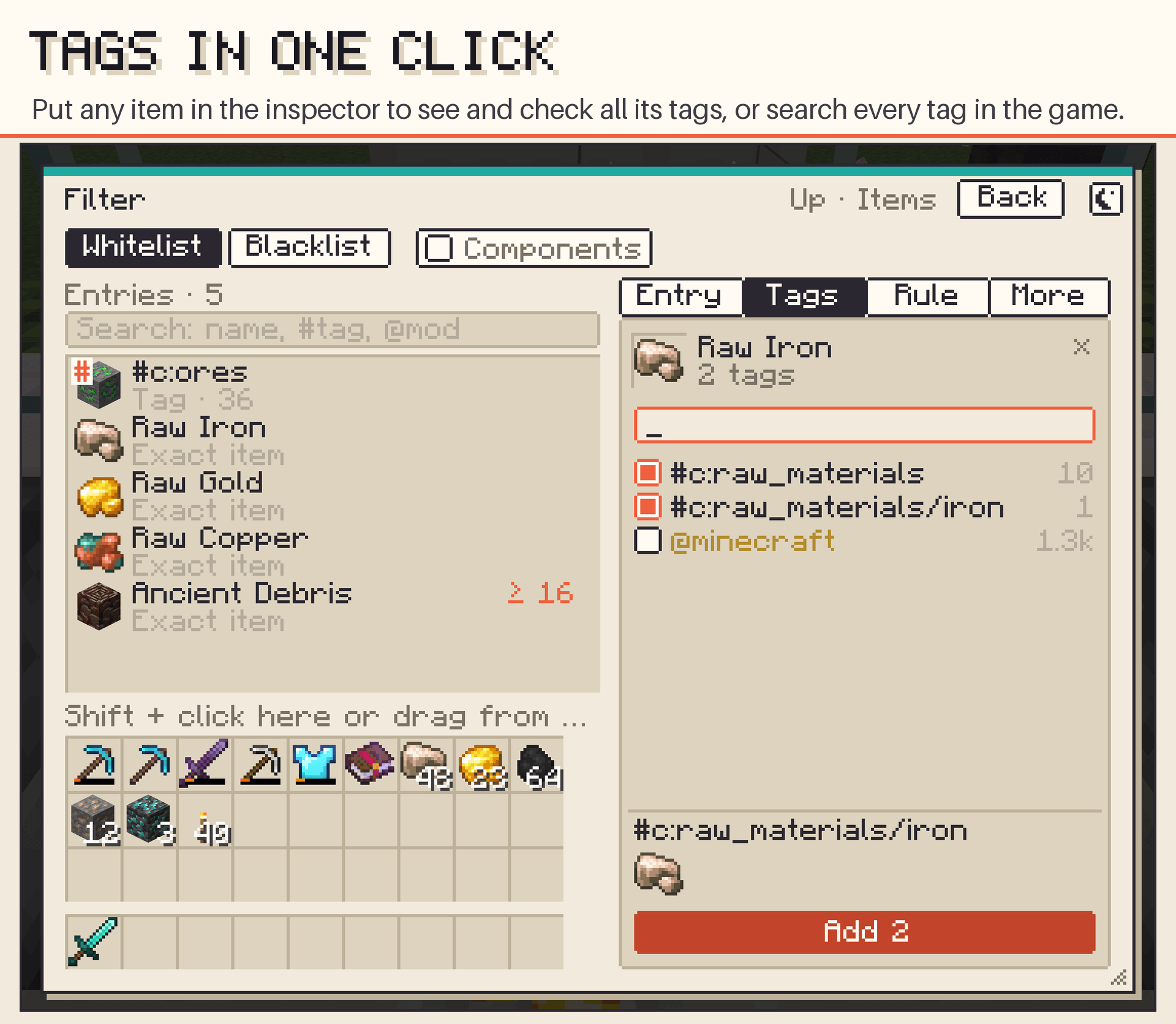
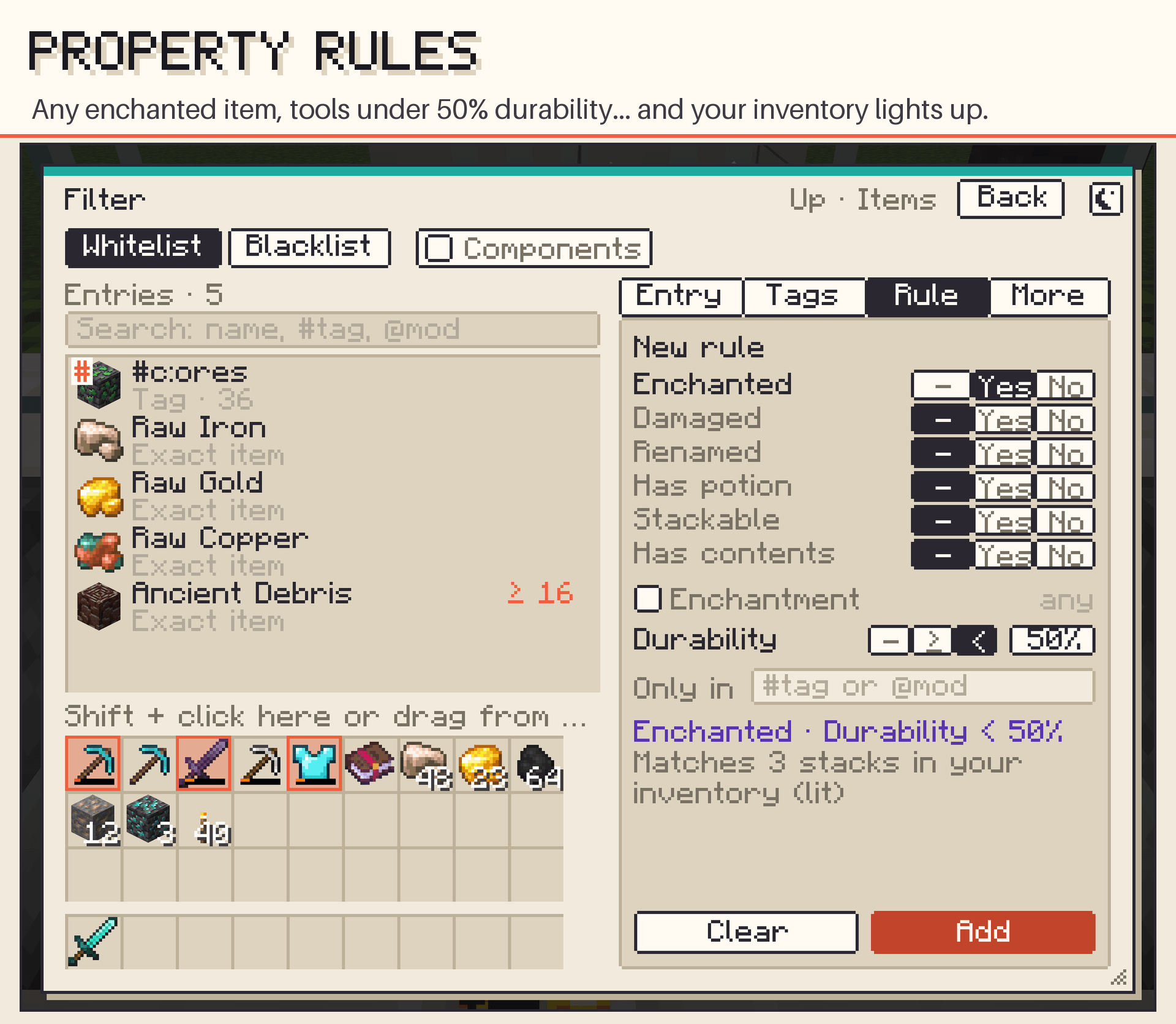
Exact items, tags (#c:ores) and whole mods (@mekanism), as a whitelist or blacklist, with stock limits ("keep 64 in the source", "accept up to 16 in the destination"). Add entries by Shift + clicking your inventory or by dragging from JEI. Filter Cards carry a whole filter to reuse on other faces.
- Tag inspector: put any item in the inspector and every tag it has shows up, ready to check and add. Or search every tag in the game, with how many items each one matches and a preview.
- A resizable window with the entries in a searchable list.
Property rules
Match items by what they are, not which item they are: any enchanted item, damaged or undamaged, renamed, potions, unstackable, shulker boxes with contents, an enchantment with a minimum level (type its name and pick from the suggestions, any level from 1 to 255: Fortune ≥ III, Efficiency ≥ 37) or the remaining durability (send tools under 25% to repair). Limit a rule to a tag or mod: Enchanted + #c:armors = enchanted armor only. Your inventory lights up on what the rule matches before you add it.
Five tiers, eight with Allthemodium
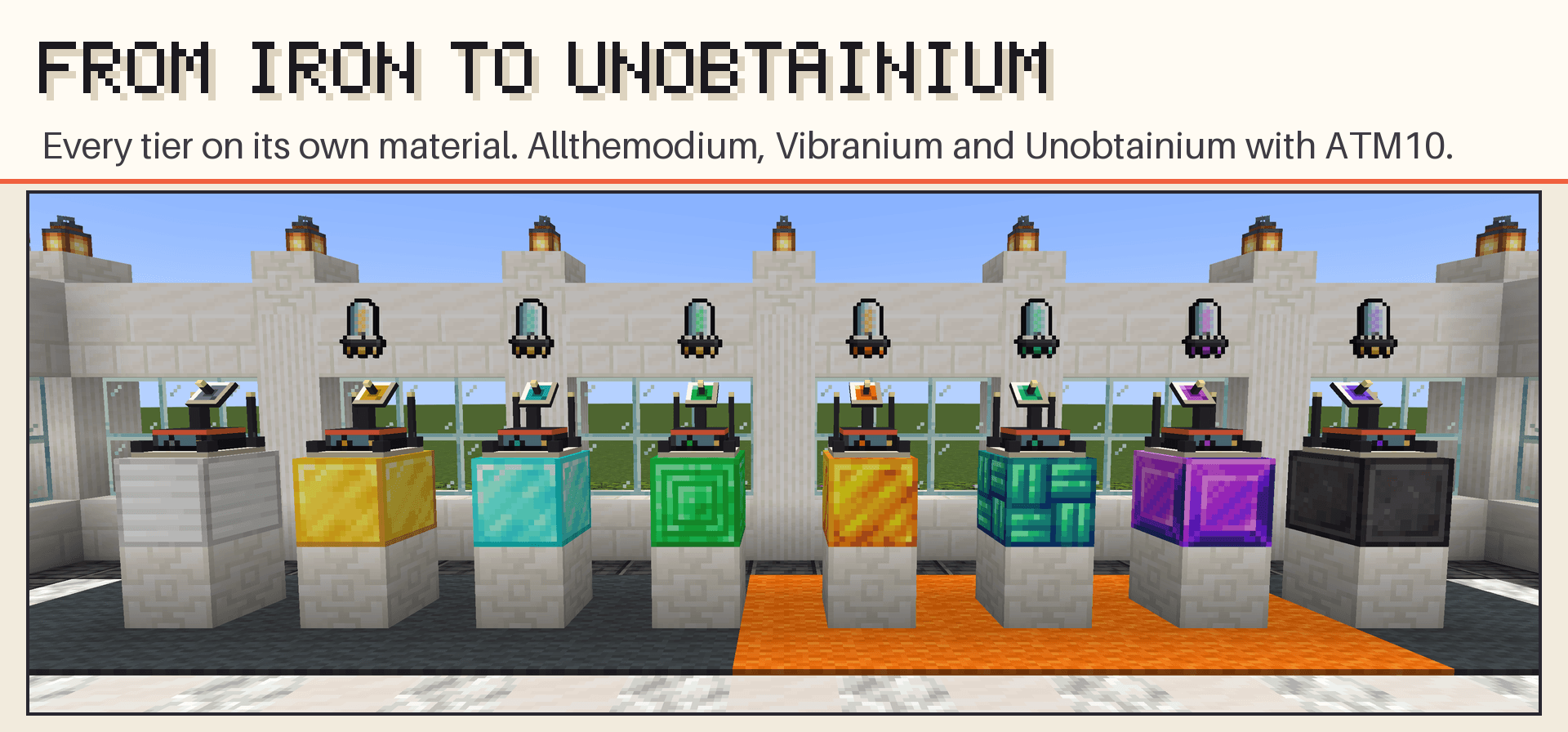
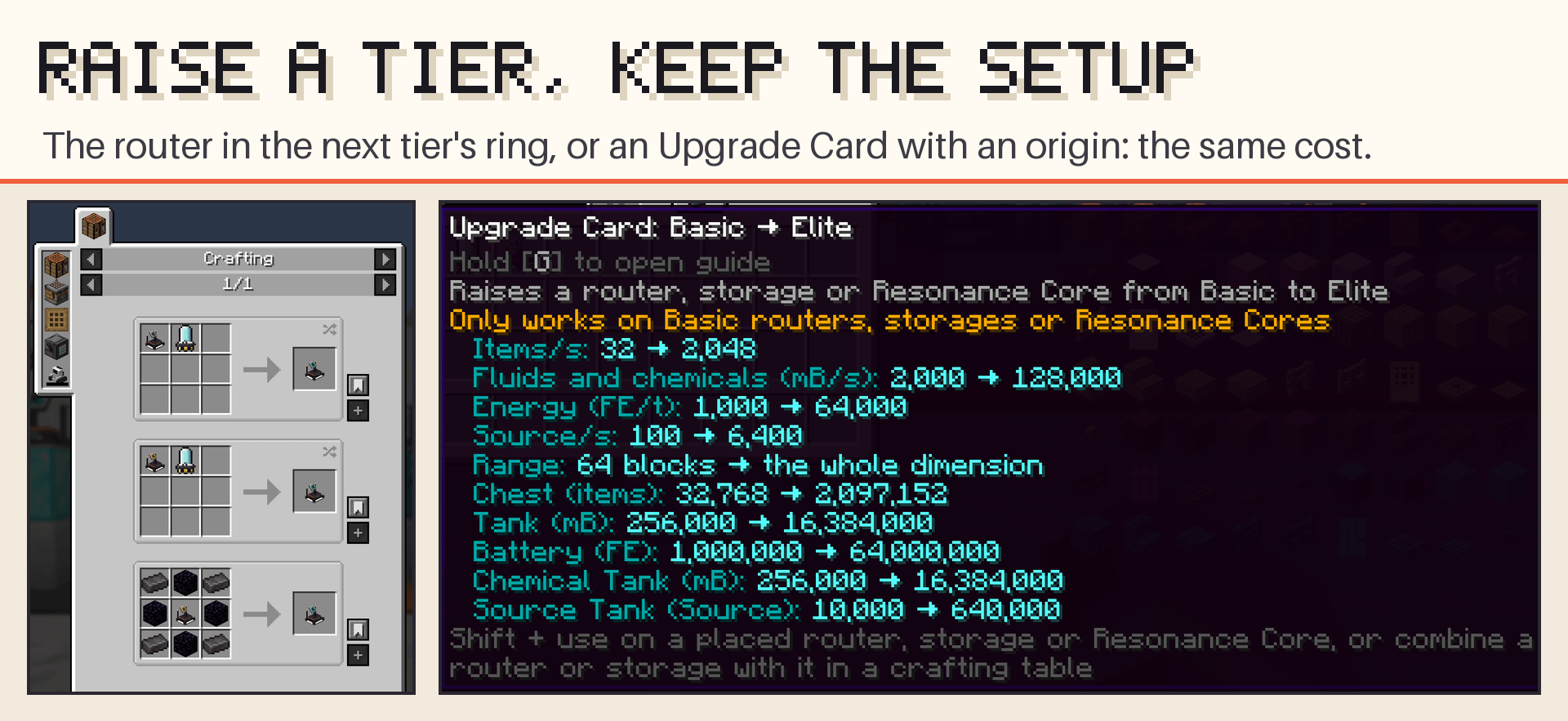
Tiers raise a router's throughput and range along the ladder Basic → Advanced → Elite → Emerald → Ultimate. With the Allthemodium mod (ATM10), three more steps go between Emerald and Ultimate: Allthemodium → Vibranium → Unobtainium, crafted from the mod's own metals, and in ATM10 the Ultimate ring takes ATM Star shards. Each tier has one ring of ingredients, used two ways at the same cost: put a router (or storage block) in the middle of the next ring at the crafting table, or make an Upgrade Card ("Basic → Elite") and use it on the placed router, which keeps its whole configuration. A card can skip tiers: put it in the middle of the next ring to extend it.
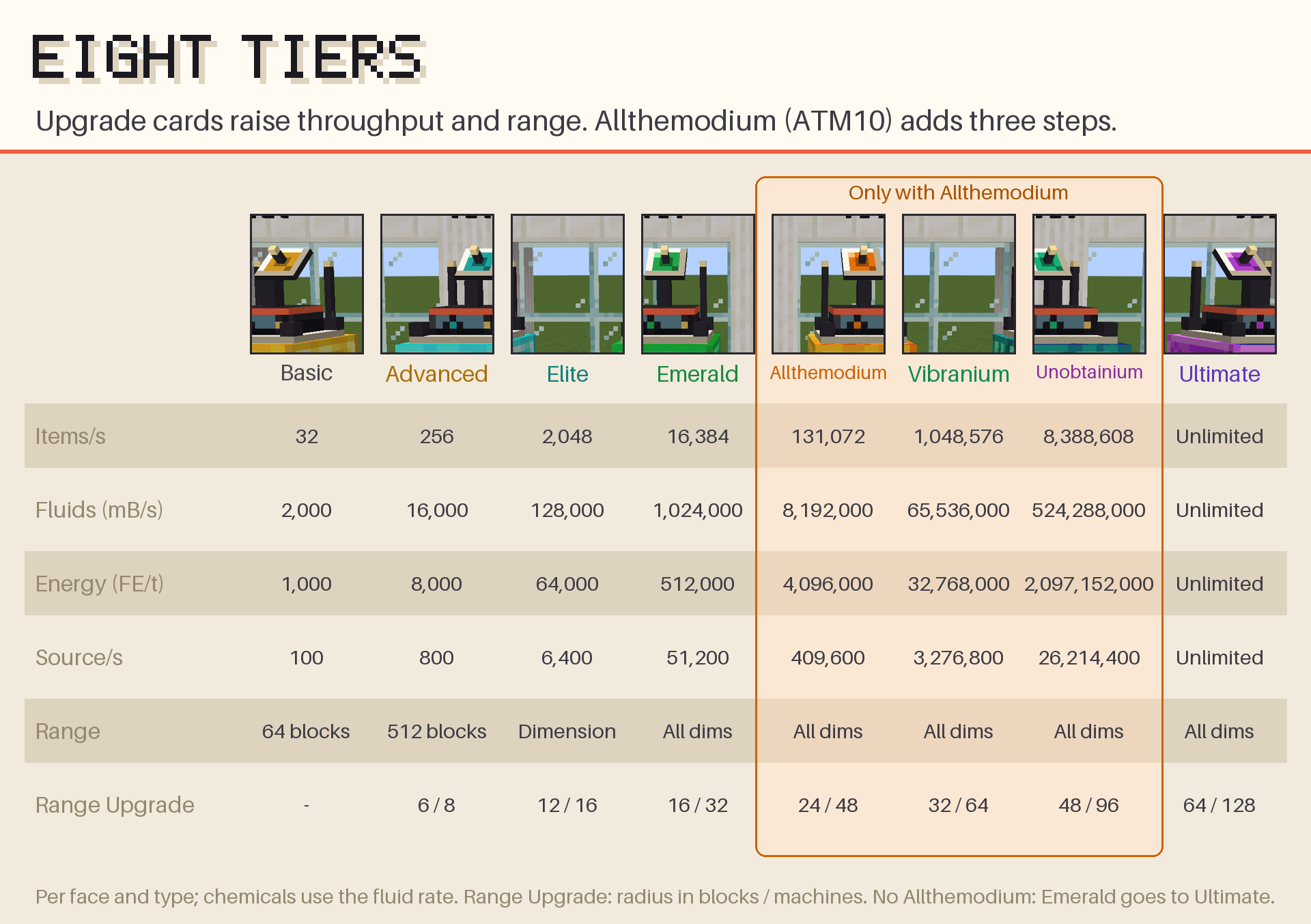
| Tier | Items/s | Fluid and chemical (mB/s) | Energy (FE/t) | Source/s | Range | Range Upgrade |
|---|---|---|---|---|---|---|
| Basic | 32 | 2,000 | 1,000 | 100 | 64 blocks | — |
| Advanced | 256 | 16,000 | 8,000 | 800 | 512 blocks | 6 blocks, 8 machines |
| Elite | 2,048 | 128,000 | 64,000 | 6,400 | Whole dimension | 12 blocks, 16 machines |
| Emerald | 16,384 | 1,024,000 | 512,000 | 51,200 | Every dimension | 16 blocks, 32 machines |
| Allthemodium¹ | 131,072 | 8,192,000 | 4,096,000 | 409,600 | Every dimension | 24 blocks, 48 machines |
| Vibranium¹ | 1,048,576 | 65,536,000 | 32,768,000 | 3,276,800 | Every dimension | 32 blocks, 64 machines |
| Unobtainium¹ | 8,388,608 | 524,288,000 | 2,097,152,000 | 26,214,400 | Every dimension | 48 blocks, 96 machines |
| Ultimate | Unlimited | Unlimited | Unlimited | Unlimited | Every dimension | 64 blocks, 128 machines |
Per face and per resource type; every machine linked by the Range Upgrade gets the full rate. ¹ Only with Allthemodium. Server owners can change every value in the config.
Wireless storage
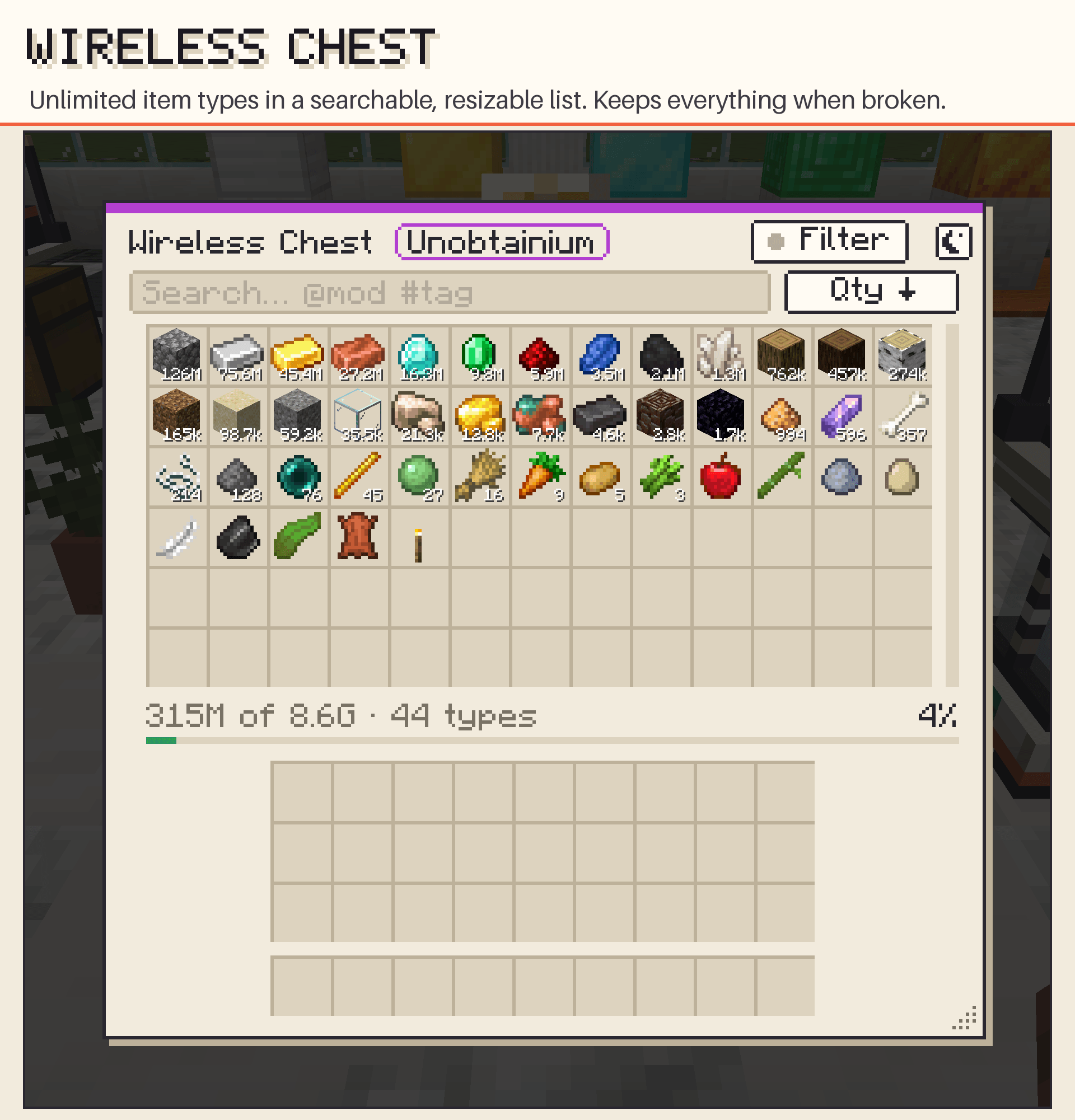
Five storage blocks made for the router: the Wireless Chest (unlimited item types, no slots), the Wireless Tank, the Wireless Battery and, with the optional mods, the Wireless Chemical Tank (Mekanism) and the Wireless Source Tank (Ars Nouveau). Between two of them, a router moves a whole item type in a single operation (12 million items in one tick) and fluids and energy by the billions. For every other mod they are a normal inventory, tank or battery, and the Chest fills big-stack slots (Sophisticated Storage stack upgrades, drawers) a whole slot per insert: 2.1 billion items into an Omega-upgraded barrel in one tick.
| Tier | Chest (items) | Tank and Chemical Tank | Battery | Source Tank |
|---|---|---|---|---|
| Basic | 32,768 | 256 B | 1M FE | 10,000 |
| Advanced | 262,144 | 2,048 B | 8M FE | 80,000 |
| Elite | 2,097,152 | 16,384 B | 64M FE | 640,000 |
| Emerald | 16,777,216 | 131,072 B | 512M FE | 5,120,000 |
| Allthemodium¹ | 134,217,728 | 1,048,576 B | 4.1G FE | 40,960,000 |
| Vibranium¹ | 1,073,741,824 | 8,388,608 B | 32.8G FE | 327,680,000 |
| Unobtainium¹ | 8,589,934,592 | 67,108,864 B | 262G FE | 2,621,440,000 |
| Ultimate | Unlimited | Unlimited | Unlimited | Unlimited |
- Upgrade with the same rings and Upgrade Cards as the router, without losing the contents.
- Break it and the contents go with the item, like a shulker box, tier included.
- Searchable, sortable and resizable screen; an input filter decides what may enter, by any path; comparator output.
- Mouse Tweaks-style controls in the Chest list: Shift + drag, mouse wheel to move one item at a time, and Shift + double-click (with an item on the cursor) to fill your inventory.
- Search the Chest list by name,
@mod, or#for tags and tooltip text (#ingots,#not yet eaten). Hold Shift and the list stops reordering while you pull items out, like the AE2 terminal.
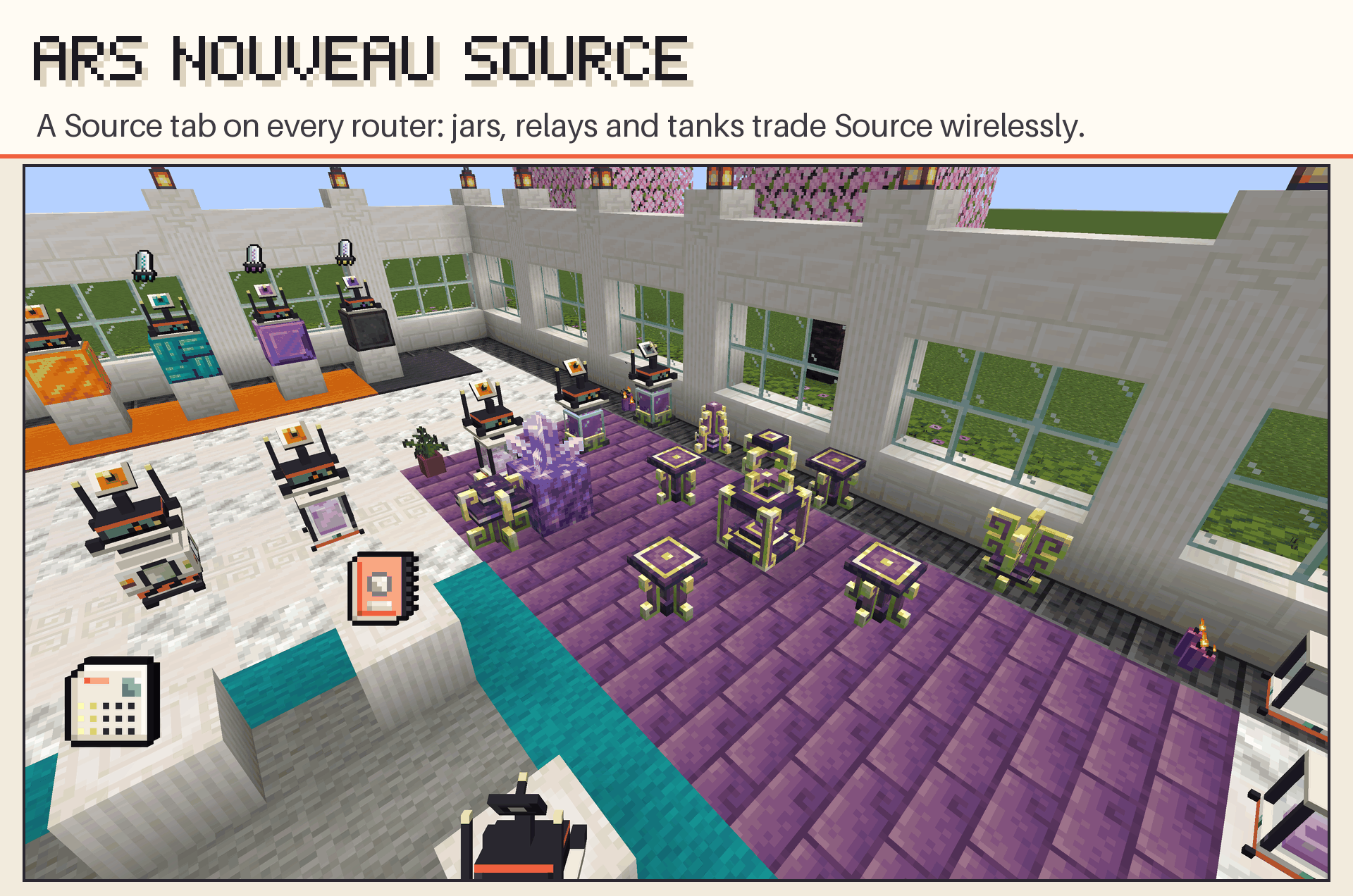
Ars Nouveau Source
With Ars Nouveau installed, every router gets a Source tab. Source Jars, Relays and the Imbuement Chamber connect straight to a router, so Source travels wirelessly between them like any other resource, at the Source/s of the router's tier.
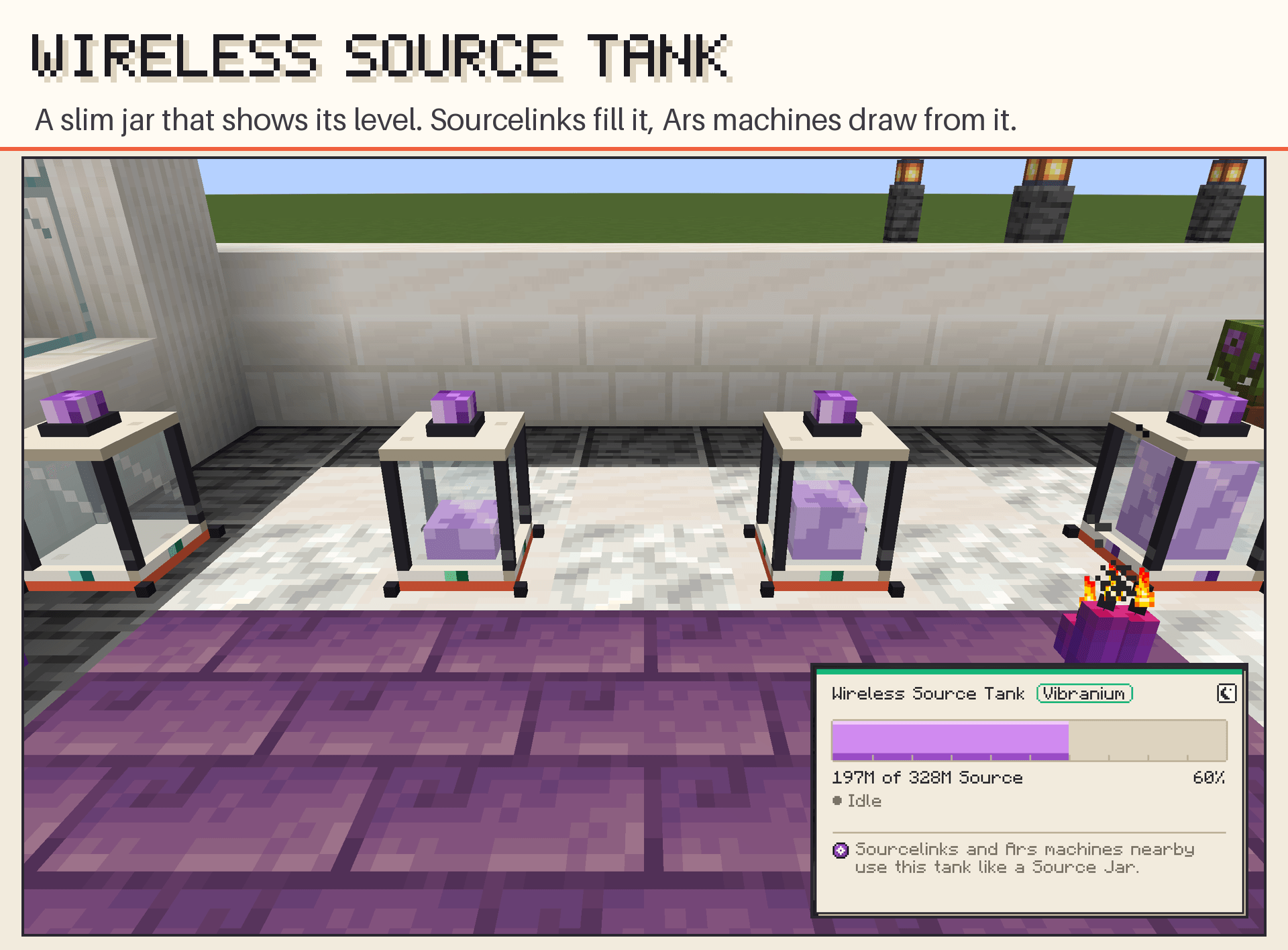
The Wireless Source Tank holds from 10,000 Source (Basic) to unlimited (Ultimate) and shows its level in the glass. Sourcelinks within 5 blocks deposit into it and Ars machines nearby draw from it, as from a Source Jar.
Signal Resonator
A multiblock generator that turns vibrating quartz crystals into FE. Mine Signal Quartz (Overworld, stone and deepslate), build a hollow 5×5×5 box around a Resonance Core and put Signal Crystals in its chambers. Every Resonator has its own station, a frequency that drifts slowly: turn the dial until the lamp says IN TUNE for 100%, or add a Tuner to follow the station on its own, a little below the top. Off the station, it generates nothing.
Through the glass you can read the tuning: in tune, the light figure closes, the crystals rise together and a Chladni pattern settles on the floor. Out of tune, it scribbles. Spent crystals turn Dull and recharge inside the Core with redstone. Energy leaves through the Energy Port, straight into a router.
| Core tier | Chambers | FE/t per crystal | Tuner ceiling |
|---|---|---|---|
| Basic | 1 | 128 | 85% |
| Advanced | 2 | 1,024 | 88% |
| Elite | 3 | 8,192 | 90% |
| Emerald | 4 | 32,768 | 92% |
| Allthemodium¹ | 5 | 262,144 | 94% |
| Vibranium¹ | 6 | 2,097,152 | 95% |
| Unobtainium¹ | 7 | 134,217,728 | 96% |
| Ultimate | 8 | 1,073,741,824 | 98% |
¹ Only with Allthemodium. Server owners can change the FE per crystal in the config.
A Cut Signal Crystal yields twice as much and lasts twice as long. The Core is upgraded with the same Upgrade Cards as the router. JEI shows the structure in 3D and the guide book explains every step.
Tools for big builds
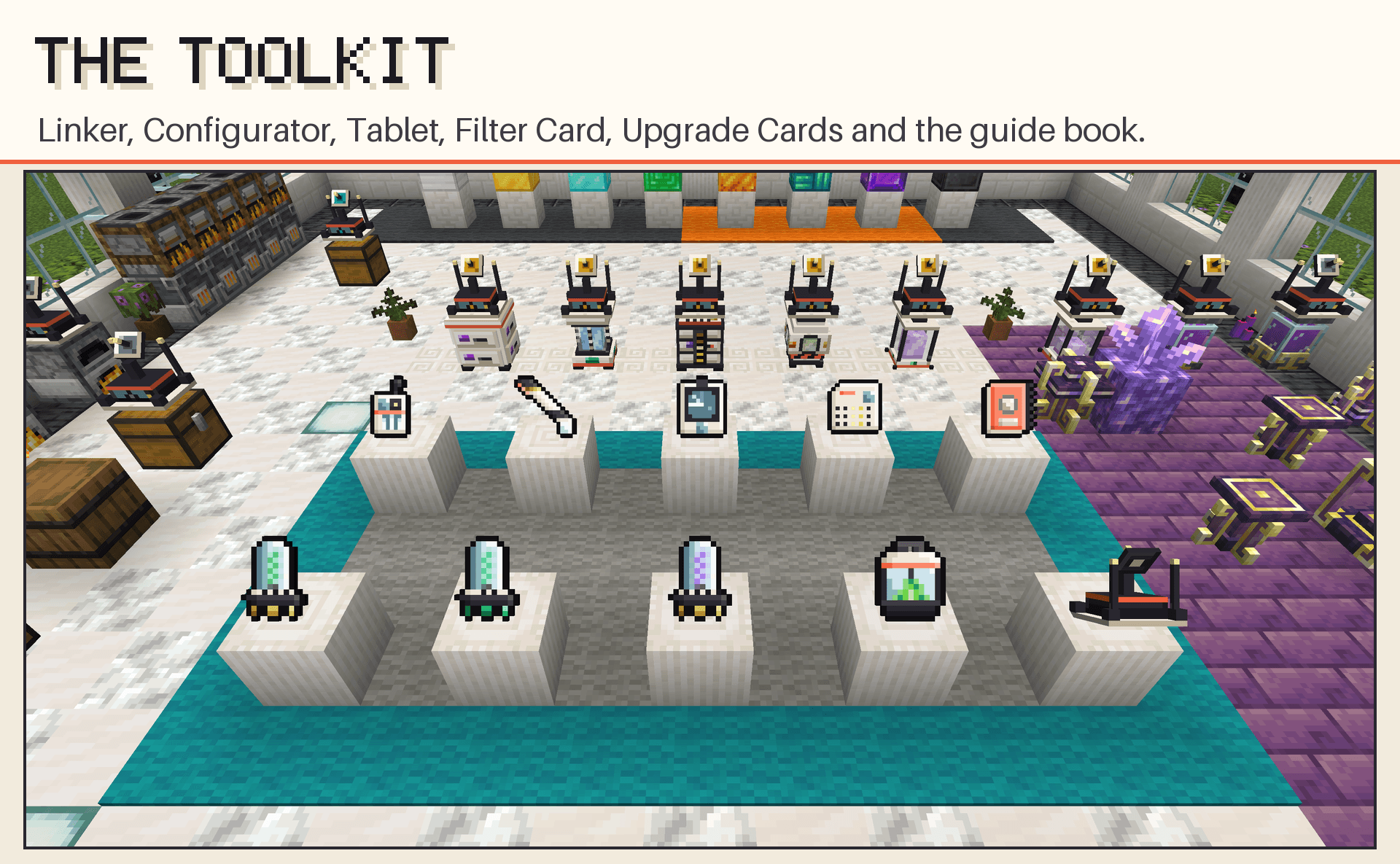
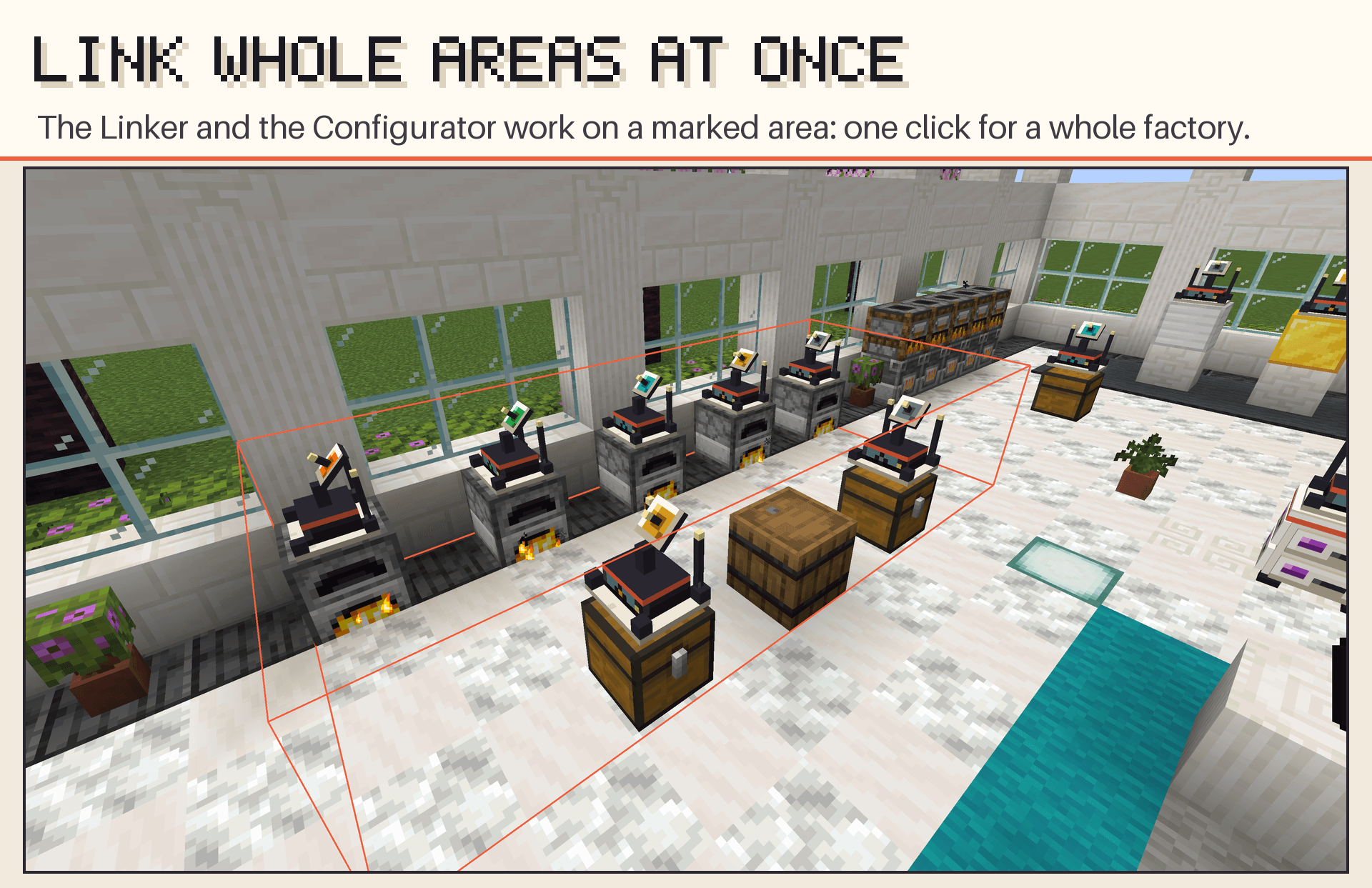
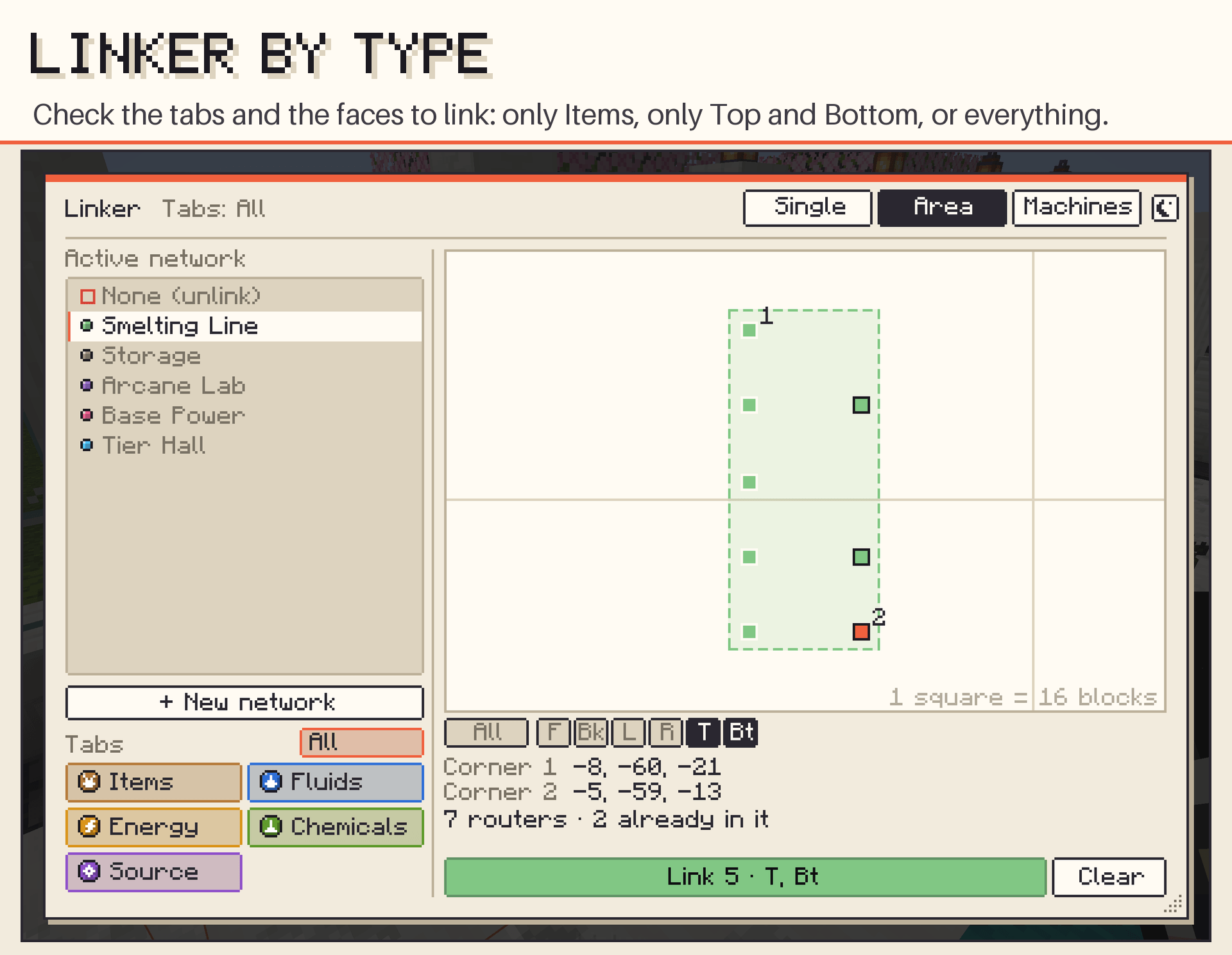
- Linker: picks your active network and puts routers in it, one by one or a whole marked area at once, only on the tabs and machine faces you check (Items, Fluids, Energy and, with the optional mods, Chemicals and Source). Pick None (unlink) to take them out of their network instead. In Machines mode it links machines to a router with the Range Upgrade, by click or by area.
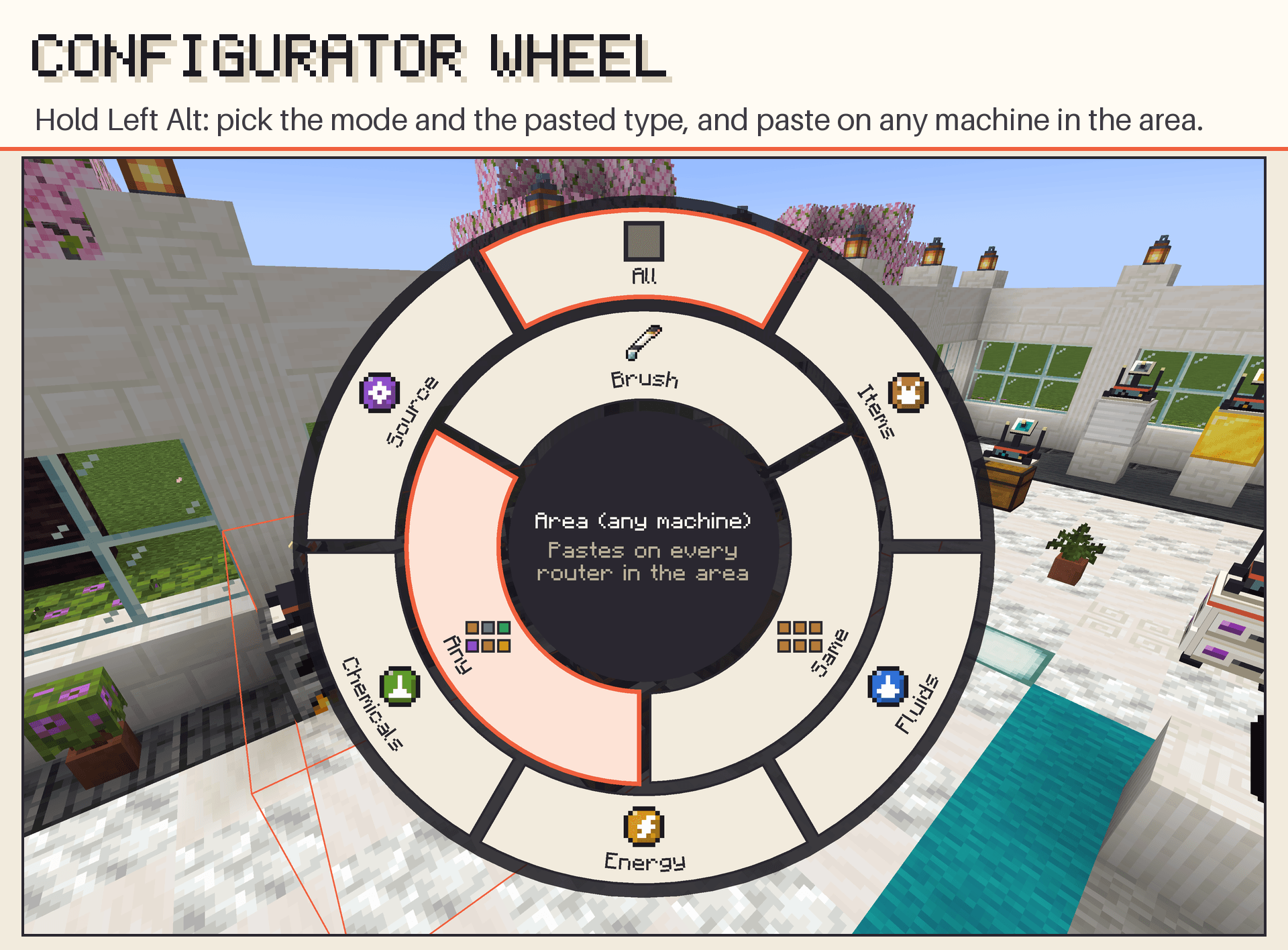
- Configurator: copies a router's setup (faces, filters, priorities, redstone and the network of each face) and pastes it on other routers, one by one or over an area. Area paste can touch only routers on the same kind of machine, so you can configure a whole production line in a few clicks, or every router in the area. Paste every tab or just one type, leaving the other tabs alone. Hold Left Alt for a radial wheel that picks the mode and the pasted type.
- Chunk Loading Upgrade: keeps a router and its machine working while you're away.
- Recipe editor (operators):
/wa recipesopens a screen to change, disable or restore any of the mod's crafting recipes, with items from your inventory or JEI, tags and the result count. Saved as a datapack inconfig/wirelessautomate/recipes/, so it works in every world and survives updates. Handy for packs that want a different Ultimate recipe.
Network Tablet
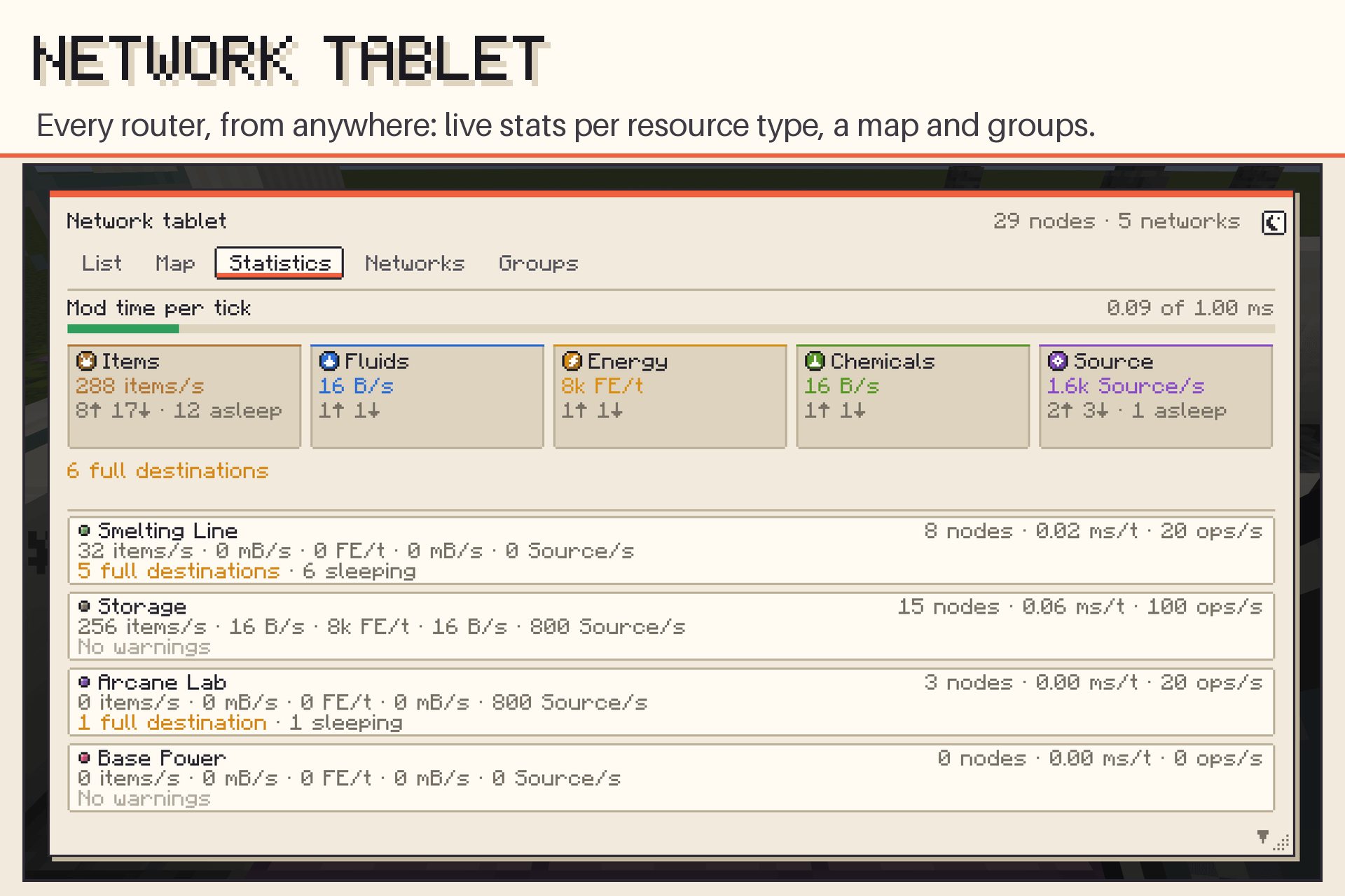
Every router of every network, from anywhere: one search box for machine, network and name, quick filters and the list grouped by machine, with the chosen node editable right there (the faces unfolded like a cube, the same panel as the router screen). Copy a node's profile and paste it on one machine, a whole group or the marked ones, with undo. Also a top-down map, per-network statistics (one card per resource type; click one to filter the list), routers whose faces sit in several networks, and groups to pause and resume a whole system at once. Double-click a node to open its full screen remotely.
Built-in guide book
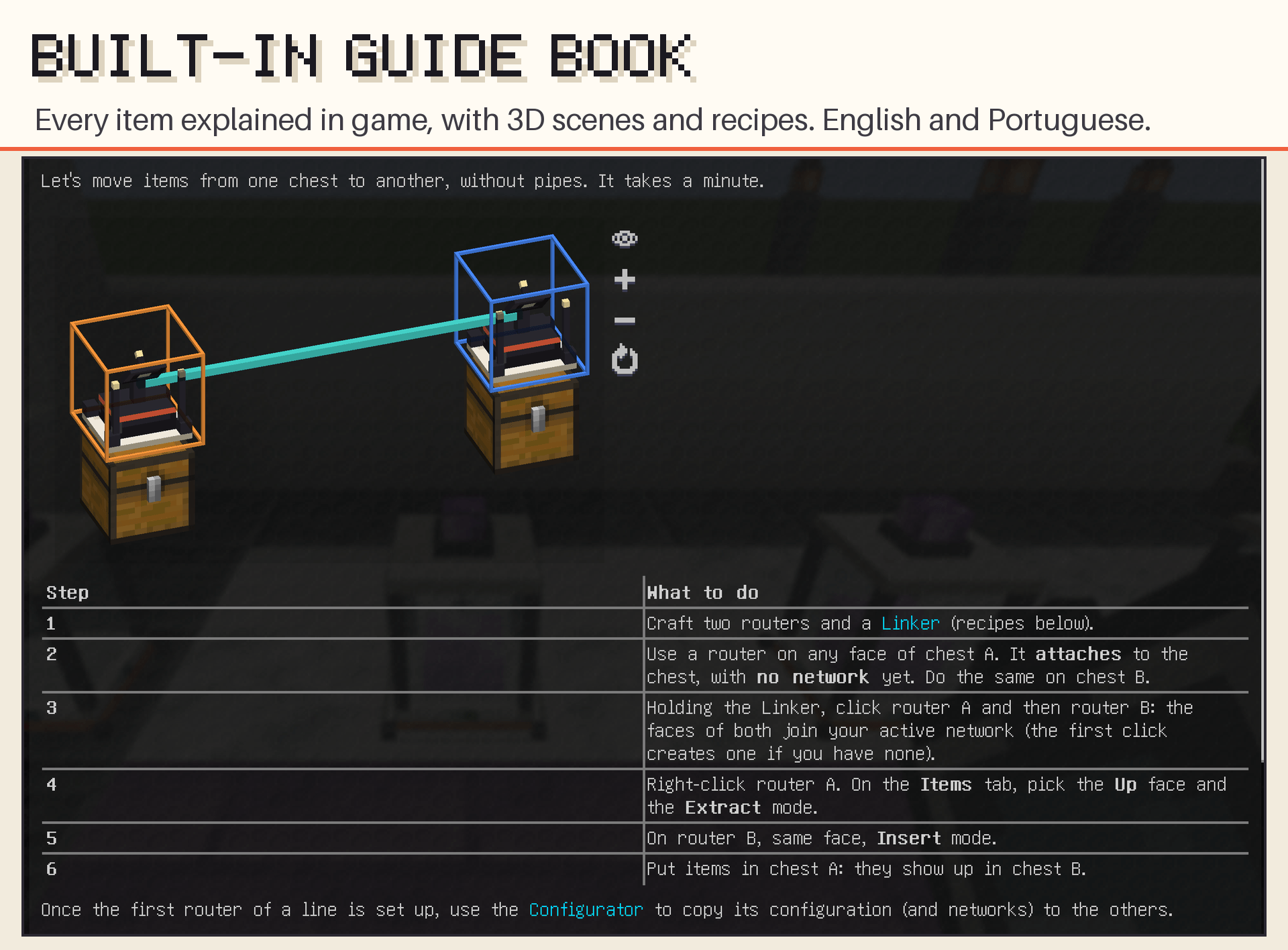
Every player gets the guide book on their first join (it's also in the creative tab, or craft it with a book and redstone). It explains every item with interactive 3D scenes and recipes, in English and Portuguese. Hover any item of the mod and hold G to jump to its page.
Getting started
- Craft two routers (iron, redstone and an eye of ender) and a Linker.
- Use one on a chest and one on another chest. New routers start with no network.
- Holding the Linker, click both routers: they join your active network (the first click creates one).
- Open the first router, pick the Up face on the Items tab and set it to Extract.
- On the second router, set the same face to Insert. Items now flow from the first chest to the second.
Once the first router of a line is set up, copy it with the Configurator and paste on the rest.
Recipes use vanilla items, except the Allthemodium tiers (made from the Allthemodium mod's metals, only when it's installed).
Compatibility
| Mod | What you get |
|---|---|
| Any mod with standard NeoForge storage | Items, fluids and energy work with any machine, chest or tank that exposes NeoForge's standard item, fluid and energy handlers, which covers most tech and storage mods (tested with Sophisticated Storage and Mekanism). |
| Mekanism (optional) | A Chemicals tab for gases, infuse types, pigments and slurries, and the Wireless Chemical Tank. Remember to enable the face in the Mekanism machine's side configuration. |
| Ars Nouveau (optional) | A Source tab (Source Jars, Relays and the Imbuement Chamber connect straight to a router) and the Wireless Source Tank, which Ars machines use like a Source Jar. Needs Ars Nouveau 5.2 or newer. |
| Allthemodium (optional, as in ATM10) | Three extra tiers (Allthemodium, Vibranium and Unobtainium) between Emerald and Ultimate, for the router and every storage block. With All The Tweaks, the Ultimate ring takes ATM Star shards. |
| JEI (optional) | Drag and drop (or Shift + click) ingredients into filters without having the item, or onto the tag inspector; the tier-up recipes (block in the ring, cards with an origin, block + card) show in JEI. |
| GuideME (optional) | The in-game guide book. |
Performance
- No per-block ticking: one central manager per server.
- A time budget per tick (1 ms by default, configurable) that shrinks automatically when the server is struggling. Work that doesn't fit continues next tick; nothing is lost.
- Empty sources and full destinations sleep and cost almost nothing.
Requirements
- Minecraft 1.21.1
- NeoForge 21.1.248 or newer (works with All the Mods 10)
Source code
The source code is on GitHub: github.com/MatheusANBS/Wireless-Automate. It is published for reference only (All Rights Reserved). Bug reports and suggestions are welcome as issues there…
Wireless Automate Team