WinCraft
- By
Bring your real Windows desktop into Minecraft as live, interactive 3D spatial panels. Stream videos, browse the web, and control any app in-game with zero Alt-Tabbing.
wincraft_logo.jpg
Description
🪟 WinCraft Desktop
Your entire Windows OS, natively embedded in your Minecraft world.




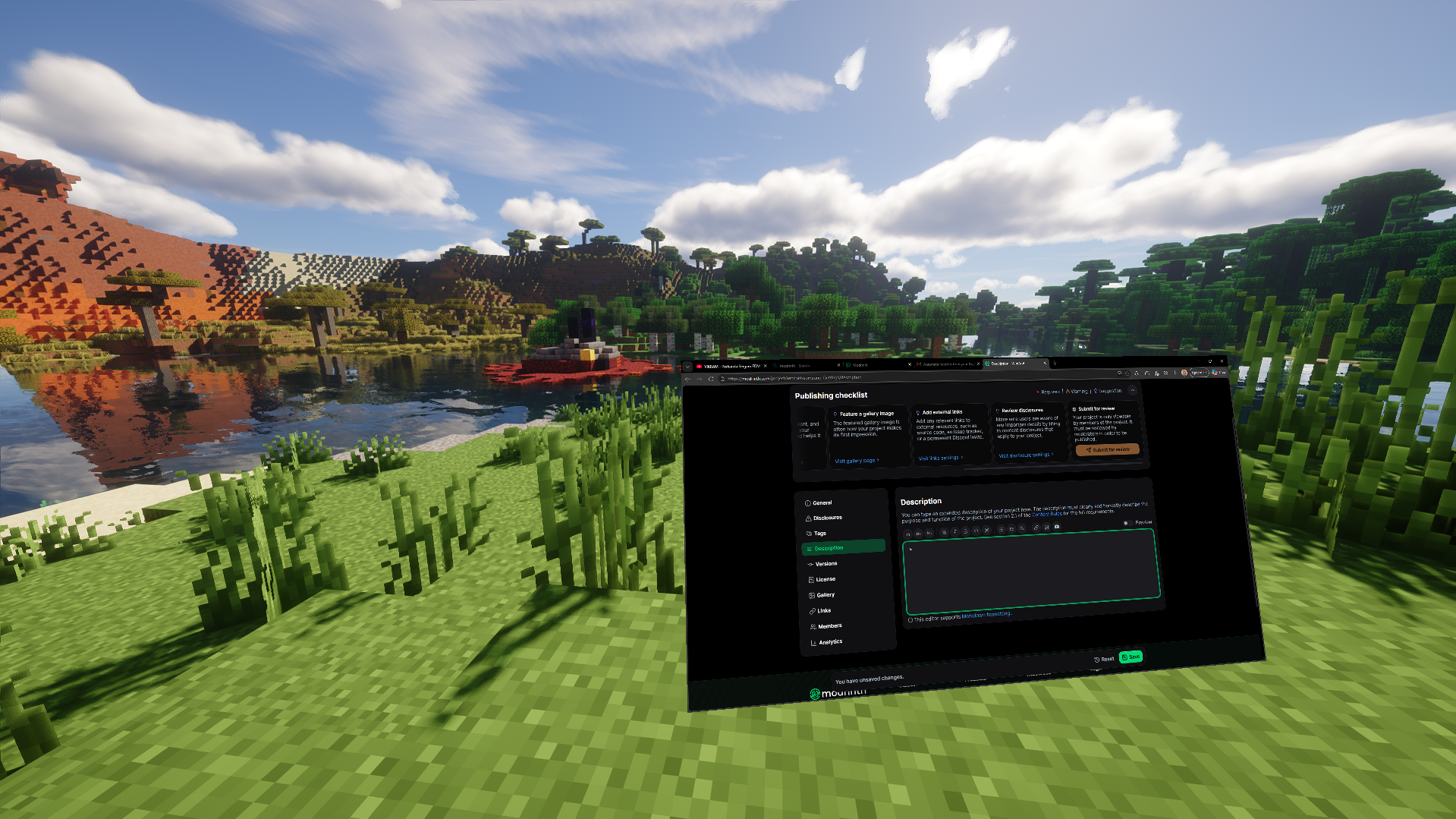
Stream videos, browse wikis, control Discord, or code without ever Alt-Tabbing again.
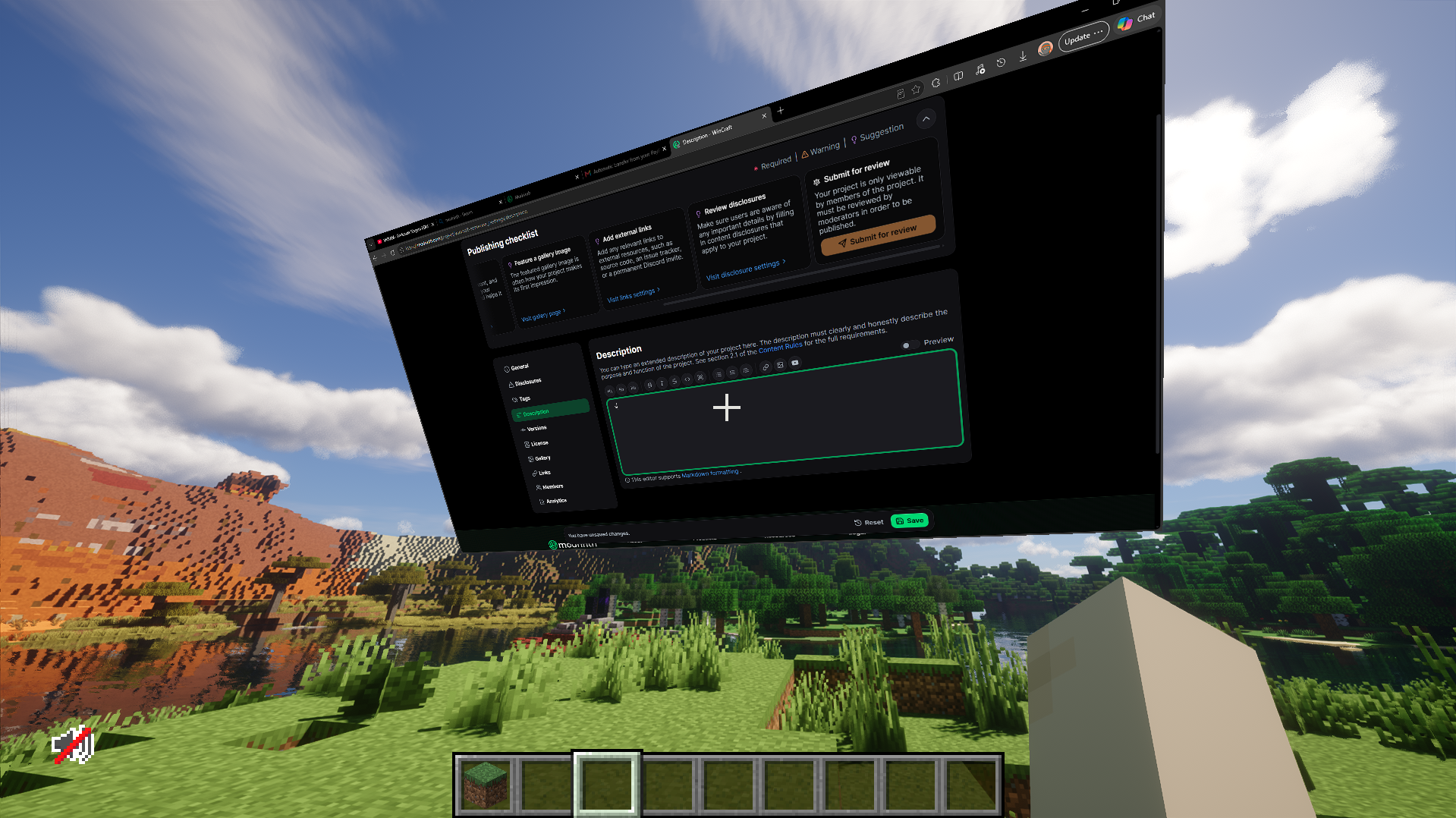
WinCraft projects real, interactive 3D spatial windows of any running desktop app directly into your Minecraft world.
⚡ What is WinCraft Desktop?
WinCraft Desktop is a 100% client-side Fabric mod engineered to bring seamless multitasking directly into Minecraft. By integrating deeply with the native Windows Graphics Capture (WGC) pipeline, DirectX 11, and modern GPU surface sharing, WinCraft delivers fluid 60+ FPS window rendering inside the game without copying video frames to CPU memory.
Unlike simple flat HUD overlays or static web views, WinCraft windows exist as true physical objects inside the 3D game world. You can walk around them, position multiple monitors throughout your base, or attach floating screens directly to your camera so they follow you on long mining expeditions.
✨ Key Features
🖥️ Full Desktop Control in-Game: Seamlessly click, type, and scroll using your in-game reticle. Keystrokes and mouse events route directly into the target app without Windows stealing your foreground focus or dropping your game input.
🎯 Pin & Follow Mode (
FKey): Look at any placed screen and pressFto toggle Floating / Follow Mode. The screen locks to your view and travels with you across dimensions, caves, or skies. PressFagain to anchor it back to fixed blocks in the world.🚀 B-Menu Quick App Launcher: Press
Bat any moment in-world to open the WinCraft launcher dashboard. View your open apps, search through your entire Windows Start Menu and installed software, or paste a URL to launch it right away.📐 3D Spatial Transformation (
F8): HitF8to enter transform mode — grab handles to move, scale, tilt, or rotate screens anywhere in your build.🌐 100% Client-Side Multiplayer Safe: Play anywhere! WinCraft runs completely on your machine. You can connect to standard vanilla multiplayer servers, Realms, or modded networks without needing any server-side plugins.
🧹 Auto-Cleanup & Window Lifecycle: As soon as an application is closed on your desktop, its virtual in-game projection automatically detaches and despawns.
🎮 Controls Quick-Sheet
| Keybind | Context | Action |
|---|---|---|
B |
Everywhere | Open App Launcher: Browse open windows, installed apps, or open a URL |
F |
Hovering Panel | Toggle Follow Mode: Switch between world-fixed and camera-following mode |
F8 |
In World | Transform Mode: Click and drag panels to move, resize, tilt, or reorient them |
Mouse Wheel |
Hovering Panel | Window Scroll: Scroll pages, feeds, or documents naturally |
Left Click |
Hovering Panel | Interact / Focus: Click links, buttons, and type into text areas |
Esc |
Everywhere | Dismiss: Release keyboard input or exit open menus |
💡 Recommended Use Cases
- 🔴 Redstone & Building Tutorials: Place YouTube or guide videos right beside your construction site to build block-for-block without pausing.
- 📖 Recipe Calculators & Wikis: Pin your browser to look up complex crafting recipes, modpack wikis, and coordinates.
- 💬 Discord & Team Chat: Keep your team's voice channels and chats visible on a dedicated wall display inside your base.
- 💻 Coding & Productivity: Inspect documentation, code editors, or task managers without minimizing Minecraft.
📋 Compatibility & Requirements
⚠️ IMPORTANT: Windows Exclusive
WinCraft utilizes high-performance Win32, Direct3D 11, and Windows Graphics Capture (WGC) pipelines. It is strictly compatible with Windows 10 (1903+) and Windows 11 only. It is not compatible with macOS or Linux.
- Minecraft Version:
26.2 - Mod Loader: Fabric Loader
0.19.3+ - Java Runtime: Java 25 or newer
- Dependencies: Fabric API
❓ Frequently Asked Questions
Can other players on a server see my desktop screens?
No. WinCraft is 100% client-side. The windows are rendered locally through your own GPU; no private desktop data or video streams are ever transmitted over the network.
Does having windows open reduce game performance?
WinCraft relies on GPU-to-GPU memory sharing, which bypasses the CPU entirely. Rendering impact is extremely light, though running heavy desktop apps will use your normal system resources.
Can I use multiple screens at once?
Yes. You can place as many windows in your world as your GPU memory comfortably supports.
Crafted for builders, multi-taskers, and developers. Built with high-performance native C++ & DirectX capture by someone_9696.
WinCraft Team