 Stop guessing where your Nether portals will link. See it.
VisualizeGate is a fully client-side Fabric mod that draws your Nether portal network right into the world. It predicts which portal links to which, warns you about conflicts before you waste obsidian, and back-solves the exact spot to build a paired gate — so you never have to do portal math by hand again.
No server install. No spreadsheets. Just look, and build.
Why you want it
Nether portal linking is one of Minecraft's most confusing systems — the 1:8 coordinate ratio, and the search-area rules that let two portals quietly hijack each other's destination. VisualizeGate turns all of that invisible logic into something you can actually see and act on.
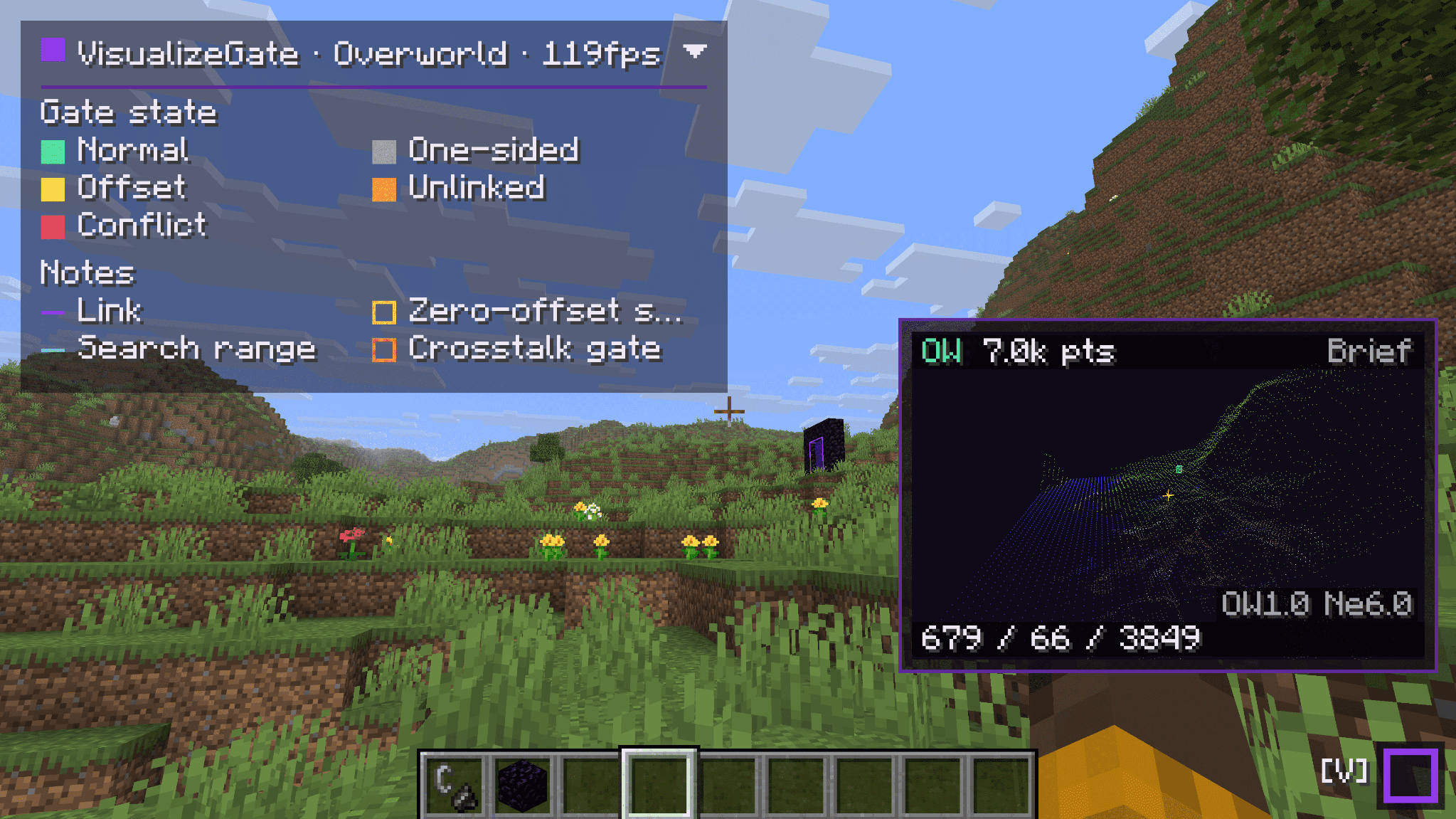
See every link, color-coded
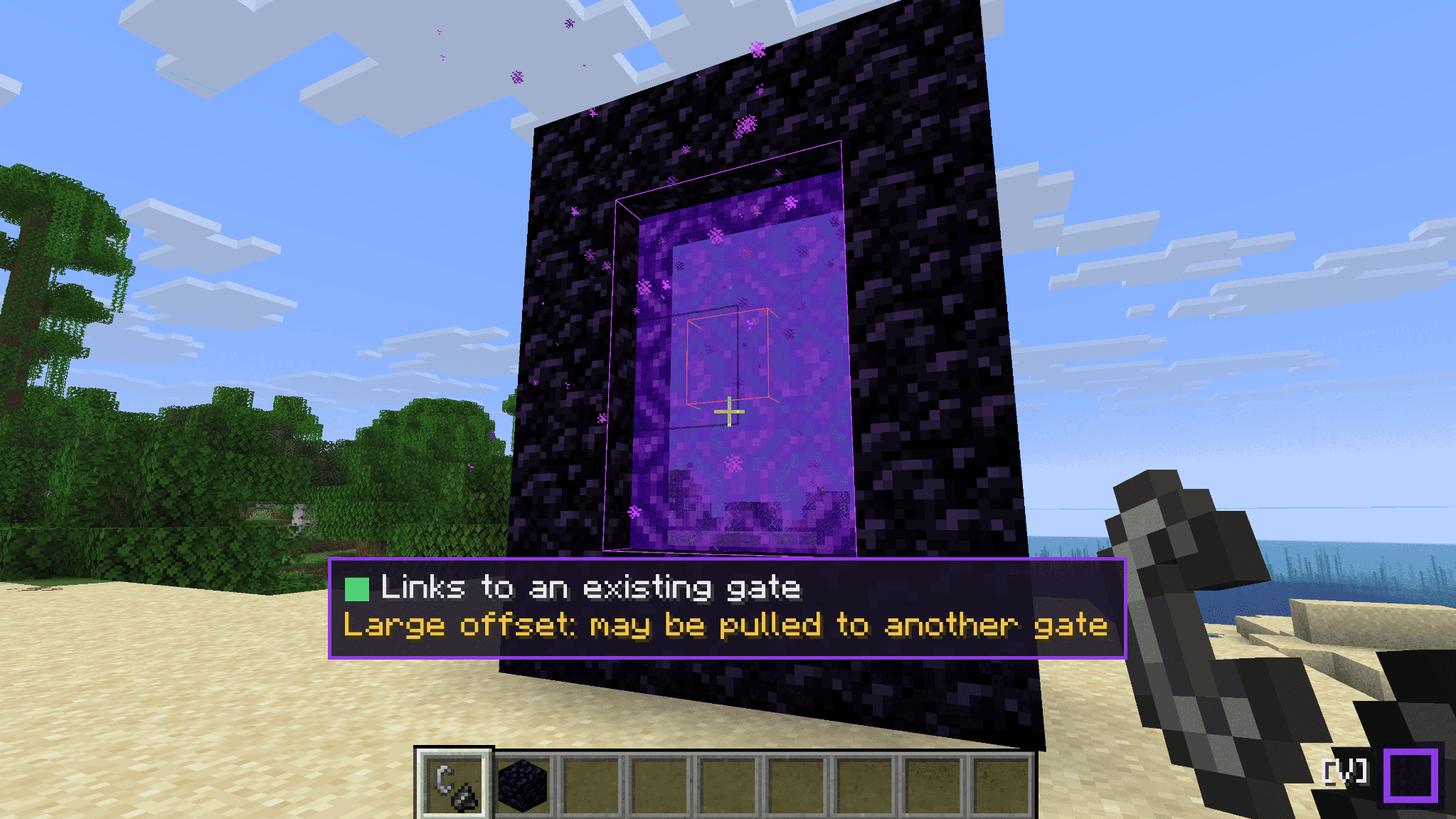
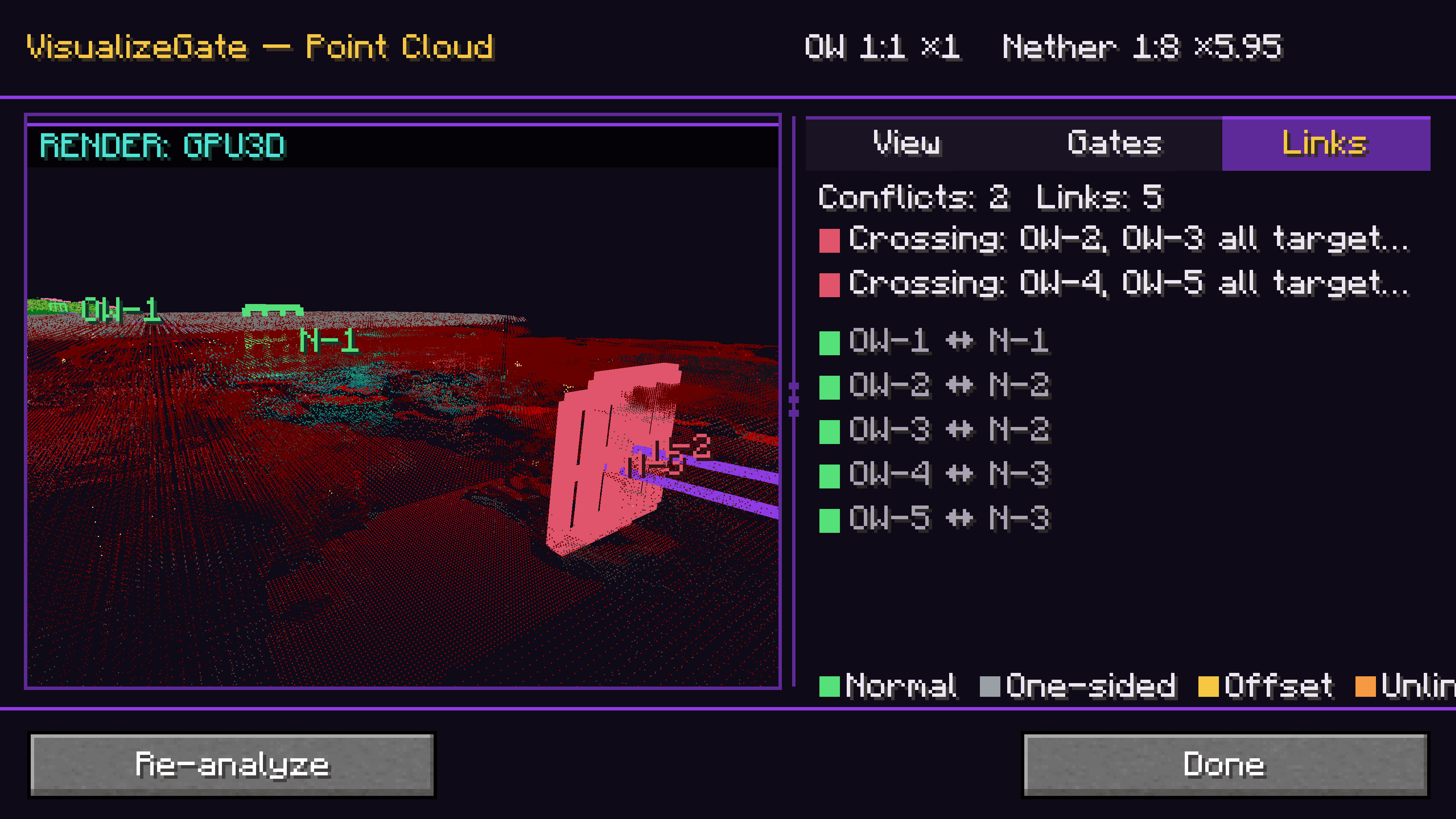
Every gate is highlighted in the world and color-coded by its link status — Normal, One-sided, Offset, Unlinked, or Conflict — so you can tell at a glance whether a pair is healthy or about to misbehave.
Build the paired gate in the right spot — the first time
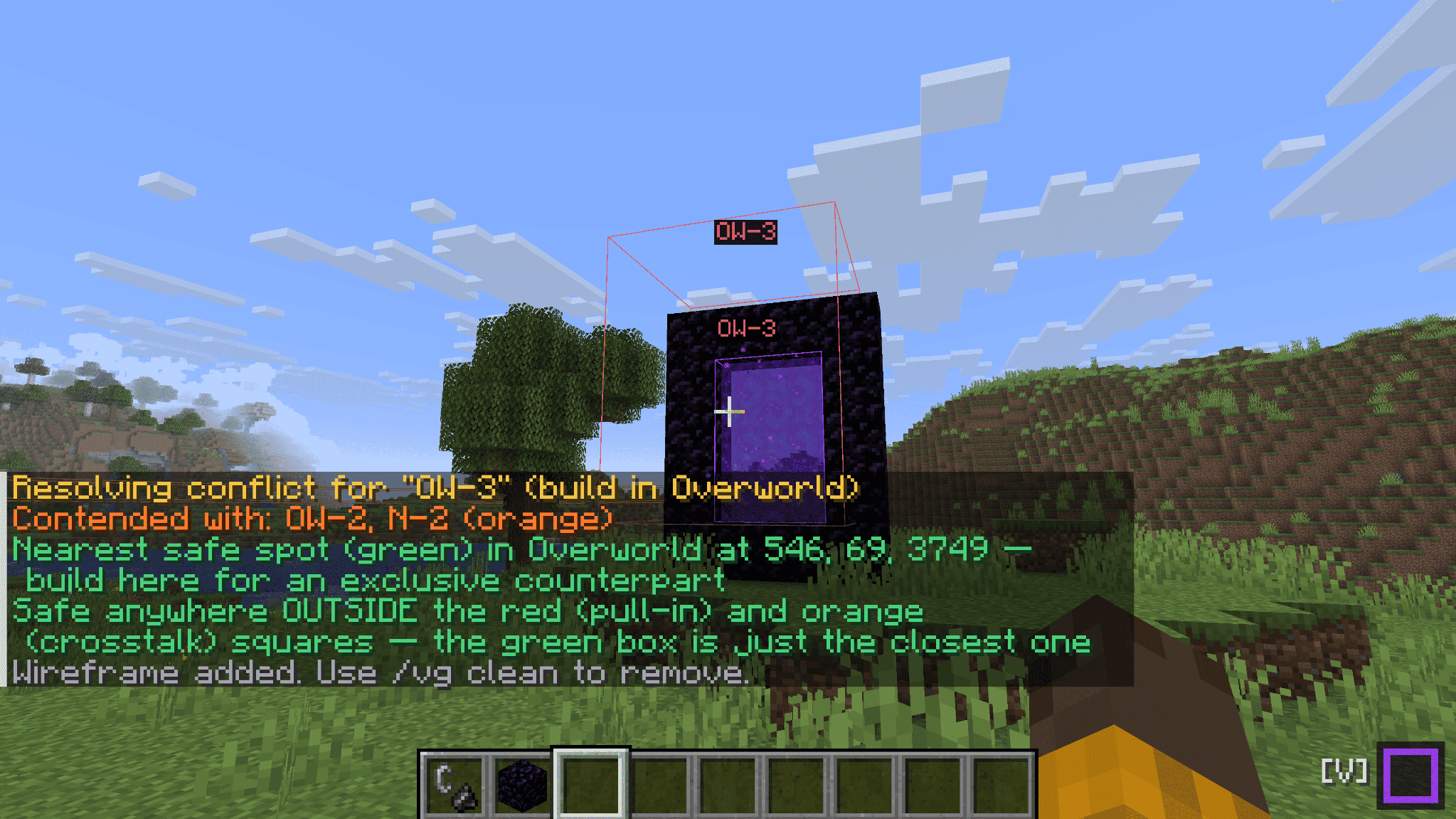
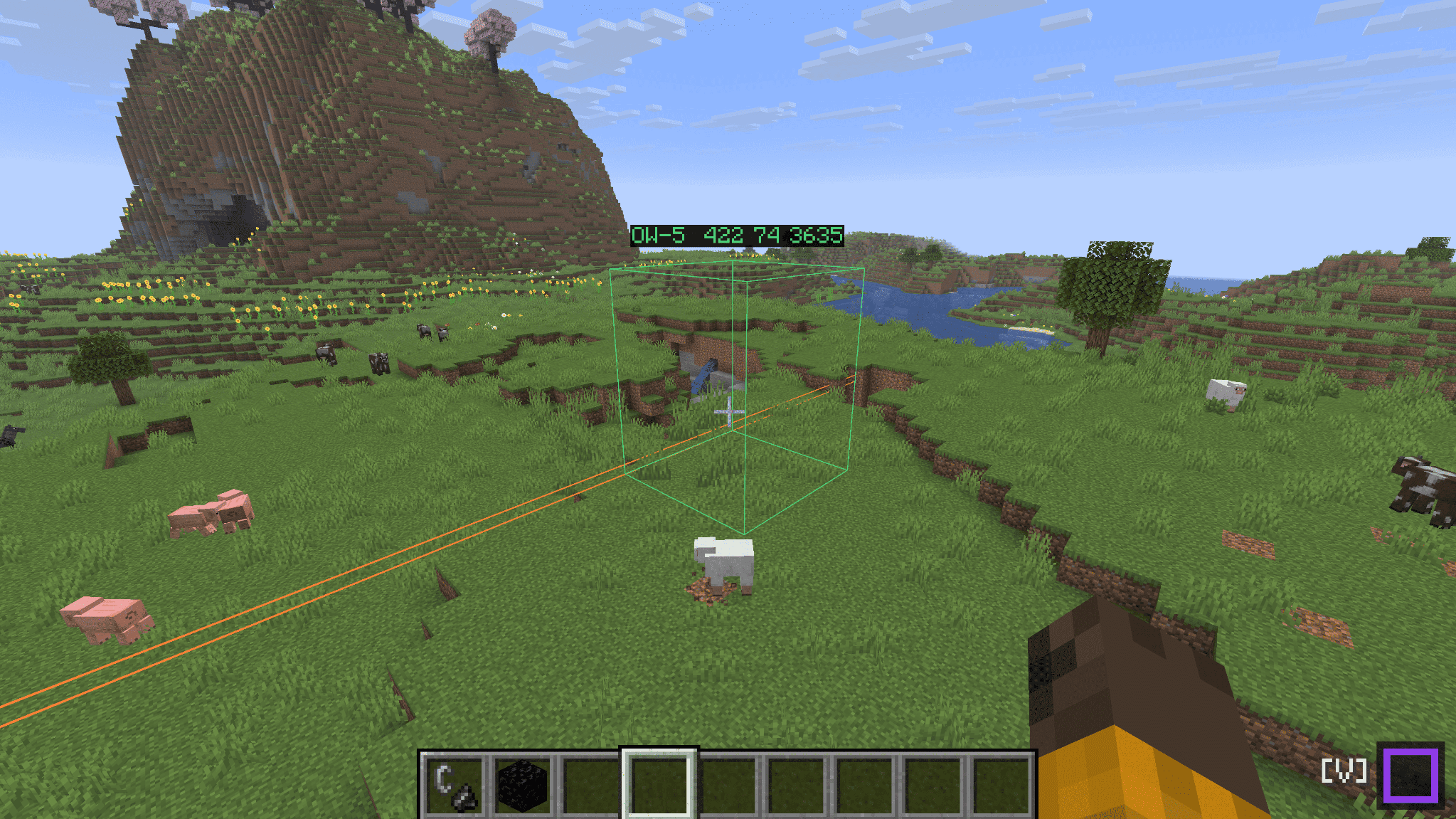
Use back-calculate: give it a target coordinate (or just here), and VisualizeGate shows you exactly where to build the matching portal in the other dimension, drawn as an in-world wireframe. If that spot would get pulled into an existing portal, it warns you in red before you light a single block.
Fix conflicts instead of fighting them
When two portals fight over the same destination, conflict resolution searches for a safe build position that won't be stolen by the other side — and marks it with a green box you can just go build on.
Fly over your whole network
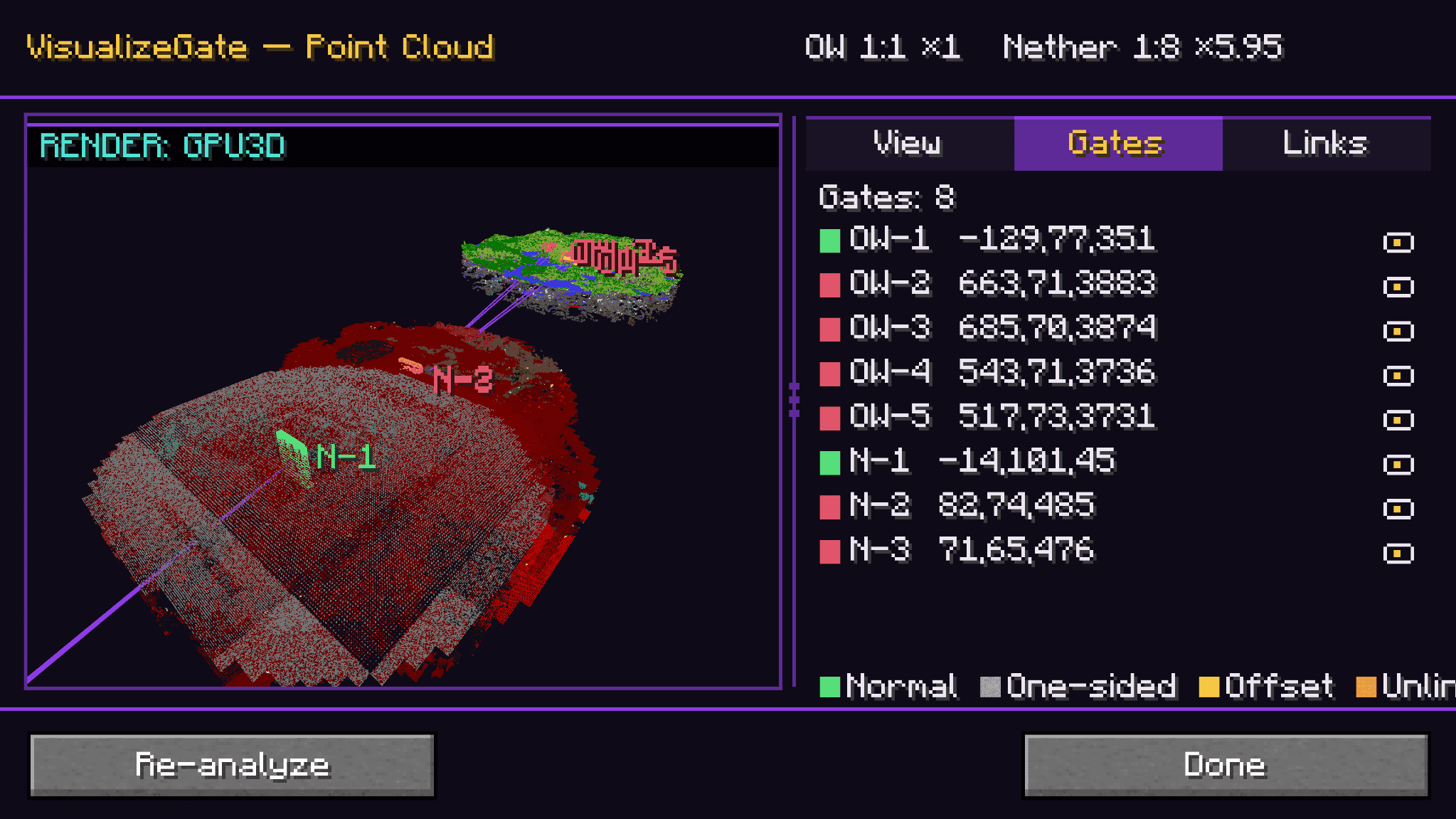
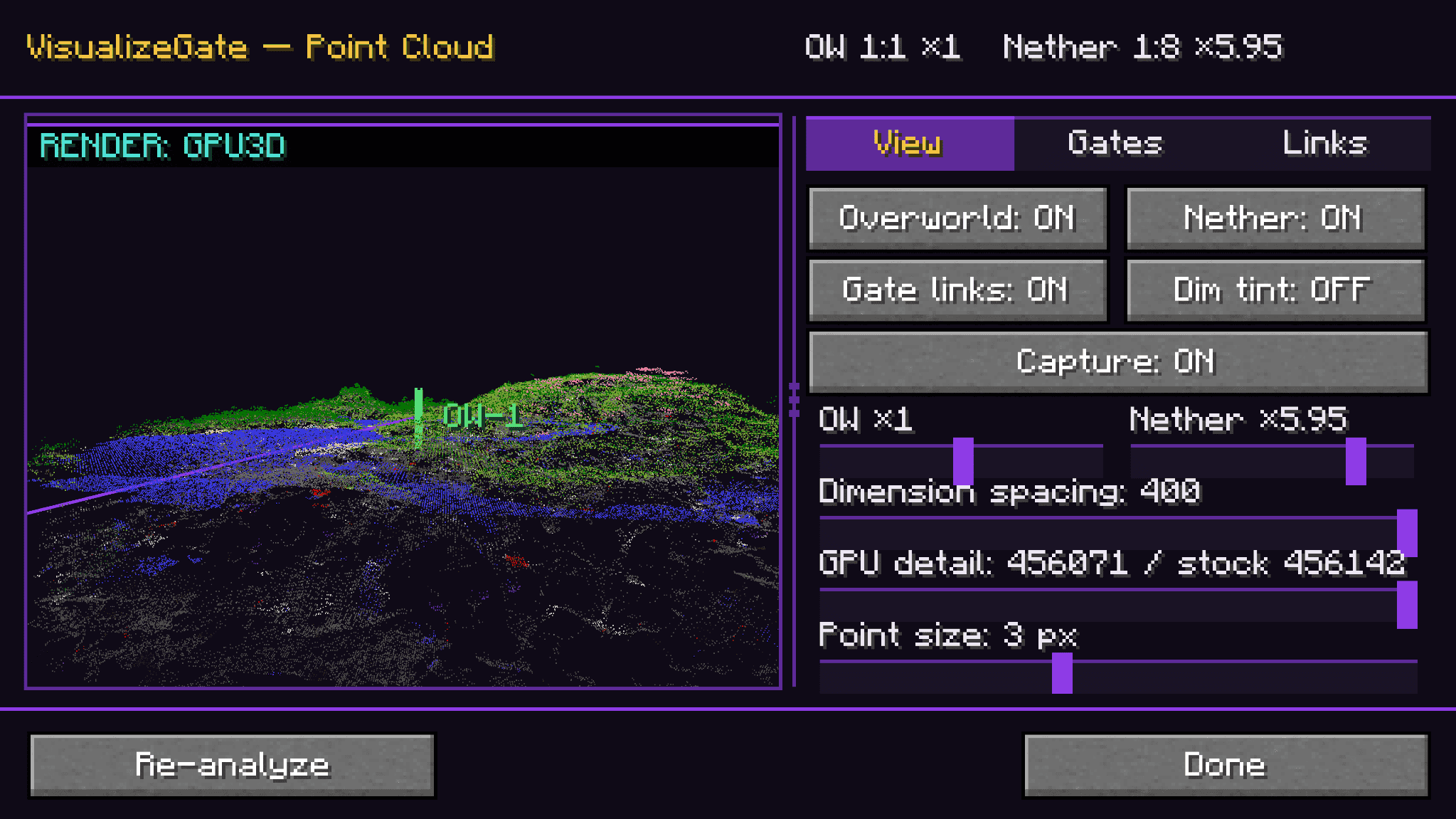
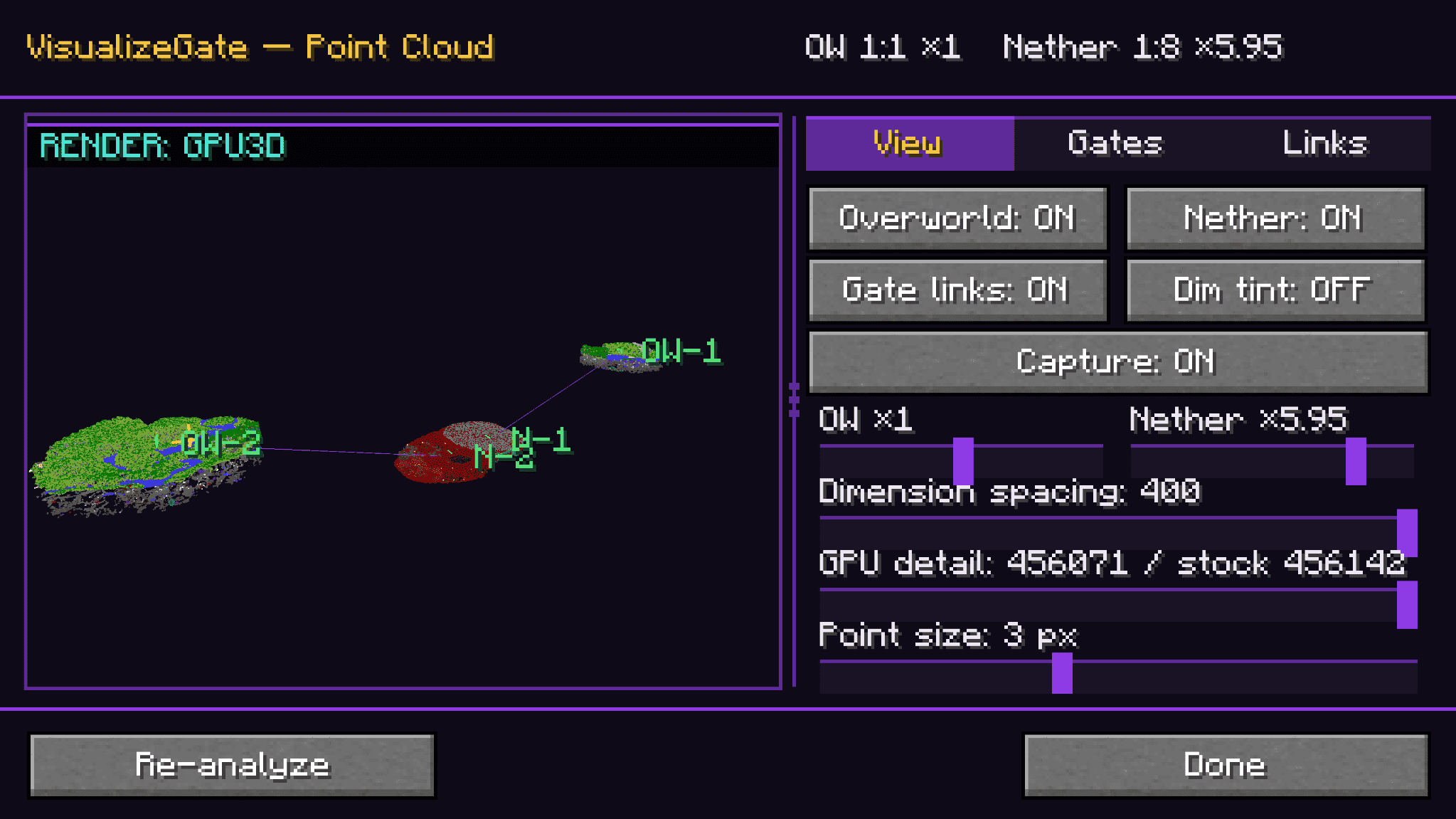
The point-cloud view renders your gates and the surrounding terrain as a navigable 3D point cloud you can rotate, zoom, and pan — with View / Gates / Links tabs and a live mini-radar docked right on your HUD.
A HUD that stays out of the way
A compact dock shows your current dimension, FPS, and live gate counts (conflicts / offsets) at a glance. Expand it for the full color legend, collapse it when you just want to play.
Prediction lines, exactly when you need them
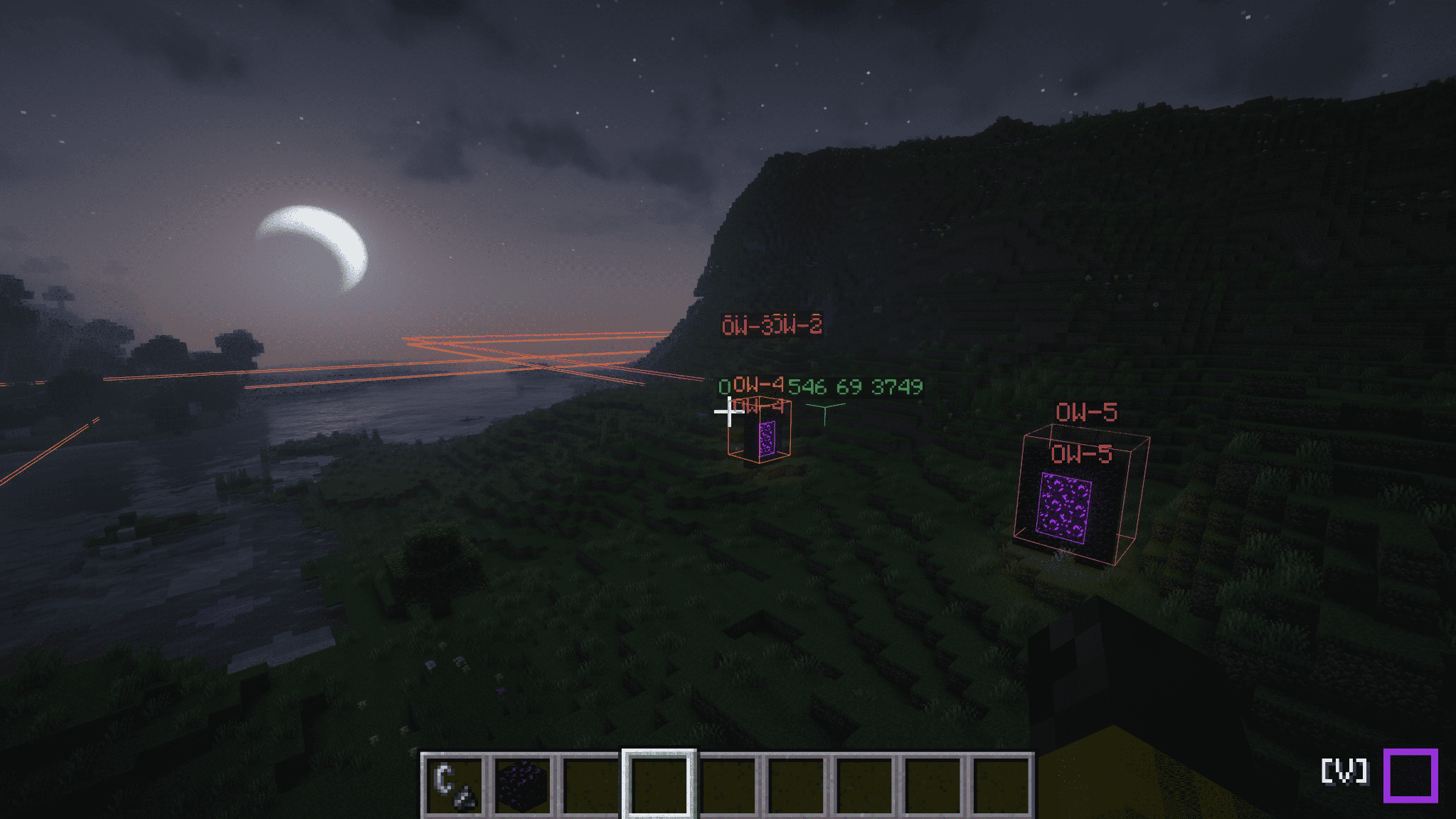
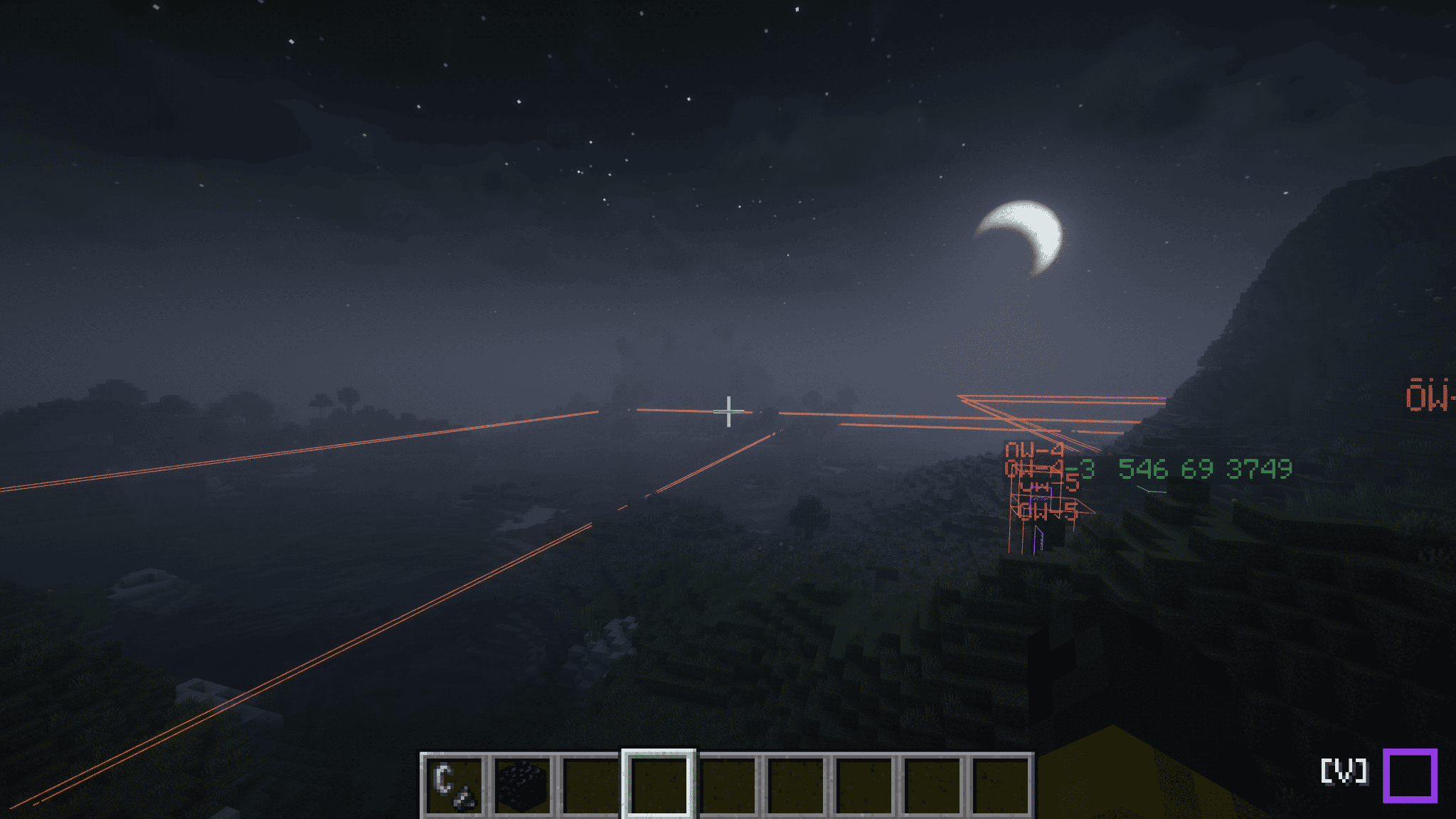
Prediction lines appear automatically while you're holding flint and steel, or when you look at a known portal (its portal block or obsidian frame) — so the guidance shows up right as you're about to build, and gets out of your way when you're not.
Shader environment supported
Wireframes, docks, point clouds, and gate labels are displayed even in environments with lightweight mods and shaders. We will not let anything obstruct your beautiful world.
Everything is client-side
VisualizeGate runs entirely on your client. You don't need to install it on the server, and it works in multiplayer using the chunks you've loaded. It only ever uses what your own client has observed — no server sync, no extra setup, no permissions to ask for.
A few favorite commands
Everything lives under /vg (client commands — they work even if the server has never heard of them):
/vg visualize— toggle the in-world wireframes/vg back-calculate here— solve the paired-gate spot from where you're standing/vg point-cloud— open the 3D overview/vg dock— expand or collapse the HUD
(The full command list lives in the README on the source page.)
Requirements
- Fabric Loader and Fabric API
- Minecraft 1.21.10, 1.21.11, 26.1, 26.1.1, 26.1.2, or 26.2
- ModMenu recommended — used to open the in-game config screen
Languages
English, Japanese, German, Russian, and Simplified Chinese. German, Russian, and Chinese are community seed translations (not yet reviewed by native speakers) — corrections and pull requests are very welcome.
License
Released under CC0-1.0 (public domain). Use it, learn from it, build on it.
VisualizeGate Team