Visual Health × Epic Fight Compat
- By
lightweight client-side compatibility addon that makes Visual Health's wound overlays render correctly on Epic Fight's animated player and mob models.
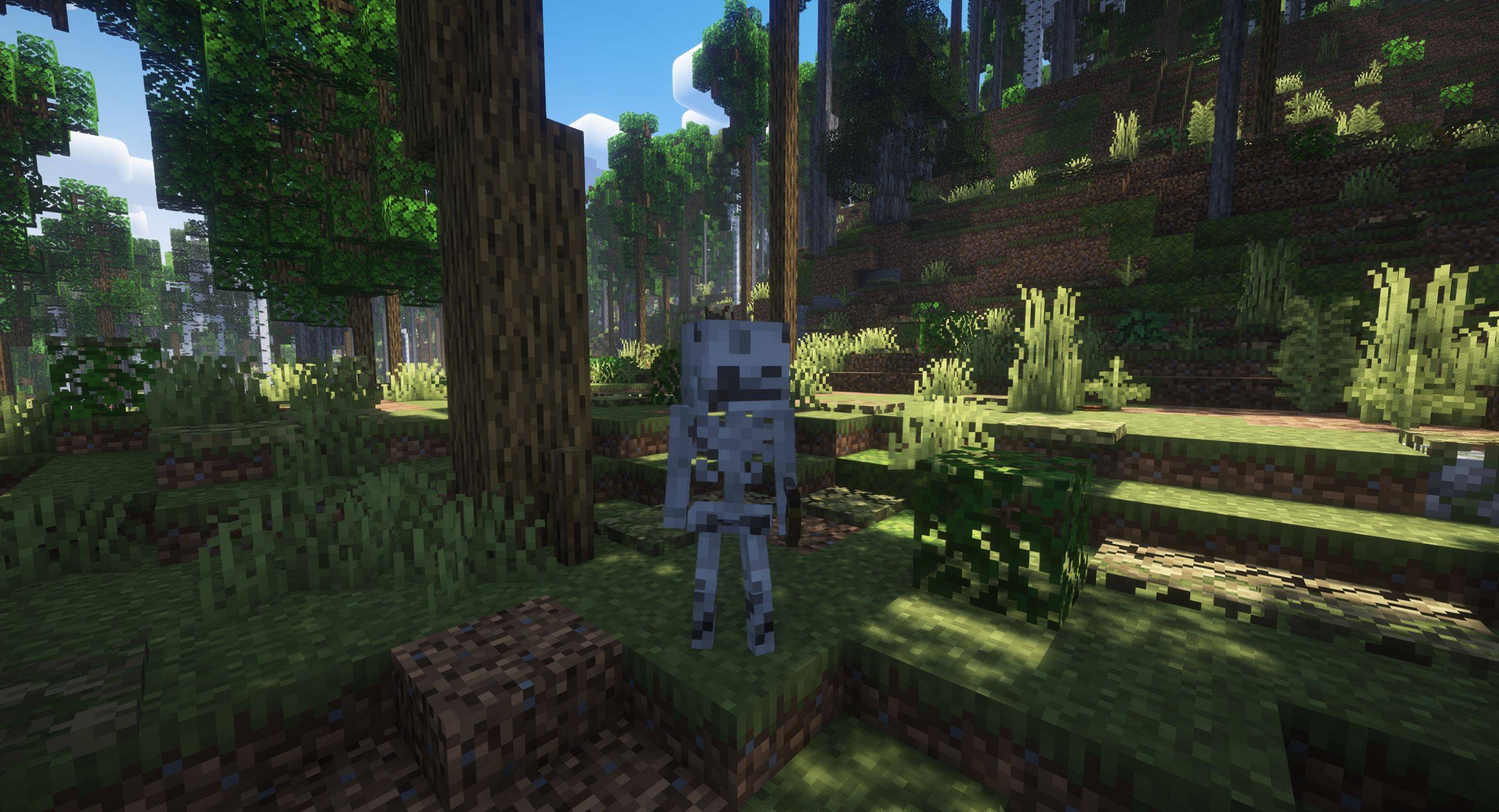
How it affects even skeleton's properly
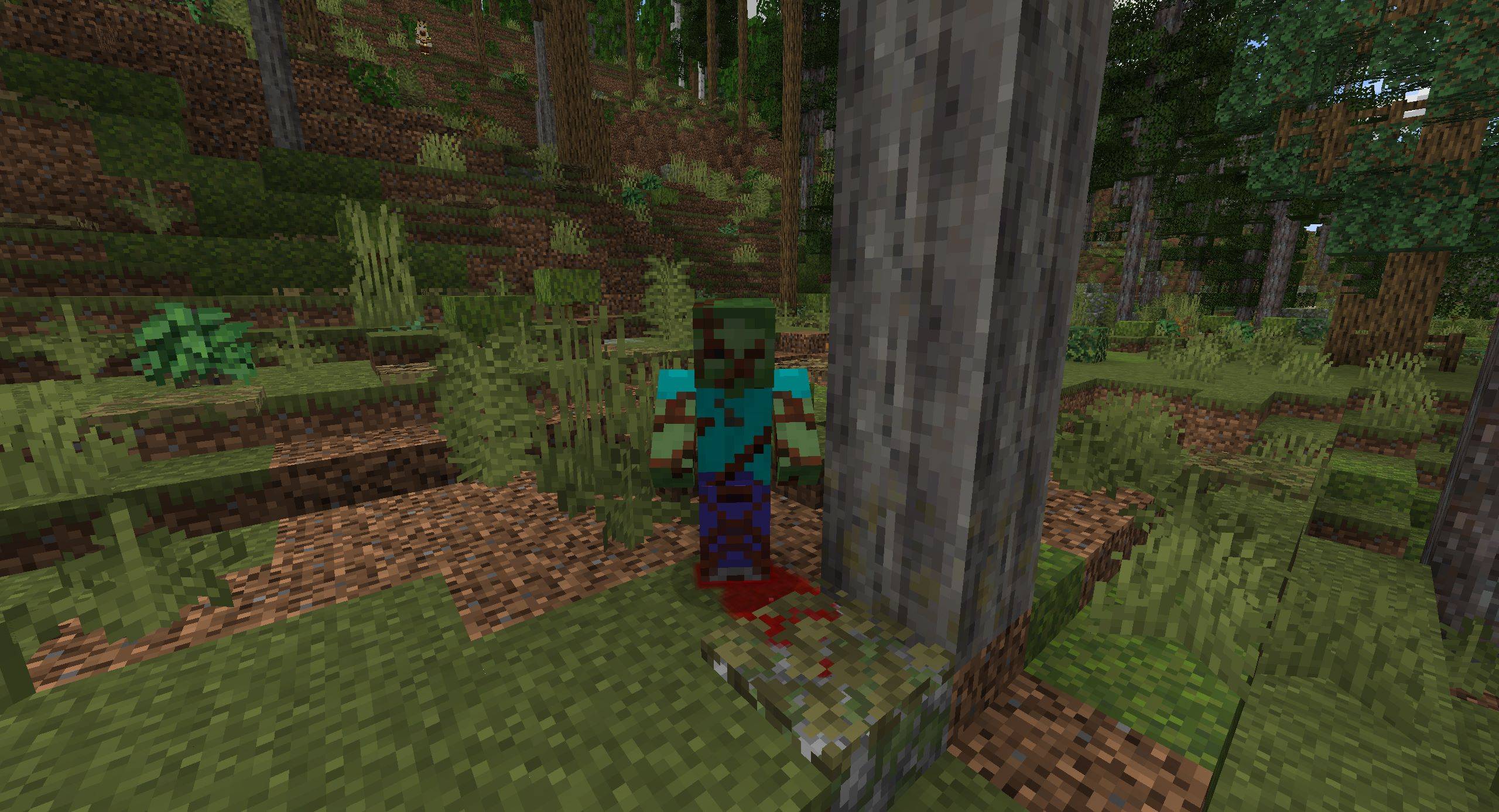
The blood on the floor is not from the mod
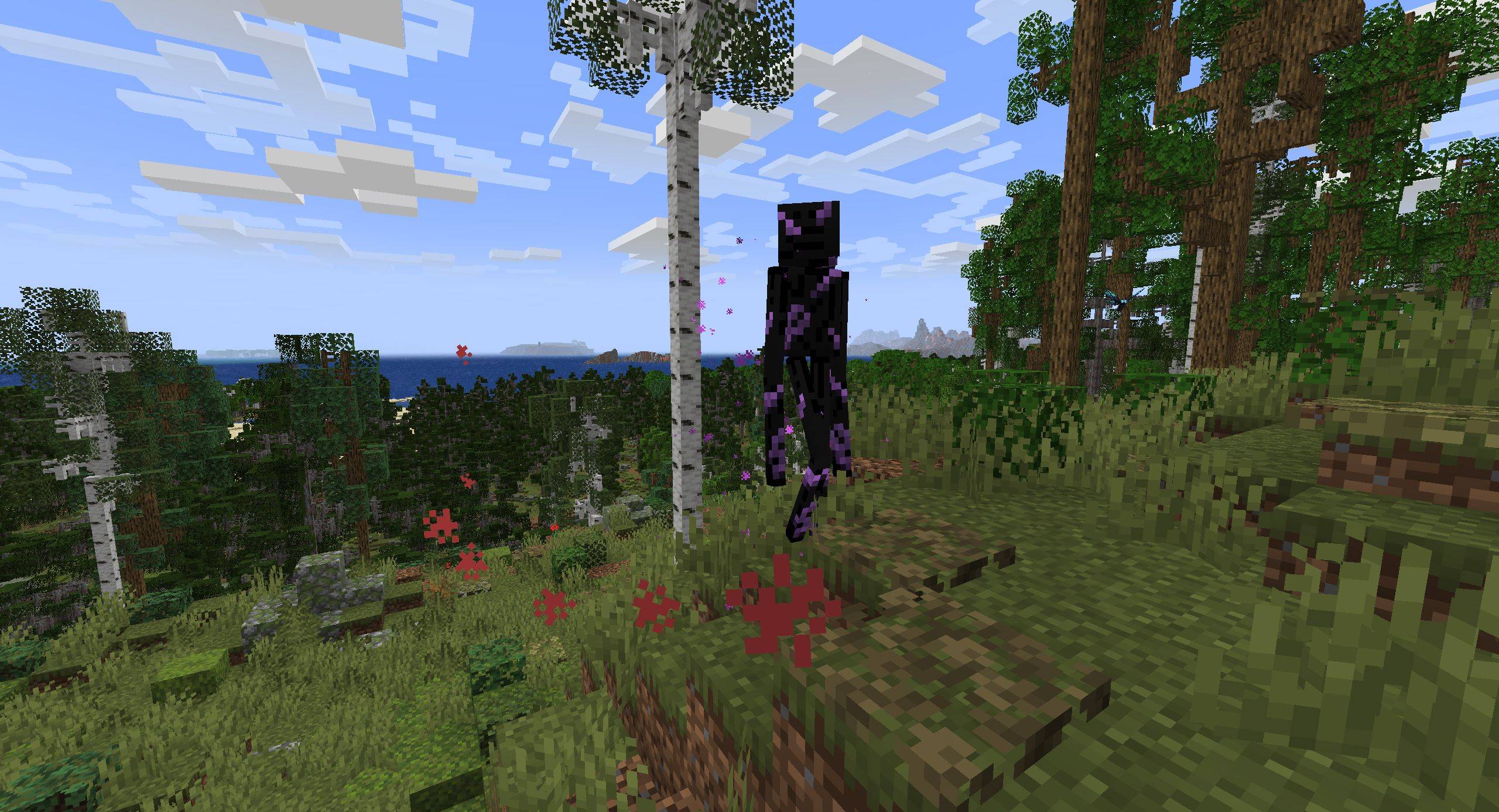
Just extra proof
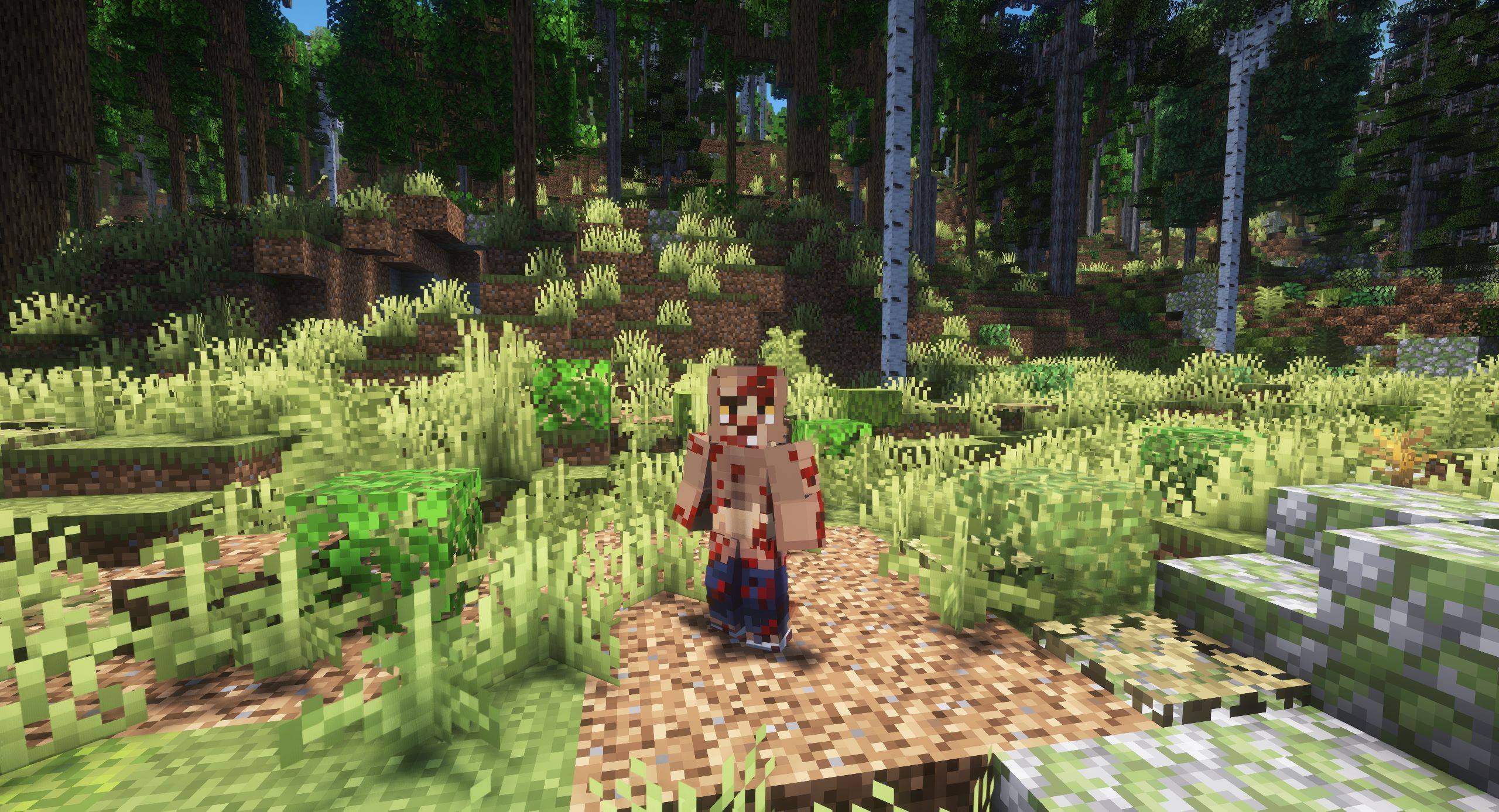
Player.jpg
Description
Visual Health looks great with normal Minecraft models, but its wounds disappear when Epic Fight takes over world rendering.
This addon fixes that by applying Visual Health's dynamically generated wound textures directly to Epic Fight's animated player and mob meshes.
# Visual Health × Epic Fight Compatibility
A lightweight client-side compatibility addon that makes Visual Health's wound overlays render correctly on Epic Fight's animated player and mob models.
## Why is this addon needed?
Visual Health normally draws its wound textures through Minecraft's standard entity rendering system.
Epic Fight replaces that system with its own animated mesh and armature renderer. Because of this, Visual Health may work in the inventory preview while its wounds disappear from players and mobs in the world.
This addon connects the two rendering systems. It adds Visual Health's generated wound overlay to supported Epic Fight entity renderers while preserving Epic Fight's animations and poses.
## Features
- Displays Visual Health wounds on Epic Fight's animated player model
- Supports both standard and slim player models
- Displays wounds on supported mobs rendered by Epic Fight
- Supports many modded entities patched through Epic Fight
- Wounds follow the entity's animated pose
- Uses Visual Health's existing health tiers, colors, configuration, and generated textures
- Does not change combat, damage, health, AI, animations, or gameplay
- Does not add replacement textures or resource-pack assets
- Client-side only
## Requirements
- Minecraft 1.20.1
- Forge
- Epic Fight
- Visual Health
### Tested versions
- Forge 47.4.21
- Epic Fight 20.14.17
- Visual Health 1.20.1-2.0.3
Other versions are not currently guaranteed to work.
## Installation
This addon does not replace either dependency. Both Epic Fight and Visual Health are required.
## Client or server?
This is a client-side rendering addon.
Dedicated servers do not need it. Every player who wants to see the wound overlays must install the addon and its required dependencies on their own client.
## Supported entities
The addon automatically attaches the wound layer to supported Epic Fight living-entity renderers.
This includes the player and most ordinary mobs using Epic Fight's animated rendering system. It can also support modded entities when their Epic Fight renderer exposes the standard custom-layer interface.
Some highly specialized renderers that draw their models through a separate custom process may not support the overlay.
## Configuration
There is no separate configuration file for this addon.
Wound density, damage tiers, colors, passive-mob settings, player colors, emissive effects, and other options are controlled through Visual Health's configuration.
## Compatibility
This addon is intended specifically for:
- Minecraft 1.20.1
- Forge
- Visual Health
- Epic Fight
Other mods that completely replace living-entity rendering may conflict.
When reporting an issue, please test with only:
- Forge
- Epic Fight
- Visual Health
- This compatibility addon
Include your `latest.log`, exact mod versions, the affected entity, and a screenshot when possible.
## Modpacks
Modpack use is allowed under the project's GPL license.
Please add the addon through its official CurseForge project whenever possible instead of uploading a separate copy of the JAR. Modified or unofficial builds are not supported by this project.
## Credits
- Visual Health by demistorm / Halfstorm
- Epic Fight by the Epic Fight Team / Antikythera Studios
This is an unofficial compatibility addon. It is not maintained by, endorsed by, or affiliated with the creators of Visual Health or Epic Fight.
## License and redistribution
The source code is licensed under GNU GPL version 3 or later.
Redistributions and modified versions must comply with the GPL, retain the applicable copyright and license notices, make the corresponding source code available, and clearly identify any modifications.
The official project name, logo, screenshots, and branding may not be used to make an unofficial build appear to be an official release.
For safe and current downloads, please use the official CurseForge project page.
Visual Health × Epic Fight Compat Team

![BlockRooms [Backroom's] project image](https://media.forgecdn.net/avatars/thumbnails/1247/180/256/256/638814494514852803.png)