


Virtual Redstone Wire (虚拟红石线缆)
- By
11.png
12.png
21.png
22.png
31.png
Description
Virtual Redstone Wire
[English] | 简体中文
A Minecraft mod for long-distance redstone signal transmission that does not rely on physical redstone blocks, supporting one-to-one, one-to-many, and many-to-one connections.
What does it do
Virtual Redstone Wire lets you transmit redstone signals between blocks wirelessly. Create a one-way link from an input block to an output block, and the redstone power at the input is mirrored to the output instantly. No cables, no physical redstone dust, no block entities.
Features
- Wireless redstone links - link blocks up to 256 blocks apart (configurable, 1-1024)
- One-way directional links - signal exits from the clicked face of the output block; a redstone lamp placed on the output block lights up directly
- Signal strength preserved - transmits 0-15 signal strength, not just on/off
- One-to-many broadcast - one input can feed multiple outputs
- Many-to-one merge - multiple inputs can feed one output (highest signal wins)
- Works after building - place the signal source, flip a lever, or remove a source at any time; links refresh in real time
- Zero space occupation - no block entities, fully vanilla-compatible world
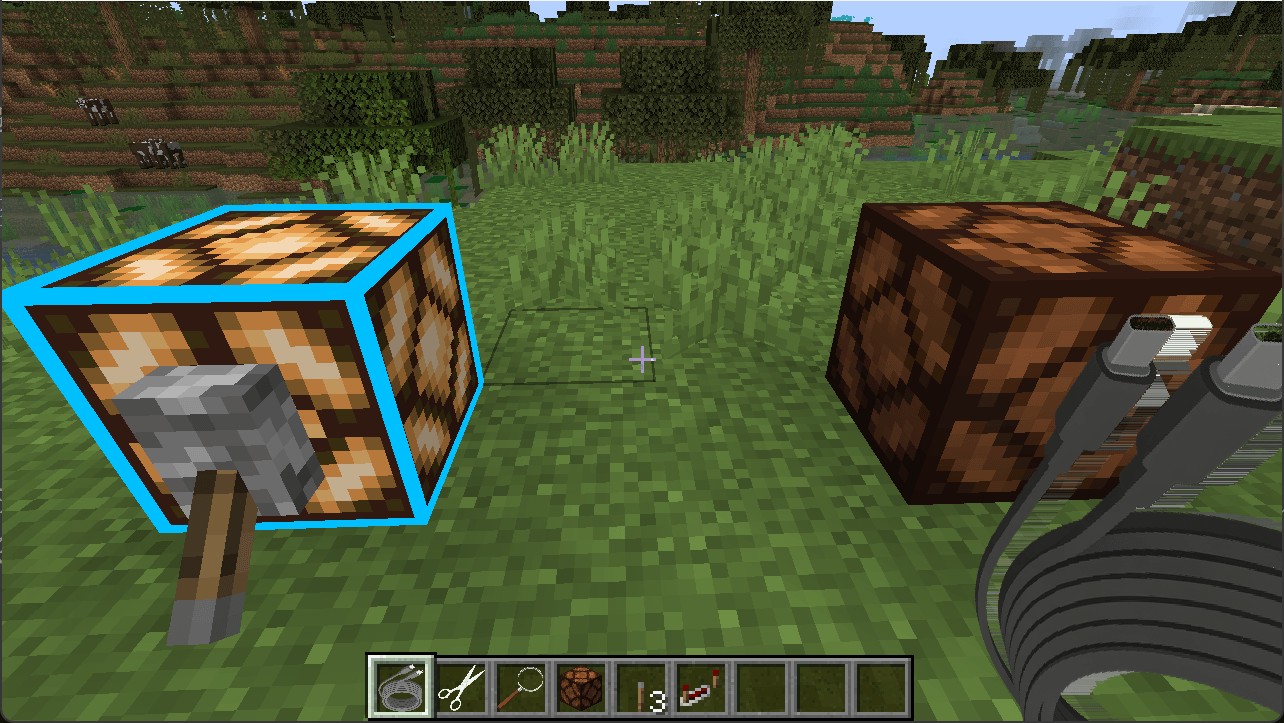
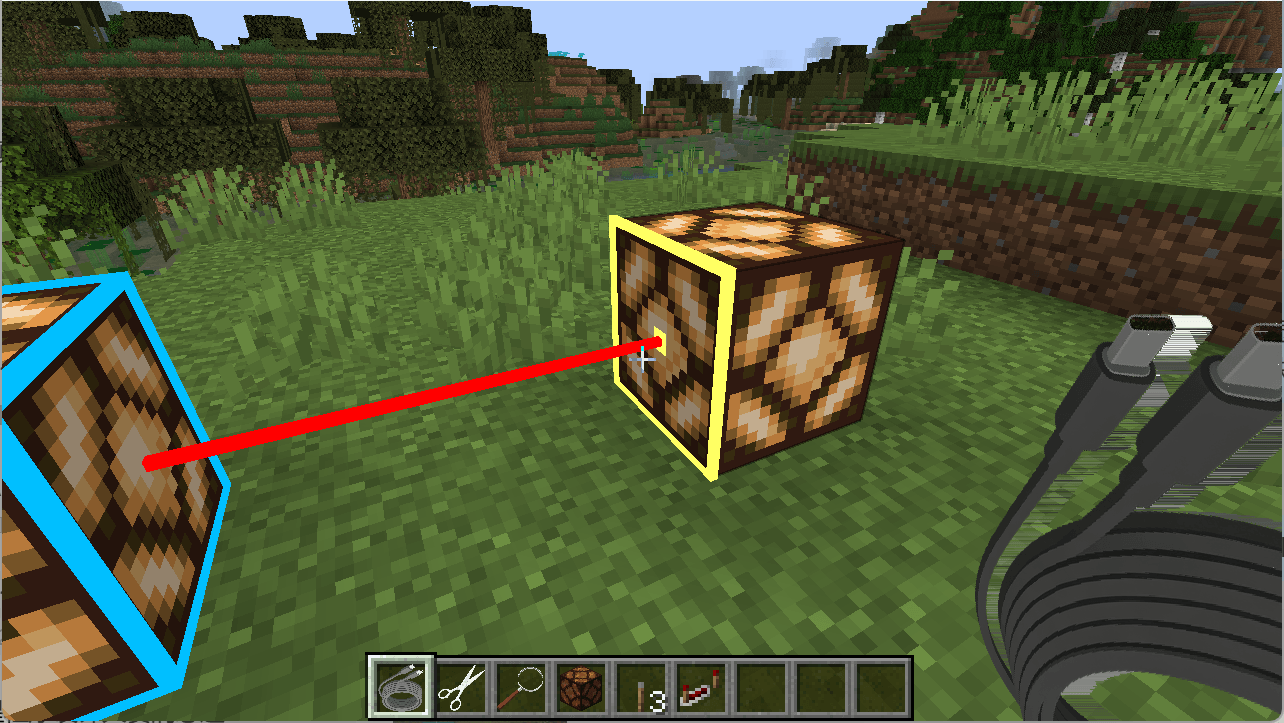
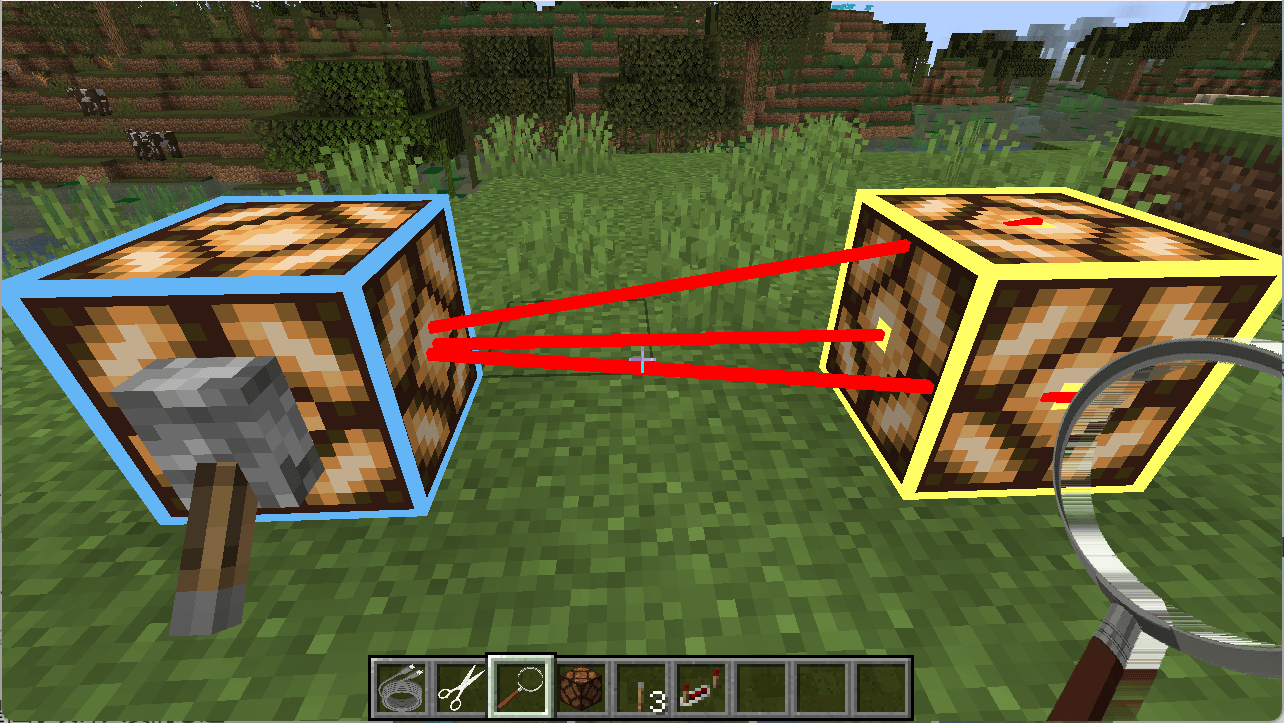
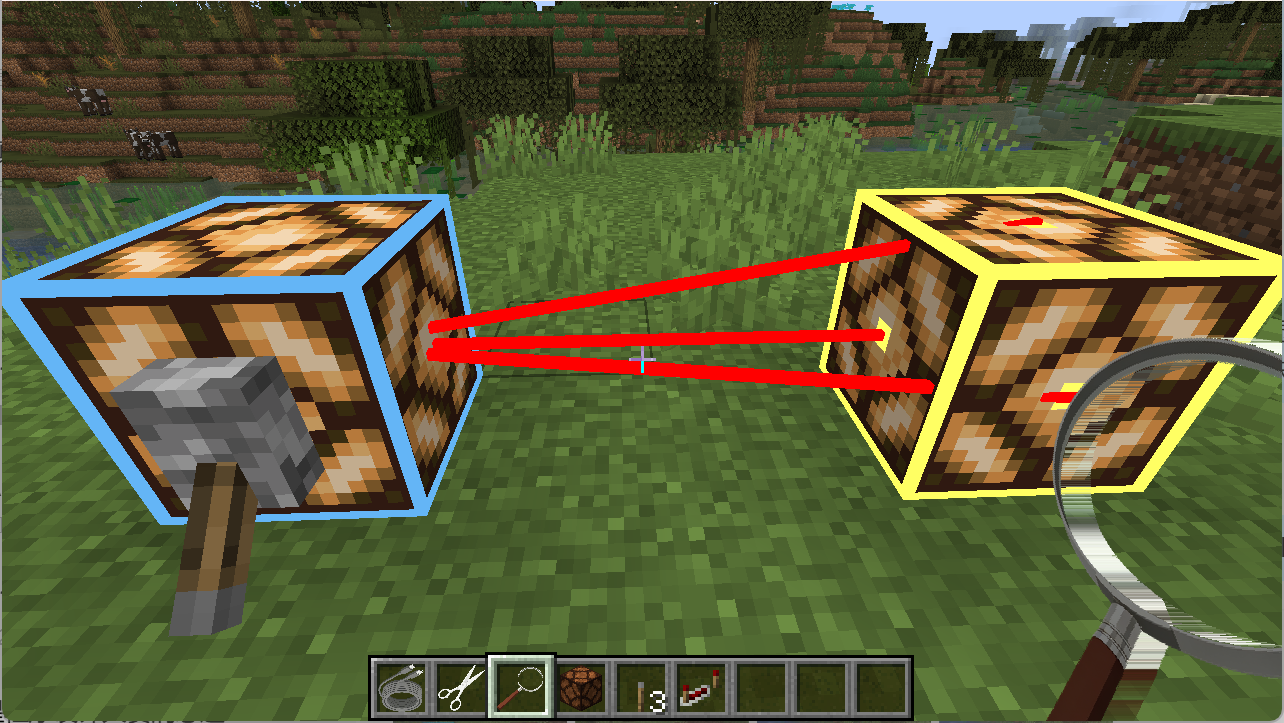
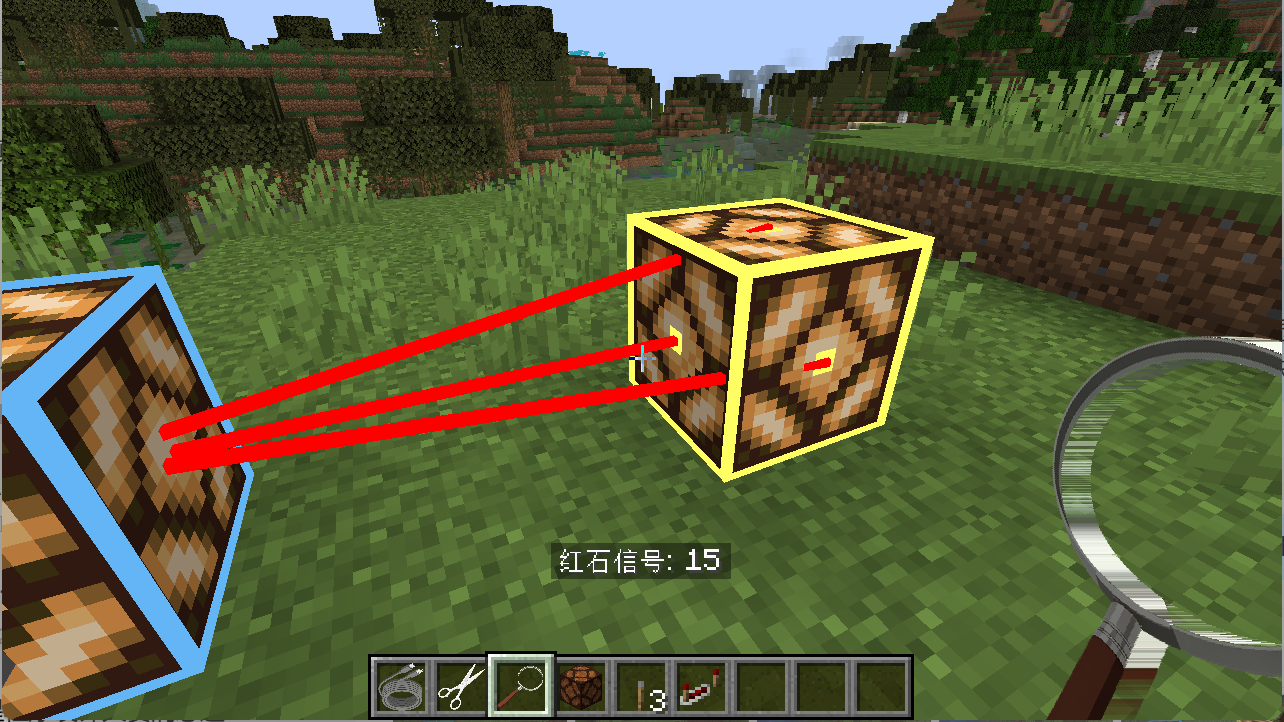
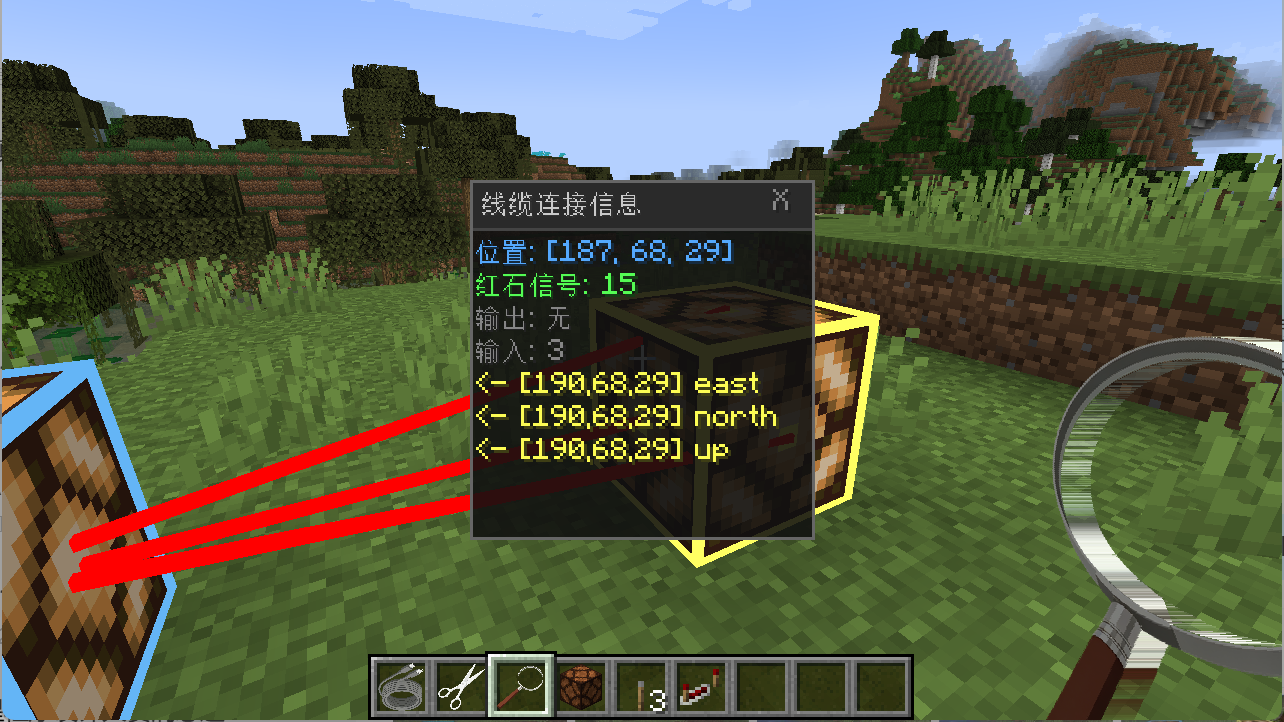
- Cable Magnifier - highlights all links while held (blue input, yellow output, red path); right-click a block to show its redstone signal strength and position above the hotbar, or sneak-right-click a block to inspect its links
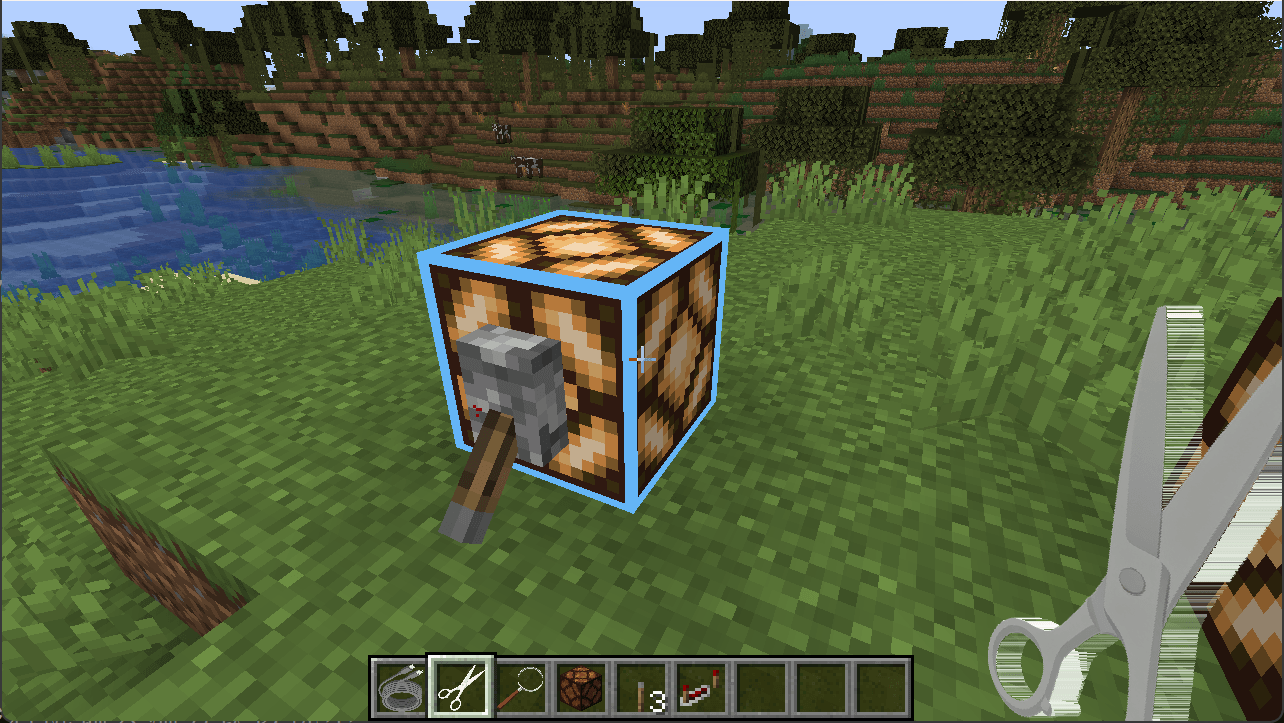
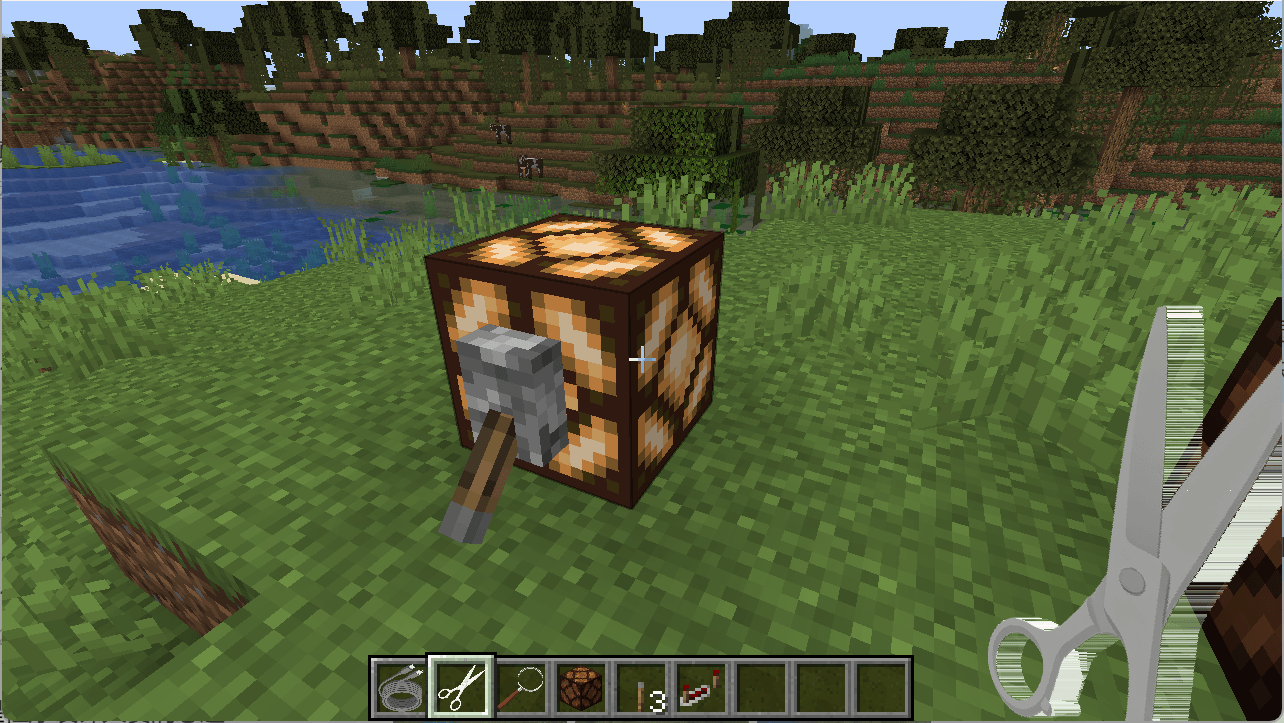
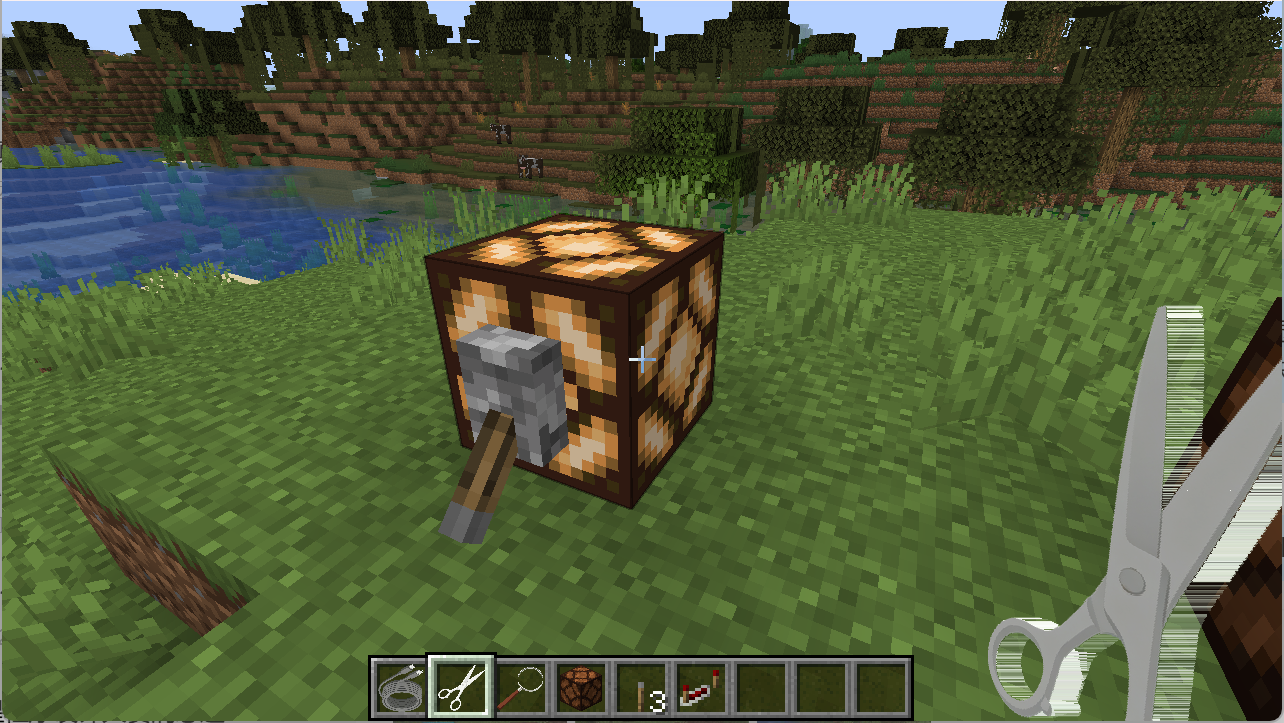
- Cable Cutter - removes all outgoing links of an input block at once
- Undo / Redo and operation history - press Ctrl+Z / Ctrl+Y to undo or redo recent link operations; while holding the Cable Magnifier, press Ctrl+A to review the undo/redo history on a dedicated screen
Items
| Item | Crafting |
|---|---|
| Virtual Cable | Redstone + Iron Ingot |
| Cable Cutter | Iron Ingot + Stick x2 |
| Cable Magnifier | Redstone + Glass Pane + Stick |
Usage
Virtual Cable
Hold a Virtual Cable and right-click an input block to select it
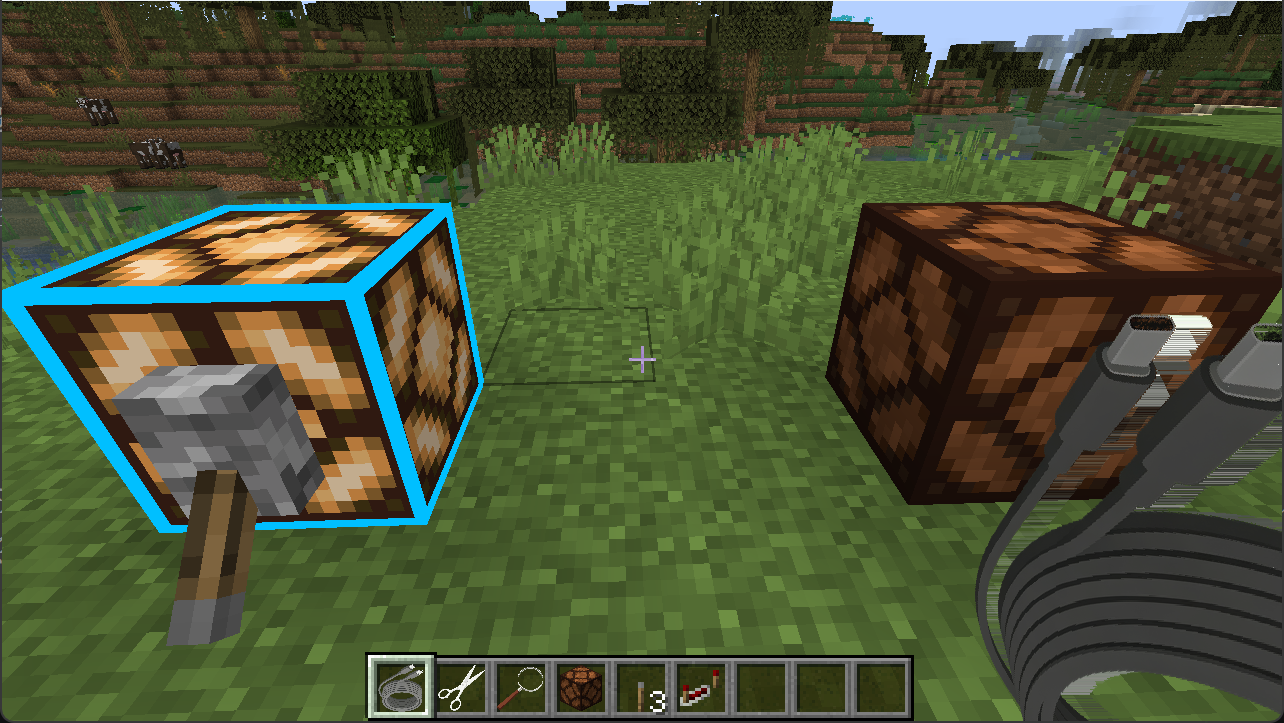
Right-click an output block to create the one-way link (right-click the same block again to cancel)
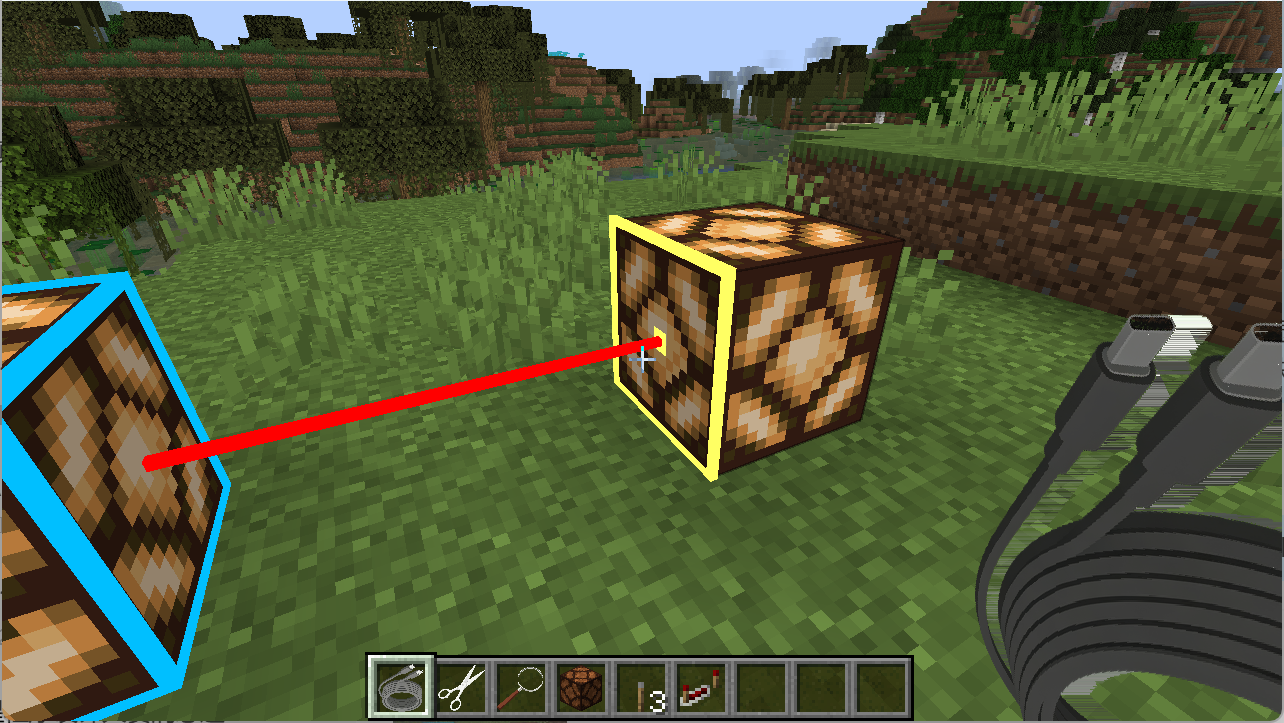
Power the input block with any redstone source; the output block delivers the signal from the clicked face
Cable Cutter
- Right-click an input block to remove all links originating from it (only affects links where the block is the input/source)
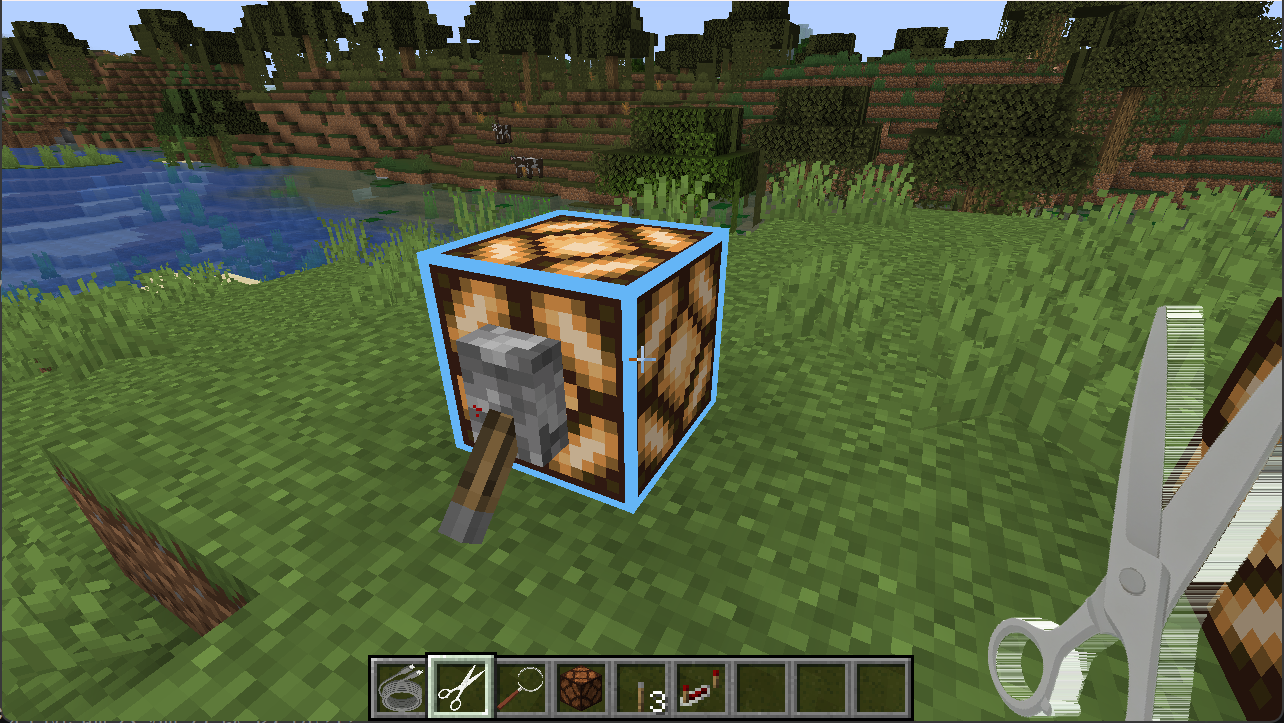
- Afterwards, that input block has no outgoing links
Cable Magnifier
- While held: all links are highlighted (blue input, yellow output, red path)
- Right-click a block: show its redstone signal strength and position above the hotbar
- Sneak-right-click a block: open its link information panel
Undo & Redo
- While holding a Virtual Cable, Cable Cutter, or Cable Magnifier, press
Ctrl+Zto undo andCtrl+Yto redo the most recent successful link operation (keybinds can be changed in the Controls settings) - Undo cancels the latest operation: a created link is removed, a removed link is restored; redo re-executes it
- History is client-side memory only (shared limit 20 by default, adjustable 10-100 in the Mods menu client config) and clears on game exit
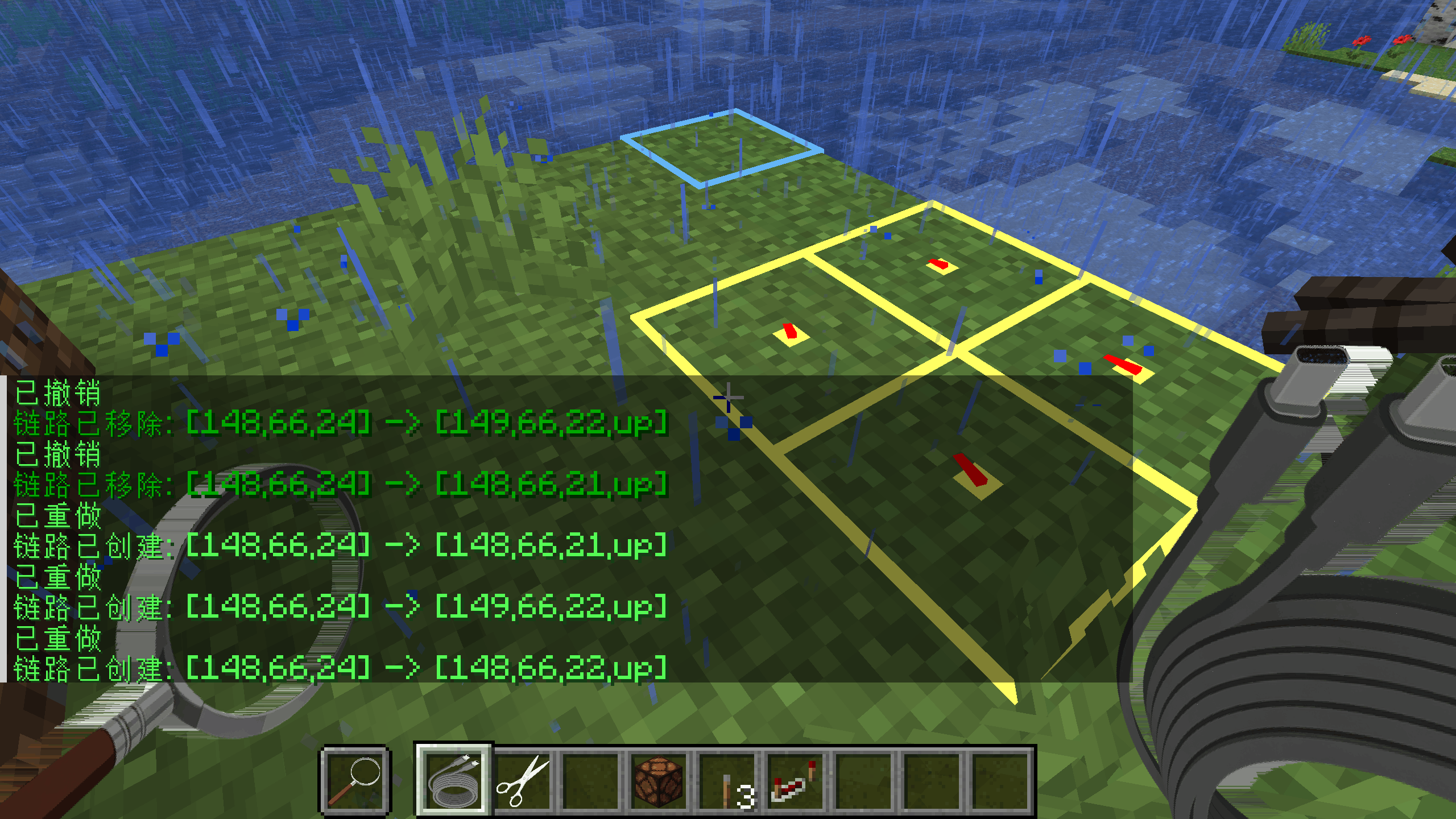
- While holding the Cable Magnifier, press
Ctrl+Ato open the operation history screen - The screen lists the operations you can currently undo or redo in two columns (operation type and endpoint coordinates); scroll with the mouse wheel when the list overflows
- Press
Ctrl+Z/Ctrl+Yinside the screen to undo/redo directly, with results refreshing in real time and chat feedback suppressed while it is open - Close it with the button at the panel's top-right corner,
ESC, orCtrl+Aagain
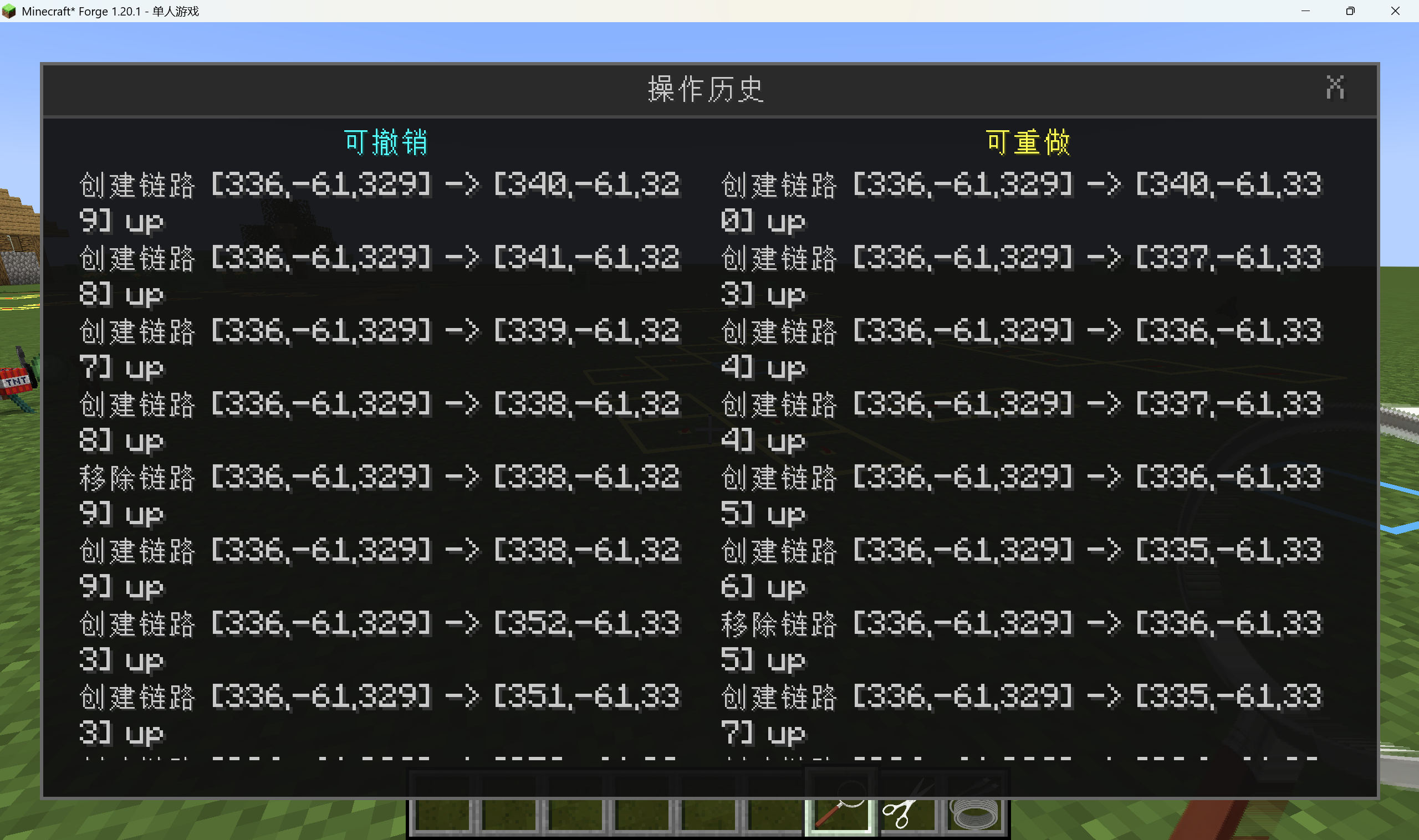
Requirements
- Minecraft 1.20.1
- Forge 47.4.22+
- No other mod dependencies
Configuration
How to configure
- Start the game (or server) once to generate the config files
- Open the config file with a text editor:
- Server config:
<world folder>/serverconfig/virtual_redstone_wire-server.toml(edit on the machine running the server) - Client config:
config/virtual_redstone_wire-client.toml
- Server config:
- Change the values and save the file
- Restart the game or server for the changes to take effect
Example (server, <world folder>/serverconfig/virtual_redstone_wire-server.toml):
maxLinkDistance = 512Server options
maxLinkDistance- maximum link distance in blocks (default 256, range 1-1024)magnifierRenderDistance- render distance for link visualization (default 512, range 64-1024)networkChangeLogSize- capacity of the recent change table for incremental sync (default 200, range 200-1000)operationLogEnabled- log every applied/rejected add/del operation to a per-world text file (default true)operationLogSplit- operation log split mode: total (one shared file), both (shared + per-player), player (per-player only) (default total)operationLogFile- operation log file name; with player/both split the base name gets a_<player>suffix (default Virtual_Redstone_Wire-Operations.log)requestLogEnabled- log every received request (raw JSON) with its final status code, debug level (default false)requestLogFile- request log file name (default Virtual_Redstone_Wire-Requests.log)- Server options can be viewed and changed in-game from the Mods menu (Config); owner-only
Client options
enableChatFeedback- chat feedback for operations (default false)undoHistorySize- undo/redo history stack size limit (default 20, range 10-100)undoRedoFeedback- undo/redo feedback messages (default true)- Client options can be changed in-game from the Mods menu (Config), taking effect immediately
Language Support
This mod is fully translated into:
- 简体中文 (Simplified Chinese)
- English
The in-game text (item tooltips, information panel, chat feedback, etc.) follows your Minecraft language setting automatically. No mod configuration is required.
How to switch language
- Open the game and go to Options -> Language
- Select 简体中文 (China) or English (US)
- Confirm; the mod text switches immediately
The language setting is client-side: each player chooses their own language, and the server needs no configuration.
Notes
- Chat feedback is disabled by default and can be enabled in the client config
- This mod is inspired by Drive-By-Wire cable logic and works in a vanilla world with no mod dependencies
- For support on more Minecraft versions, or to report issues and request features, visit the GitHub repository: https://github.com/JularDepick/Virtual-Redstone-Wire
虚拟红石线缆
English | [简体中文]
用于红石信号远程传递的 Minecraft 模组,不依赖实体红石方块,支持一对一、一对多、多对一连接。
功能简介
虚拟红石线缆可让您在方块之间无线传输红石信号。在输入端方块与输出端方块之间创建单向链路后,输入端的红石能量会即时反映到输出端。无需线缆、无需实体红石粉、无需方块实体。
特性
- 无线红石链路 - 方块间最远可链接 256 格(可配置,范围 1-1024)
- 单向定向链路 - 信号从输出方块的指定面射出;放在输出端方块本体上的红石灯可直接点亮
- 保留信号强度 - 传输 0-15 级信号强度,而非简单的开关
- 一对多广播 - 一个输入端可连接多个输出端
- 多对一合并 - 多个输入端可连接一个输出端(取最大信号)
- 建链后仍可调整 - 随时放置信号源、拨动拉杆或移除信号源,链路实时刷新
- 零空间占用 - 不使用方块实体,完全兼容原版世界
- 线缆放大镜 - 手持时高亮全部链路(蓝框输入、黄框输出、红线路径);右键方块在快捷栏上方显示其红石信号强度与坐标,潜行右键方块查看链路信息
- 线缆剪 - 一次移除输入端方块的全部出链
- 撤销/重做与操作历史 - 按 Ctrl+Z / Ctrl+Y 撤销或重做最近的链路操作;手持放大镜时按 Ctrl+A 在窗口页查看可撤销/可重做的操作历史
物品
| 物品 | 合成 |
|---|---|
| 虚拟线缆 | 红石 + 铁锭 |
| 线缆剪 | 铁锭 + 木棍 x2 |
| 线缆放大镜 | 红石 + 玻璃板 + 木棍 |
使用方法
虚拟线缆
手持虚拟线缆右键输入端方块以选中
右键输出端方块创建单向链路(再次右键同一方块可取消选中)
用任意红石源为输入端方块供能,输出端方块将从指定面射出信号
线缆剪
- 右键输入端方块,移除以其为起点的全部链路(仅作用于该方块作为输入端/起点的链路)
- 使用后,该输入端方块不再有出链
线缆放大镜
- 手持时:高亮全部链路(蓝框输入、黄框输出、红线路径)
- 右键方块:在快捷栏上方显示其红石信号强度与坐标
- 潜行右键方块:打开其链路信息面板
撤销与重做
- 手持线缆、线缆剪或放大镜时,按
Ctrl+Z撤销、Ctrl+Y重做最近一次成功的链路操作(可在游戏 Controls 设置中修改按键绑定) - 撤销会取消最近一次操作:创建的链路被移除,被移除的链路恢复;重做会重新执行它
- 历史仅保存在客户端内存(双栈共用上限默认 20,可在 Mods 菜单客户端配置调整,范围 10-100),退出游戏清空
- 手持放大镜时按
Ctrl+A打开操作历史窗口页 - 窗口页分两列列出当前可撤销与可重做的操作(操作类型与起终点坐标),列表超出时可用鼠标滚轮滚动查看
- 窗口页内可直接按
Ctrl+Z/Ctrl+Y撤销或重做,结果实时刷新,且窗口页打开期间不弹出聊天栏提示 - 退出方式:面板右上角关闭按钮、
ESC、再次按Ctrl+A
环境要求
- Minecraft 1.20.1
- Forge 47.4.22+
- 无其他模组依赖
配置
配置方法
- 先启动一次游戏(或服务器)以生成配置文件
- 用文本编辑器打开配置文件:
- 服务端配置:
<世界文件夹>/serverconfig/virtual_redstone_wire-server.toml(请在运行服务器的机器上修改) - 客户端配置:
config/virtual_redstone_wire-client.toml
- 服务端配置:
- 修改数值并保存
- 重启游戏或服务器后生效
示例(服务端,<世界文件夹>/serverconfig/virtual_redstone_wire-server.toml):
maxLinkDistance = 512服务端选项
maxLinkDistance- 最大链路距离(默认 256,范围 1-1024)magnifierRenderDistance- 链路可视化渲染距离(默认 512,范围 64-1024)networkChangeLogSize- 增量同步近期变更表容量(默认 200,范围 200-1000)operationLogEnabled- 操作日志:add/del 执行/拒绝记录(默认开启)operationLogSplit- 操作日志分割:total 合并同一文件 / both 合并+按玩家 / player 仅按玩家分文件(默认 total)operationLogFile- 操作日志文件名(默认 Virtual_Redstone_Wire-Operations.log;player/both 分割时主名后缀_<玩家名>)requestLogEnabled- 请求日志:记录每次收到的原始请求与最终状态码,调试级(默认关闭)requestLogFile- 请求日志文件名(默认 Virtual_Redstone_Wire-Requests.log)- 服务端选项可在游戏内 Mods 菜单(Config)查看与修改,仅存档拥有者可改
客户端选项
enableChatFeedback- 操作聊天反馈(默认关闭)undoHistorySize- 撤销/重做历史上限(默认 20,范围 10-100)undoRedoFeedback- 撤销/重做提示(默认开启)- 客户端选项可在游戏内 Mods 菜单(Config)修改,即时生效
语言支持
本模组内置完整翻译:
- 简体中文
- 英文
游戏内文本(物品提示、信息面板、聊天反馈等)会跟随您的 Minecraft 语言设置自动切换,无需任何模组配置。
切换方法
- 进入游戏后打开 选项 -> 语言
- 选择 简体中文 或 English (US)
- 确认后模组文本立即切换
语言设置为客户端级:每位玩家可自选语言,服务端无需任何配置。
附注
- 聊天反馈默认关闭,可在客户端配置中启用
- 本模组受 Drive-By-Wire 线缆逻辑启发,可在原版世界使用,无模组依赖
- 如需更多游戏版本支持、反馈问题或建议功能,请前往 GitHub 仓库:https://github.com/JularDepick/Virtual-Redstone-Wire
The Virtual Redstone Wire (虚拟红石线缆) Team
