VelvetChat
- By
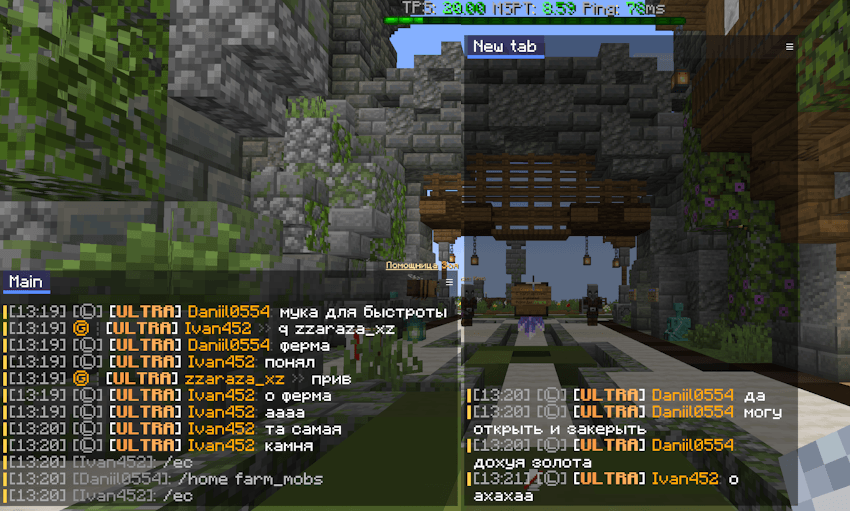
Windowed chat for Minecraft: independent, movable chat windows with tabs, word filters, timestamps, copy-on-right-click and per-window visibility. Client-side, Fabric.
VelvetChat
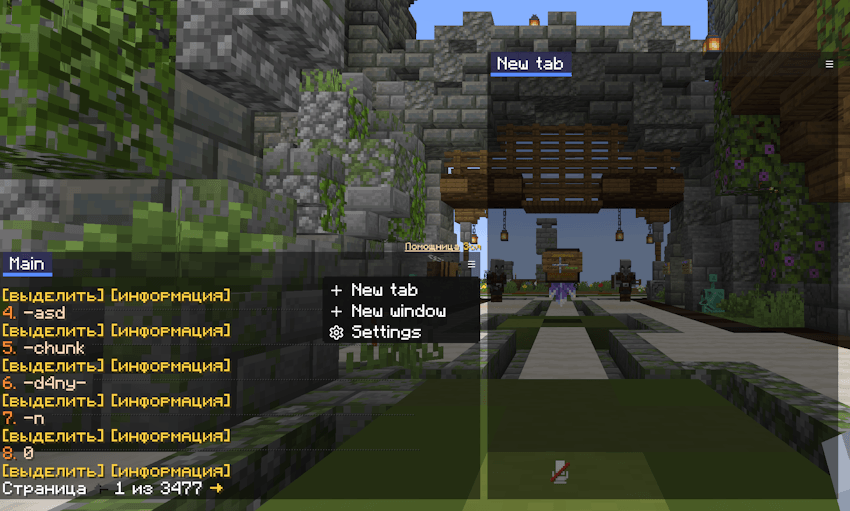
VelvetChat replaces the single fixed chat box with chat windows you arrange yourself — as many as you want, wherever you want them, each with its own tabs, filters and settings.
Client-side only. Nothing is sent to the server, and it works on any server you can join.
Windows
- Make as many as you need. Each window is moved, resized and configured on its own.
- Drag from anywhere, resize from any edge. Windows are kept clear of the chat input so nothing ends up underneath it.
- Three visibility modes per window:
- Always — stays on screen even with the chat closed.
- On new message — fades in and out like vanilla.
- While the chat is open — only visible when you are typing.
- Layout is saved, so your setup is there again next time.
Tabs and filters
- Every window carries its own row of tabs.
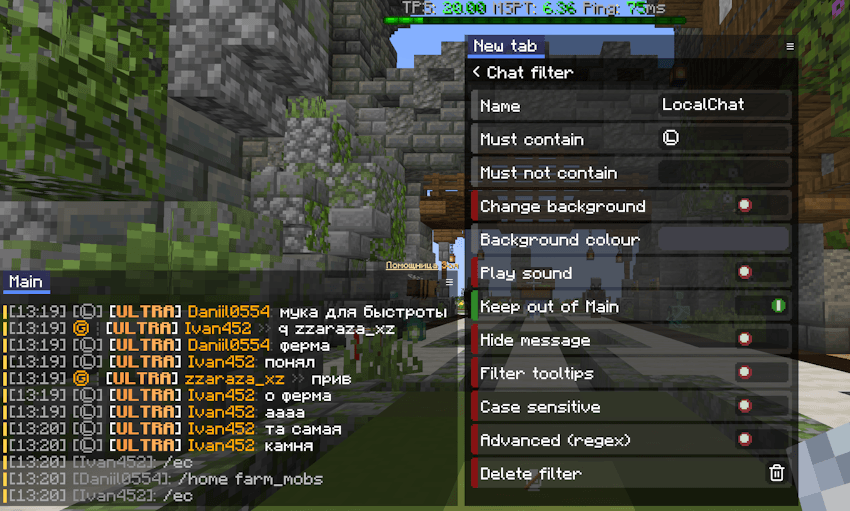
- Main takes everything. A filter on another tab collects a copy of what it matches — it never takes messages away from Main. Only a filter set to hide keeps a line out.
- Several words per filter, matched against the message text.
- Each filter can be edited or removed from its own row; tabs and windows can be deleted the same way.
- An unread mark on a tab tells you a message landed there while you were looking somewhere else.
Messages
- Timestamps, globally or per tab, with a format you choose.
- Right-click a message to copy it as plain text — colour codes stripped, timestamp included when timestamps are on.
- Message markers: a coloured bar down the side of each message, so you can tell two one-line messages apart at a glance. The colour is yours to pick.
- Repeated lines stack instead of filling the screen.
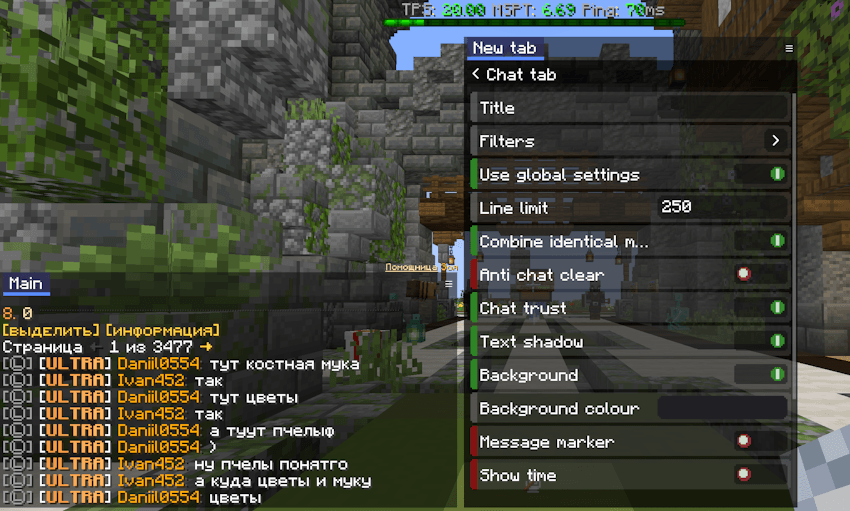
- Per-tab line limit, text shadow, and an anti-chat-clear option for servers that spam blank lines to push history away.
Appearance
- A full settings panel inside the window itself — no separate screen to leave the game for.
- ARGB colour picker for the window background.
VelvetChat Team