Why? — Vanilla Explained
- By
Point at anything and press G: a small tooltip explains why mobs spawn or not, why crops grow slowly, how redstone behaves and where portals lead. Plus anvil, elytra and comparator planners. Client-side, no new content.
gallery_1_spawn.png
gallery_2_crop_details.png
gallery_3_piston.png
gallery_4_enchanting.png
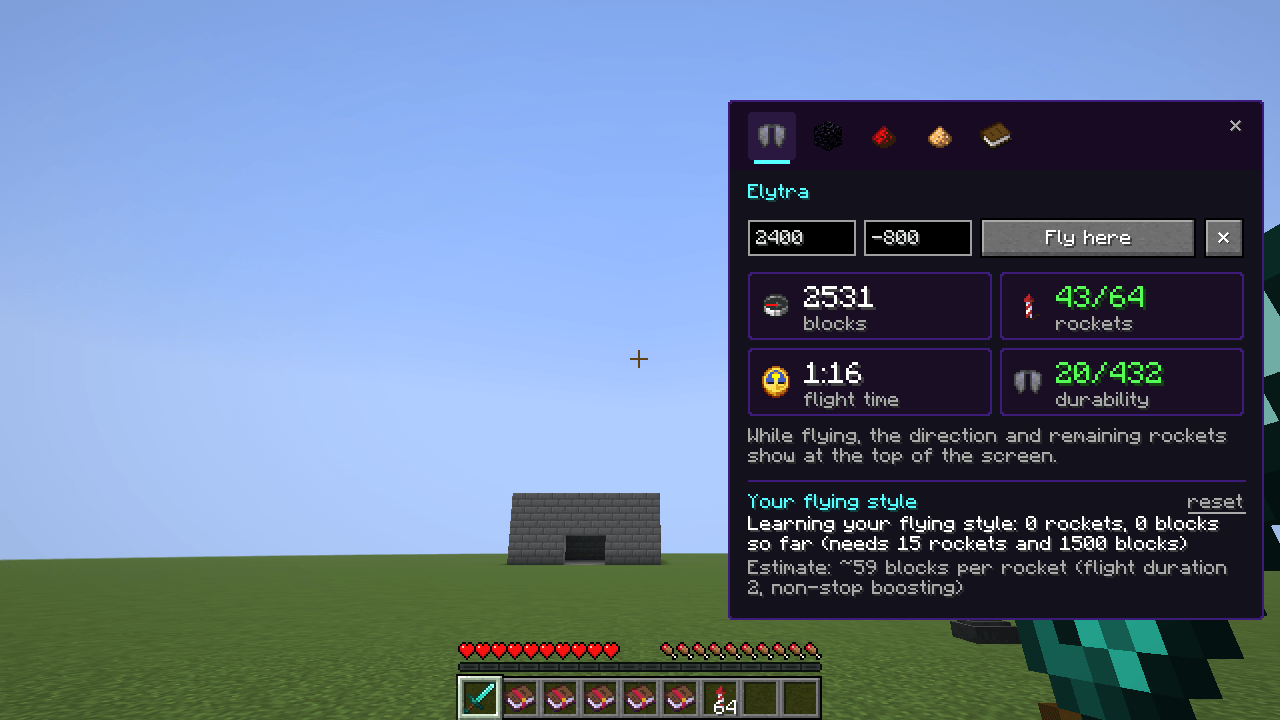
gallery_5_planner_elytra.png
Description
Why? — Vanilla Explained
Minecraft never tells you why. Why does nothing spawn in my mob farm? Why does this wheat grow so slowly? Why won't this piston extend? Where will this Nether portal take me?
Why? answers these in plain words. Look at a block and press G. A small tooltip in the style of the vanilla ones appears at the top of the screen with the verdict and the reasons. Hold Shift for every detail and a ★ pro tip.
The mod adds no blocks, items or recipes and changes nothing in the game. It only explains it. It's client-side and works on vanilla servers.
What it explains
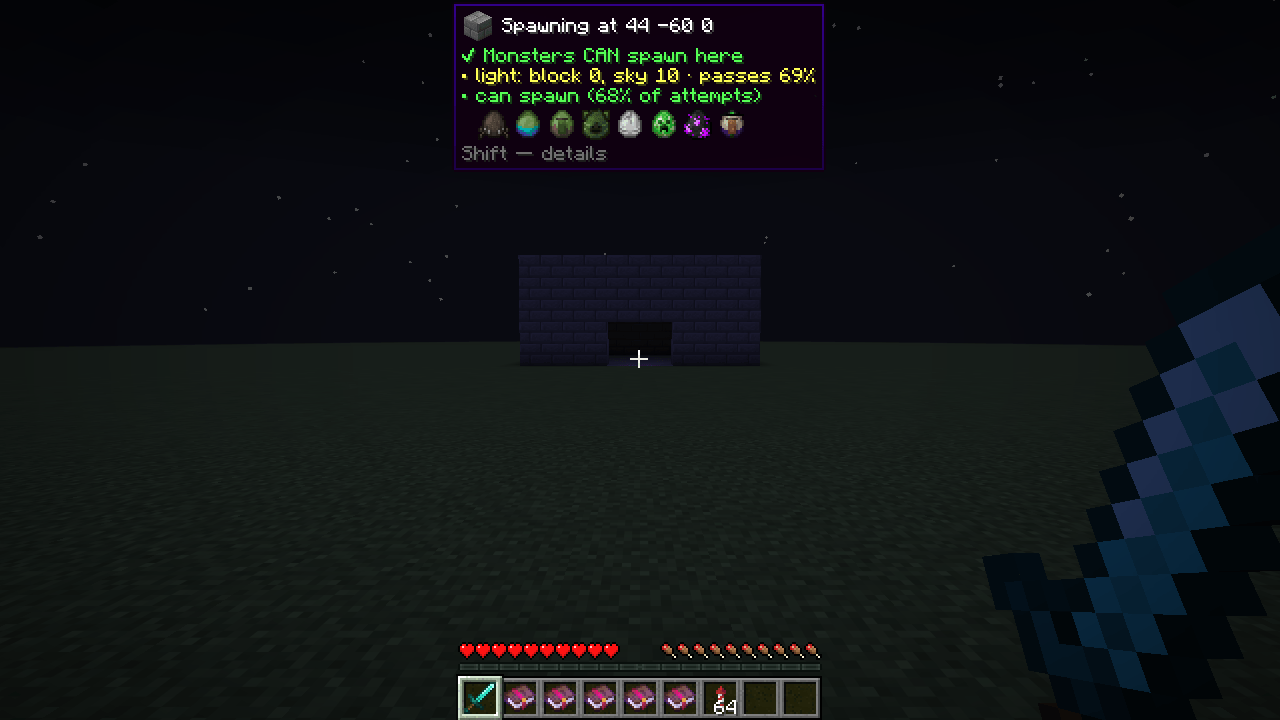
Mob spawning. Look at any block:
- whether monsters can spawn there, with the exact chance of passing the light check (block light, sky light, thunderstorms);
- the floor, the room for the hitbox, the distance from you (24–128 blocks);
- the mob cap ("the cap is full, that's why your farm is slow");
- the biome's monsters as spawn-egg icons, grouped by reason.
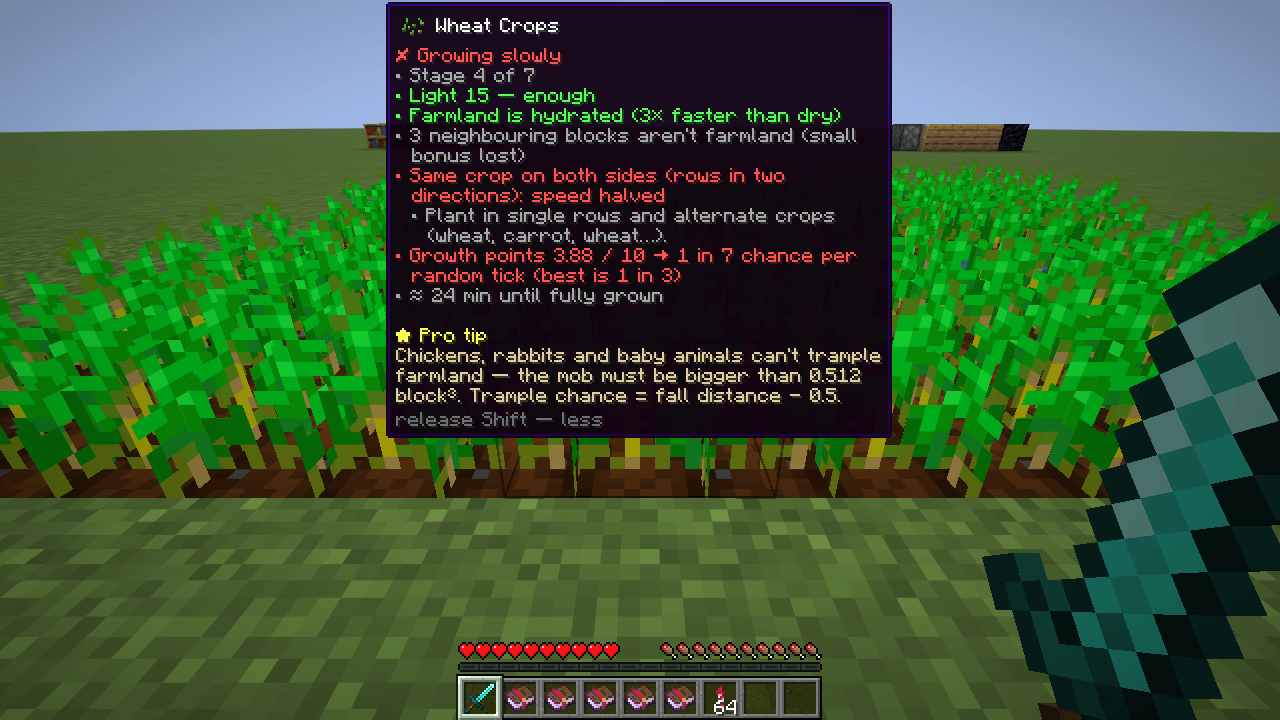
Crops. Growth points out of 10, hydration, same-crop penalties for rows and diagonals, light, and how many minutes until it's ripe.
Redstone.
- dust strength and which way the signal comes from;
- repeater delay and locking;
- comparator rear and side inputs and the mode;
- observers, hoppers (locked or not), note blocks (note and instrument), rails, daylight detectors;
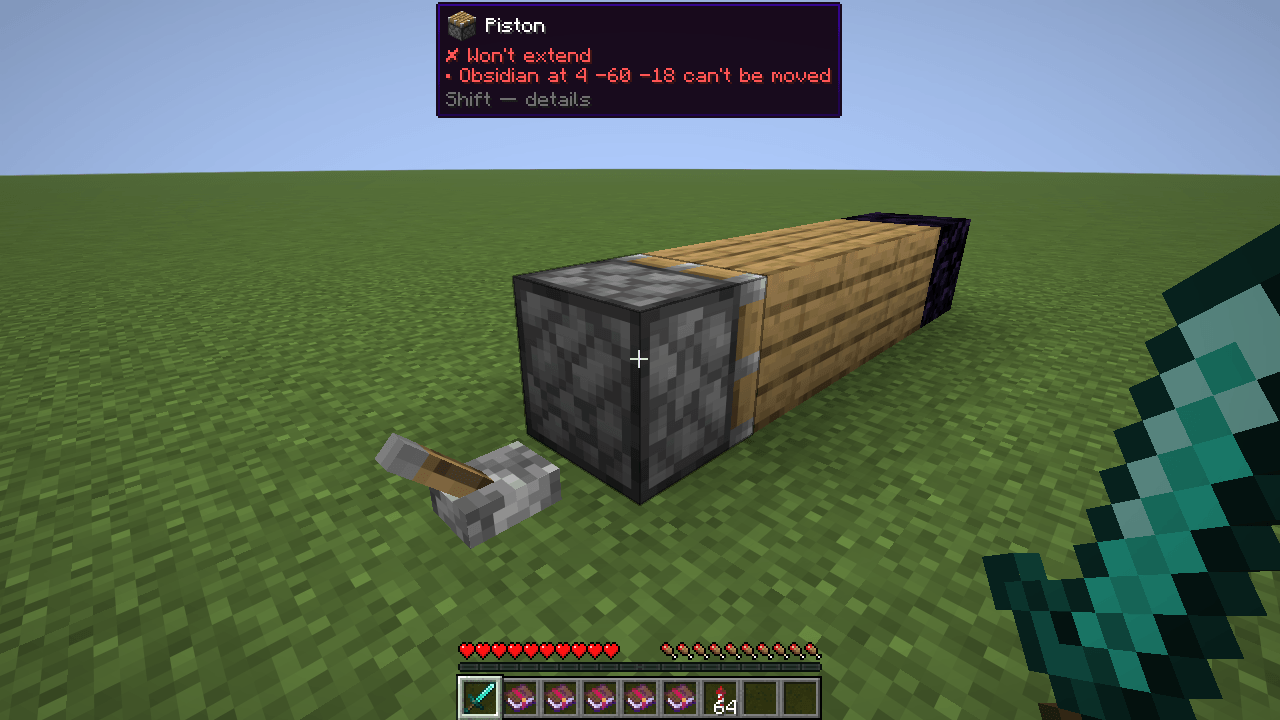
- pistons: will it push, how many blocks, which block stops it (with coordinates), and quasi-connectivity;
- what a comparator reads from any container, composter, cake or lectern.
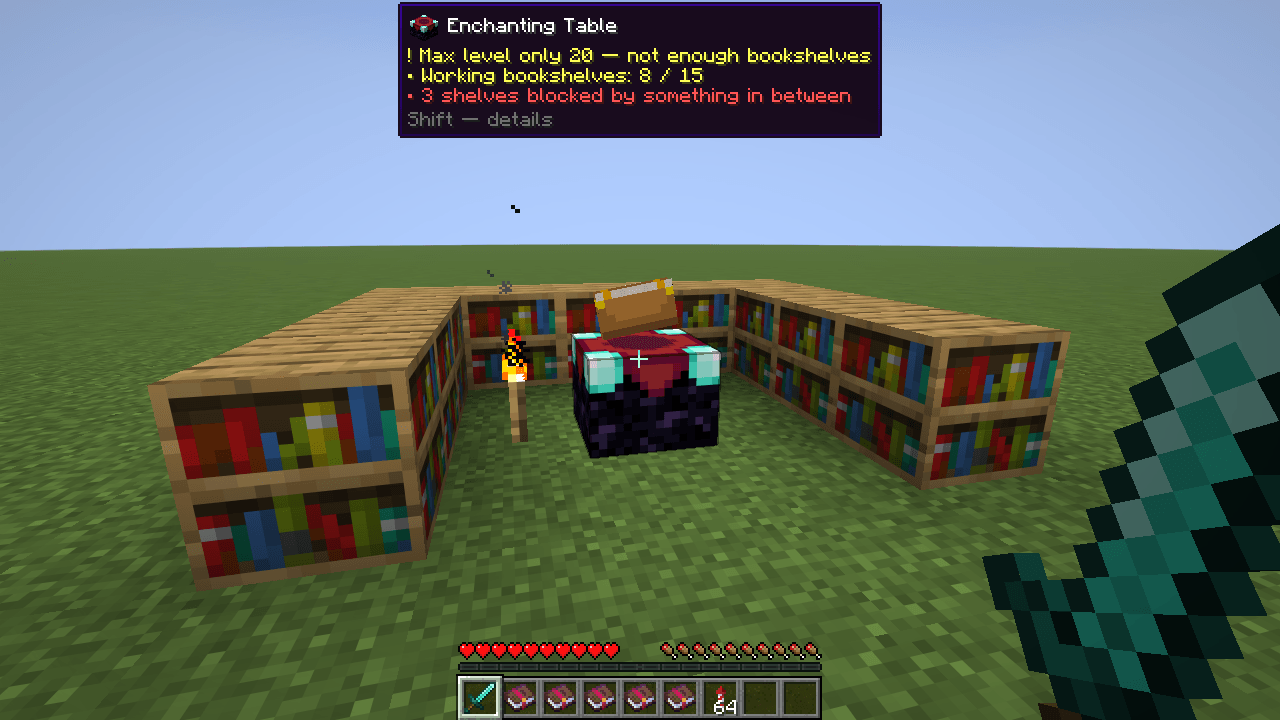
Enchanting tables and beacons. Working and blocked bookshelves, the maximum level, pyramid layers, where the missing block is, and whether the beam reaches the sky.
Nether portals. Where a portal leads, which portal it links to, and one-way links: "you won't come back here, build the return portal at X Z".
Planner (J)
A small panel docked to the side, so the world stays visible:
- Elytra trip. Enter X and Z to see the rockets, flight time and durability the trip needs. While you fly, the top of the screen shows the direction and what's left. The mod learns your real blocks-per-rocket rate from your flights.
- Portals. Your coordinates in the other dimension and what a portal built here would link to.
- Redstone. How many items each comparator signal needs, for chests, double chests, barrels, shulker boxes, hoppers, dispensers and furnaces.
- Secrets. 27 little-known mechanics, for example: no mob spawns within 24 blocks of the world spawn; chickens can't trample farmland; renaming alone is never "Too Expensive!"; the enchanting table only rerolls after you enchant something.
Anvil
A Best order button in the anvil computes the cheapest way to apply the enchanted books from your inventory and avoids "Too Expensive!". It's an exact search over every order, not a rule of thumb.
Accurate, not guessed
Every rule and tip was checked against the game code, not taken from wikis or forum myths. In singleplayer, the spawn checks run the game's own spawn rules. On a server, some data (mob cap, the biome spawn list, container contents) isn't sent to the client, so the mod says the result is approximate instead of guessing.
Languages
English, Русский, Українська.
Controls
| Key | Action |
|---|---|
| G | Why? — explain what you look at (up to 48 blocks away) |
| Shift (hold) | show details and a pro tip |
| J | planner panel |
Both keys can be changed in Options → Controls.
Versions
- Fabric: 1.20.1 – 26.3 (requires Fabric API)
- Forge: 1.20.1
Links and license
- Source code: https://github.com/VinTeRuS/vanilla-explained
- Bug reports and ideas: https://github.com/VinTeRuS/vanilla-explained/issues
- License: Polyform Shield 1.0.0
Why? — Vanilla Explained Team