


UtilitiesForProgrammers
- By
Client-side utilities for Minecraft programmers — HUD with coordinates & block inspector, block-update highlighting with placement-order coloring, a coordinate-axis grid, and window controls for working alongside other apps.
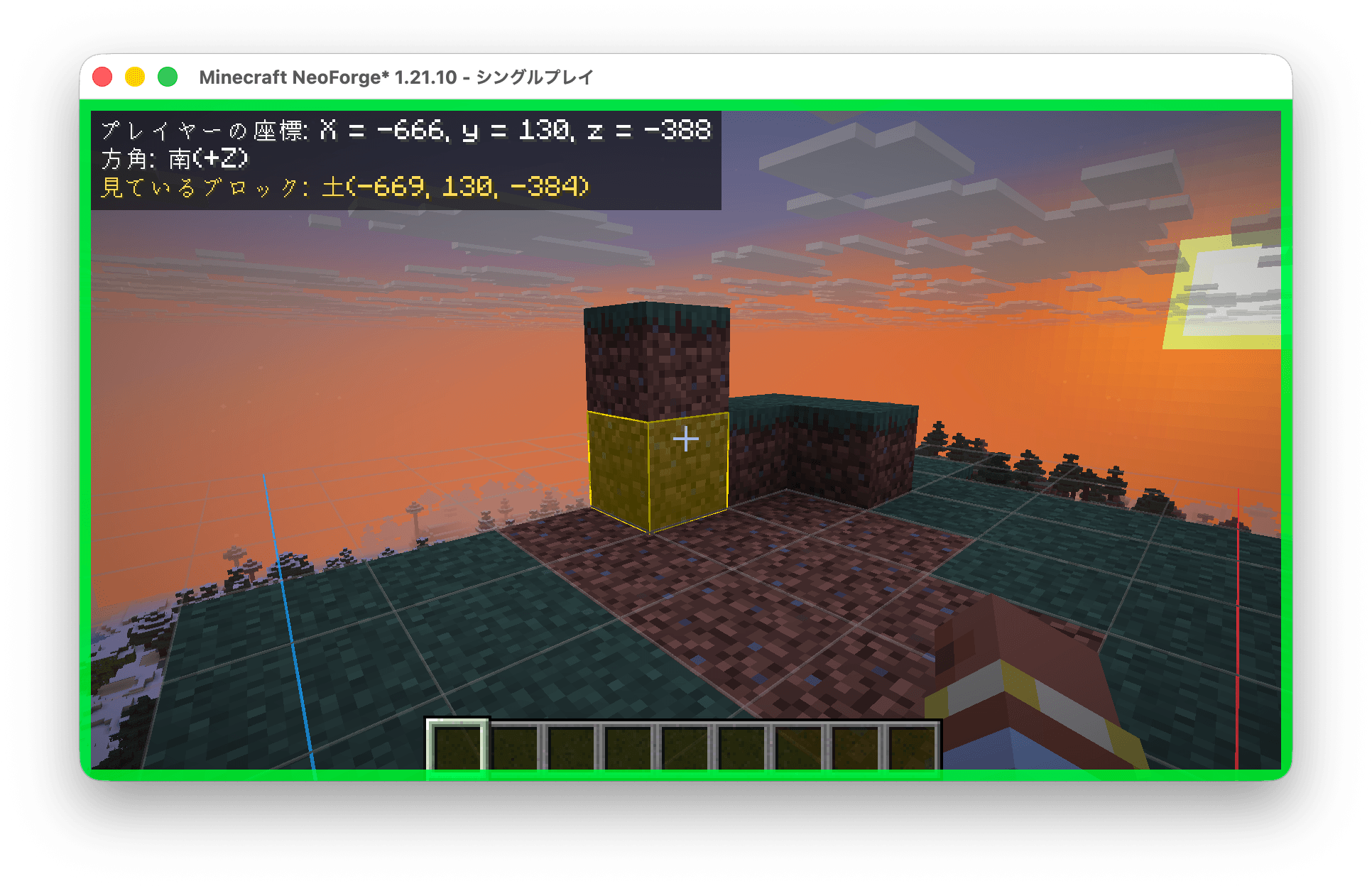
screenshot.png
Description
UtilitiesForProgrammers
A client-side mod that adds tools to help you learn and understand programming concepts inside Minecraft — visualize coordinates, track block updates, overlay a coordinate-axis grid, and keep the game visible while you work in another window.
Client-side only. No server installation required. Works on vanilla servers.
Features
| Feature | Description | |
|---|---|---|
| 🧭 | HUD | Displays absolute coordinates, facing direction, and target-block info (block ID + block-state properties) in the top-left corner |
| 🟥 | Block Update Highlight | Colors blocks by placement order (newest = red → oldest = blue) and fades them out over time. Detects updates from the server via mixin — works even on vanilla servers |
| 🎯 | Target Highlight | Stronger outline + translucent fill on the block you're looking at |
| 📐 | Coordinate Grid | 1-block-unit grid around the player with origin-anchored axis arrows (+X = red, +Z = blue) |
| 🪟 | Window Controls | Render while unfocused, always-on-top toggle, focus-border indicator, and External Operation Mode |
Keybindings
Default keys are unbound in vanilla 1.21.10 and will not conflict with normal gameplay. All bindings can be changed in Options > Controls.
| Key | Action |
|---|---|
H |
Toggle all mod features on/off at once |
K |
Toggle External Operation Mode |
External Operation Mode (K)
Designed for studying code in an editor while referencing Minecraft at the same time:
- Releases the mouse cursor so you can click in other windows
- Stops player movement input
- Blocks all click actions (attack, place, pick) to prevent accidental changes
- Freezes HUD values and highlight timers so you can copy coordinates or observe block states without them updating
Configuration
Enable/disable each feature and tweak highlight colors, fade duration, grid size, and more:
config/utilitiesforprogrammers-client.toml
Changes apply without restarting the game.
Requirements
- Minecraft 1.21.10
- NeoForge 21.10.x
Source & Issues
The UtilitiesForProgrammers Team
