Usu's Layered Hotbars
- By
Three switchable hotbar profiles with virtual stack support, configurable inventory behavior, sorting, and an optional fourth storage row.
Screenshot_20260904_083611.png
Screenshot_20260904_083753.png
Screenshot_20260904_083901.png
Description
Usu's Layered Hotbars
More hotbars. More inventory space. Less inventory juggling.
Usu's Layered Hotbars reworks Minecraft's hotbar into a flexible three-profile virtual hotbar system, while reclaiming the vanilla hotbar row as an additional row of usable inventory space.
Instead of physically storing items inside each hotbar, Layered Hotbars can treat your hotbar slots as virtual assignments linked to items in your inventory. Switch between three different hotbar layouts whenever you need them without constantly rearranging your inventory.
Whether you want something close to vanilla Minecraft or the complete virtual-hotbar experience, several operating modes let you choose how much the mod changes.
✨ Features
Three Layered Hotbars
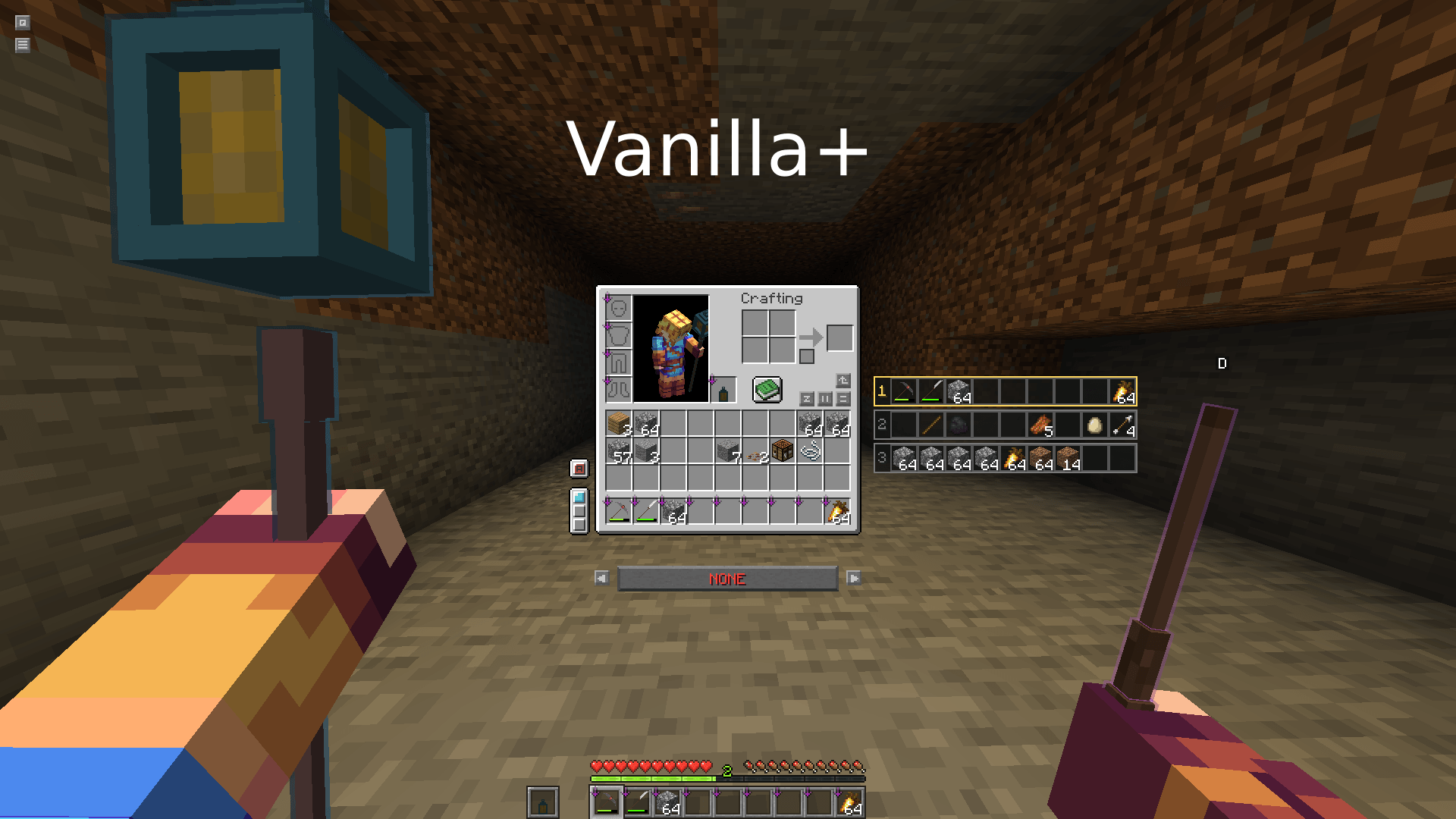
Create and switch between three independent 9-slot hotbar profiles.
Keep building materials on one layer, tools and weapons on another, and utility items on a third—or arrange them however you like.
Your active layer can be changed directly from the HUD or with configurable controls.
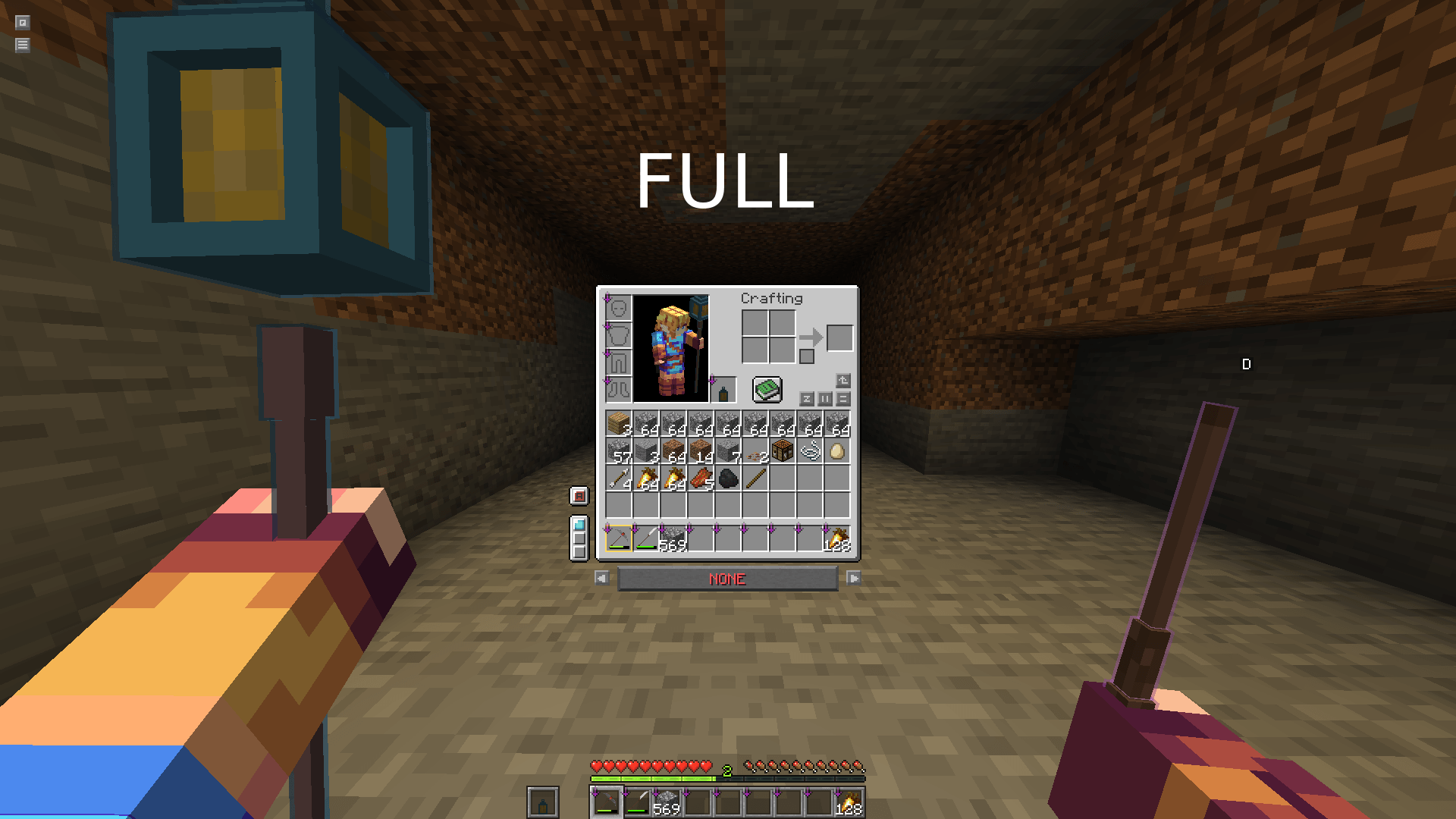
An Extra Inventory Row
The original physical hotbar is repurposed as a fourth inventory row, giving you more general storage without simply adding an unrelated backpack or storage screen.
Your visible hotbar is instead provided by the virtual hotbar system.
Virtual Item Assignments
Hotbar slots can reference items stored elsewhere in your inventory rather than requiring a separate physical stack.
This means a hotbar slot represents the item you want available there while the actual items remain together in your inventory.
Virtual stacks can also display the total amount of that item available, rather than being limited to displaying a single 64-item stack.
Profiled Offhand
Your offhand can participate in the profile system too.
Different hotbar layers can have different offhand assignments, allowing your offhand setup to change alongside the rest of your hotbar.
Multiple Operating Modes
Layered Hotbars doesn't force everyone to use the complete inventory overhaul.
Choose between:
Automatic – Automatically selects the appropriate behavior.
Vanilla – Keeps the experience much closer to Minecraft's normal hotbar while retaining Layered Hotbars' profile functionality.
Vanilla+ – A middle ground between vanilla inventory behavior and the virtual system.
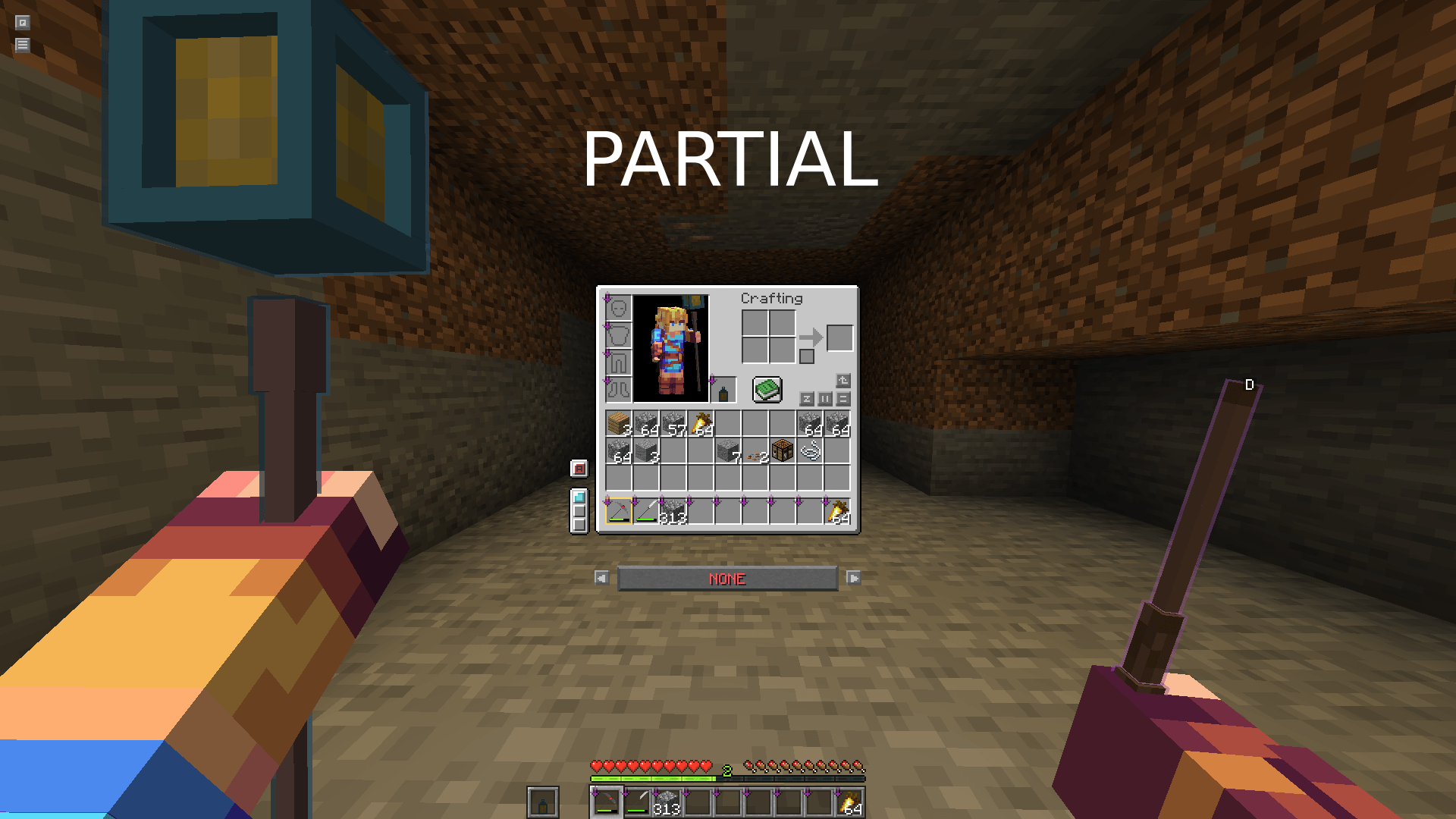
Partial – Enables more of the virtual-hotbar system while retaining some conventional inventory behavior.
Full – The complete Layered Hotbars experience, including the fully virtualized hotbar and expanded inventory behavior.
Aggressive & Casual Pickup Behavior
Choose how newly collected items are handled.
Aggressive behavior prioritizes keeping appropriate tools, weapons and equipment immediately accessible while intelligently managing ordinary inventory items.
Casual behavior provides a less intrusive approach for players who prefer more traditional inventory management.
The active behavior can be changed directly from the inventory.
Inventory Sorting
A built-in sorting button makes it easy to organize your expanded inventory.
Sorting support also extends to supported containers and interfaces.
Inventory Safety
Layered Hotbars keeps track of the real inventory space required when changing configurations.
If switching hotbars would leave Minecraft with nowhere valid to put an item, the switch is stopped and you'll be told that there isn't enough inventory space rather than having items silently disappear.
Mod Compatibility
Layered Hotbars has been designed with commonly used inventory mods in mind and includes integration/compatibility work for mods such as:
-
Inventory Profiles Next
-
Mouse Tweaks
-
Traveller's Backpack
The mod also preserves normal Creative Mode inventory behavior rather than forcing the virtual inventory system into Creative.
🎮 Designed to Feel Like Part of Minecraft
The goal of Layered Hotbars isn't simply to give the player more slots.
It rethinks the relationship between the hotbar and inventory while keeping the familiar Minecraft inventory interface at the center of the experience.
Your inventory holds your items.
Your hotbars decide what you want immediately available.
And your three layers let you change that setup without reorganizing everything every time your activity changes.
Build, explore, fight, mine, and switch between the tools for each job when you need them.
Three hotbars. One expanded inventory. Your items where you need them.
Read Me
Usu's Layered Hotbars Team