Useful Interface Features (AD HUD)
- By
An improved HUD that replaces standard interface elements with more informative and customizable ones.
Снимок ÑкÑана 2026-07-15 165956.png
Снимок ÑкÑана 2026-07-15 170128.png
Снимок ÑкÑана 2026-07-17 022310.png
Снимок ÑкÑана 2026-07-15 170042.png
Снимок ÑкÑана 2026-07-17 022330.png
Description
🎮 Useful Interface Features (AD HUD) This mod for Minecraft 1.20.1 (Forge) features an improved HUD that replaces standard interface elements with more informative and customizable ones.
📊 Key Features
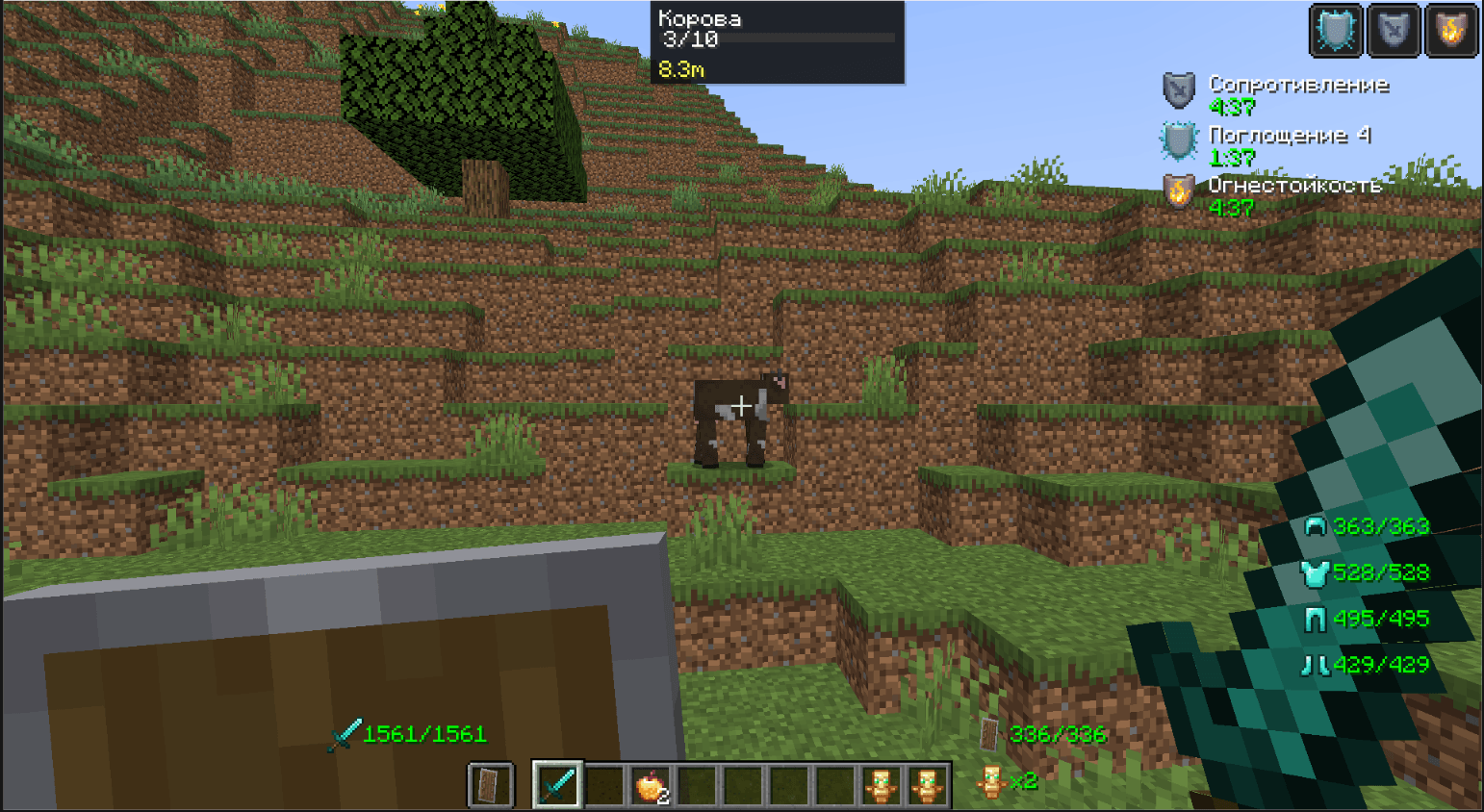
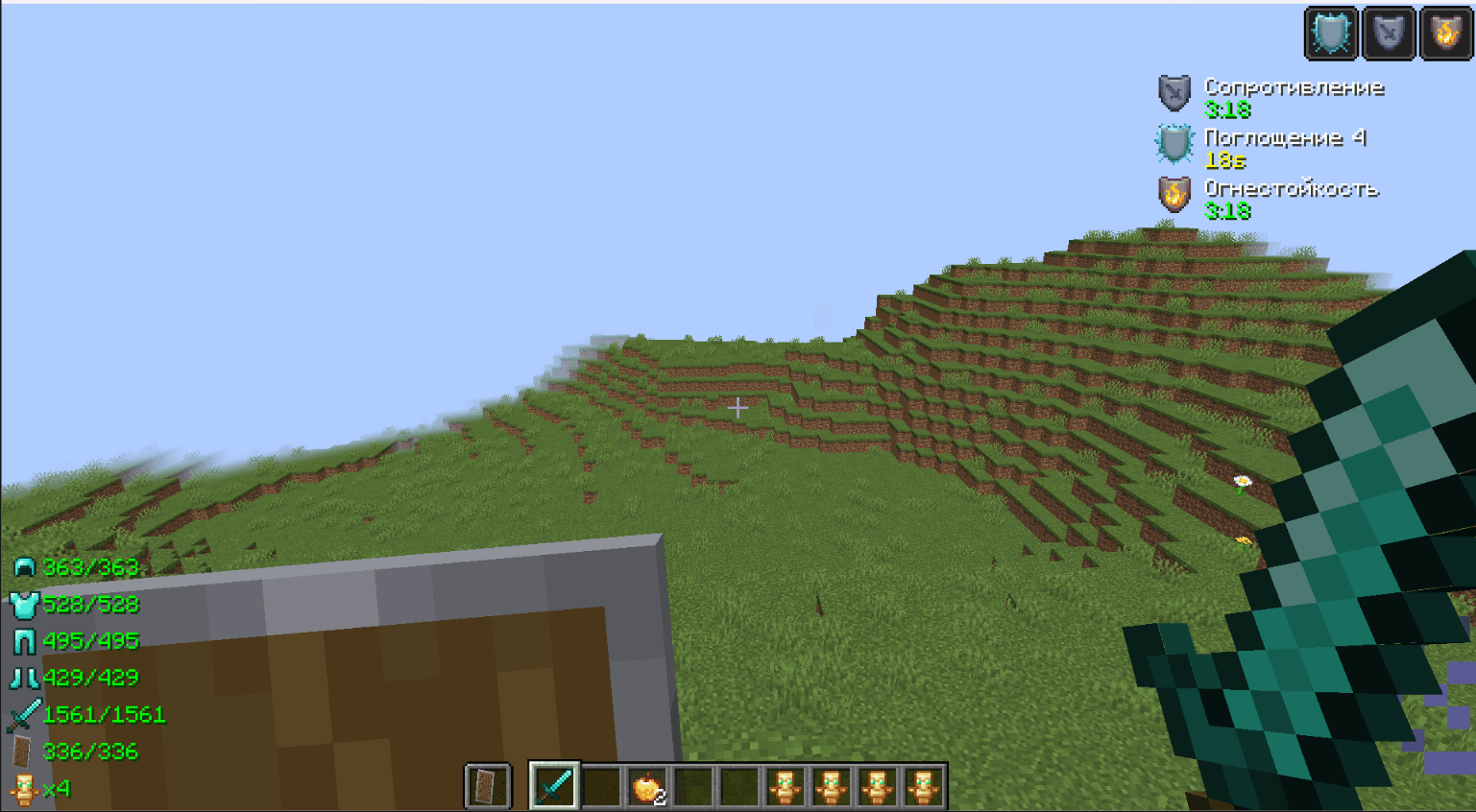
- Equipment Durability Panel Displays the durability of equipped armor, weapons, tools, and the Totem of Immortality directly on the screen—no more opening your inventory to check how much is left before it breaks. 2. Effects Panel Instead of small icons in the top right, there's a full list with: Effect icon Name and level Countdown timer (with color indicator: green → yellow → red)
- Entity Inspector When hovering over a mob/player, it displays a bar with: Entity name and type Health (bar + percentage) Armor and durability of its items Distance to target
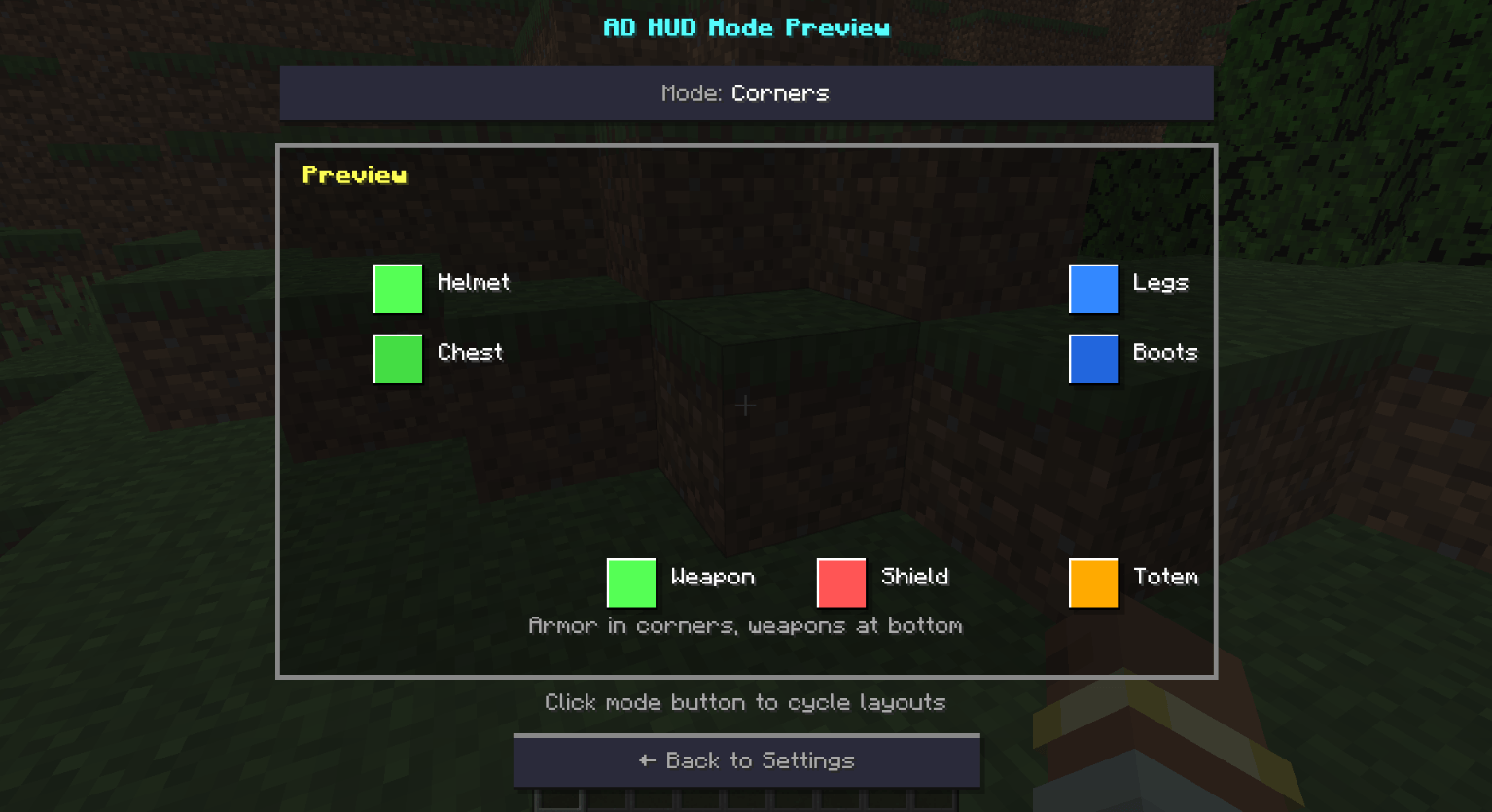
🎨 HUD Layout Modes Split - Armor to the left and right of the hotbar, weapons to the sides Left - The entire panel on the left side of the screen vertically Right - The entire panel on the right side of the screen vertically Bottom - Horizontal bar under the hotbar Corners - Armor at the corners, weapons at the bottom center Split+ - Improved Split - weapons closer to the hotbar Custom - Completely Manual placement of each element
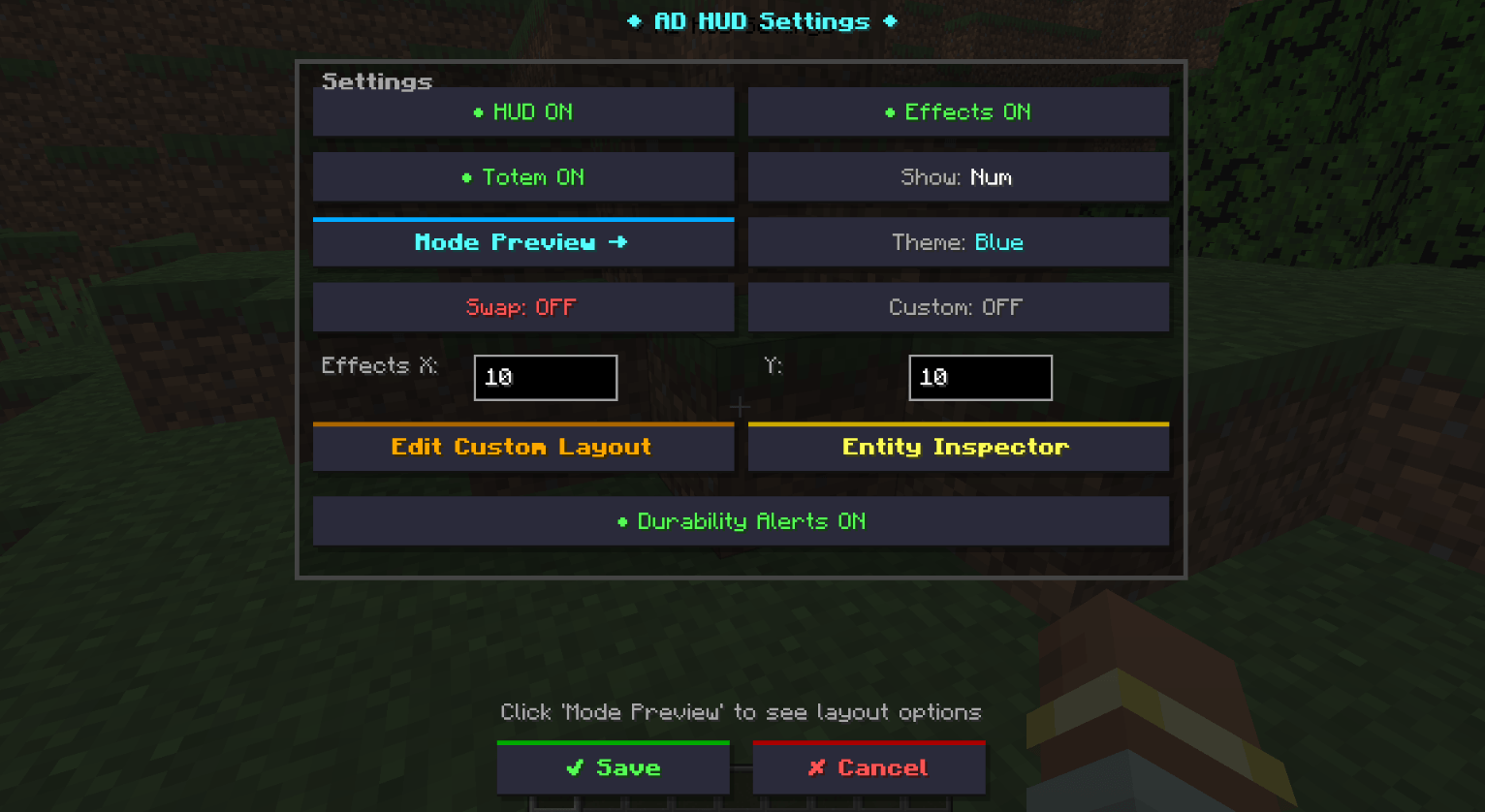
⚙️ Settings Everything can be configured through the in-game menu (default: "K"): HUD On/Off — Disable the mod completely Effects On/Off — Show the custom effects panel Totem On/Off — Display the number of totems Durability Format — Number (250/300) or percentage (83%) Paint Theme — 5 color schemes (blue, green, red, purple, gold) Custom Layout — Manual positioning of all elements
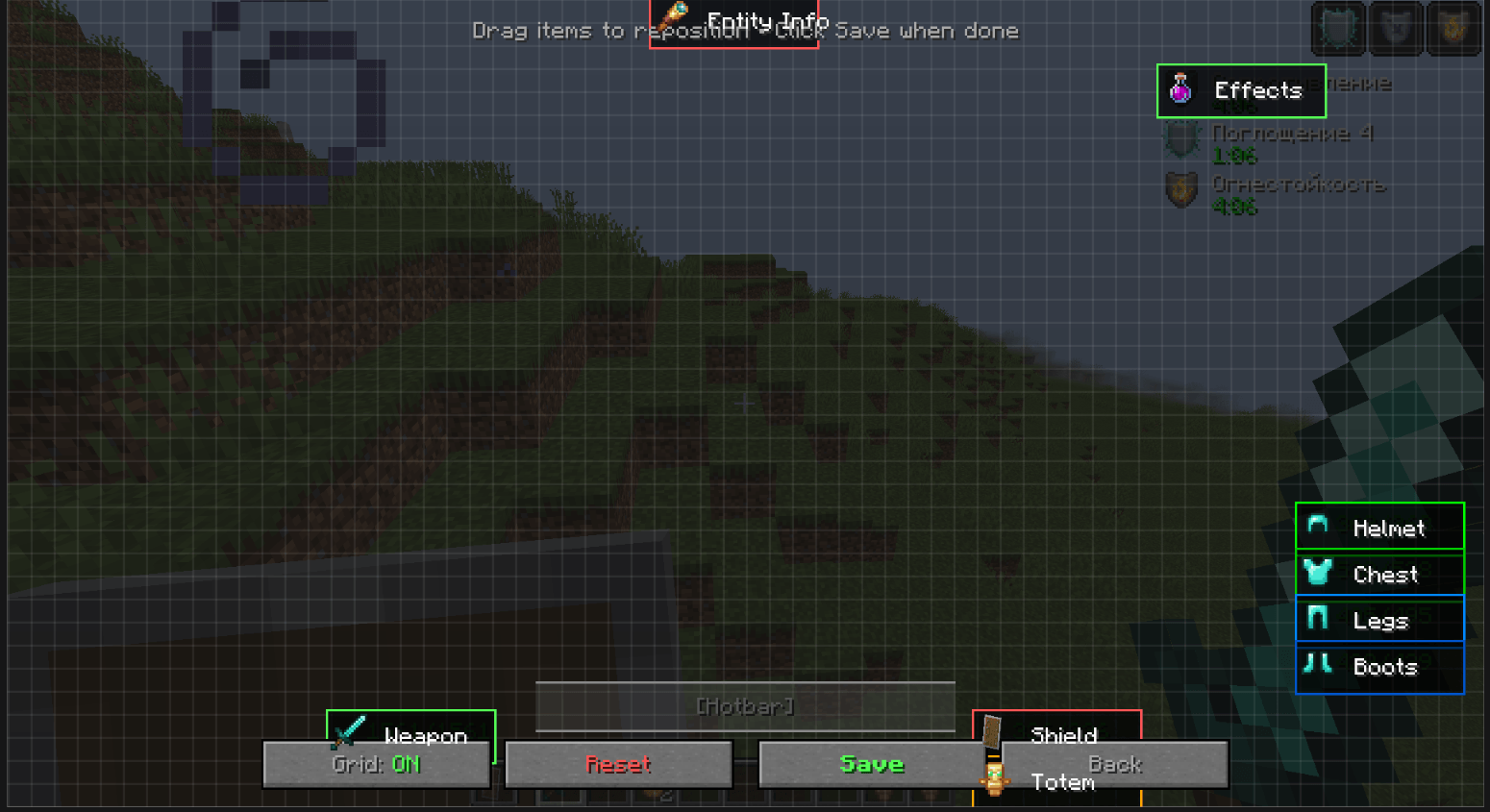
🖱️ Custom Layout Editor Visual drag-and-drop editor:
- 7 equipment slots (helmet, chestplate, leggings, boots, weapon, shield, totem)
- Effects Panel
- Entity Inspector All elements can be freely moved around the screen with grid snapping (optional).
💾 Configuration All settings are saved in usefulinterfacefeatures-client.toml and work on the client side—no mod installation required on the server.
The Useful Interface Features (AD HUD) Team