Upshift VR Edition
- By
Dedicated VR addon for Upshift. Keeps separate temporal history per eye, scales both lenses symmetrically, steadies the clamp to kill shimmer, and defers frame generation to the headset. Requires Upshift and Vivecraft.
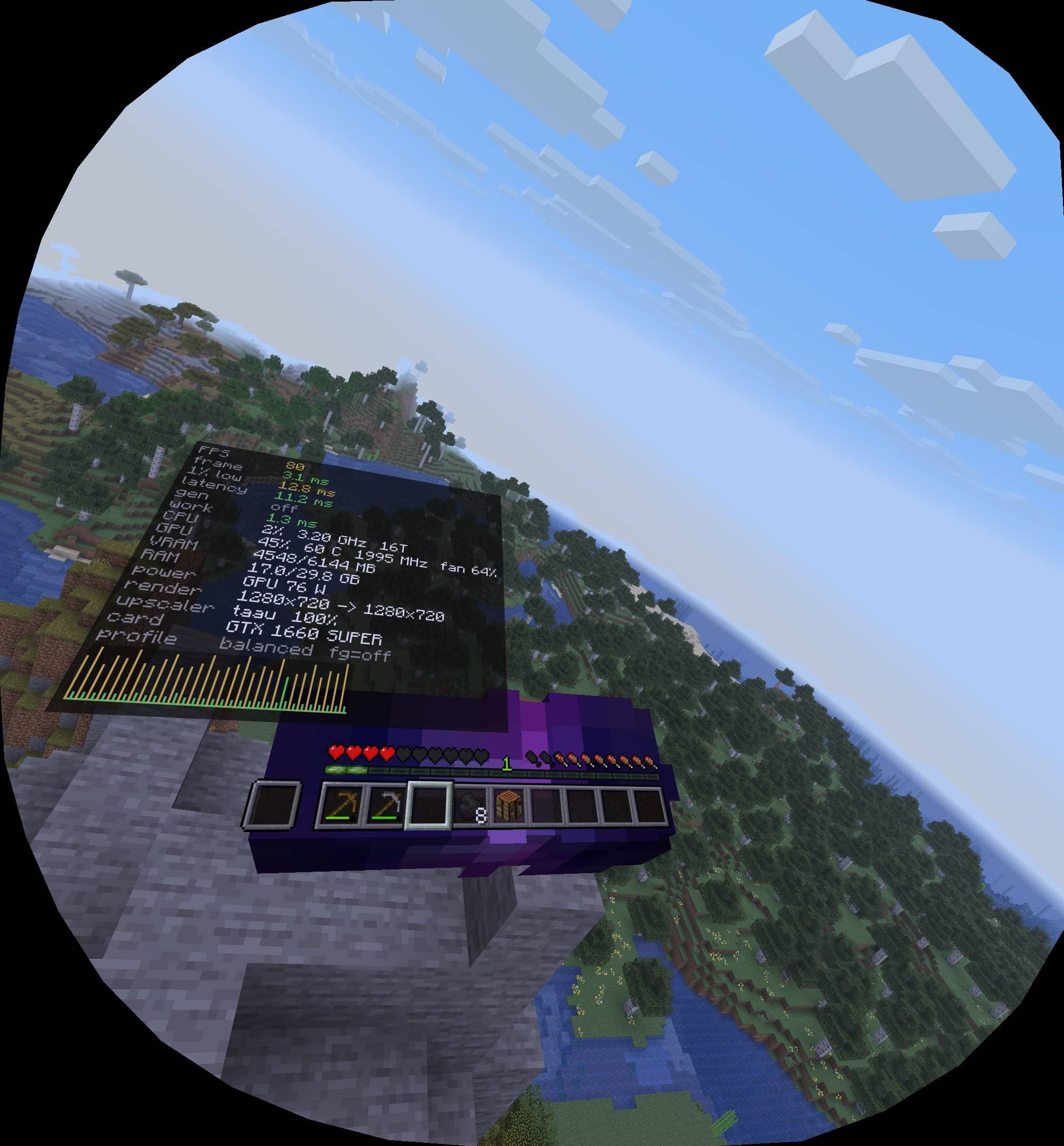
photo_2026-11-11_11-23-07.jpg
Description
Upshift VR Edition
Upshift, tuned for headsets.
This is an add-on for Upshift. When you run Minecraft with Vivecraft and Upshift, the add-on activates automatically and adapts the upscaler to stereo rendering. Nothing changes when you play flat — VR features stay completely inert until a real VR session is detected.
What it does in VR
- Per-eye temporal upscaling — The temporal pass keeps a separate history buffer for the left and the right eye. A single shared buffer would mix the two views and destroy stereo depth.
- Symmetric auto-resolution — The dynamic scaler measures the combined GPU work of both eyes and moves the internal resolution of both lenses together, so the eyes never disagree.
- Steadier temporal clamp — In VR a sub-pixel shimmer reads as a wobble, so the neighbourhood clamp is tightened (1.5 px → 1.0 px). You trade a sliver of micro-detail for a rock-steady image.
- Frame generation steps aside — Upshift's built-in interpolator is disabled in stereo mode; the headset's own reprojection (OpenXR / SteamVR) owns the extra frames.
- Hands and overlays at native rate — Controllers/hands are composited at the native frame rate, and the flat 2D performance panel is hidden in VR, replaced by a single diagnostic line.
Requirements
| Component | Version |
|---|---|
| Minecraft | 26.2 |
| Java | 25 |
| Fabric Loader | 0.19.5+ |
| Upshift | 1.6.4 or newer |
| Vivecraft | 26.2 build |
Sodium is recommended (the settings pages live in Sodium's video settings), but it is not required.
Install
- Install Upshift 1.6.4+.
- Install Vivecraft for 26.2.
- Drop
upshift_vr_edition-1.0.0.jarinto yourmodsfolder. - Launch with Fabric. Enter VR in game — the add-on enables itself.
Configuration
All VR options appear in Sodium → Video Settings → Upshift VR Edition
(five pages: General, Frame Generation, Overlay, Foveated, Advanced), or edit
config/upshift_vr.json directly:
{
  "vrEnabled": true,
  "vrTemporalEnabled": true,
  "vrTemporalClampWeight": 0.08,
  "vrAutoResolution": true,
  "vrTargetFps": 72,
  "vrFrameGenEnabled": false,
  "vrHideFlatOverlay": true,
  "vrProjectOverlayToWrist": false,
  "vrOverlayMode": 0
}
Settings can be changed at runtime.
Safety / compatibility
- VR activation is runtime-detected: the add-on does nothing if Vivecraft is installed but VR is not active, and nothing if Vivecraft is absent.
- No compile-time dependency on Vivecraft classes.
- Works on both the OpenGL and the Vulkan backend.
- Compatible with Sodium; uses
@Inject/@Redirect/@WrapOperation, never@Overwrite. - Client-side only.
Upshift VR Edition Team