Upgrade Items
Upgrade your gear one tier at a time, without starting over.
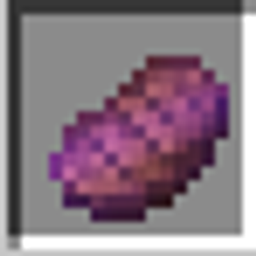
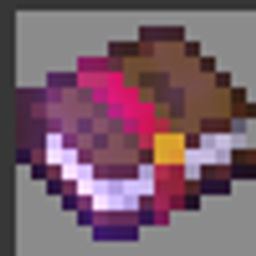
Upgrade Items adds two smithing templates that let you upgrade vanilla armor, tools and swords to the next material at the smithing table, while keeping everything you've put into them.
Features
- Armor Upgrade – upgrades armor to the next tier
- Tool Upgrade – upgrades tools and swords to the next tier
- Enchantments are fully carried over
- Durability is carried over too: damage you've already taken is kept, and the higher maximum durability of the new tier is added on top
- Names and armor trims are kept
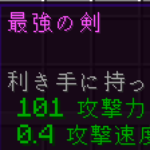
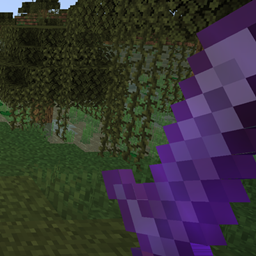
- Animated, sparkling 256x256 textures
How to use
Put the following into a smithing table:
- The template (Armor Upgrade or Tool Upgrade)
- The item you want to upgrade
- The material of the next tier
Example: Armor Upgrade + Iron Chestplate + Diamond = Diamond Chestplate
The template, the original item and the material are consumed, and you get the upgraded item.
Upgrade paths
Tools and swords
| From | To | Material |
|---|---|---|
| Wood / Gold | Stone | Cobblestone-type blocks |
| Stone | Iron | Iron Ingot |
| Iron | Diamond | Diamond |
Armor
| From | To | Material |
|---|---|---|
| Chainmail / Gold | Iron | Iron Ingot |
| Iron | Diamond | Diamond |
Leather armor can't be upgraded. Diamond to Netherite works as usual, with the vanilla Netherite Upgrade template.
How to get them
Obtained the same way as the Netherite Upgrade template:
- Found in Bastion Remnant chests (100% in treasure room chests, 10% in other chests)
- Duplicated at a crafting table with 7 Diamonds and 1 Netherrack
Compatibility
- Minecraft 1.20.1
- Forge 47.4.10 or newer
- Works in both singleplayer and multiplayer
Upgrade Items
装備を、作り直さずに1段階ずつ強化できます。
Upgrade Items は、鍛冶台で防具・道具・剣を次の素材に強化できる、2種類の鍛冶型を追加するModです。エンチャントや耐久値はそのまま引き継がれます。
特徴
- 防具アップグレード: 防具を次のグレードに強化
- 道具アップグレード: 道具と剣を次のグレードに強化
- エンチャントは完全に引き継ぎ
- 耐久値も引き継ぎ: すでに消費した耐久値はそのままで、新しい素材の最大耐久値の増加分が上乗せされます
- 名前と防具のトリムも維持
- きらきら光る256x256のアニメーションテクスチャ
使い方
鍛冶台に次の3つを入れます。
- 鍛冶型(防具アップグレード または 道具アップグレード)
- 強化したい装備
- 次のグレードの素材
例: 防具アップグレード + 鉄のチェストプレート + ダイヤモンド = ダイヤモンドのチェストプレート
型・元の装備・素材は消費され、強化後の装備が手に入ります。
強化の段階
道具・剣
| 元 | 先 | 素材 |
|---|---|---|
| 木 / 金 | 石 | 丸石系のブロック |
| 石 | 鉄 | 鉄インゴット |
| 鉄 | ダイヤモンド | ダイヤモンド |
防具
| 元 | 先 | 素材 |
|---|---|---|
| チェーン / 金 | 鉄 | 鉄インゴット |
| 鉄 | ダイヤモンド | ダイヤモンド |
革の防具は強化できません。ダイヤモンドからネザライトへは、従来どおりネザライトアップグレードを使います。
入手方法
ネザライトアップグレードと同じです。
- ピグリンの要塞の宝箱から入手(宝物庫は100%、その他の宝箱は10%)
- 作業台で、ダイヤモンド7個とネザーラック1個を使って複製
対応環境
- Minecraft 1.20.1
- Forge 47.4.10 以降
- シングルプレイ・マルチプレイ両対応
Upgrade Items Team