UnifiedKeybinds/UnifiedOptions
If you're reading this, I bothered to publish it (and document it)
What does it do 🤔
Unifies options.txt and keybinds for all minecraft instances with the
mod installed into a single file that is used by all versions.
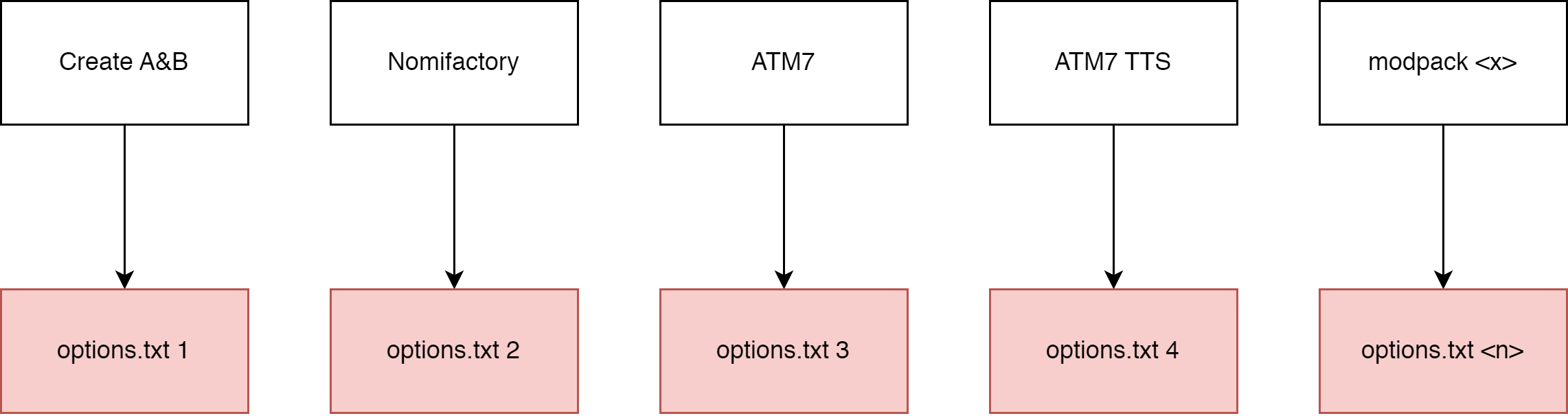
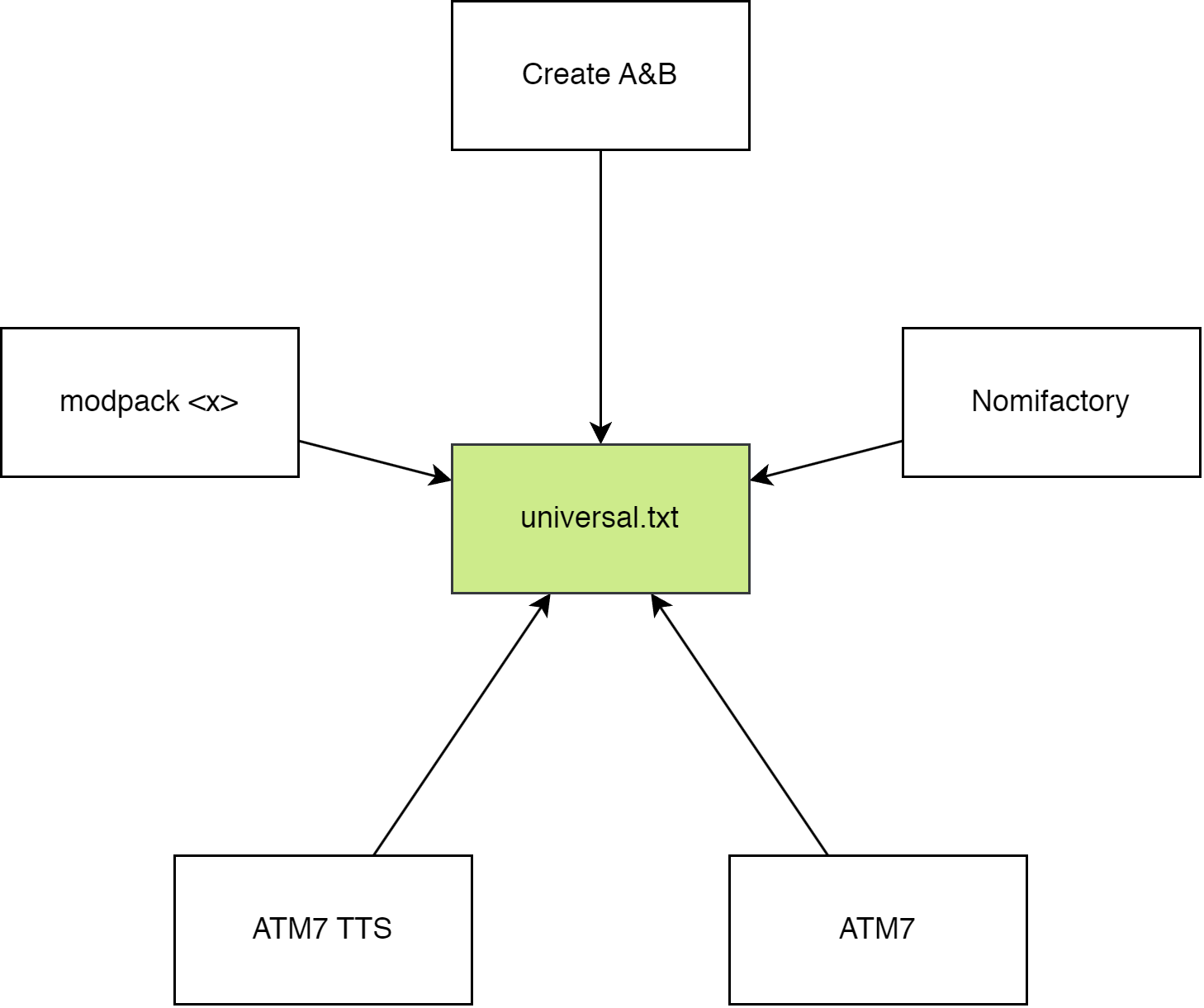
Put simply, in a diagram
Without the mod installed
With the mod installed
How to use it 🤔🤔
The mod should function out of the box.
When the mod is installed, it will move most options.txt options into
universal.txt which can be found in your home directory:
- Windows users:
%userprofile%/MinecraftOptions -
Linux users (and I assume macos, never used it):
~/MinecraftOptions
Default options? YOSBR?? 🤨
The mod also has a feature kinda like YOSBR and default options, but
instead of copying configs from a folder within the modpack directory,
it copies from MinecraftOptions/<version>/extras. You could use this,
for example to automatically copy your journeymap config into all your
modpacks so that your map always looks the same, or disable immersive
engineering's cluttery tag tooltips.
Configuring it 🤔🥱🙄
The mod should function out of the box, but you can configure what options are synchronized, move where options are stored and completely disable the mod.
The config file is found at MinecraftOptions/config.toml. It explains
what each option does.
If you want to reset your config, just delete config.toml and the
mod will generate a new one.
By default, the following options are not synchronized:
-
tutorialStep
- This mod disables the tutorial.
- overrideWidth
- overrideHeight
- resourcePacks
- incompatibleResourcePacks
- renderDistance
- simulationDistance
- fullscreen
- fullscreenResolution
You can add or remove options (or keybinds) to/from the blacklist.
Blacklisted options will be stored in the vanilla options.txt.
You can change where universal.txt and extras are read from by
changing directory, under synchronization. config.toml cannot be
moved.
Use in modpacks?
yes
Maven packages for use in a developer environment
Curseforge's markdown formatting doesn't work very well sometimes.
Click to see this section on the modrinth page: https://modrinth.com/mod/unifiedoptions#maven
The UnifiedKeybinds/UnifedOptions Team


Owner