Ubiquitous Cartography
- By
2026-10-30_23.56.52.png
2026-10-30_23.57.18.png
2026-10-30_23.57.22.png
2026-10-30_23.57.10.png
2026-10-30_23.57.13.png
Description

Your world, bound in a book.
Ubiquitous Cartography by DominionFoundry turns Minecraft's maps into an Atlas you can carry, browse and expand as you explore. Store your maps in one book, watch them join into a world map, and keep a live view in your offhand while you travel.
The Atlas uses Minecraft's own map images and terrain colours. Its world map looks like vanilla maps laid out together in item frames, with unexplored areas showing the parchment beneath the ink.
Make your first Atlas
At a Cartography Table, place a Book in the first slot and a Compass in the second. Take your Atlas, open it while it is completely empty, and choose a map scale.
To load it, return to the table with the Atlas in the first slot and Empty Maps or a filled map in the second. The Cartography Table is where you create, load, copy and upgrade the Atlas.
Carry it with Mapping: On and explore. When you enter an area that no stored page covers, the Atlas consumes an appropriate empty map and starts a new page automatically. Existing pages continue filling in as you travel. Keep those pages in the book to prevent duplicate maps of the same area.
A book made for exploring
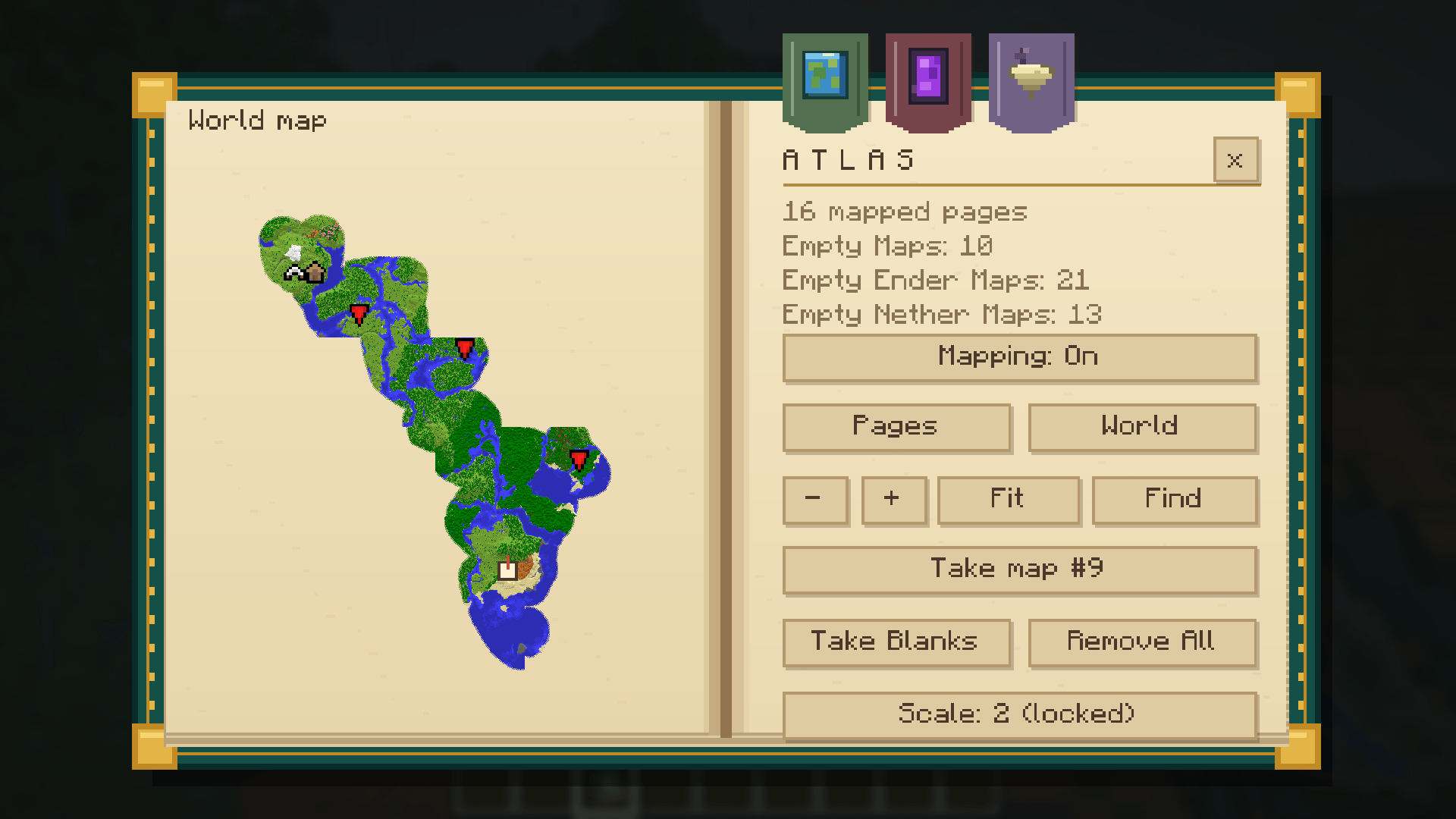
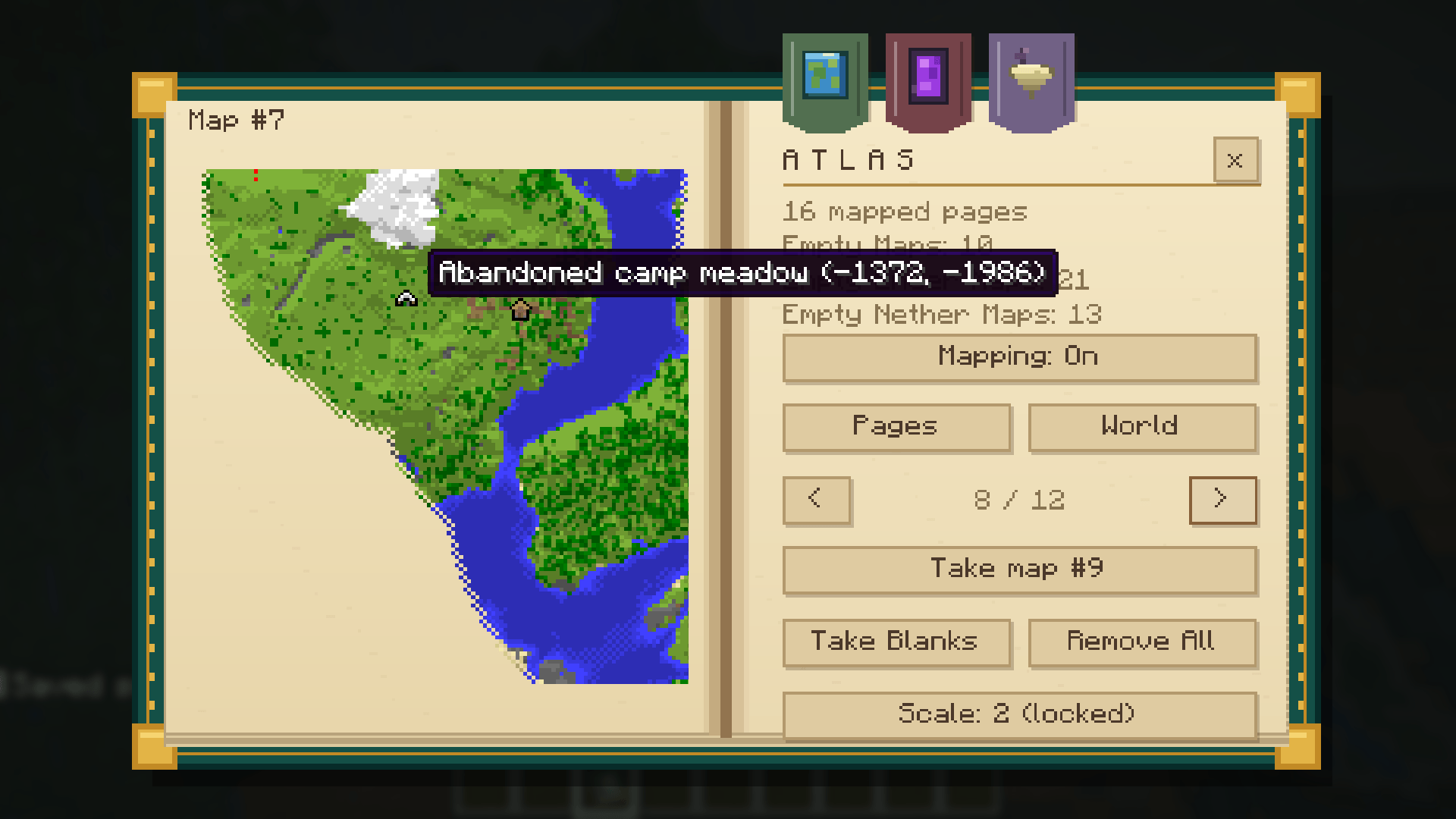
The full reader puts your maps on the left page and your settings on the right, framed by teal leather and gold fittings.
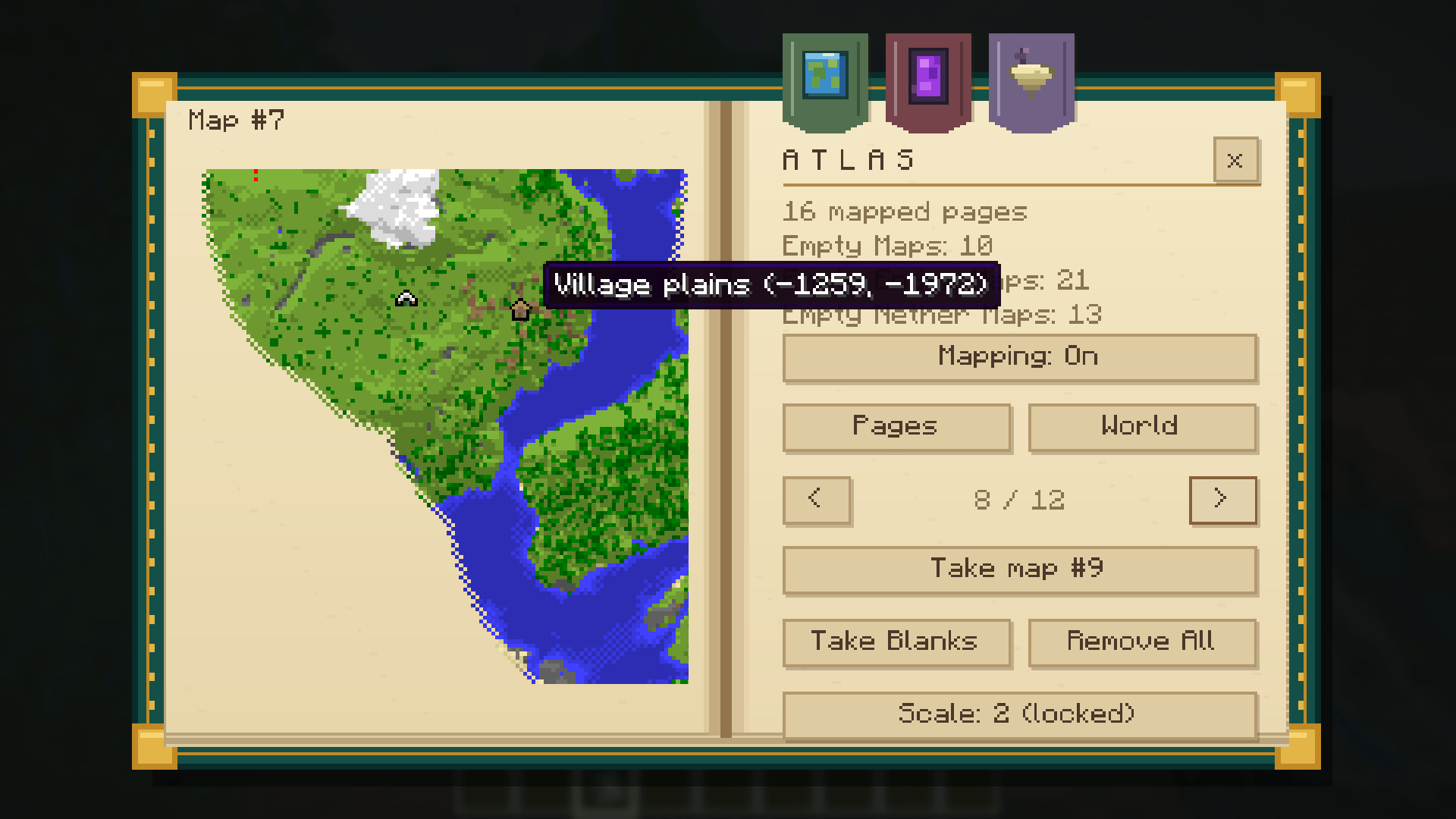
- Pages: flip through individual maps.
- World: browse all stored maps in the selected dimension, stitched together at their world positions.
- Pan and zoom: drag the world map and use the mouse wheel to change your view.
- Fit and Find: frame your mapped area or centre on your position.
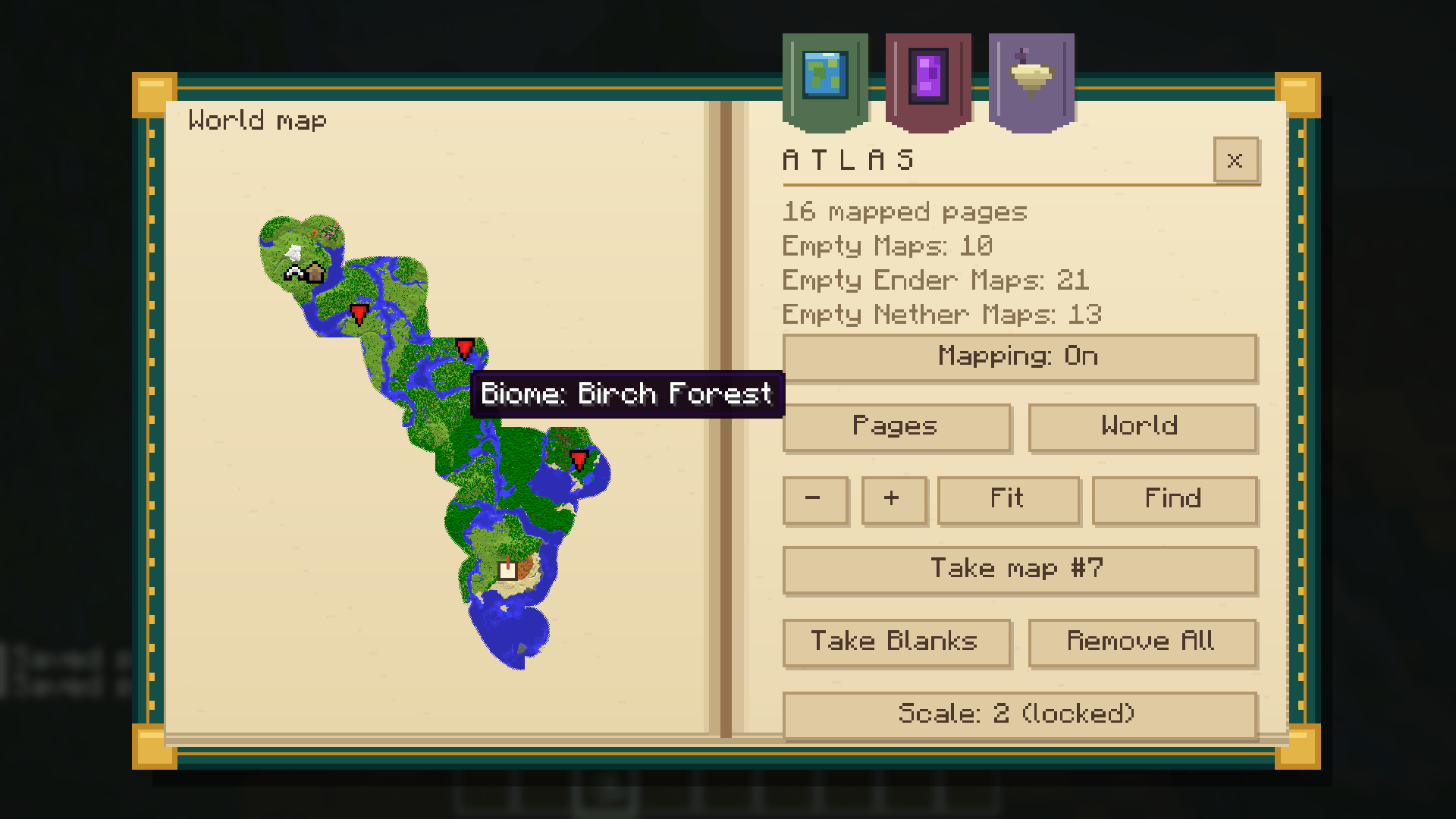
- Biome tooltips: hover over an explored area to see its biome.
- Dimension ribbons: switch between unlocked dimensions using planet, portal and floating-island bookmarks.
Put the Atlas in your offhand/shield slot for a live, player-centred map in first person. You can keep moving, mining and using main-hand items while the open book updates. Its bookmarks match the reader and sit beside the spine on the right page. Sneak-use opens the full reader from the offhand.
Unlock the Nether and the End
The Overworld is available from the start. Each Atlas can gain two independent upgrades at the Cartography Table:
| Upgrade | Combine at the Cartography Table | Unlocks |
|---|---|---|
| Nether | Atlas + Netherite Scrap | Portal bookmark and Nether mapping |
| End | Atlas + empty Shulker Box, any colour | Floating-island bookmark and End mapping |
Each dimension uses its own empty-map supply:
| Supply | How to make it | Used in |
|---|---|---|
| Empty Map | Minecraft's ordinary empty map | Overworld |
| Empty Nether Map | 1 Empty Map + 1 Blaze Powder at the table | Nether |
| Empty Ender Map | 1 Empty Map + 1 Chorus Fruit at the table | End |
Treat maps in any dimension, then load them into an appropriately upgraded Atlas. You can also activate treated maps directly in their matching dimension. They do not need to be crafted there.
Nether maps chart the floor near your height using vanilla map colours instead of ceiling noise. They work in the full reader, the stitched world map and the live offhand view. Mapping stops above the bedrock roof. Each area has one 2D map rather than separate floor layers, so travelling at another height can update the same page.
Find places and remember discoveries
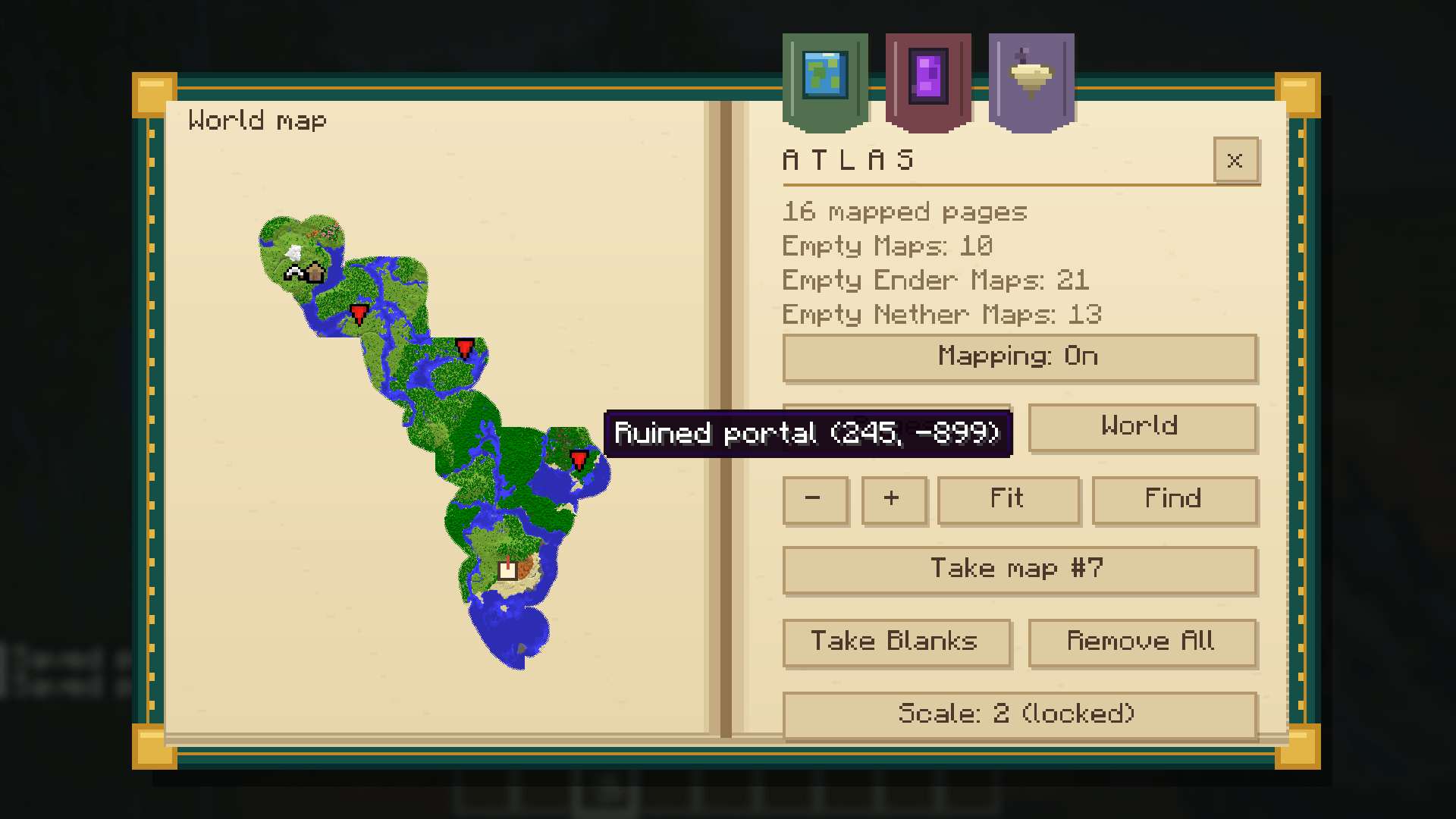
Add Explorer Maps at the Cartography Table to keep their original unexplored preview and structure target. The map fills as you explore, and its target remains visible on the world map while that page stays in the Atlas.
Structures can also be discovered through ordinary exploration. Get within 32 blocks in 3D of a structure's starting-piece centre while mapping a covered area to record it. Ancient Cities use their central structure, so simply walking over one on the surface will not reveal it. Native structure icons are used where available, including white tents for abandoned camps; ruined portals use a red target marker.
Add your own landmarks and navigation markers:
- Use the Atlas on a banner to toggle a waypoint. Named banners show their anvil names.
- Carry a Compass to see world spawn.
- Carry a Recovery Compass to see your last death in its dimension.
- Carry a lodestone-linked Compass to see its destination. Name a Lodestone at an anvil before placing it to display that name in the Atlas.
Manage and share your maps
Switch Mapping: Off before taking completed maps out to avoid immediately starting replacements. You can withdraw individual pages, choose which empty-map types to take, or use Remove All, which also pauses mapping. Anything that will not fit in your inventory stays safely inside the book.
Choose among five generation scales, from 128 to 2,048 blocks across. The scale can change only when the Atlas contains no maps of any kind. Stored pages keep their original scales.
To duplicate or consolidate your collection, place an Atlas in each Cartography Table slot. Both books receive the combined pages and survive the operation. Each book needs the relevant upgrades and one matching stored empty map for each new page it receives. Shared pages cost nothing. Copies share vanilla map exploration.
Explorer Maps can be duplicated only at the Cartography Table, using Empty Maps. Filled Nether and End map copies require their matching treated empty maps at the table.
An Atlas holds up to 1,024 map pages and 4,096 of each empty-map type.
Installation
Minecraft Java 26.3 · NeoForge 26.3.0.99 · Java 25
Install Ubiquitous Cartography on both the client and server for multiplayer, using the same version. No additional mods are required. If updating from an Atlas development build, replace its JAR; existing books, pages and upgrades remain compatible.
Developed by DominionFoundry.
Ubiquitous Cartography Team