TwooUtils
- By
Captura de pantalla 2026-07-16 220905.png
Captura de pantalla 2026-07-16 220914.png
Description
TwooUtils
TwooUtils is an all-in-one administration, moderation, and customization mod for Minecraft 1.20.1, available for both Forge and Fabric.
Manage your server directly from an intuitive in-game panel, with modular systems that can be enabled and configured individually. TwooUtils uses neutral defaults, giving server owners full control over which features are active.
Important: TwooUtils must be installed on both the server and every client. All players should use the same mod version.
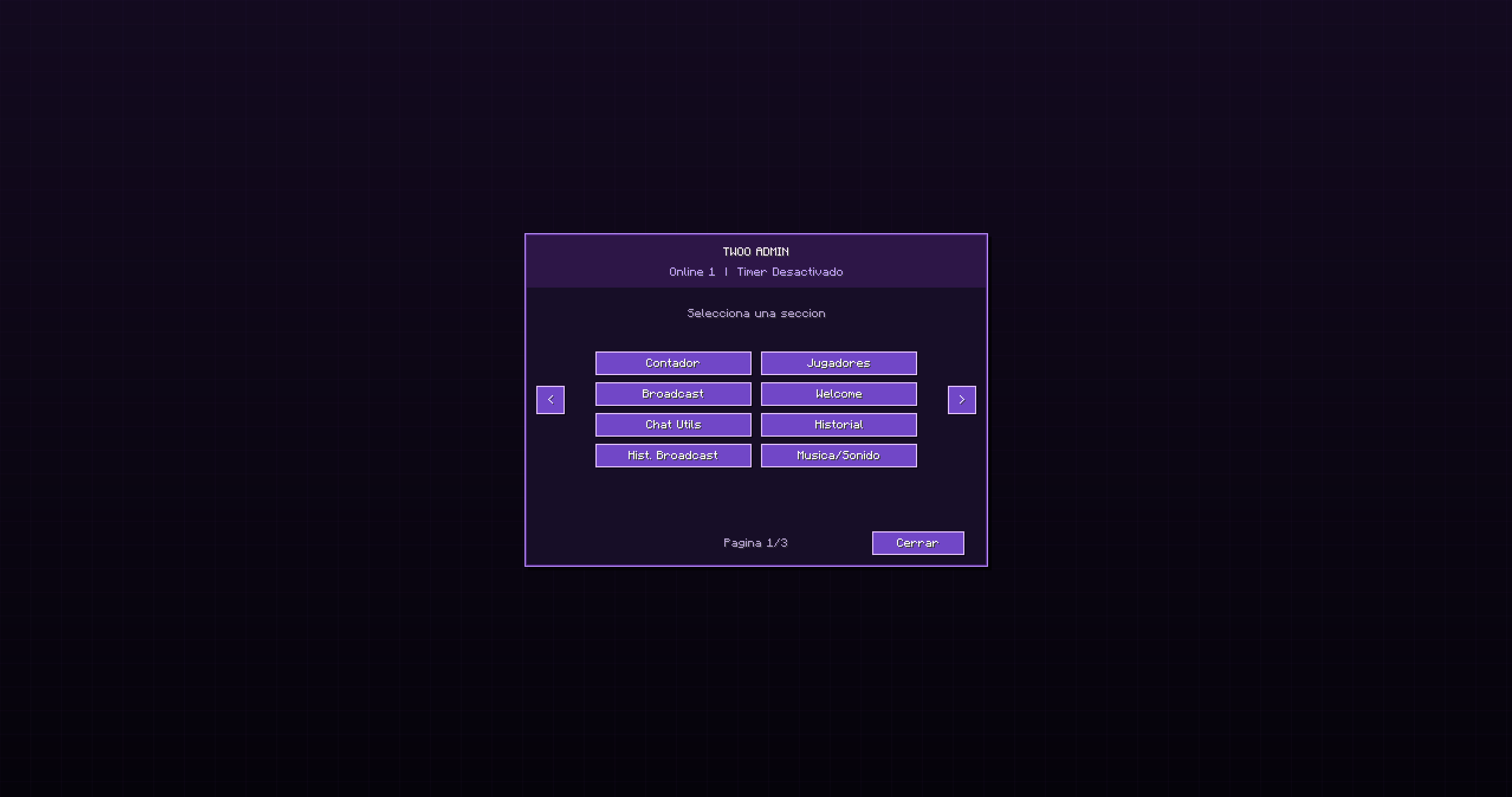
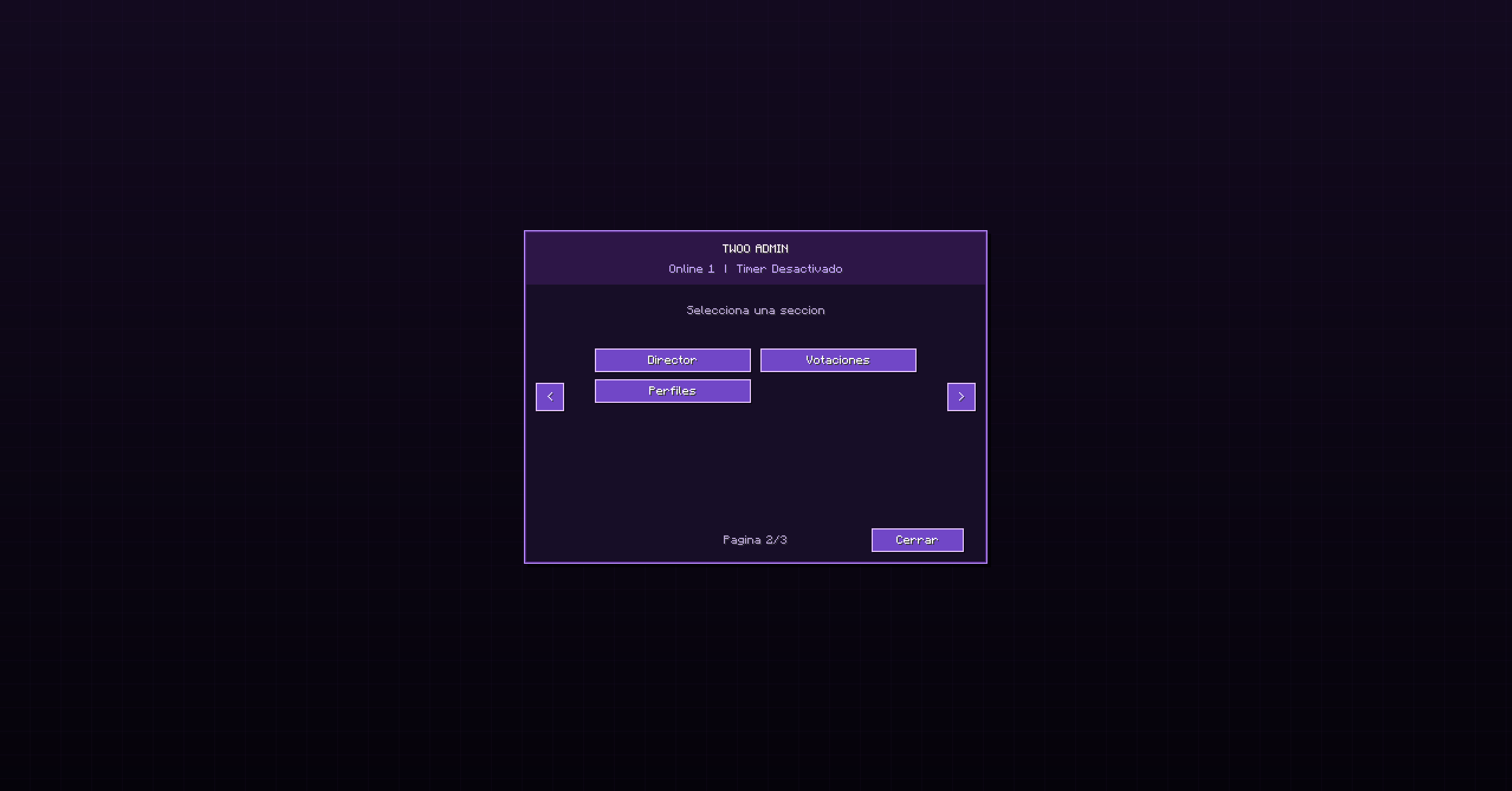
Administration panel
Open the administration panel with:
/twooutils adminAccess requires permission level 2 or higher. Most features can be configured in-game without manually editing configuration files.
Player management
Manage connected players from a dedicated section:
- Send global warnings addressed to specific players.
- Kick or ban players with custom reasons.
- Open and modify player inventories.
- Open and modify player ender chests.
- View roles, game modes, and latency.
Playtime system
An optional playtime system with individual tracking for every player:
- Enable or disable the entire system.
- Pause playtime globally.
- Configure playtime limits and cooldowns.
- Use presets for different server styles.
- Reset individual players or everyone at once.
- Run a quick 10-second administrator test.
- Customize the HUD position and appearance.
- Allow players to show or hide their own HUD.
- Automatically hide the HUD while the system is disabled.
- Freeze playtime and cooldowns while inactive.
The playtime system is disabled by default.
Welcome screen
Create a customizable welcome screen for your server:
- Custom title and subtitle.
- Introduction and informational text.
- Optional visual elements.
- Per-player acceptance tracking.
- Reset accepted players from the administration panel.
- Manual activation and deactivation.
The welcome screen remains disabled by default until an administrator configures and enables it.
Chat Utils
Optional chat and moderation tools:
- Custom chat interface.
- Image, GIF, and Twitch content controls.
- Multimedia history management.
- Pinned messages.
- Global chat cooldown.
- Individual slow mode.
- Anti-spam protection.
- Blocked-word list.
- Administrator-only chat mode.
- Temporary player mutes.
- Per-player multimedia bypass.
- Persistent moderation history.
The custom interface is disabled by default, so Minecraft will initially use its standard chat.
Broadcasts
Send visual announcements to every connected player:
- Custom titles and messages.
- Optional remote icons.
- Configurable duration.
- Animations and notification sounds.
- Persistent broadcast history.
- Reuse previous announcements.
Synchronized music and audio
Play synchronized audio for connected players:
- URL-based audio library.
- Global audio pre-download.
- Individual download progress and status.
- Synchronized playback.
- Pause and resume controls.
- Volume adjustment.
- Local caching to prevent repeated downloads.
Cinematic director
Create synchronized in-game cinematics without permanently moving players:
- Server-side cinematic profiles.
- Capture points from the current camera position.
- Camera curves, cuts, and segment duration.
- Configurable FOV and rotation.
- Temporary chunk preloading.
- Global playback and local rehearsal.
- Integrated free-camera mode.
- Fades, titles, and subtitles.
- Audio tracks and world events.
- Free-path camera recording.
- JSON profile importing and exporting.
- Simplified basic editor and detailed advanced editor.
Voting system
Create synchronized votes for all connected players:
- Custom questions and choices.
- Adjustable voting duration.
- One vote per player.
- Live vote counter.
- Automatic or manual closing.
- Global results.
- Persistent voting history.
Server profiles
Save and apply reusable server configurations containing:
- Welcome screen settings.
- Playtime counter and HUD settings.
- Chat Utils configuration.
- Selected audio and presets.
- Immediate synchronization for connected players.
- Independent data for every world or server.
Administration history
Important administrative actions are stored in the world, making it easier to review changes made by server staff.
Safe default configuration
TwooUtils starts with neutral settings:
- Playtime system disabled.
- Welcome screen disabled.
- Custom chat interface disabled.
- No server-specific configuration applied.
Every optional system must be manually enabled from the administration panel.
Requirements
- Minecraft 1.20.1
- Java 17
- Forge 47.x, or
- Fabric Loader 0.16.x and Fabric API
- Installation on both the server and clients
For synchronized interfaces, audio, cinematics, and other visual features, all participants must use the same version of TwooUtils..
The TwooUtils Team