TV Browser
- By
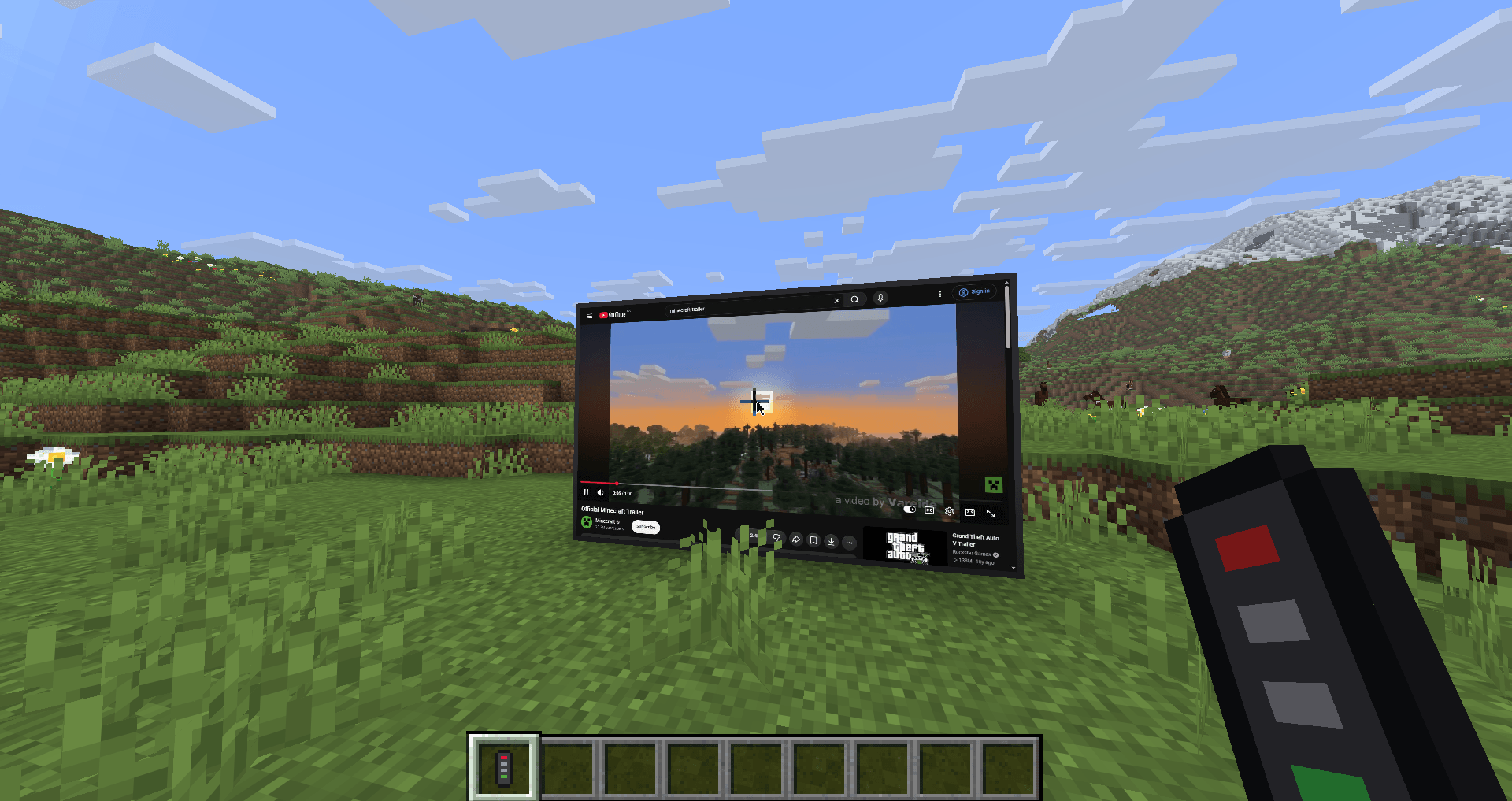
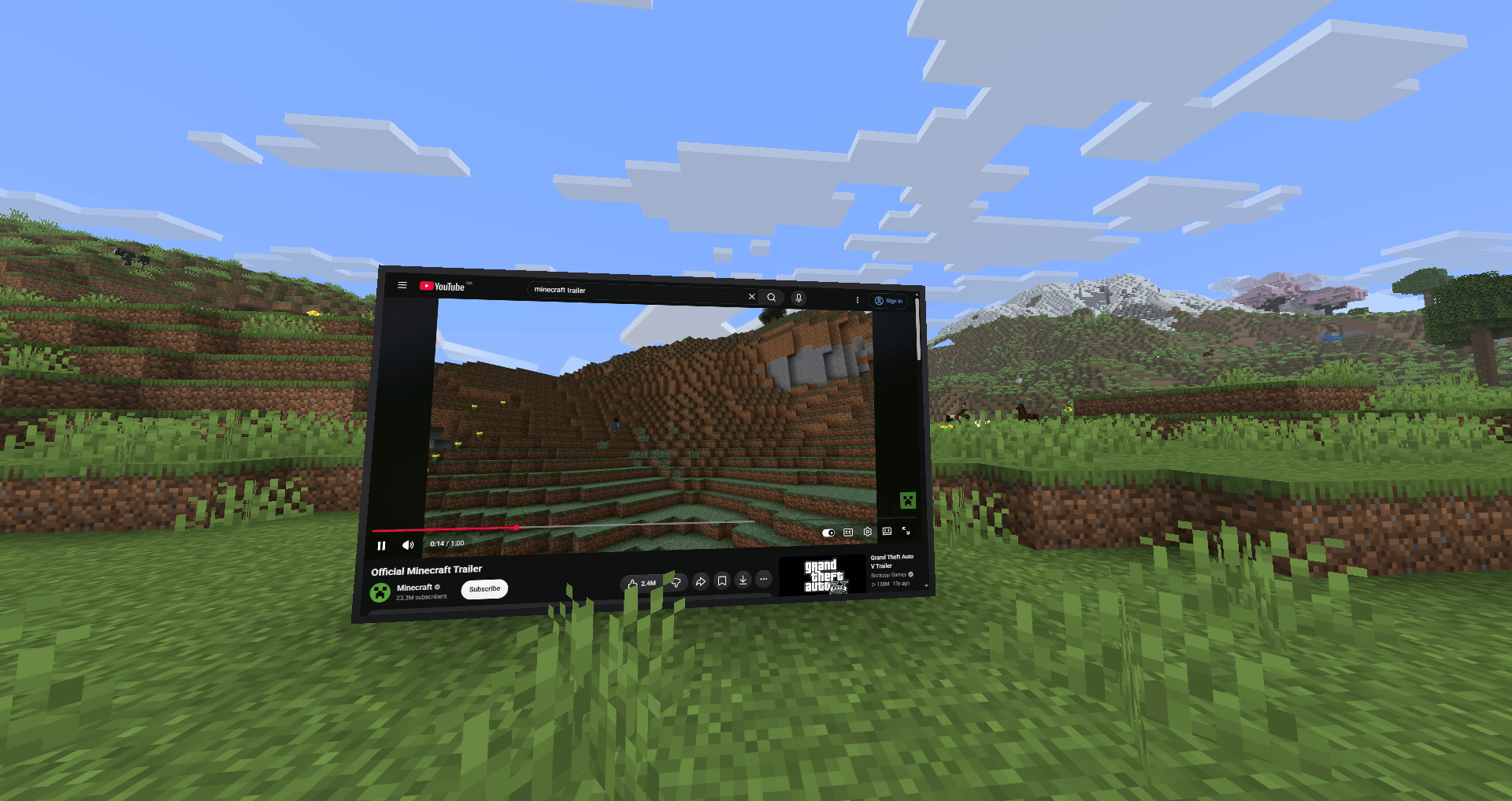
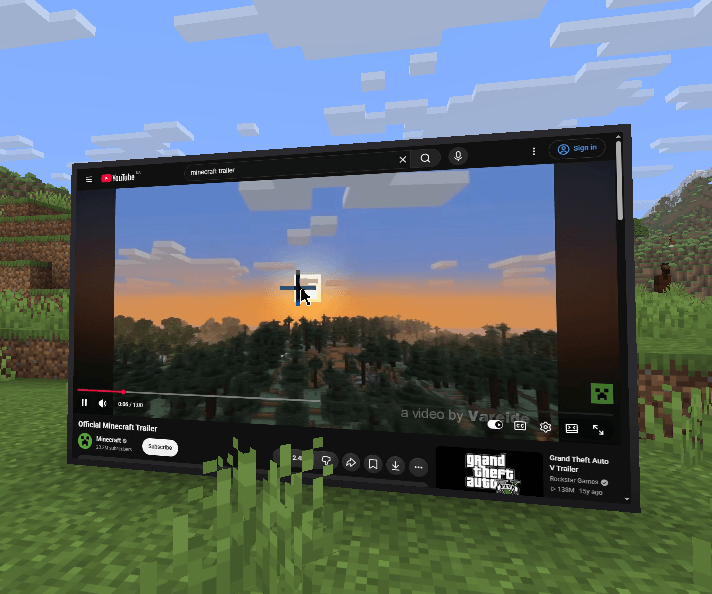
TVs with a real web browser: watch YouTube or open any site on one block or a whole wall of screens. A remote works like a mouse, a keyboard pops up for typing, and video stays in sync for every player on a server.
2026-11-15_12.10.31.png
2026-11-15_12.10.39.png
03_keyboard.png
05_remote_panel_video.png
08_recipe_remote.png
Description
📺 TV Browser
Real TVs with a real web browser. Watch YouTube, Twitch or any website right inside your world.
✨ Features
- Any size screen. Place one TV block, or build a wall of them: touching TVs merge into one big screen (up to 32×32).
- YouTube opens right away. Search, watch, sign in. Any other site works too.
- Remote = mouse. Point it at the screen: LMB / RMB click, wheel scrolls. It never breaks or places blocks.
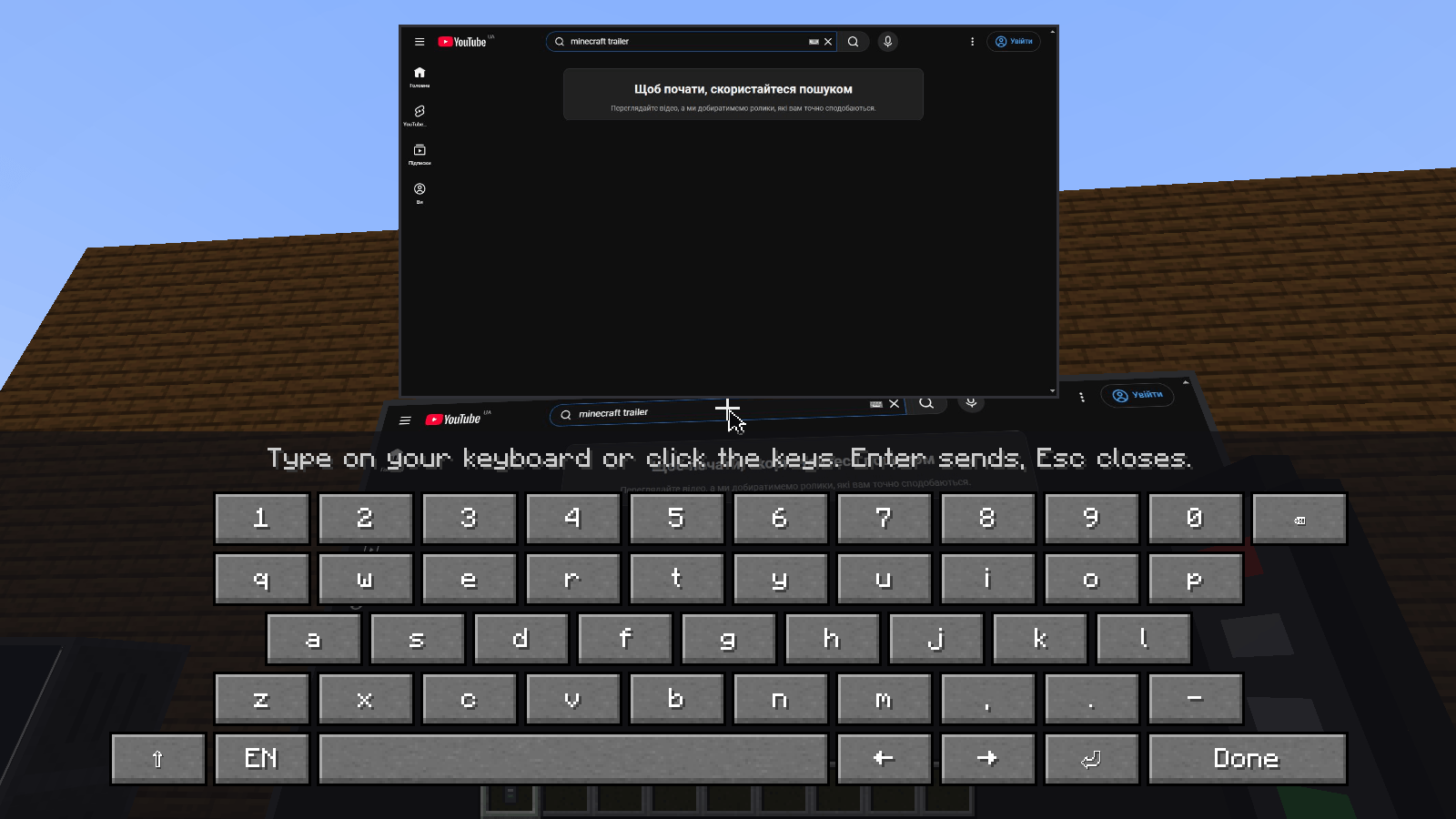
- Keyboard pops up when you click a search box or any text field. Type on your own keyboard or click the keys (EN / RU / UA).
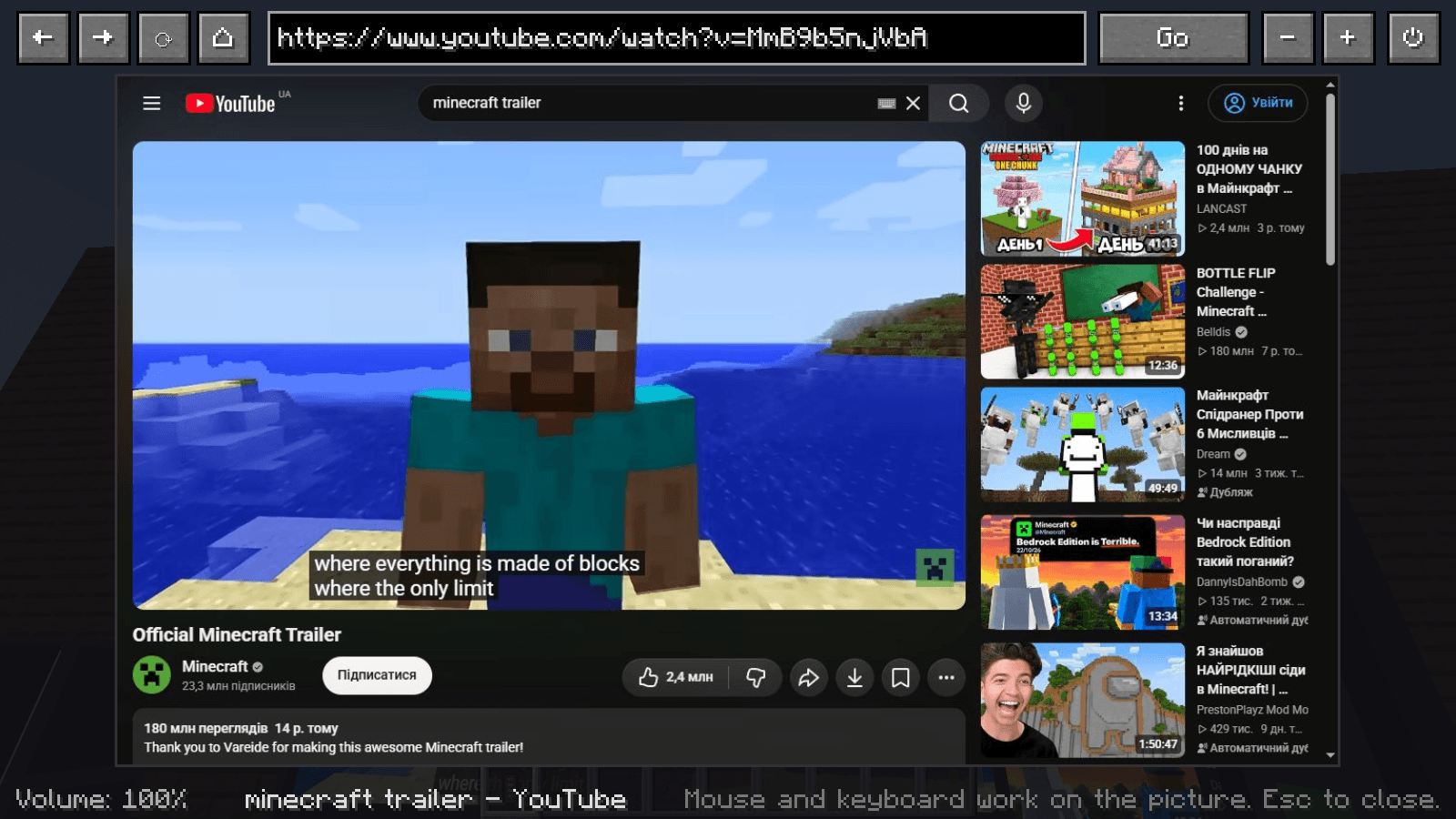
- Control panel: Shift + RMB with the remote. A big picture of the screen, address bar, back / forward / reload, volume, power.
- Multiplayer sync. Everyone sees the same page at the same second of the video: play, pause and seeking are shared.
- Real sound. It gets quieter the farther you walk away.
🔨 Crafting
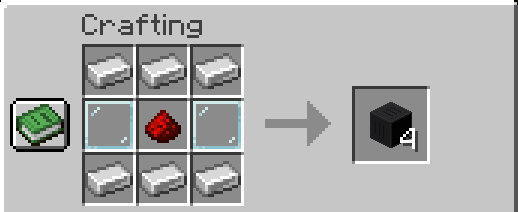
TV (×4): 6 iron ingots, 2 glass panes, 1 redstone
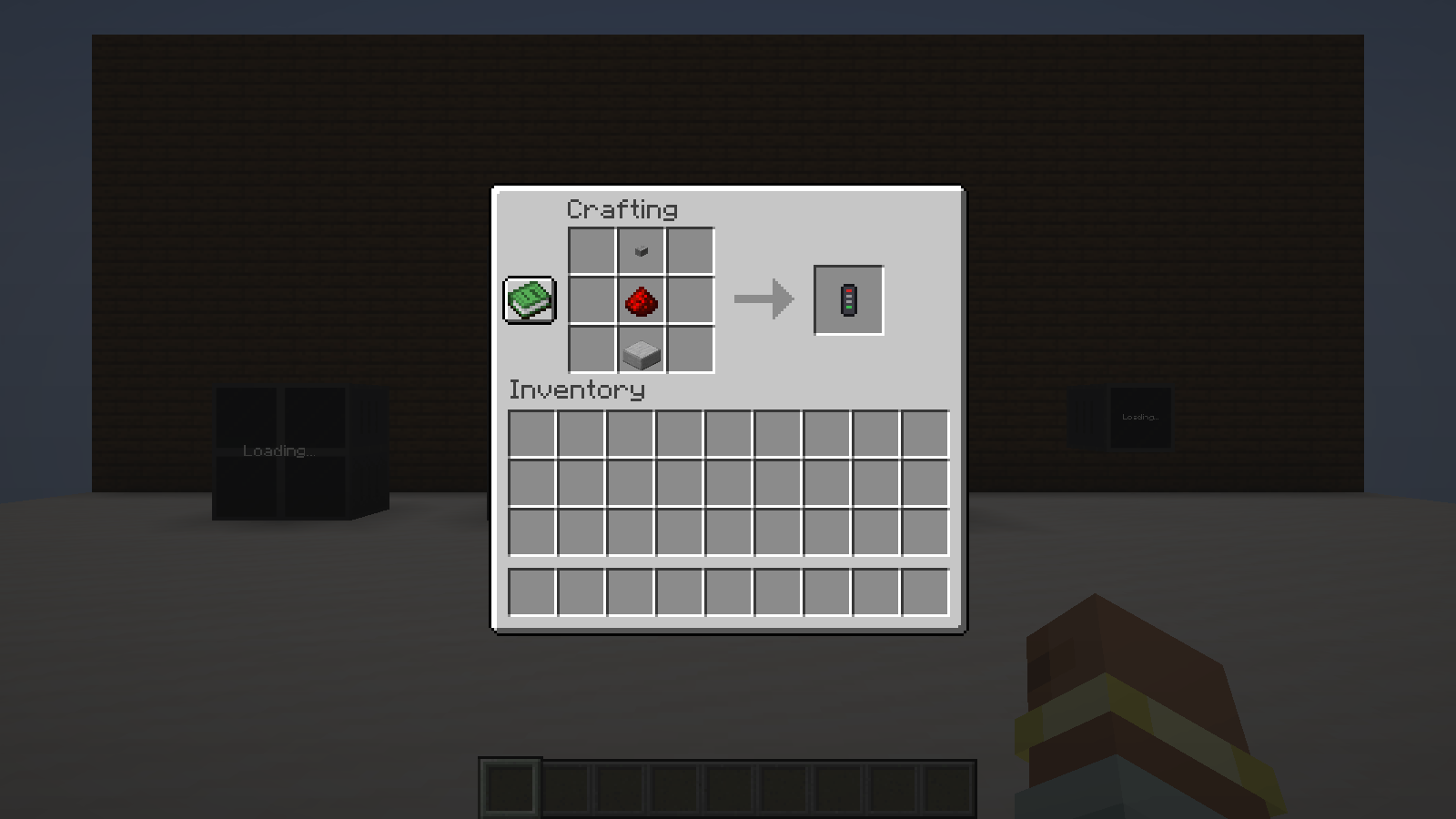
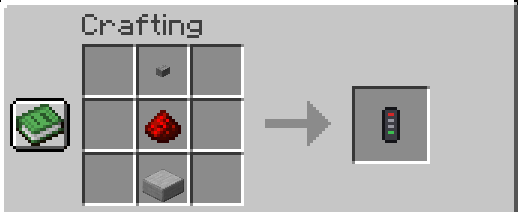
Remote: stone button, redstone, smooth stone slab
Both items are also in their own TV Browser creative tab.
🎮 How to use
- Place a TV (or a wall of TVs) and YouTube opens on it.
- Take the remote and point it at the screen. Click to open a video.
- Click the search box: a keyboard appears. Type and press Enter.
- Shift + RMB with the remote opens the control panel for any site and full keyboard input.
- If you turned the TV off in the panel, right-click it with the remote to turn it back on.
⚙️ Requirements
- Fabric + Fabric API, Minecraft 26.3, Java 25
- Google Chrome or Microsoft Edge installed (Windows 10/11 always has Edge). The mod uses it to show pages, nothing extra is downloaded.
- Install on both client and server.
Settings are in config/tvbrowser.json: home page, sharpness, sound range, max screens.
TV Browser Team