TurboFPS
- By
More FPS with and without shaders: smart culling, shader shadow optimization and a render scaler. Works with Iris, Sodium, shaders and Distant Horizons.
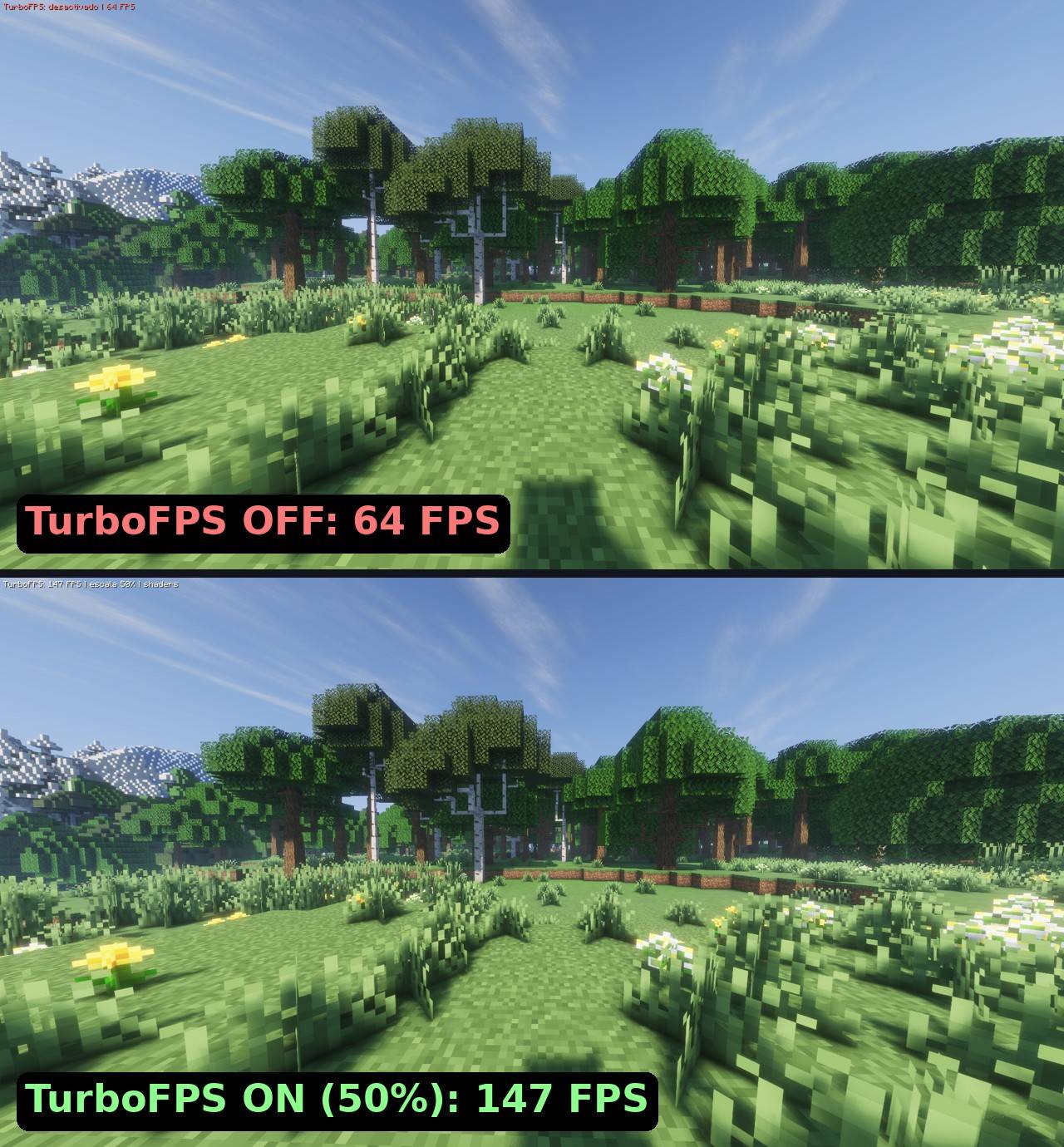
comparacion-bosque.jpg
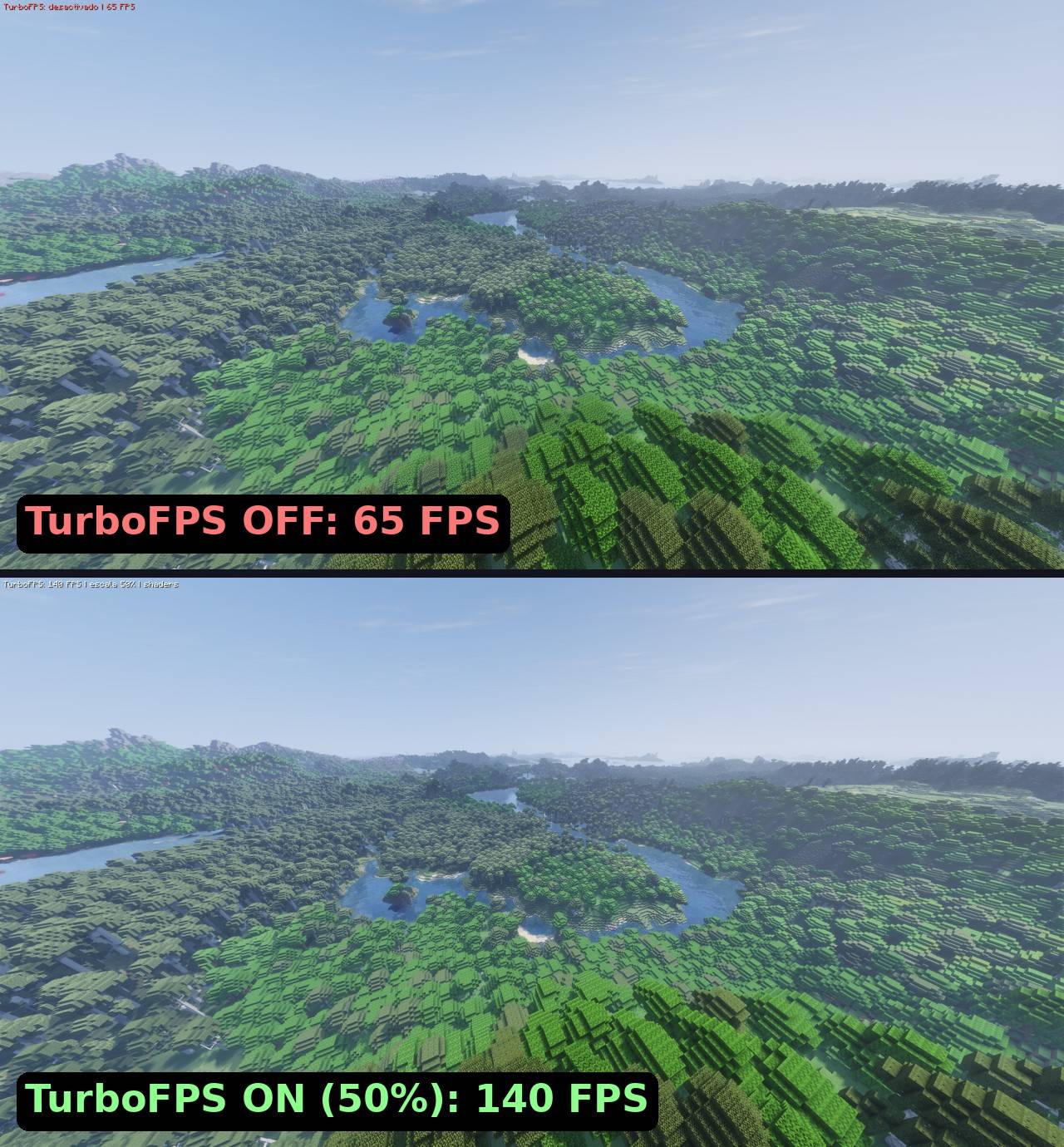
comparacion-paisaje.jpg
2026-11-01_15.52.56.jpg
2026-11-01_15.53.03.jpg
Description
TurboFPS
More FPS with and without shaders. TurboFPS is a client-side performance mod for NeoForge 1.21.1 that stops the game from drawing what you can't see, makes shader shadows much cheaper, and adds a render scaler that keeps the interface sharp.
Every optimization can be turned on or off individually, and F7 toggles the whole mod at once so you can compare.
✅ Works with Iris, Sodium, shaders and Distant Horizons
TurboFPS was built and tested to run together with the most popular rendering mods:
- Sodium ✔
- Iris Shaders ✔ (shadow pass optimization is detected automatically)
- Shader packs ✔
- Distant Horizons ✔
📊 Results
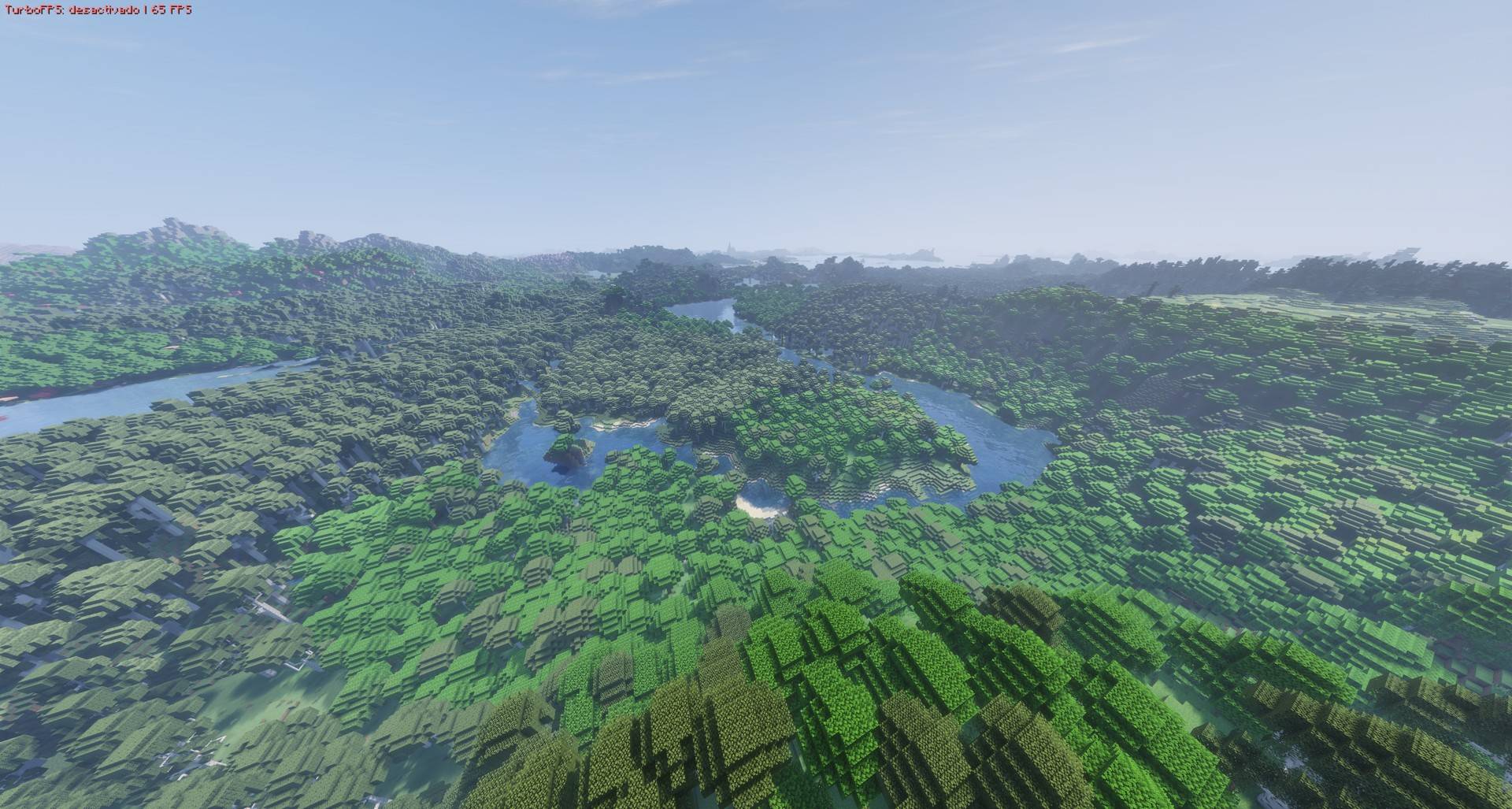
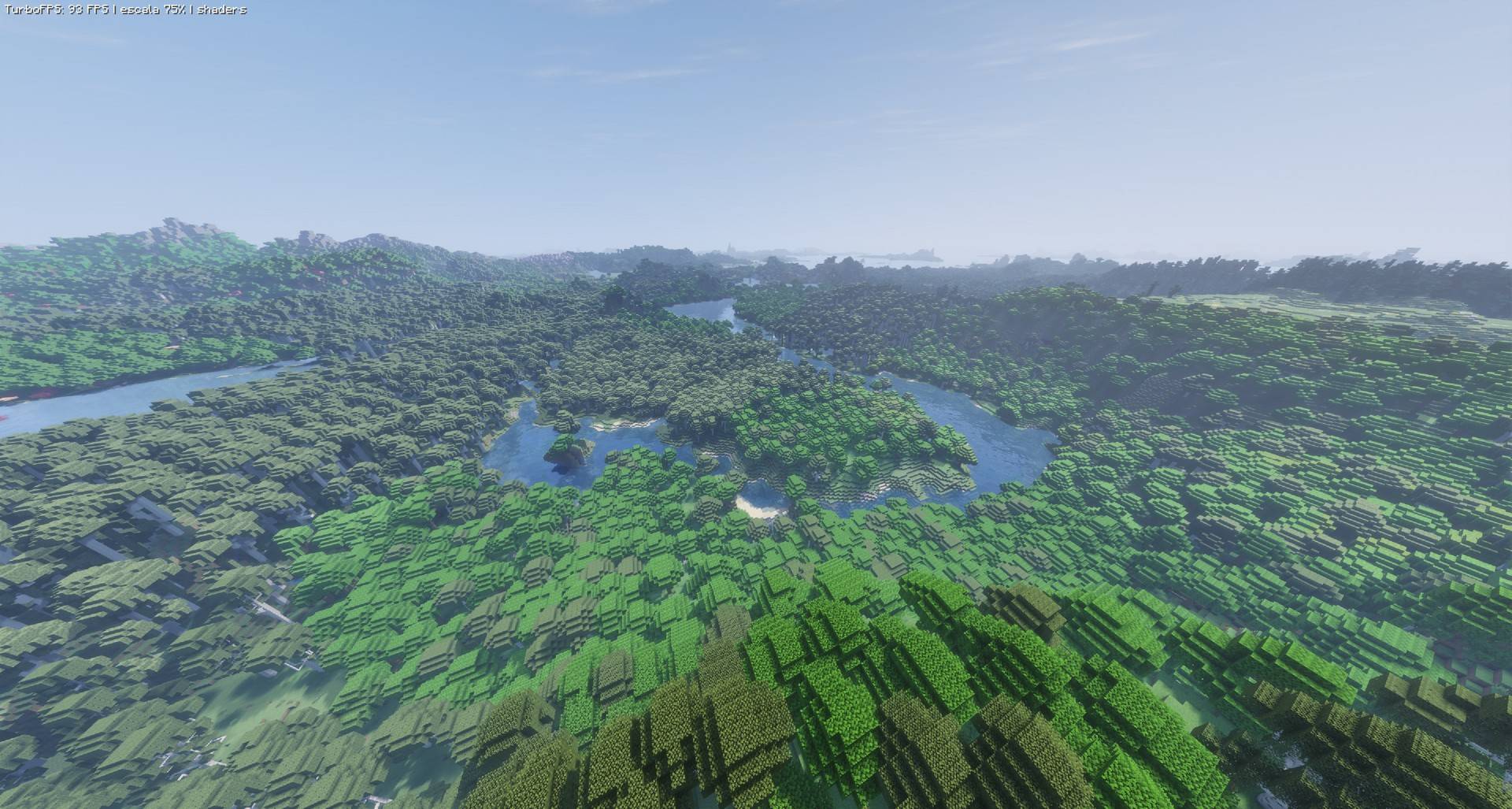
Tested at 3840×2054 (4K) with shaders and Distant Horizons, same scene, F7 on/off:
| Scene | TurboFPS OFF | TurboFPS ON (scale 75%) | TurboFPS ON (scale 50%) |
|---|---|---|---|
| Landscape with Distant Horizons | 65 FPS | 93 FPS | 140 FPS |
| Forest with shaders | 64 FPS | 94 FPS | 147 FPS |
Up to 2.3× more FPS with the render scaler at 50%. Results depend on your hardware, shader pack and settings.
🖥️ Test PC
- CPU: Intel Core i5-14600K
- GPU: AMD Radeon RX 9060 XT 16 GB
- RAM: 32 GB (2 × 16 GB)
- OS: Windows 11 · Java 21
- Mods: NeoForge 21.1.264, Sodium 0.6.9, Iris 1.8.1, Distant Horizons 3.3.3, in a large modpack (~100 mods)
Features
- Entity culling: mobs, villagers and items beyond a chosen distance are not drawn.
- Hide behind walls: entities completely hidden by solid blocks are not drawn. Great for villages and big bases.
- Block entity culling: distant chests, signs, heads, banners and similar blocks are not drawn. Beacons are never hidden.
- Optimized shader shadows (Iris / Oculus): in the shadow pass, only nearby entities and block entities are drawn. This is the biggest FPS gain when using shaders. Fishing lines no longer cast broken triangle shadows.
- Render scaler (25% – 200%): the world is rendered at a lower or higher resolution while the HUD and menus stay at full resolution. Optional smooth or pixel-sharp upscaling.
- Dynamic resolution: lowers the scale automatically when FPS drop below your target.
- Particle limiter: density and distance limits for particles.
- Unfocused FPS limit: lowers FPS when the game is in the background or minimized.
- FPS and scale HUD (optional).
How to use
- Options → ⚡ button (left of the FOV slider), or Mods → TurboFPS → Config.
- F7: turn everything on or off (can be changed in Controls).
- Settings are saved in
config/turbofps.json.
Compatibility
- Requires NeoForge 1.21.1. Client only, no need to install it on servers.
- Tested with Sodium 0.6.9, Iris 1.8.1 and Distant Horizons 3.3.3. Iris/Oculus support is detected automatically.
- Does not change how mobs work: AI, farms, villagers and redstone keep running normally. Only drawing is affected.
- Don't use it together with RenderScale (same feature). If you use EntityCulling or Dynamic FPS, turn off the matching option here.
- If you see ghosting with the render scaler and shaders, disable the shader pack's TAA.
Languages
Follows your game language automatically: English, Español, Português, Français, Deutsch, Русский, 简体中文, 繁體中文, 日本語, 한국어, Italiano.
TurboFPS (Español)
Más FPS con y sin shaders. TurboFPS es un mod de rendimiento del lado del cliente para NeoForge 1.21.1. Evita dibujar lo que no ves, hace mucho más ligeras las sombras de los shaders y agrega un escalador de render que mantiene la interfaz nítida.
Cada optimización se activa o desactiva por separado, y F7 apaga o enciende todo el mod para que compares.
✅ Compatible con Iris, Sodium, shaders y Distant Horizons
TurboFPS se hizo y se probó para funcionar junto con los mods de render más usados:
- Sodium ✔
- Iris Shaders ✔ (la optimización de sombras se detecta sola)
- Shader packs ✔
- Distant Horizons ✔
📊 Resultados
Probado a 3840×2054 (4K) con shaders y Distant Horizons, misma escena, F7 activado/desactivado:
| Escena | TurboFPS OFF | TurboFPS ON (escala 75%) | TurboFPS ON (escala 50%) |
|---|---|---|---|
| Paisaje con Distant Horizons | 65 FPS | 93 FPS | 140 FPS |
| Bosque con shaders | 64 FPS | 94 FPS | 147 FPS |
Hasta 2.3× más FPS con el escalador al 50%. Los resultados dependen de tu equipo, shader pack y configuración.
🖥️ PC de pruebas
- CPU: Intel Core i5-14600K
- GPU: AMD Radeon RX 9060 XT 16 GB
- RAM: 32 GB (2 × 16 GB)
- SO: Windows 11 · Java 21
- Mods: NeoForge 21.1.264, Sodium 0.6.9, Iris 1.8.1, Distant Horizons 3.3.3, en un modpack grande (~100 mods)
Funciones
- Culling de entidades: no dibuja mobs, aldeanos ni objetos más allá de la distancia elegida.
- Ocultar tras paredes: no dibuja entidades completamente tapadas por bloques sólidos. Ideal para aldeas y bases grandes.
- Culling de bloques con entidad: no dibuja cofres, carteles, cabezas, estandartes y similares lejanos. Los faros nunca se ocultan.
- Sombras de shaders optimizadas (Iris / Oculus): en el pase de sombras solo dibuja entidades y bloques con entidad cercanos. Es la mayor ganancia de FPS con shaders. Los sedales de pesca ya no proyectan sombras rotas en forma de triángulos.
- Escalador de render (25 % – 200 %): el mundo se dibuja a menor o mayor resolución mientras el HUD y los menús siguen a resolución completa. Escalado suave o con píxeles nítidos.
- Resolución dinámica: baja la escala sola cuando los FPS caen de tu meta.
- Límite de partículas: densidad y distancia máximas.
- FPS sin foco: baja los FPS cuando el juego está en segundo plano o minimizado.
- HUD de FPS y escala (opcional).
Cómo se usa
- Opciones → botón ⚡ (a la izquierda del FOV), o Mods → TurboFPS → Configurar.
- F7: enciende o apaga todo (se puede cambiar en Controles).
- La configuración se guarda en
config/turbofps.json.
Compatibilidad
- Requiere NeoForge 1.21.1. Solo cliente, no hace falta instalarlo en servidores.
- Probado con Sodium 0.6.9, Iris 1.8.1 y Distant Horizons 3.3.3. Iris/Oculus se detectan solos.
- No cambia cómo funcionan los mobs: la IA, las granjas, los aldeanos y el redstone siguen igual. Solo afecta lo que se dibuja.
- No lo uses junto con RenderScale (misma función). Si usas EntityCulling o Dynamic FPS, desactiva la opción equivalente aquí.
- Si ves fantasmas con el escalador y shaders, desactiva el TAA del shader pack.
TurboFPS Team