🔭 True Zoom


Hold to zoom, scroll to adjust. Instant zoom that remembers your level.
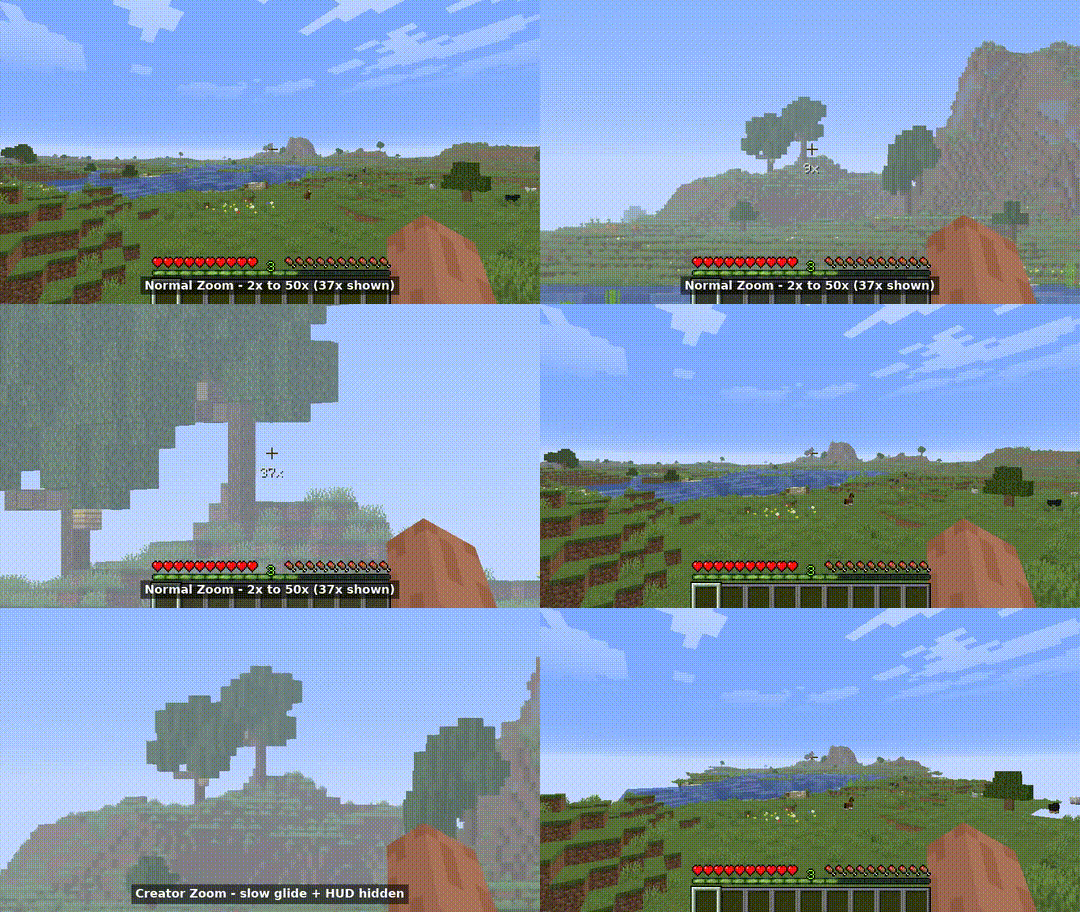
Two zooms in one mod. The normal key is fast and keeps your HUD, for playing. The creator key glides in slow and hides everything on screen, for clean footage.
Features
- Hold or Toggle - Hold the key or press to lock zoom on.
- Scroll to Adjust - Mouse wheel changes zoom from 2x to 50x, saved between sessions. Scroll past 2x to exit zoom.
- Creator Key - Second keybind with auto HUD hide and smooth camera for clean footage.
- Smart Sensitivity - Mouse sensitivity scales down as you zoom in.
- No Dependencies - Only needs Fabric API. No config libraries, no language runtimes.
Controls
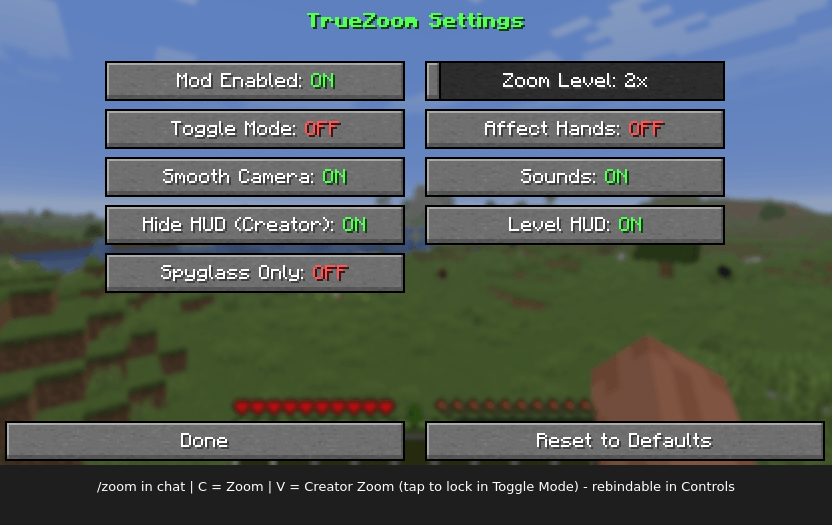
C- Zoom (rebindable in Options -> Controls -> Keybinds -> True Zoom)V- Creator Zoom, hold it (tap to lock in Toggle Mode). Slow glide, hides crosshair, hotbar, chat, boss bar, scoreboard, titles, effects, and overlaysMiddle Click- Reset to 4x and exit zoom/zoom- Open settings from chat
Settings
| Setting | Description | Default |
|---|---|---|
| Mod Enabled | Enable/disable the mod | ON |
| Toggle Mode | Press to lock zoom instead of holding | OFF |
| Zoom Level | Zoom strength (2-50) | 4x |
| Smooth Camera | Smooth zoom in and out | ON |
| Hide HUD (Creator) | Hide screen elements on creator zoom | ON |
| Spyglass Only | Zoom works only while holding a spyglass | OFF |
| Affect Hands | Zoom the held item view too | OFF |
| Sounds | Spyglass sounds on zoom in and out | ON |
| Level HUD | Show zoom level while zoomed | ON |
Requirements
- Minecraft: 26.3.x
- Java: 25+
- Fabric Loader: 0.19.5+
- Fabric API: Any 26.3.x (tested 0.160.7+26.3)
Support
- Favorite on CurseForge
- Star on Gitea
License
True Zoom Team