b1dd3ee9-89e9-4313-8f3a-226f4c99c1cf.png
018db28d-9ef8-4d11-b5e6-314c84859dab.png
a72e2681-0988-4843-9987-8a23e7860015.png
hp12138 | Trash Slot Enhance
Create a server, get 25% off your first month

Description
Trash Slot Enhance
Trash Slot Enhance adds a management screen to Trash Slot.
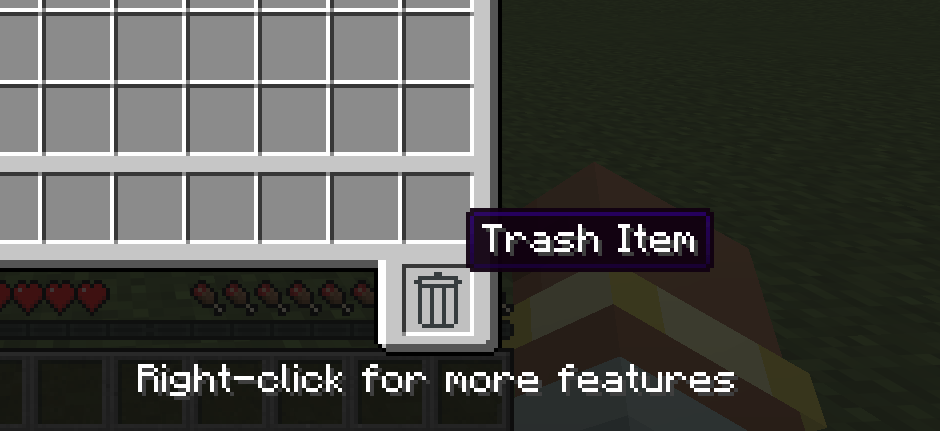
Right-click the Trash Slot in an inventory screen to open the manager.
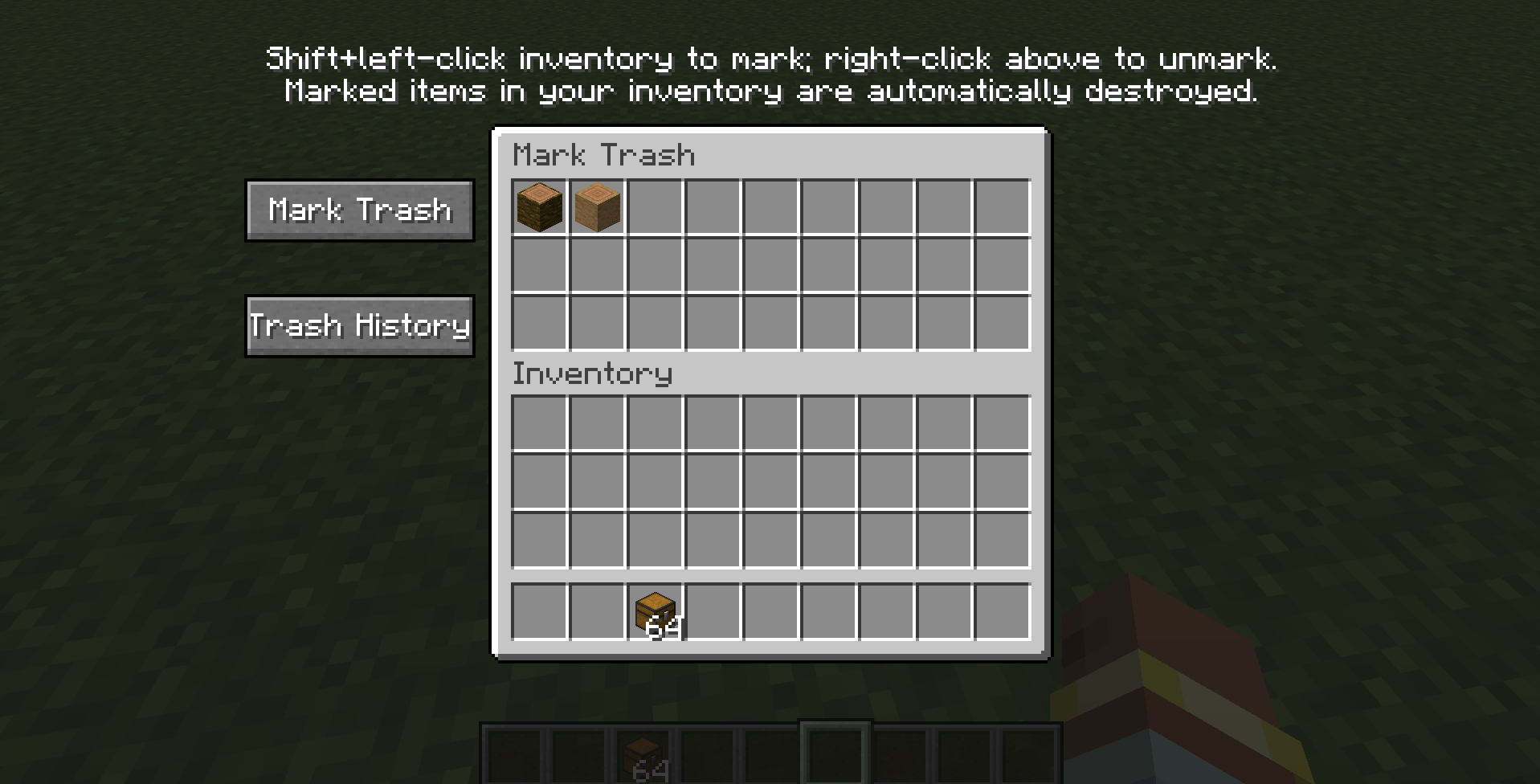
Mark Trash
Hold Shift and left-click an item in your inventory to mark its item type as trash. Matching items in your inventory are automatically destroyed and recorded in Trash History. Right-click a marked item in the top list to remove its mark.
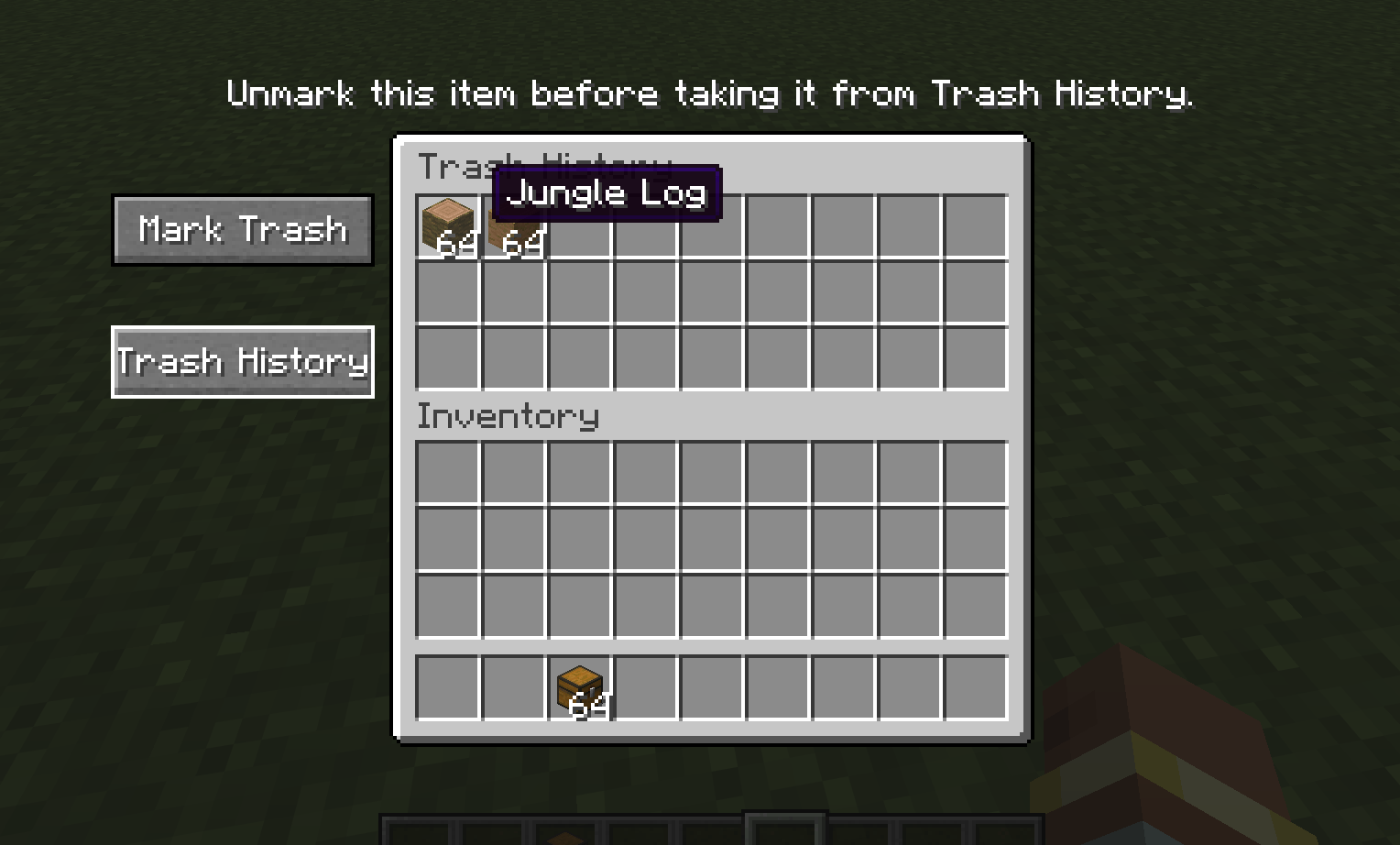
Trash History
Trash History keeps the latest 27 item stacks removed through Trash Slot. Items that are still marked cannot be retrieved until you remove their mark. An item currently in the Trash Slot is moved into history when another item replaces it.
Requirements
Requires Trash Slot by BlayTheNinth and Balm.
中文说明
Trash Slot Enhance 为 Trash Slot 添加垃圾管理界面。在容器界面右键垃圾槽可打开管理界面。
垃圾标记
在背包中按住 Shift 并左键点击物品,可将该物品类型标记为垃圾。背包中同类型物品会自动销毁并记录到“垃圾保留”。右键上方列表里的已标记物品可取消标记。
垃圾保留
“垃圾保留”记录最近 27 组通过 Trash Slot 清除的物品。仍处于垃圾标记的物品需先取消标记才能取回。垃圾槽中的物品会在被下一件物品替换时转入保留记录。
依赖
需要安装 BlayTheNinth 的 Trash Slot 和 Balm。
The Trash Slot Enhance Team


Owner