


Transporter
- By
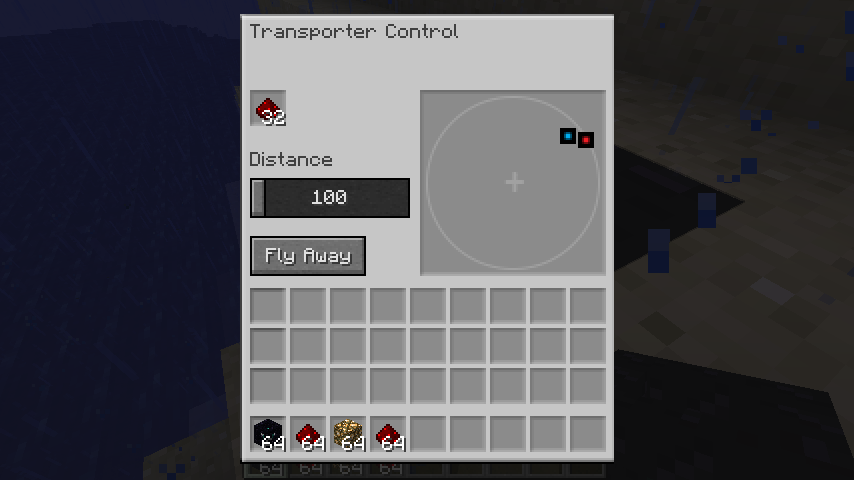
The distance slider controls the distance of free transport (not to a specific transporter), and can vary from 100 to 1000 meters (blocks).
Description
Version 2.0.0 released. Updated for Minecraft 1.12.2
To install:
- Install Forge for version 1.12.2.
- Download and copy the
.jarfile below to the mods directory for version 1.12.2, e.g. %appdata%\.minecraft\mods\1.12.2. - Launch Minecraft and select the Forge version for version 1.12.2.
A few usage notes:
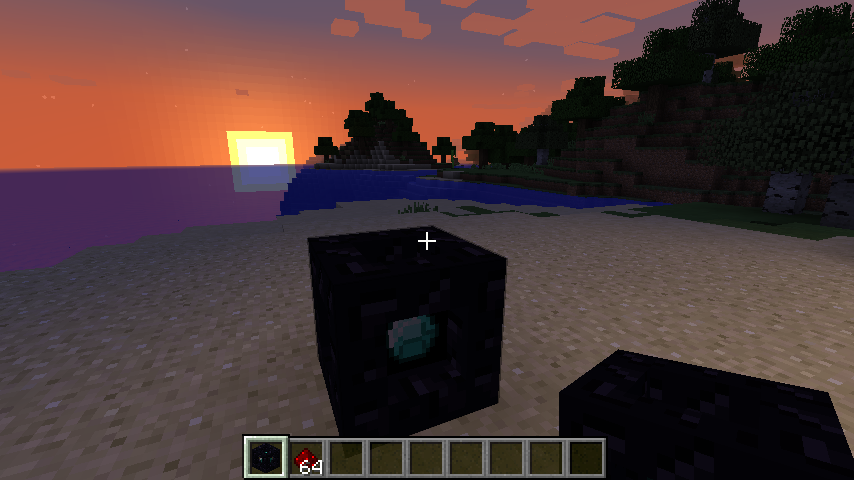
- The Transporter is found in Creative mode on the Redstone tab.
- In Survival mode, you can craft a Transporter by surrounding a diamond with 8 blocks of obsidian.
- To operate the transporter:
-
Right-click on a transporter to activate the control panel.
-
Any other transporters within range will be displayed. Note: the display is oriented with North at the top. Click one to select it as the destination; click again to deselect it.
-
Adjust the Distance slider as needed.
- Drop at least one redstone item into the fuel slot for every 100 meters of travel. The Fly Away button will be grayed out until enough has been added.
-
Press the Fly Away button.
-
If you do not select another transporter, you will be transported in the direction you were facing when you activated the control panel. The transporter will attempt to land you safely, ensuring that you do not transport into the middle of a block or standing on air. However, be careful as you may transport onto water (or worse yet...lava)!
-
Enjoy, and please post any issues you find.
Note that the sources can be found at GitHub.
Transporter Team
