Trade Assistant
- By
Make villager trading easier
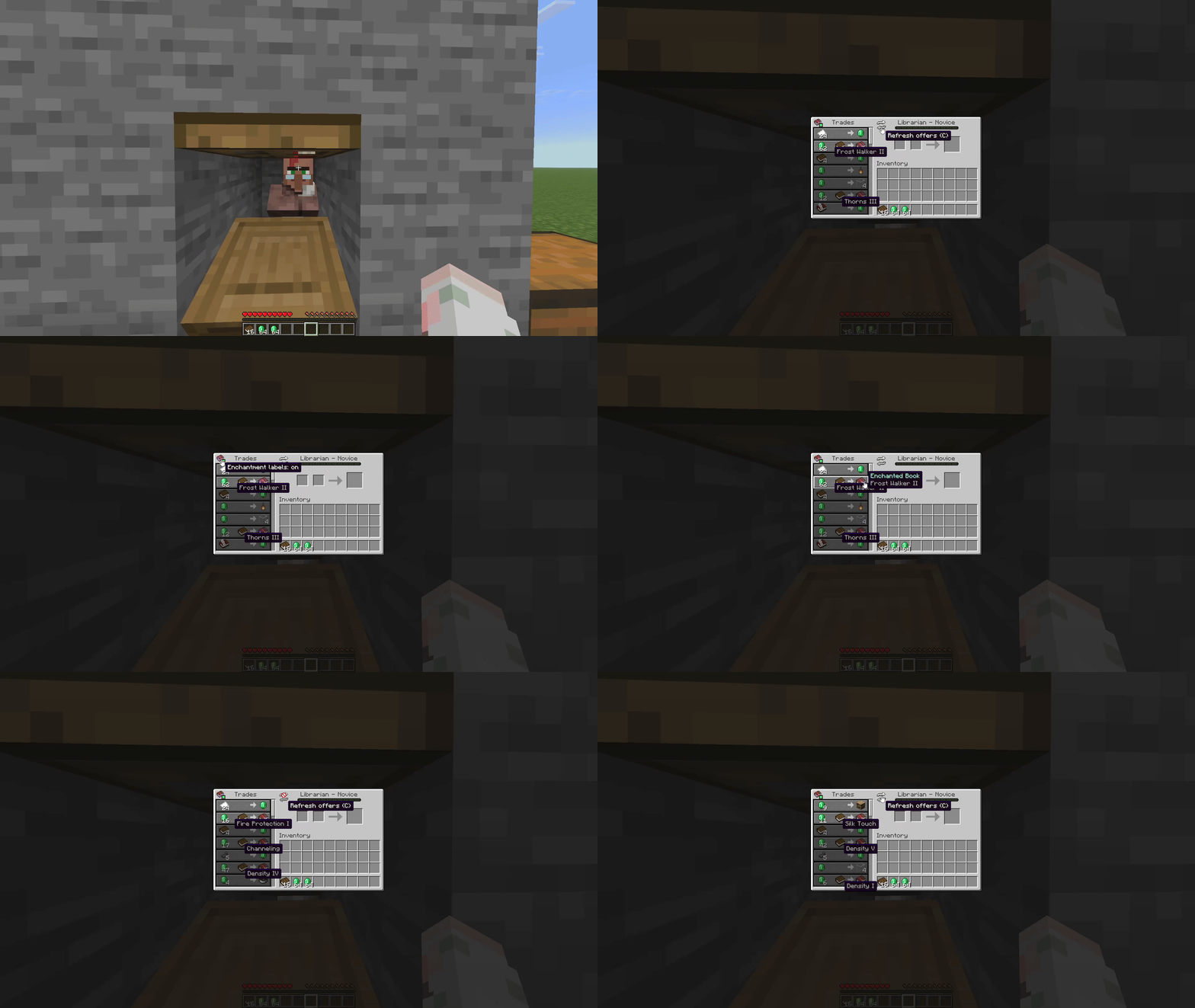
Trade Assistant adds practical quality-of-life improvements to Minecraft’s villager trading screen. See enchanted-book details at a glance, preview future trade offers, and quickly refresh eligible villagers’ trades—all without replacing their workstation or consuming your payment items.
Features
- Enchanted-book labels: See a book’s enchantments and levels directly in the trading screen. Toggle the labels whenever you like; the regular item tooltip is still available when hovering over the book.
- Locked-trade previews: Preview upcoming villager offers before unlocking them. Previews use the server’s trade data and are reused as the villager levels up.
- Trade cycling: Refresh the offers of an untraded novice villager from the trading screen or press C. You can rebind the key in Options → Controls.
Trade cycling is validated by the server, has a short cooldown, and is unavailable after a villager has been traded with or has progressed beyond novice level. It preserves payment items and does not replace the villager’s workstation.
Client and server support
- Client only: Enchanted-book labels are available.
- Client and server: All features are available, including locked-trade previews and trade cycling.
- Server only: Players without Trade Assistant can still use Minecraft’s vanilla trading screen.
In singleplayer, the integrated server provides the server-side features. When the server does not have Trade Assistant, unsupported previews and cycling controls are hidden.
Requirements
- Fabric Loader
- Fabric API
Install Trade Assistant on both the client and server to use every feature. Vanilla clients can still connect to a server with Trade Assistant installed.
Trade Assistant Team