TONI's Arsenal Forge
- By
Forge your gear with 18 upgrades. Combine elemental blades, 3×3 mining and double-bladed axes while keeping your enchantments.
TONI’s Arsenal Forge
Give your gear a build of its own. Heat the edge of your sword, fit your pickaxe with a 3×3 excavation head, or turn your axe into a double-bladed weapon. Arsenal Forge brings a dedicated gear modification station to Minecraft survival.
18 upgrades · Minecraft Java 1.20–26.3 · Forge, NeoForge and Fabric
Pick one element, one specialty and one reinforcement for each compatible item. Try fire, extended reach and precision sharpening on the same sword. Your gear keeps its name and enchantments, and you can still enchant it after forging.
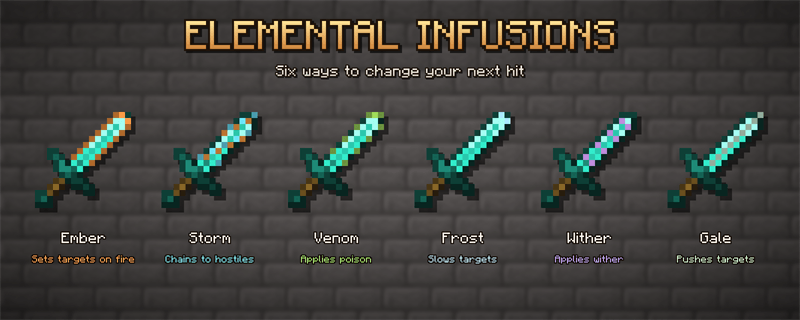
- Elements include fire, chain electricity, poison, frost, wither and wind.
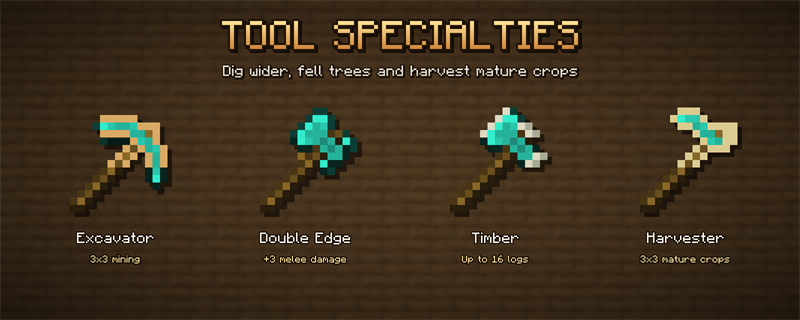
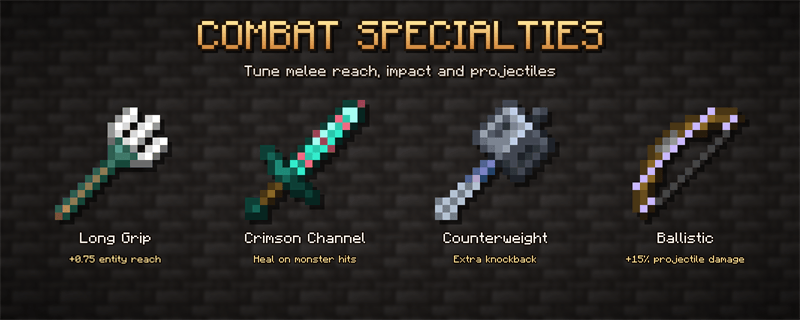
- Specialties include 3×3 excavation, a double-bladed axe, connected-log felling, mature crop harvesting, extended reach, life steal against monsters, extra knockback and increased projectile damage.
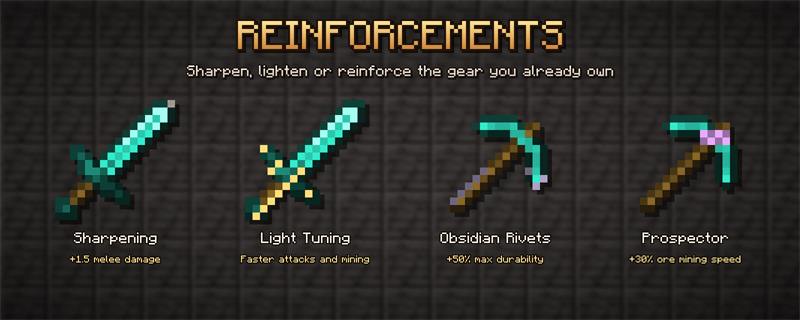
- Reinforcements include precision sharpening, faster attacks and mining, increased durability and faster ore mining.
How to start
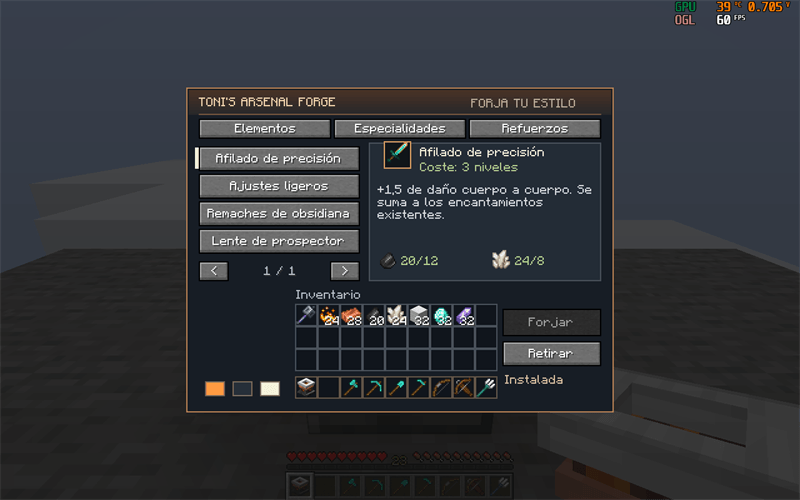
Build the Arsenal Forge at a crafting table with iron ingot / campfire / iron ingot, copper ingot / anvil / copper ingot, and three polished deepslate blocks in the bottom row. Insert your gear, choose an upgrade and pay with materials from your inventory and XP levels. Removing an upgrade costs two amethyst shards and one level. Sneak to disable area mining, felling or harvesting.
Gear compatibility
Supported vanilla items gain visible details. Compatible modded gear can receive the upgrade effects while keeping its original models and textures. Custom combat and projectile systems may require integration.
Installation
Install the exact Minecraft and loader build, plus TONI’s Core Lib. Fabric also requires Fabric API. Install the mods on both the client and the server for multiplayer. The Forge JAR for 1.20.1 also supports NeoForge 1.20.1. English and Spanish are included.
TONI's Arsenal Forge Team

Owner