


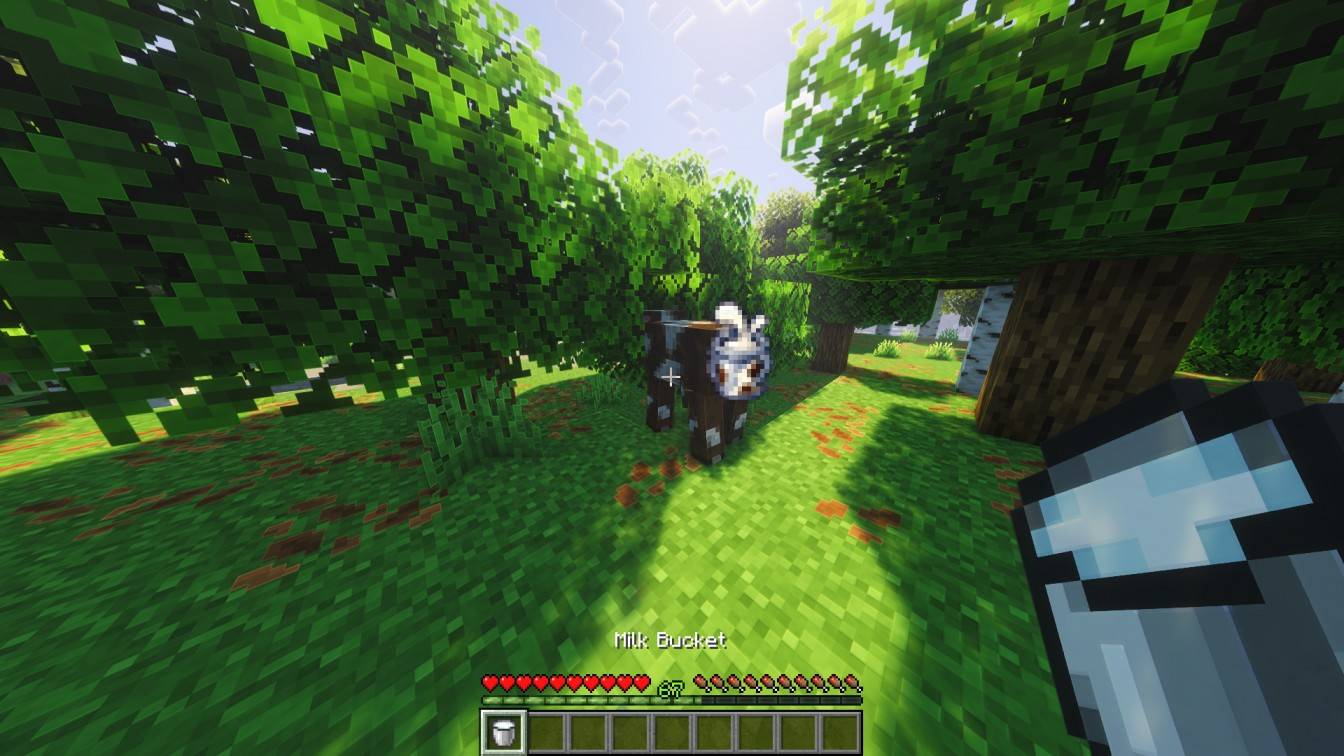
2026-06-14_16.02.38.jpg
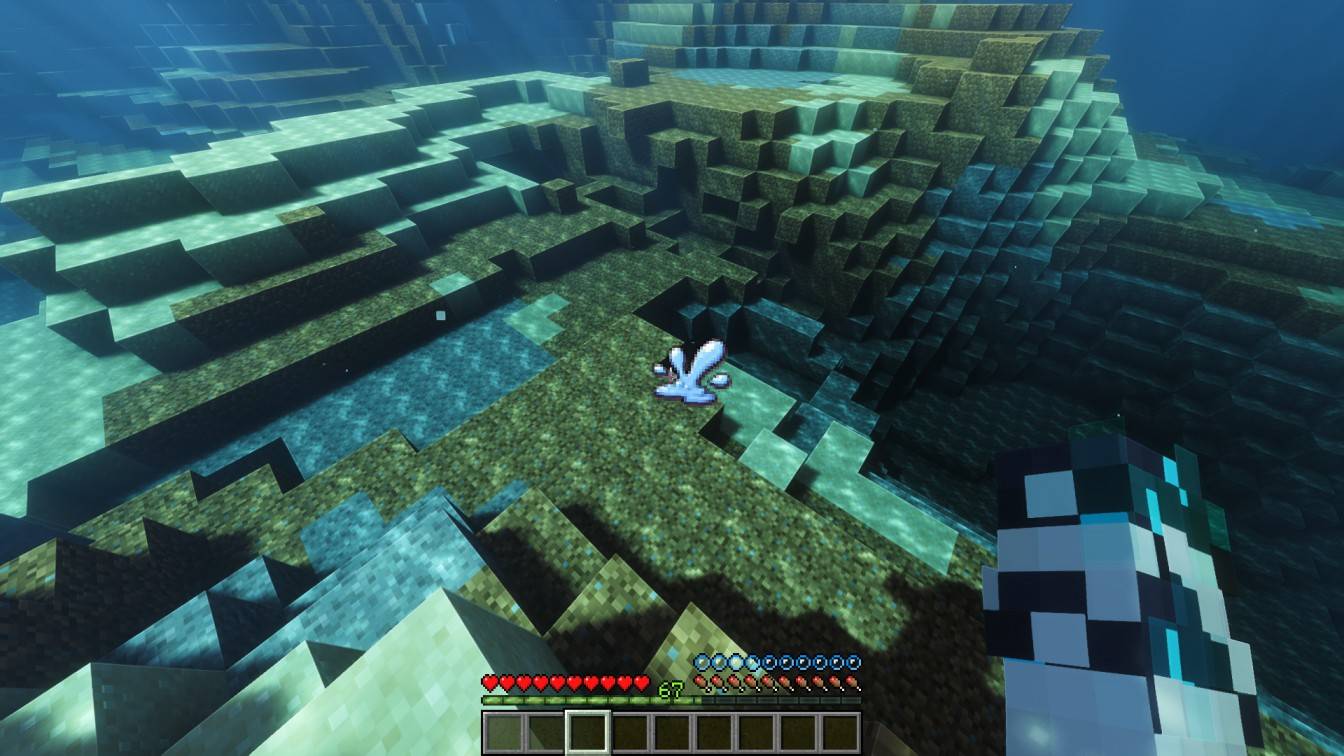
2026-06-14_16.01.41.jpg
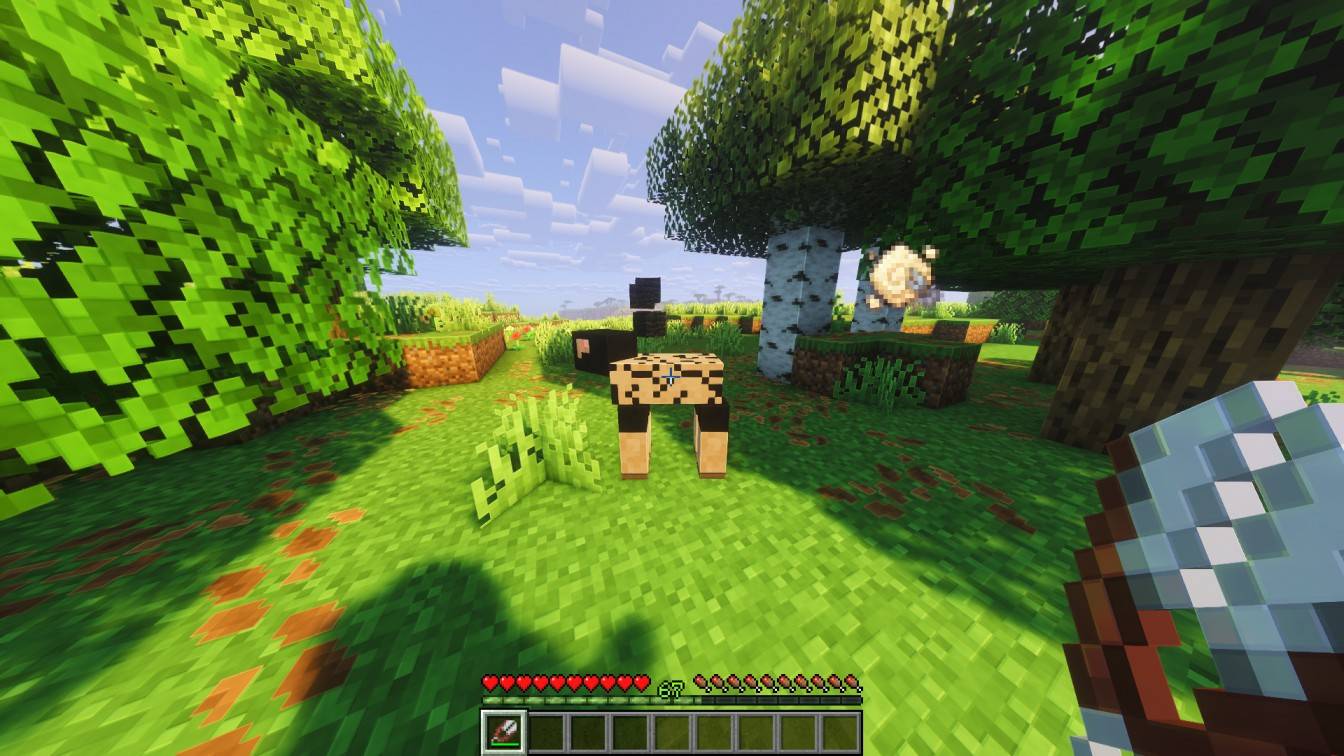
2026-06-14_16.02.50.jpg
Description
# Tiny Motes
Tiny visual and audio reactions that make your Minecraft world feel a little more alive.
Tiny Motes is a Fabric client-side cosmetic mod. It adds small HUD and world “motes” for cozy feedback moments: little sparkles, puffs, slashes, crumbs, hearts, bubbles, and progression reactions that make normal gameplay feel more expressive without changing the game itself.
> Small visual reactions. Big cozy feeling.
Author: Swiyss
## Compatibility
### Minecraft: Java Edition
* `26.1`
* `26.1.1`
* `26.1.2`
### Platform
* Fabric
### Requirements
* Fabric Loader `0.19.3` or newer
* Fabric API `0.145.1` or newer
* Java `25` or newer
### Optional
* Mod Menu for in-game configuration
### Supported Environment
* Client-side only
* Server installation is not required
Tiny Motes is cosmetic and does not provide gameplay advantage. It does not change damage, movement, drops, entity behavior, block behavior, progression, or server-side rules.
## What Does Tiny Motes Add?
Tiny Motes adds small visual and audio feedback moments to Minecraft actions that normally feel quiet, flat, or easy to miss.
Examples include:
* cozy animal reactions;
* farming and harvest feedback;
* cake, milk, shearing, brush, and utility reactions;
* rare pickup and progression motes;
* baby mob feedback with Golden Dandelions;
* subtle critical-hit slash feedback;
* PvP arrow hit feedback;
* Enderman look feedback;
* Elytra and Ender Dragon progression moments;
* landing fluff after real falls;
* small HUD reactions with safe-zone placement.
The goal is not to make Minecraft louder or flashier. The goal is to make small moments feel charming, readable, and alive.
## Features
* Small world and HUD motes for animals, hostile mobs, player actions, blocks, consumables, rare pickups, and progression moments.
* One-mote HUD presentation designed to avoid spam.
* Central HUD safe zone for UI motes.
* Adjustable HUD mote scale levels from `1` to `4`.
* Configurable sound volume and category toggles.
* Mod Menu integration for in-game configuration.
* Distinct visual reactions for archaeology, cake, firework, milk, shearing, rare progression, PvP arrow hits, critical hits, Elytra, and Ender Dragon moments.
* Critical sword hits show one subtle non-emissive slash with sound.
* Normal sword hits stay quiet.
* Golden Dandelion feedback supports baby mobs without changing their state.
* Enderman-look feedback remains visual and adds no custom sound.
* Swimming and water-entry HUD motes are disabled by default, but can be enabled manually.
* Performance limits and anti-spam behavior keep effects controlled.
## What’s New in `0.1.4-alpha`
* Added HUD mote scale settings from `1` to `4`.
* Reworked HUD motes into a cleaner one-mote presentation.
* Added a central safe zone for HUD mote placement.
* Added a new critical-hit slash mote.
* Removed normal-hit combat mote spam.
* Critical hits now show exactly one subtle slash.
* Removed extra Enderman custom sound to avoid overlapping with vanilla audio.
* Improved scale consistency for newer motes.
* Added improved baby mob feedback for Golden Dandelions.
* Improved Elytra and Ender Dragon progression presentation.
* Redrew and centered the Ender Dragon celebration mote.
* Added a new Tiny Motes icon for Mod Menu and project pages.
* Changed swimming and water-entry HUD motes to start disabled by default.
* Preserved existing explicit configuration values where possible.
* Updated documentation, release notes, package hashes, and release artifacts.
## Installation
1. Install Fabric Loader for a supported Minecraft version.
2. Install a compatible Fabric API release.
3. Download `tiny-motes-0.1.4-alpha.jar`.
4. Place the JAR in your Minecraft `mods` folder.
5. Optionally install Mod Menu to configure Tiny Motes in game.
6. Launch the game.
Tiny Motes is client-only. You do not need to install it on a server.
## Configuration
Tiny Motes saves its configuration here:
```text
config/tiny_motes.json
```
With Mod Menu installed, you can configure Tiny Motes in game.
Important settings include:
* category toggles;
* sound volume;
* HUD/UI mote scale;
* visual controls;
* water-entry and swimming HUD mote toggle;
* performance and anti-spam controls.
Default configuration notes:
* Sound volume defaults to `100%`.
* HUD/UI mote scale defaults to `3`.
* Water-entry and swimming HUD motes are disabled by default.
* Existing explicit configuration values are preserved when possible.
## Compatibility Notes
Tiny Motes is designed to be lightweight and client-side.
Because it only adds cosmetic feedback, it should work in most singleplayer and multiplayer setups. However, always follow the rules of the server you play on.
Shader packs, resource packs, HUD mods, and UI mods may change how some effects look. Tiny Motes is built to keep effects small and controlled, but visual style can vary depending on your setup.
## Known Notes / Limitations
* Tiny Motes is cosmetic and client-side.
* The mod does not change gameplay state.
* The mod does not make baby mobs grow.
* The mod does not alter drops, damage, movement, or progression.
* Some effects are intentionally rare or event-based.
* Some HUD effects may be easier or harder to notice depending on GUI scale, shaders, resource packs, and screen layout.
* Mod Menu is optional, but recommended for configuration.
* This is an alpha release, so polish may continue over future versions.
## FAQ
### Does Tiny Motes need to be installed on the server?
No. Tiny Motes is client-side only.
### Does this mod give gameplay advantage?
No. Tiny Motes is cosmetic. It does not change damage, movement, drops, entity behavior, block behavior, or server-side mechanics.
### Can I use it in multiplayer?
Yes, from a technical perspective, it is client-side and cosmetic. Still, follow the rules of the server you play on.
### Why are swimming and water-entry motes disabled by default?
They can be cute, but they may also appear often depending on playstyle. They start disabled by default so the experience stays calm. You can enable them manually in config or Mod Menu.
### Why do normal sword hits not show motes?
Tiny Motes avoids combat spam. Critical hits get a subtle slash, while normal hits stay quiet.
### Can I configure the mod?
Yes. You can edit `config/tiny_motes.json`, or use Mod Menu for in-game configuration.
### Can I use Tiny Motes in a modpack?
Read the license first.
Modpacks may reference Tiny Motes through official distribution pages controlled by the author, such as the official GitHub, Modrinth, or CurseForge pages. Direct redistribution, reuploading, repackaging, modified builds, unofficial mirrors, or bundled JAR redistribution are not permitted without prior written permission.
## Development
Build with:
```powershell
.\gradlew.bat clean build
```
The output JAR is written to:
```text
build/libs/
```
## License
Tiny Motes is source-available, not open-source.
Official builds may be downloaded and used for personal gameplay. Redistribution, reuploads, modified versions, forks, ports, mirrors, repackaging, unofficial builds, and derivative versions are not permitted without prior written permission.
See [`LICENSE`](LICENSE) for the full terms.
## Credits
Created by Swiyss.
Tiny Motes contributors created the code, design, documentation, and project assets.
Minecraft is a trademark of Microsoft. This project is not affiliated with, endorsed by, sponsored by, or approved by Mojang Studios or Microsoft.
This was made to make tiny moments feel better. Enjoy.
The Tiny Motes Team

