


Tight Pockets
- By
2026-11-08_15.45.51.png
2026-11-08_15.46.28.png
Description
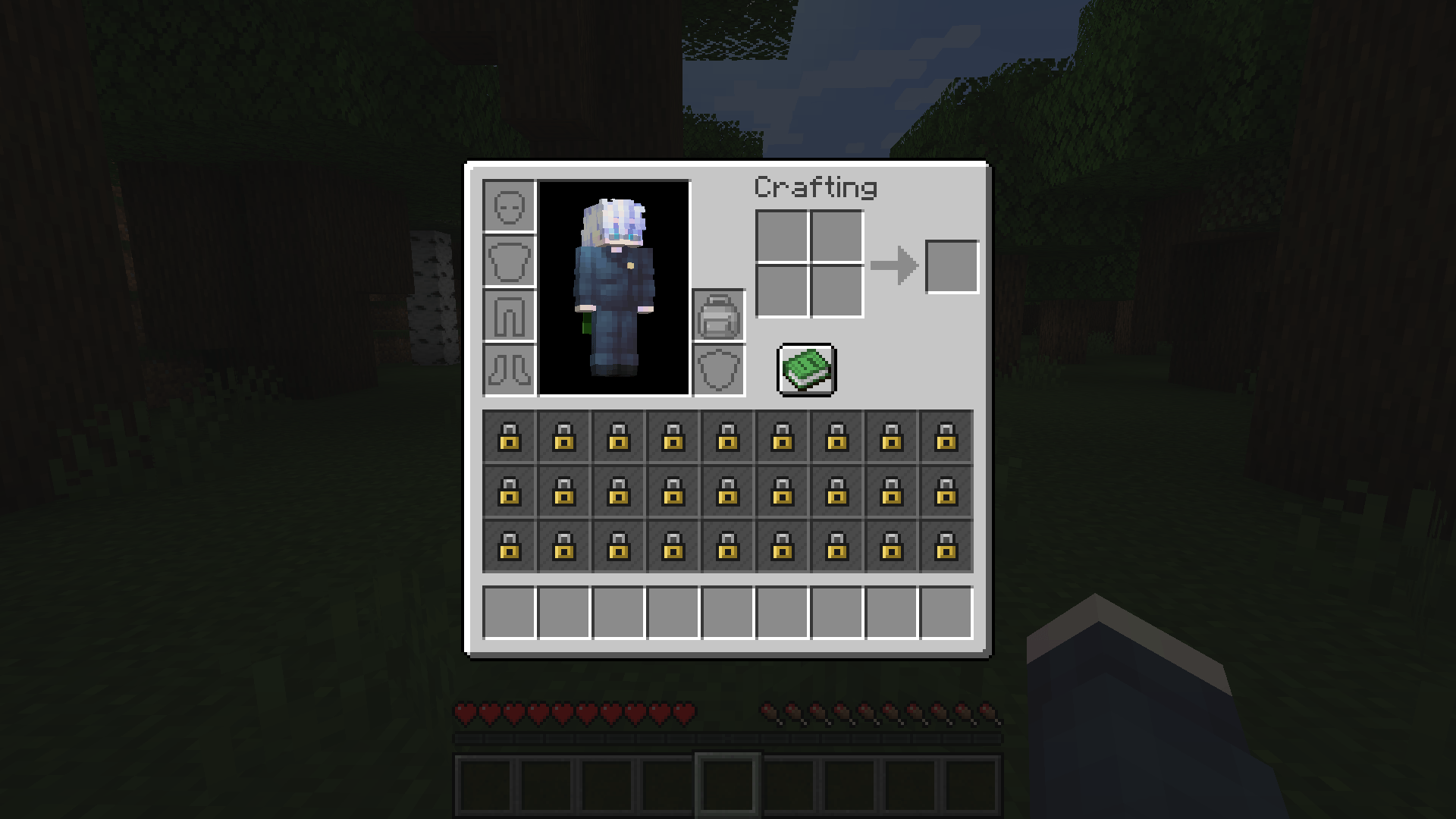
Tight Pockets locks your main inventory. You start with the hotbar only, and every row of storage has to be earned. Craft a backpack, wear it in a dedicated slot, and the inventory unlocks row by row as you upgrade from leather to iron to diamond.
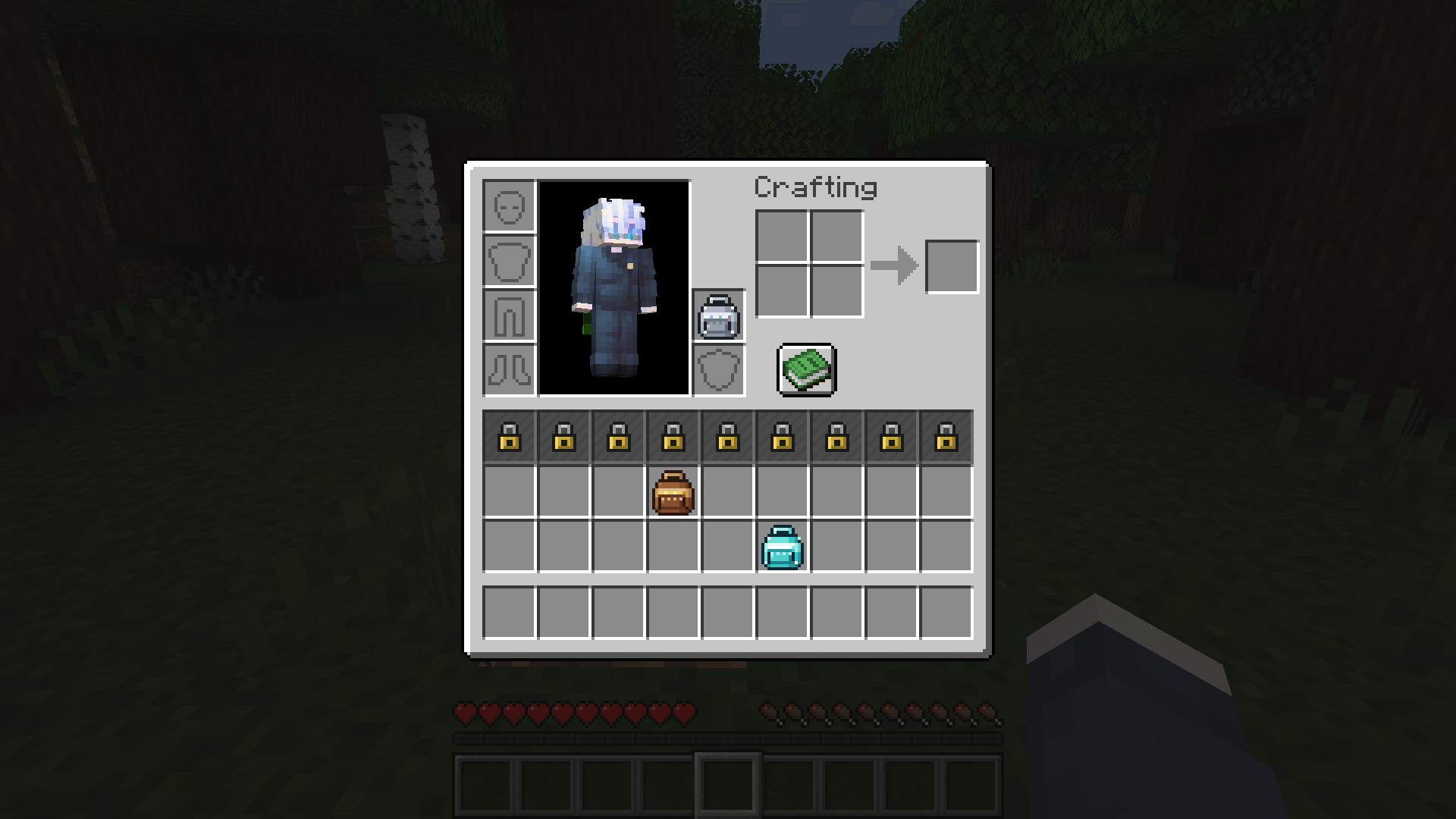
A Tight Start In a new world only your hotbar, armor, offhand and the 2x2 crafting grid are usable. The 27 slots of the main inventory are covered with a lock and cannot be clicked, filled by item pickup, or shift-clicked into. Picking up items with a full hotbar simply leaves them on the ground until you find a way to carry more. The Backpack Slot A new slot sits in the inventory screen right above the offhand slot. It works like an armor slot, but only accepts backpacks. There are three ways to put one on: Right-click with the backpack in your hand (swaps with the one you are already wearing) Drag it into the slot Shift-click it from anywhere in your inventory
Backpack Tiers Each tier unlocks more rows. Slots open starting with the row closest to the hotbar. Backpack Slots unlocked Rows Leather Backpack 9 bottom row Iron Backpack 18 bottom and middle rows Diamond Backpack 27 the whole inventory The three backpacks have their own textures in a matching style, so you can tell the tiers apart at a glance.
Crafting Every tier has a shaped recipe. The iron and diamond backpacks are upgrades, so they use the previous tier as an ingredient.
Leather Backpack
String   Leather  String
Leather  Chest    Leather
Leather  Leather  Leather
Iron Backpack
Iron Ingot  Leather           Iron Ingot
Leather     Leather Backpack  Leather
Iron Ingot  Leather           Iron Ingot
Diamond Backpack
Diamond     Iron Ingot      Diamond
Iron Ingot  Iron Backpack   Iron Ingot
Diamond     Iron Ingot      Diamond
Recipes unlock automatically when you pick up the first ingredient, and they show up in the recipe book and in recipe viewers.
Taking the Backpack Off
Nothing gets deleted. When slots become locked again (backpack removed, or swapped for a smaller one), the items inside them are moved to free unlocked slots, and whatever does not fit is dropped next to you.
While a crafting table, chest or any other container is open, or while a backpack is held on your cursor, your items are left alone. That means you can take your backpack off, use it in an upgrade recipe at a crafting table, and put the new one on without anything spilling out.
If you die, the backpack drops together with the rest of your items. With keepInventory on, it stays on you.
Configuration
Settings live in serverconfig/tightpockets-server.toml inside the world folder and are synced to players automatically.
leatherBackpackSlots, ironBackpackSlots, diamondBackpackSlots: how many slots each backpack unlocks (0 to 27, default 9 / 18 / 27)
creativeBypass: when enabled (default), players in creative mode always have the whole inventory unlocked
Compatibility and Notes
Minecraft 1.21.1 on NeoForge (21.1.265 or newer). Forge and Fabric are not supported. Required on both the client and the server. Adding the mod to an existing world is safe: items already sitting in the main inventory are moved to free hotbar slots or dropped, never deleted. Other mods that rework the player inventory screen or add their own inventory slots may overlap with the backpack slot. The worn backpack is not rendered on the player model.
Links and Credits
Source code, bug reports and suggestions: GitHub
Made by KUM1R with the help of AI.
License: MIT
Tight Pockets Team
