TheDragon's Mini: End Rods Awaken
- By
End Rods Awaken adds an upgraded version of the classic End Rods, that channels potion effects into a controllable aura.
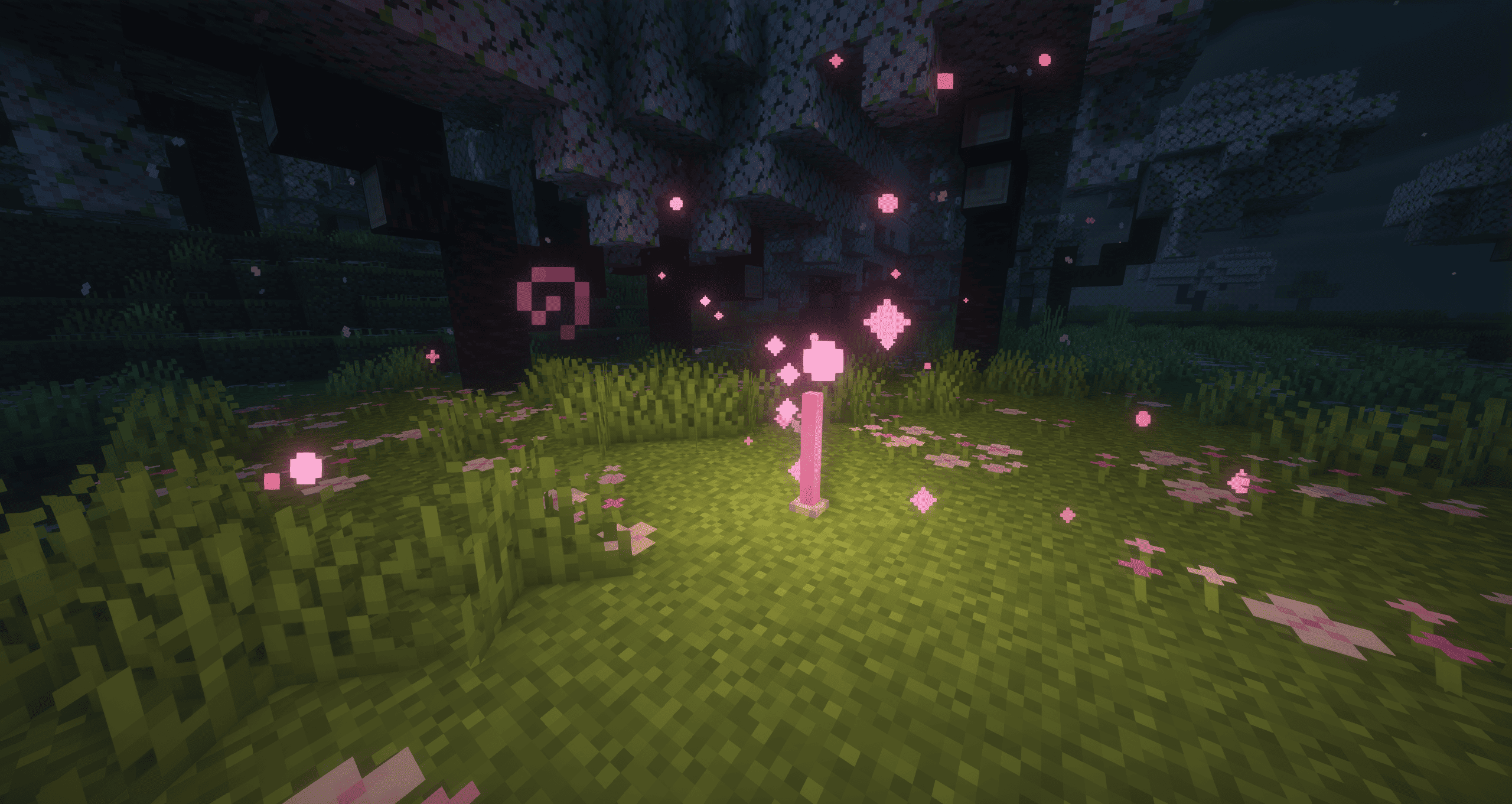
Regen potion
Description





📖 About
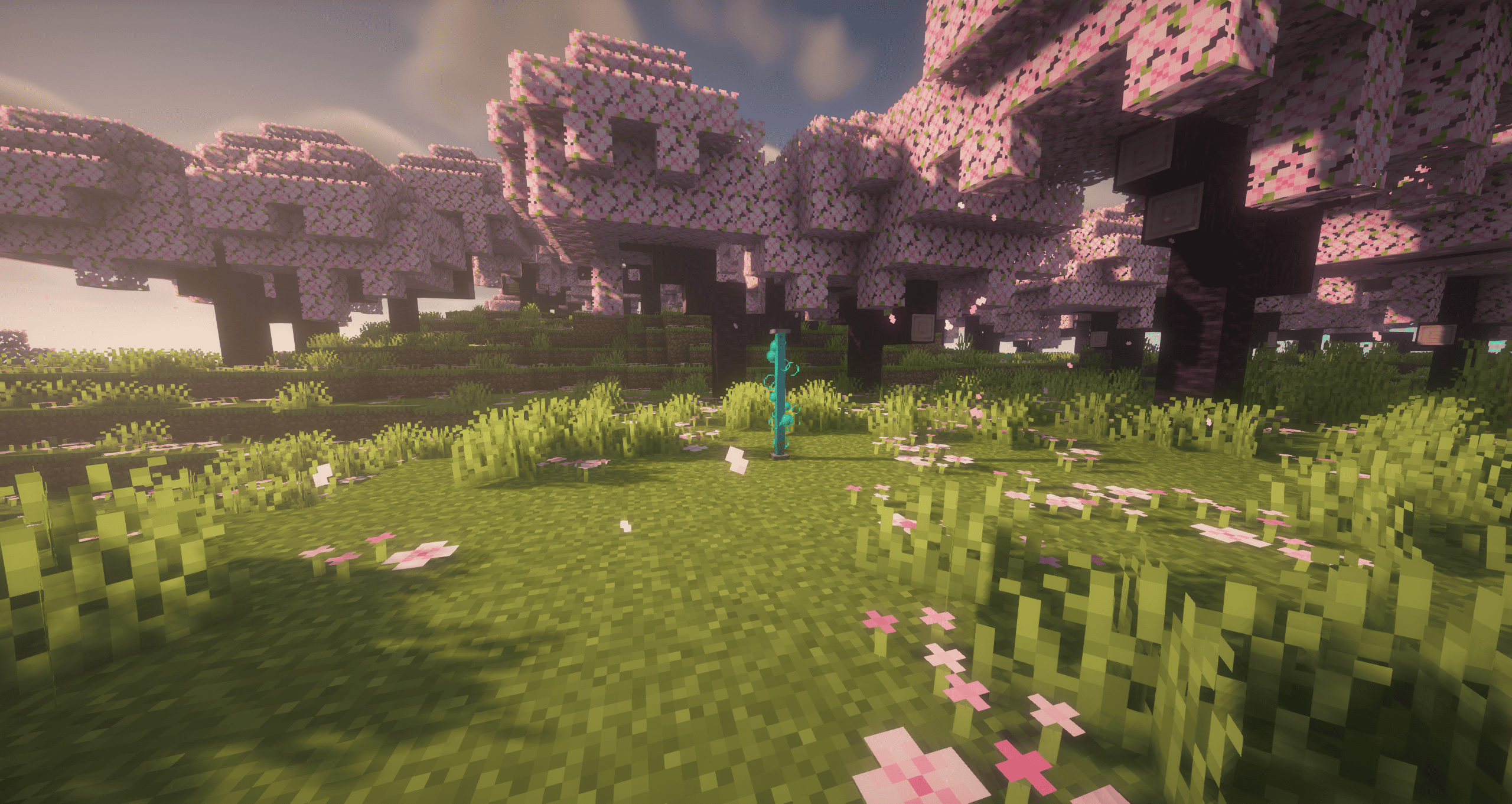
End Rods Awaken adds an upgraded version of the classic End Rods, the Awakened End Rod; a mystical block that channels potion effects into a controllable aura, in a similar way of how lingering potions work.
By storing potions, it allows players to combine and manage effects in an area of influence.
With its unique slots, locking system, and sculk sensor integration, the Awakened End Rod turns potion management into an interactive and strategic gameplay feature.
✨ Features
- 🧪 Potion Management – Store up to 3 potion effects and project them in a 4-block radius.
- 🕒 Dynamic GUI – Custom interface with duration bars, effect icons, tooltips, and a clear button.
- 🎨 Visual Feedback – Block tint and particles change to reflect active potion colors (single or blended).
- ⚙️ Automation – Hopper-compatible potion slots for automated brewing systems.
This mod supports multiplayer.
If you find bugs please report so I can try to fix them.
Below you'll find how the Awakened End Rod behaves in-game: visuals, area effects, stacking rules, controls and interactions.
🛠 Crafting Recipe
⚙️ How it works
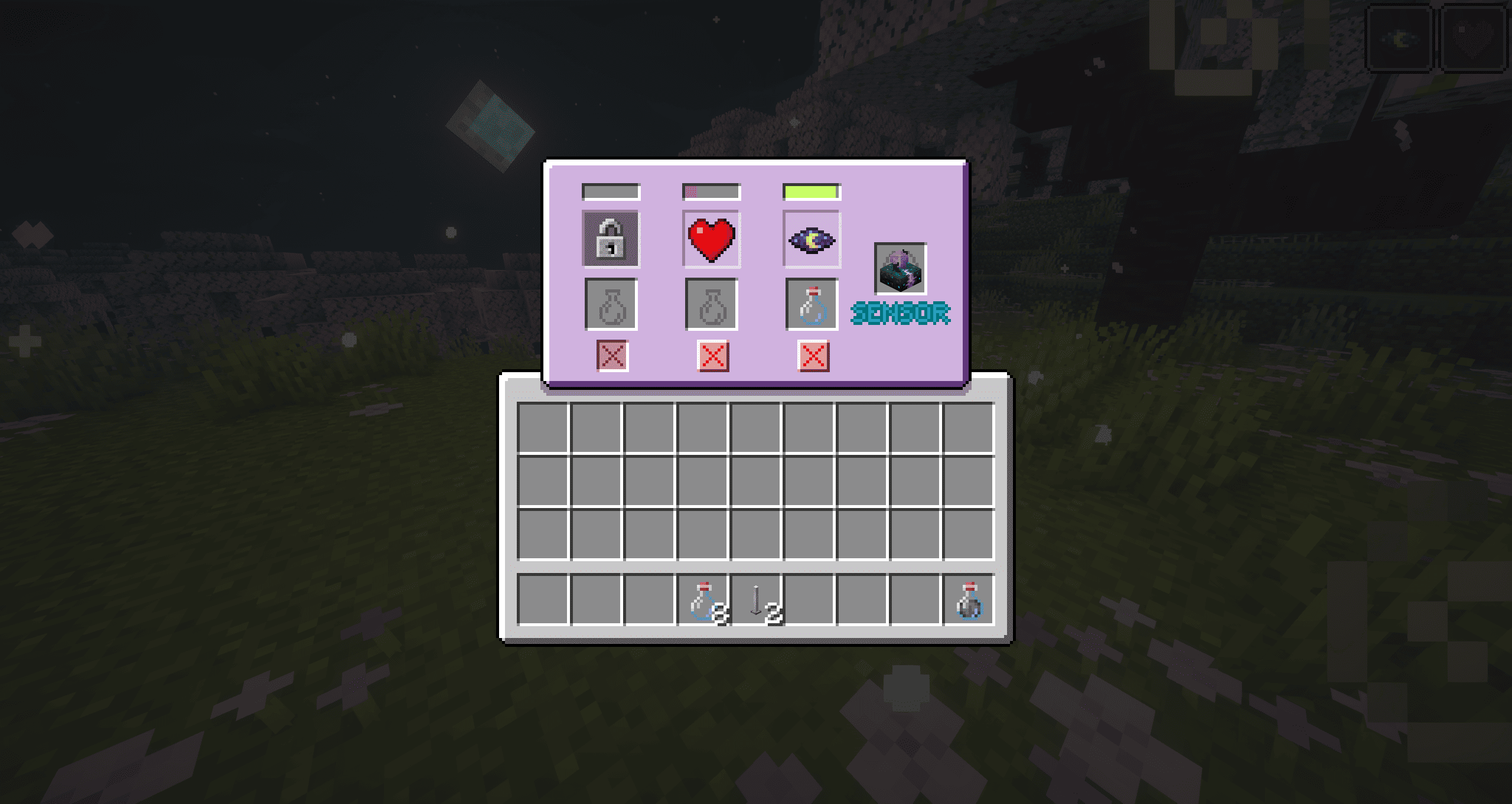
Awakened End Rod Menu:
Elements Explained
- Effect Duration Bar → Shows a decreasing bar matching the effect duration; hover to check the exact time left.
- Effect Icon & Amplifier Level → Shows the icon of the effect; hover to check the name and amplifier level.
- Potion Slots → Takes the potion and returns the empty bottle.
- Clear Effect Button → Clears the effect for the current slot.
- Locked Slots → Locks a slot to prevent potions from being placed; toggled with Shift+Click.
- Sculk Sensor Slot → Grants detection abilities depending on the type of sculk sensor inserted.
Behavior:
Slot rules & interactions
- You cannot insert a potion into a slot that already has an active effect. You must first clear the slot (clear button) or wait for the effect to end.
- You cannot insert instant effect potions nor any type of potion besides the normal ones.
- Locked slots (toggled with Shift + Click on the slot icon) cannot accept items while locked.
Area of effect
- Any mob or player within a 4-block radius of the Awakened End Rod will receive the active effect(s) while they last.
- Multiple different effects are applied simultaneously: each active slot contributes its effect to entities inside the radius.
Combining effects & amplifiers
- Different effects (e.g., Speed + Regeneration) stack and are applied together.
- Multiple potions of the same effect combine into higher amplifier levels.
- Example: Poison I + Poison II → Poison III.
- The amplifier can increase up to a maximum of VI.
- Durations are tracked per-slot: each slot has its own remaining time and contributes accordingly.
Power toggle (turning the block off)
- Shift + Click on the block toggles the block power state (on/off).
- When turned off:
- The rod stops emitting light and particles.
- Active effects stop being applied (entities no longer receive the effects while the rod is off).
- When turned on again, the rod resumes normal behavior.
Sculk Sensor behavior
- Placing a sensor into the dedicated sensor slot enables automatic activation based on nearby entities.
- When a sensor is equipped but no entity is detected, the block remains turned off but emits subtle particles to indicate a sensor is installed and waiting for a trigger.
Sensor Types:
- Sculk Sensor → Detects any mob or player. Activates while an entity is within 4 blocks, deactivates when area is clear.
- Calibrated Sculk Sensor → Detects only players. Same behavior, ignores mobs.
Hoppers / Automation
- The block is hopper-compatible for the potion slots (hoppers can be used to insert potions into those slots or to extract the empty bottles).
- The sensor slot is not intended for hopper insertion/automation.
Visuals & Particles
- When a potion is placed in any potion slot, the End Rod tints to that potion's color and emits particles of the same color.
- If multiple potions are present the tint/particles blend (additive color mixing) to reflect the combination of active effects.
Quick reference
- Effect radius → 4 blocks
- Max amplifier → VI
- Block on/off toggle → Shift + Click (on the block)
- Toggle slot lock → Shift + Click (on the effect icon)
📷 Media
📦 Dependencies
Forge
The TheDragon's Mini: End Rods Awaken Team