The Greatest Soup
- By
in-hand.png
recipe.png
states.png
Description
The Greatest Soup
Small, focused fixes for bugs and conflicts between 1.12.2 mods, and a few additions that fit them.
Big modpacks are a soup of hundreds of mods, and some of them don't get along: items get lost, events fire in the wrong order, things break in ways no single mod author ever sees. This mod collects fixes for such problems, one at a time, as I run into them in my own pack.
How it works
- Only what you need. Every fix turns on only when the mod it targets is installed. If you don't have that mod, the fix does nothing.
- Everything can be switched off. Each fix has its own option in
config/greatestsoup.cfg, also editable in game from the Mods list (unless its section says otherwise). - Light on your world. The fixes add no blocks, items or world data. The only item is the "M" Detector below; removing the mod removes it from your world, nothing else.
- Install it on both sides. Because of that item, servers and clients both need the mod.
Fixes
Traveler's Backpack + Corail Tombstone: the backpack goes into the grave
The problem: a worn Traveler's Backpack isn't in your inventory, it's in its own slot. When you die, Traveler's Backpack places or drops it before grave mods collect your items, so the backpack never makes it into the grave. Die in lava or the void, and it's gone.
The fix: on death, the backpack is taken off and added to your death drops like any other item.
- With Corail Tombstone (or any grave mod that collects
PlayerDropsEvent), the backpack goes into the grave with the rest of your stuff. - Without a grave mod, it simply drops on the ground.
- With
keepInventoryon, nothing changes: the backpack stays on your back. - If another mod prevents the death (a totem-like item), the backpack is put back on.
Config option: travelersBackpack.backpackInGrave. Tested with Traveler's Backpack 1.0.35 and Corail Tombstone 4.8.0.
Corail Tombstone: no crash when a mob targets a ghost
The problem: Tombstone 4.8.0 crashes the game (IllegalAccessError) whenever a mob targets a player under the Ghostly Shape effect, which happens every time you go back for your grave. Tombstone ships an access transformer for this, but its jar doesn't declare it, so Forge never applies it.
The fix: this mod declares the same access transformer, so Tombstone works as intended with its original jar.
This fix can't be switched off (access transformers load before any config), but it's harmless: it only makes four Minecraft fields public.
Minecraft: white inventory screen with arrows stuck in the player
The problem: some mods add empty parts to the player model (HBM's Nuclear Tech Extended does, for its Egon backpack). When arrows are stuck in you, Minecraft can pick such a part to attach an arrow to and throws an error every frame, which overflows the OpenGL stack and turns the inventory screen white until the arrows wear off.
The fix: stuck arrows are rendered only on model parts that have something to attach to.
Config option: minecraft.safeArrowLayer. Client side only.
HBM's Nuclear Tech: the shredder ignores ores of other mods
The problem: HBM's shredder builds its recipes from the ore dictionary (ore into two dusts, and so on), but only for the first item of each name and never for items registered with the wildcard meta. When several mods add copper or tin ore, all but one of them shred into scrap.
The fix: every item gets the recipe HBM's own rules give it, as long as the pack has the matching dust. HBM's own recipes stay as they are, and no new dusts are invented. Ores that still give scrap are listed in the log, so you know which dusts are missing (JAOPCA can add them).
Config option: hbm.shredderAllOreDictItems, applied on restart.
HBM's Nuclear Tech: the assembly machine's black glass and hidden blocks
The problem: the assembly machine's glass turns solid black at some angles, depending on what was drawn just before it. And the item of the loaded recipe, which should show on the work plate, is lowered into the machine's body when it's a plain block (an energy storage block, for example), so it can't be seen.
The fix: the glass stays clear, and plain blocks stand on the work plate. Machines with their own models, like the oil refinery, already showed and are left as they are.
Config option: hbm.fixAssemblerRendering. Client side only.
Thaumic Energistics: the Arcane Terminal destroys crystals
The problem: crafting an arcane recipe that needs no crystals, like a Warded Jar, in the Arcane Terminal destroys every crystal in its crystal slots. And JEI's transfer button puts crystals into the crafting grid.
The fix: the crystal slots work like the Arcane Workbench's.
- A craft takes exactly what the recipe costs, from the slots first and the rest from the ME network, and never touches the slots otherwise.
- Each craft happens whole or not at all, and right-click or shift-click crafting stops as soon as crystals, ingredients or vis run out.
- The grid refills from the network one item at a time, like an AE2 crafting terminal.
- JEI's transfer button fills only the grid and leaves the crystal slots alone.
Config option: thaumicEnergistics.arcaneTerminalCrystals. Needs MixinBooter; without it this fix stays off.
Additions
HBM's Nuclear Tech: the "M" Detector
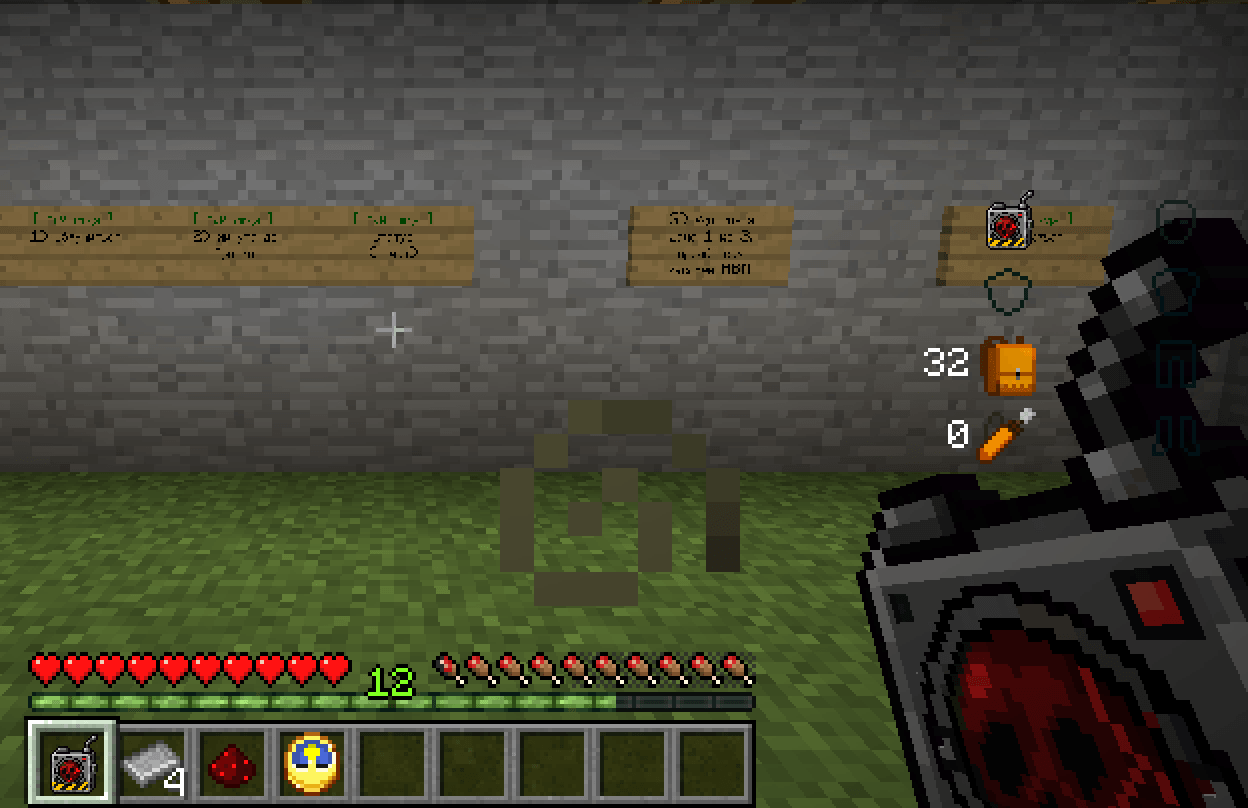
A homemade gadget soldered together from a gas mask and a cheap clock. Nobody remembers how it knows the schedule.
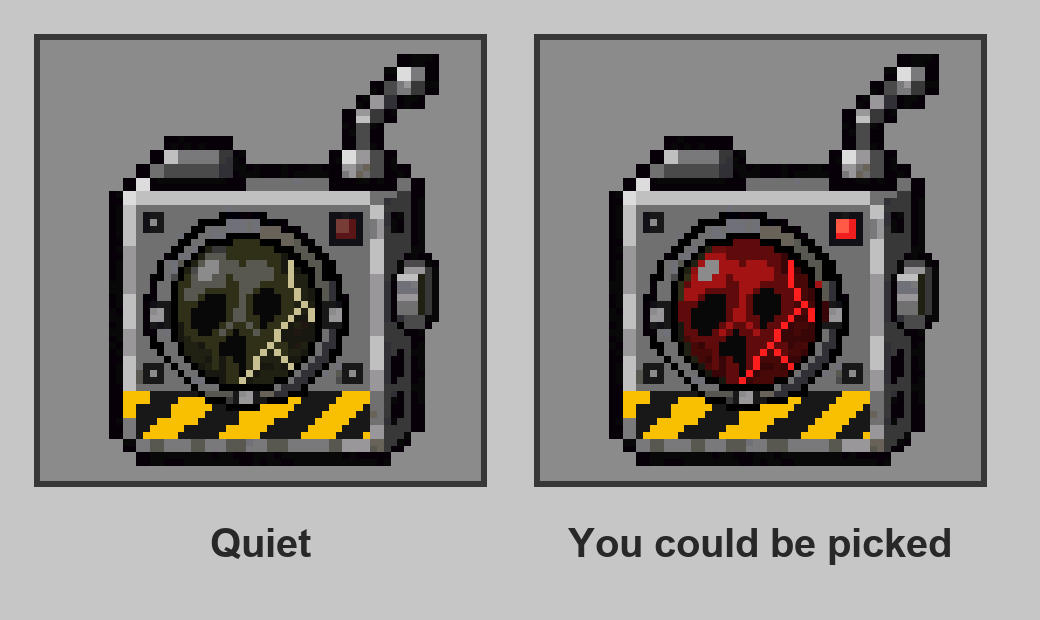
- It clicks when something is coming, more and more often, and it doesn't stay quiet when the moment arrives.
- It seems to care about the deep and the irradiated: watch its lens.
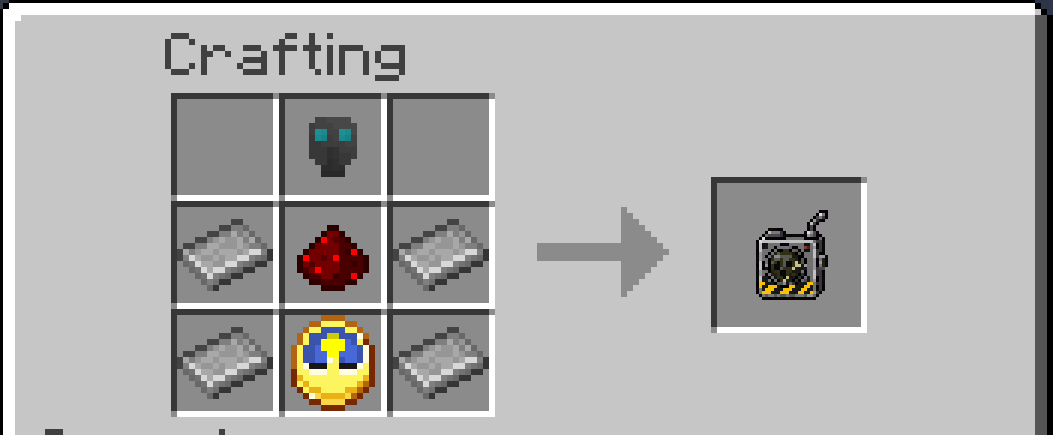
Crafted from an HBM gas mask, a clock, redstone and iron plates. Works in the hotbar, the offhand or a Baubles trinket slot.
Config options: hbm.maskDetectorSounds, hbm.maskDetectorVolume.
More fixes coming
The list will grow as I find more problems. Hit a bug or conflict between mods that isn't handled anywhere else? Open an issue on GitHub.
Modpacks
Feel free to include this mod in any modpack.
Links
- Source code (MPL-2.0)
- Changelog
- Report an issue
The Greatest Soup Team