TF2 Teleporters Remastered
- By
A mod that adds teleporters inspired by the Team Fortress 2 Engineer’s teleporter. Teleporters are linked by a shared code and can connect across dimensions.
2026-10-18_02.36.42.png
Description

Features
Teleporters
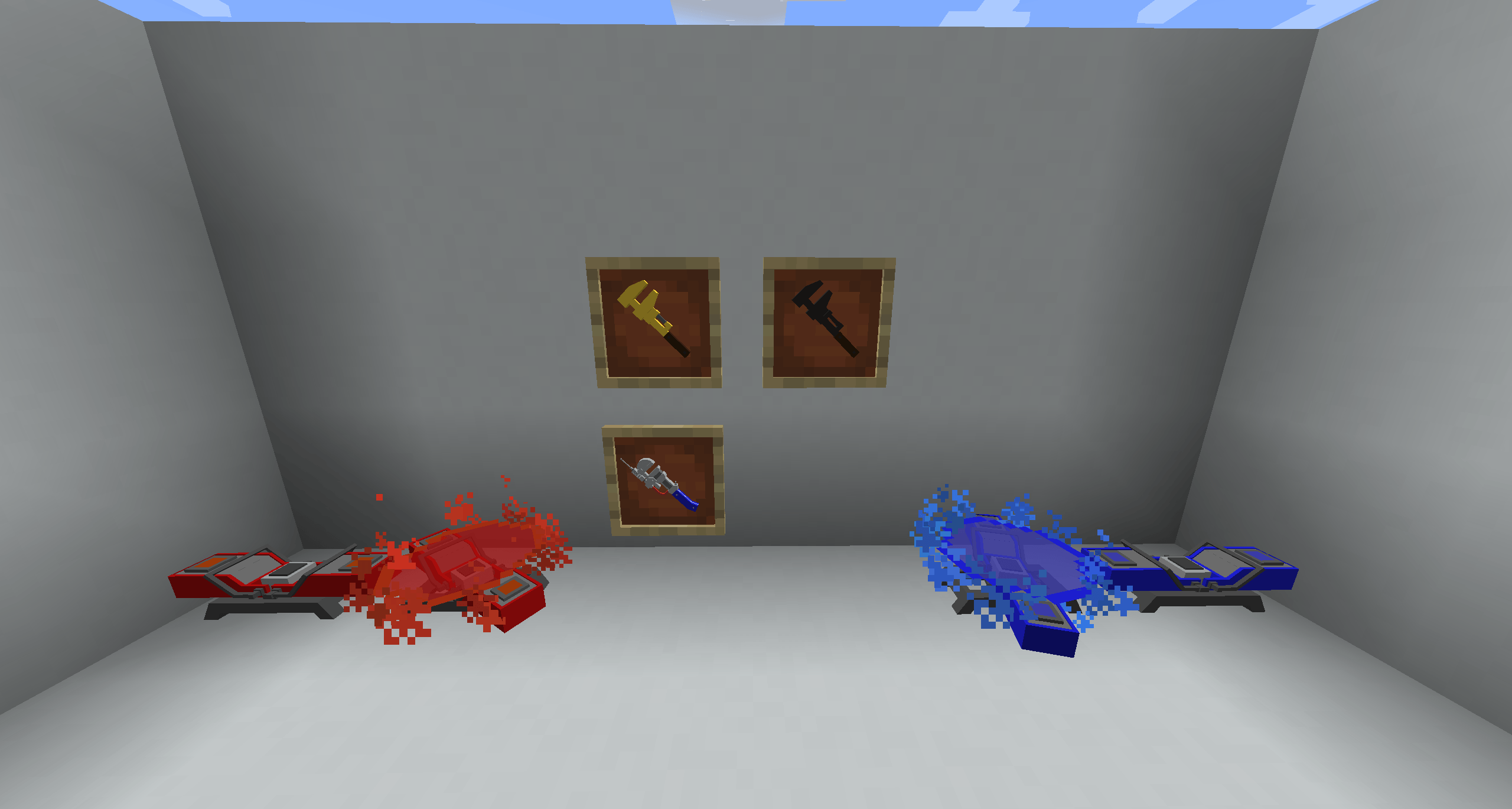
- Two colors: red (default) and blue, both using the same animated GeckoLib model.
- Each teleporter has a code (up to 16 characters) and an optional name (up to 32 characters). Teleporters with the same code are linked.
- Step onto a teleporter to open a menu listing every other teleporter with the same code, with its name, dimension, coordinates, and distance when in the same dimension.
- After a teleport, both teleporters recharge. The recharge time is set in the config
- While charged, the teleporter spins and emits colored particles. A glow fades in during the recharge.
- Sneaking lets you stand on a teleporter without opening the menu.
Wrenches
- Teleporter Wrench: right-click a teleporter to open its configuration screen, where you set the code and name and see the other teleporters that share the code. Hits like an iron axe.
- Golden Wrench: same behavior, gold texture.
- Eureka Effect (blue and red variants): a teleport wrench.
- Sneak + right-click a teleporter to mark it. The mark is stored on the item.
- Right-click anywhere else and hold for a 3-second channel to teleport to the marked teleporter. Releasing early cancels.
- 30-second cooldown after each teleport.
- The teleporter you arrive at starts its recharge and does not open its menu on arrival.
- A visual-only lightning bolt strikes where you leave from. It does no damage and starts no fires.
- Right-clicking a teleporter with the Eureka opens its config menu, like the other wrenches, so teleporting requires aiming at a non-teleporter block or the air.
TF2 Teleporters Remastered Team