Territoria - Countries & Claims
- By
Found a country, claim land on the map, manage roles, taxes and rentals, make allies and go to war, all from clean custom menus.
{BF05CDE5-096D-4DA4-B5B3-FD1F3EA034B8}.png
{FD5C8EE7-E22B-453B-BC70-6817EF7B97A2}.png
{8D1EB122-1A54-4844-AFB5-82E42AC2B049}.png
{5DEB7A80-6376-43C5-9677-EA876654B604}.png
{BA26EA52-7BFA-4D42-94EB-4EBD5EE1E9FF}.png
Description
🏳️ Territoria - Countries & Claims
Countries, Claims & Diplomacy for Minecraft
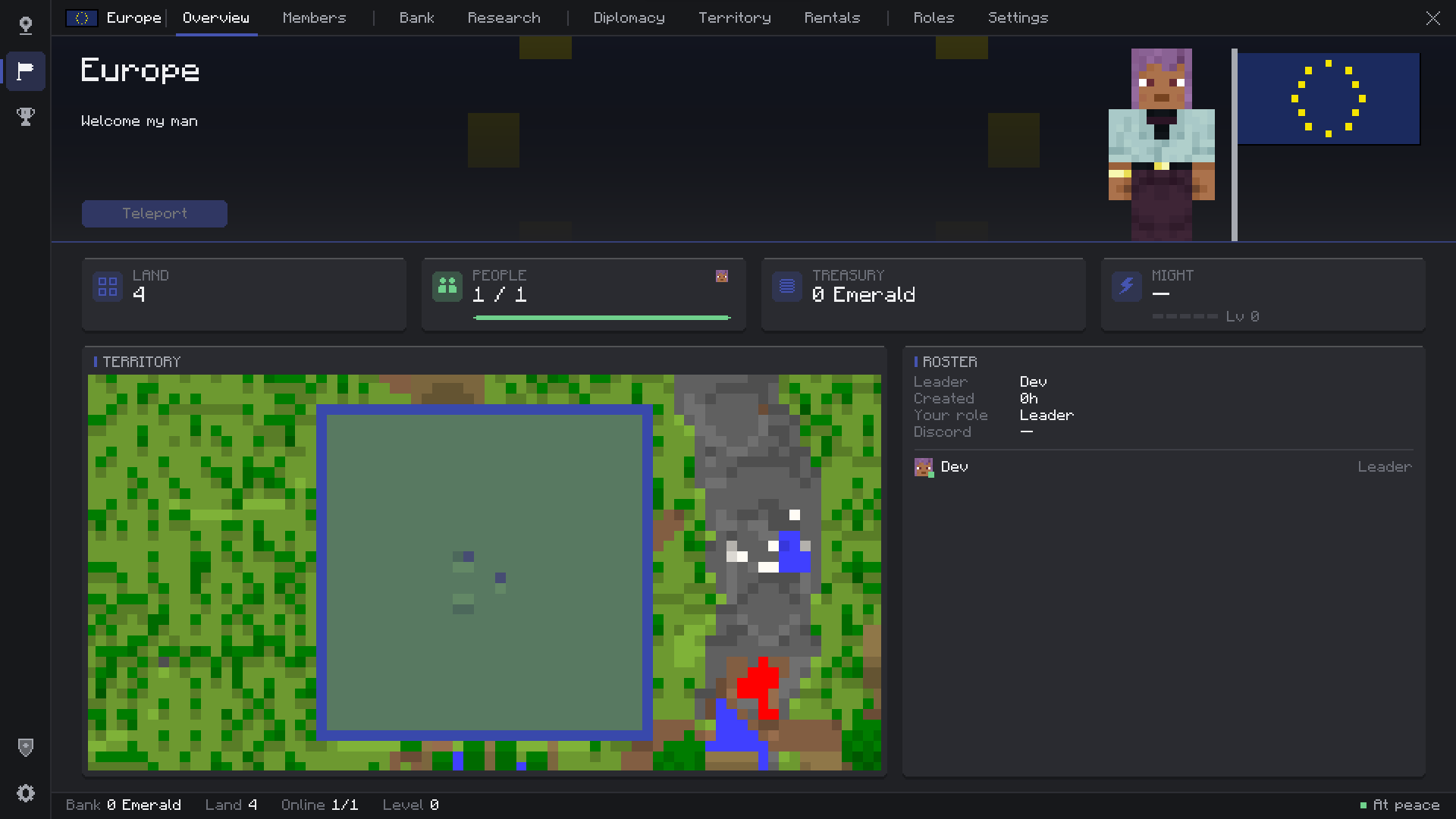
A complete nation system for NeoForge servers. Found a country, claim land right on the map, organise your members with custom roles, fill a shared bank, rent out apartments, make allies and go to war, all from clean custom menus. No command to remember: press N and play.
✨ Features
Countries
- One-Click Founding — Type a name, click Create. Invitations, or open countries anyone can join.
- Pixel-Art Flags — Draw your flag in a built-in editor with a 48-color palette. It shows in menus, on the map and on flag blocks.
- Country Identity — Color, description, welcome message and entry message shown at your borders.
- Name Tags — Your country name before your name: above heads, in the chat and in the TAB list.
- Country Chat & Sidebar — Private country chat (`/cc` or a toggle) and an optional info sidebar.
- Live Ranking — Sort every country by worth, land, members, bank, power, level or age.
Members & Roles
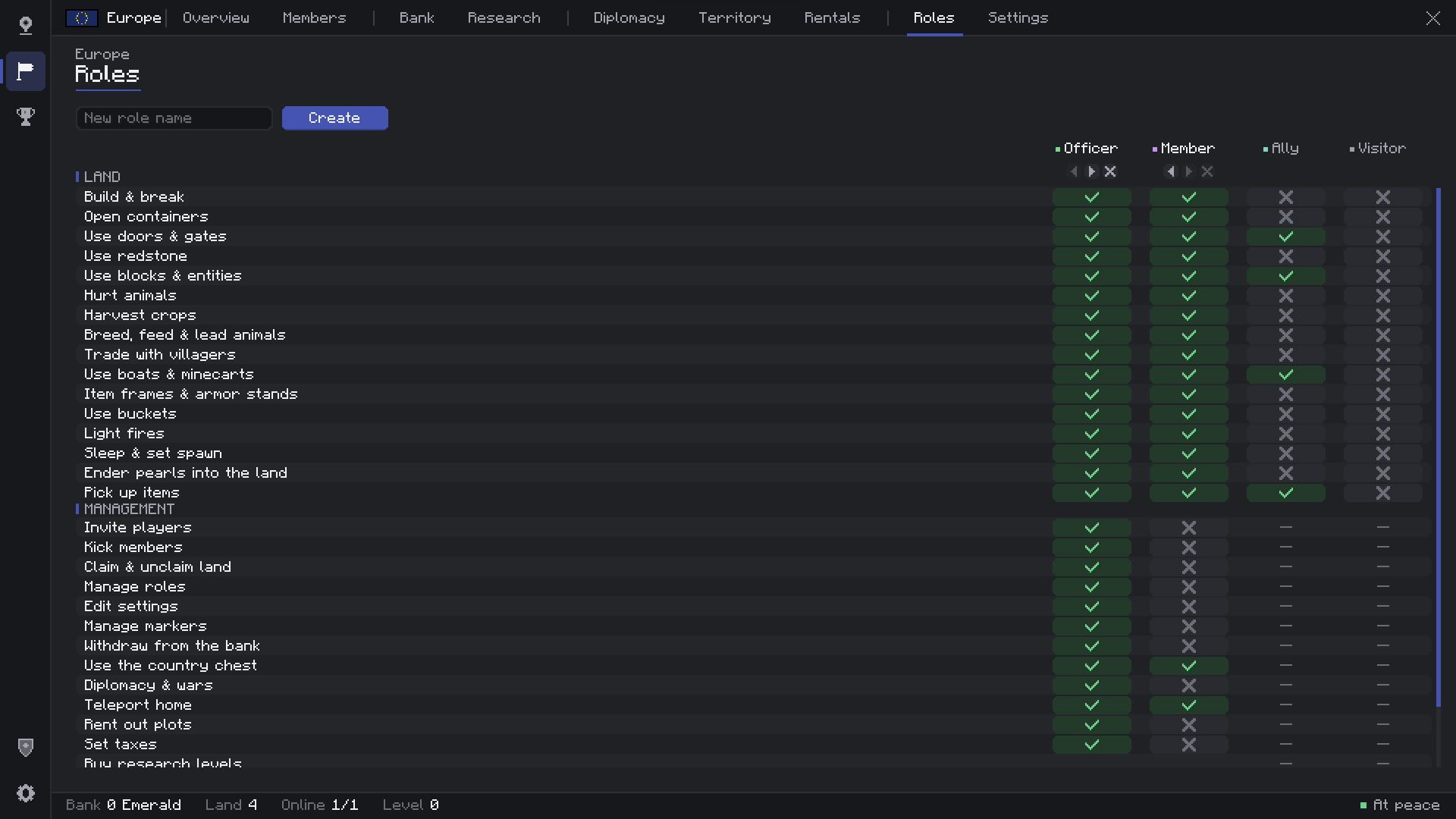
- Custom Roles — Create up to 6 roles, rename them, color them and order them. Leader, Officer, Member, Ally and Visitor come built in.
- 32 Rules — Build, containers, doors, redstone, crops, animals, villagers, vehicles, buckets, fire, beds, pearls, bank, chest, diplomacy, plots, taxes… all in one clear table.
- Trusted Players — Give outsiders the Ally role in your land without making them members.
- Member Profiles — Click a member to see their playtime, money contributed, last seen and a 7-day activity chart.
Territory
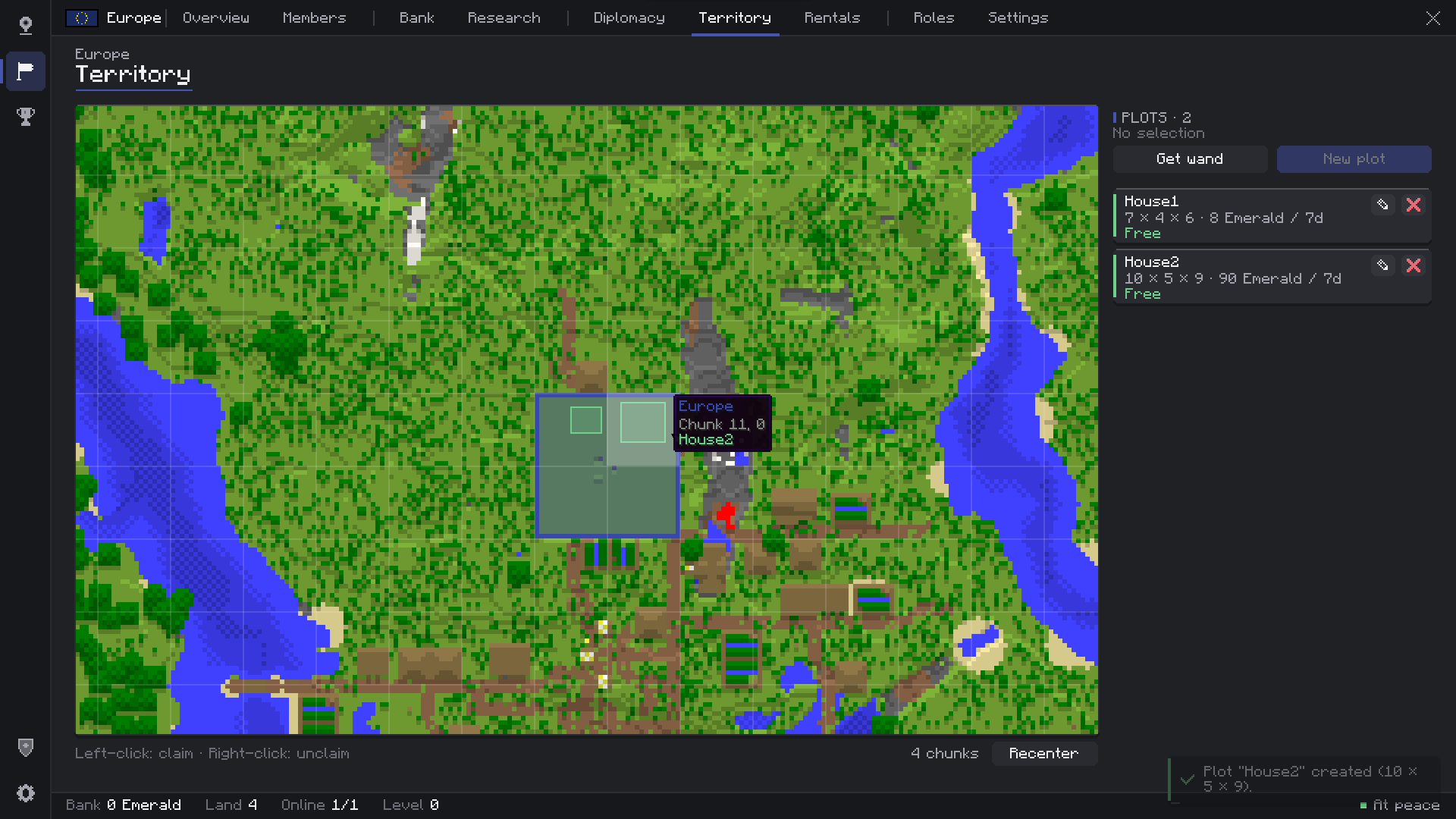
- Claim From the Map — Left-click a chunk to claim it, right-click to release it. No walking around required.
- Full Protection — Blocks, containers, entities, fire spread, explosions, fluids and hoppers from outside, each tied to a role rule.
- Land Toggles — PvP, explosions and fire spread on or off per country.
- Power & Upkeep — Optional: land limited by *active* members, and a daily cost per chunk so empty empires shrink.
- Border Banner — A title with the country's name and flag when you cross a border.
Map & HUD
- World Map** — Live map of what you explored, with every country in its color, capitals and markers.
- Minimap — Corner minimap with size, corner, coordinates and zoom options.
- Compass — Heading strip at the top of the screen showing the direction of capitals and markers.
- Markers & Capital — Pin places for your whole country, and teleport home to your capital.
- Borders in the World — See where land starts, even in caves (optional).
Economy
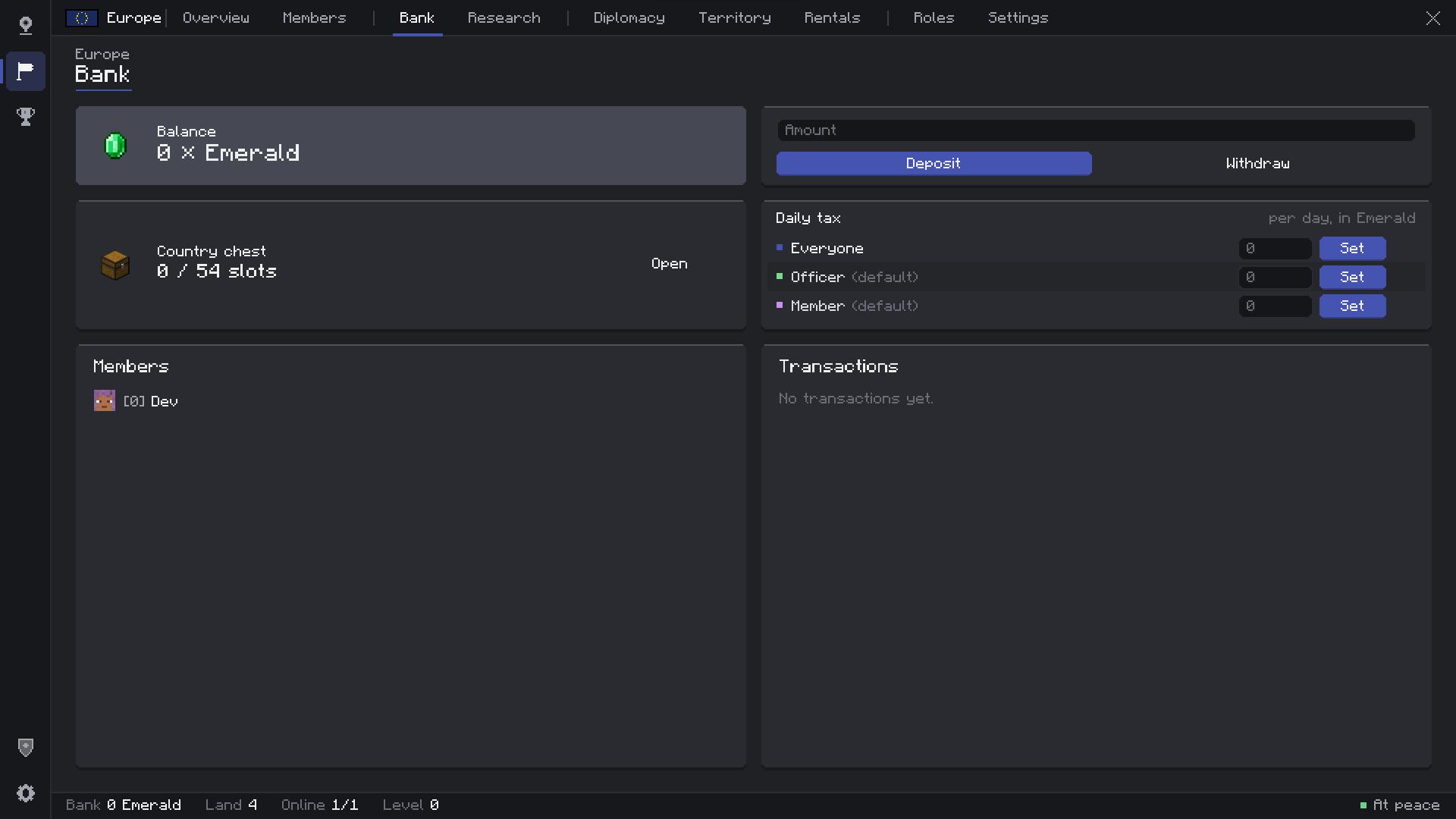
- Country Bank — Deposits, withdrawals by role, full transaction history and top contributors.
- Country Chest — A shared chest of up to 6 rows, with every item logged.
- Daily Taxes — One amount for everyone, or a different tax per role.
- Research Levels — Grow your country to unlock more land.
Plots & Rentals
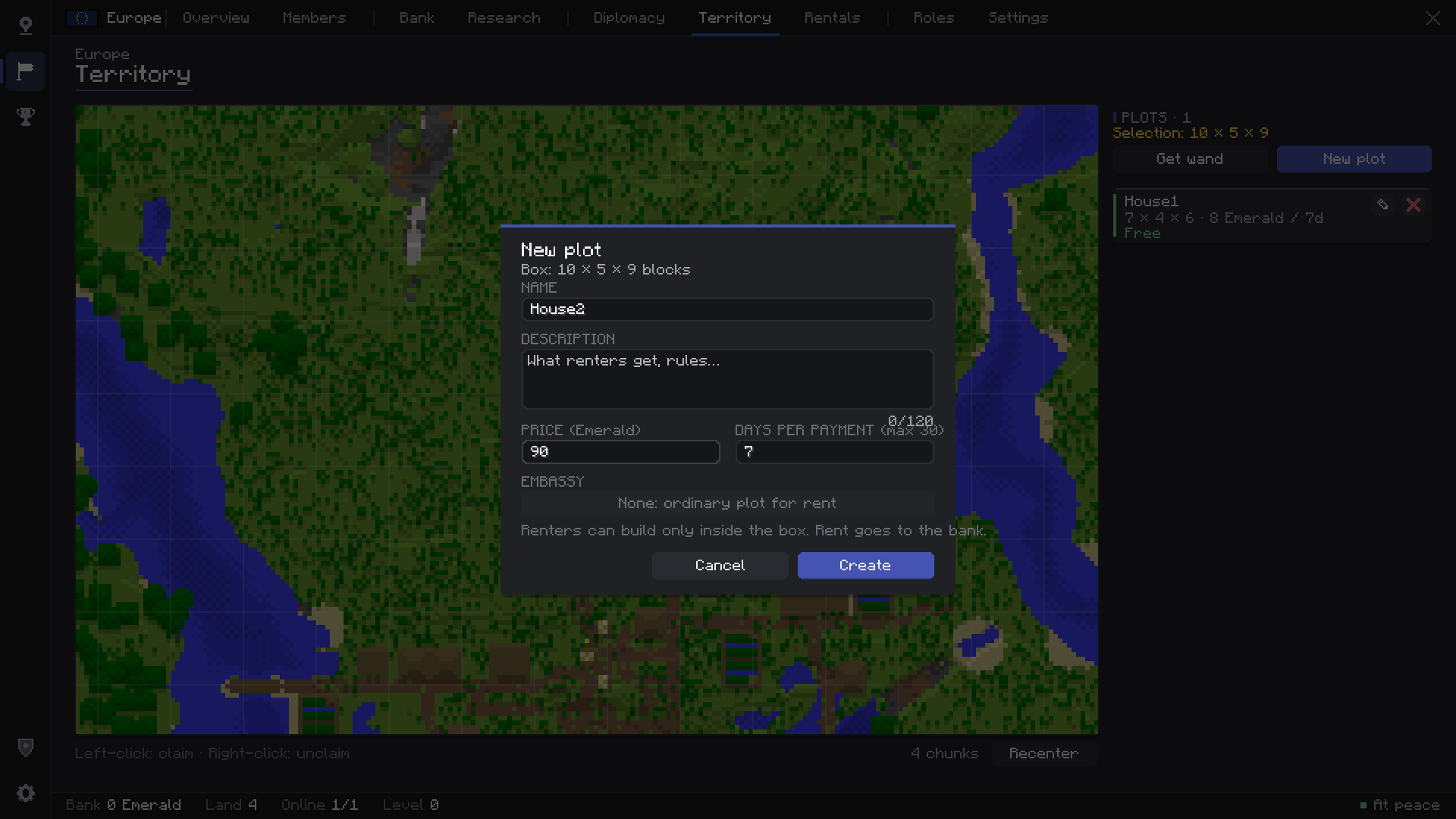
- WorldEdit-Style Plots — Select any box with the Plot Wand (two corners) and rent it out: apartments, shops, stalls, farms.
- Rentals Page — Browse every plot on the server, filter free ones, search, and see them on the map. Players without a country can rent too.
- Pay in Advance — Rent up to 12 periods at once (max one year ahead), extend or leave from anywhere.
- Embassies — Lend a plot to an allied country for free: their members can build their embassy in your capital.
Diplomacy & War
- Relations — Ally (with requests), enemy or neutral.
- Timed Wars — Declare war on an enemy. Optional grief between enemies while it lasts.
- Chunk Capture — Stand in enemy land to capture it. The capture pauses while a defender is inside.
- Peace & Surrender — End wars early, with **Victory** and **Defeat** screens.
- Country Flag Block — Stands on a pole or hangs on a wall, always showing the owner's flag, so captured land changes flag by itself.
For Server Owners
- In-Game Admin Panel — Every rule explained in plain words, saved with one click. No file editing needed.
- Moderation Tools — Bypass protection, give or free chunks, set banks and levels, end wars, delete countries.
- Moderation Logs — Who founded, claimed, declared war or withdrew money, in game and in a log file.
- Discord Webhook — Foundings, disbands and wars posted to your Discord.
- Your Server Logo — Shown at the top of every player's menu.
---
🔌 Supported Integrations
- Vault / VaultUnlocked — EssentialsX, CMI or any Vault economy on hybrid servers (Arclight, Mohist, Youer…).
- Economy Mods — Any economy with commands, through a simple command bridge. Or plain items (emeralds by default).
- LuckPerms — Permission nodes for creating, claiming, war, home, chat, admin and bypasses.
- Other Mods — A small Java placeholder API for country, role, balance, claims, members, level, power and tax.
---
📦 Installation
1. Install NeoForge 21.1.219+ for Minecraft 1.21.1 (Java 21).
2. Put the jar in the `mods` folder of the server and every player.
3. Join and press `N`.
| Key | Action |
| `N` | Country menu |
| `M` | World map |
| `Z` | Minimap zoom |
---
📖 Wiki
Every feature, setting, command and permission is explained in the Wiki.
❓ FAQ
- Is it required on the client? Yes, menus, map and HUD run on the client. Players without the mod get a clear message at login.
- Singleplayer? Yes, it works in singleplayer too.
- Fabric / Forge / other versions? NeoForge 1.21.1 only for now.
- Can I use it in my modpack? Yes. A link back to this page is appreciated.
---
Found a bug or have an idea? Leave a comment or Join the Discord Server🙌
Territoria - Countries & Claims Team