

Tengwarize
- By
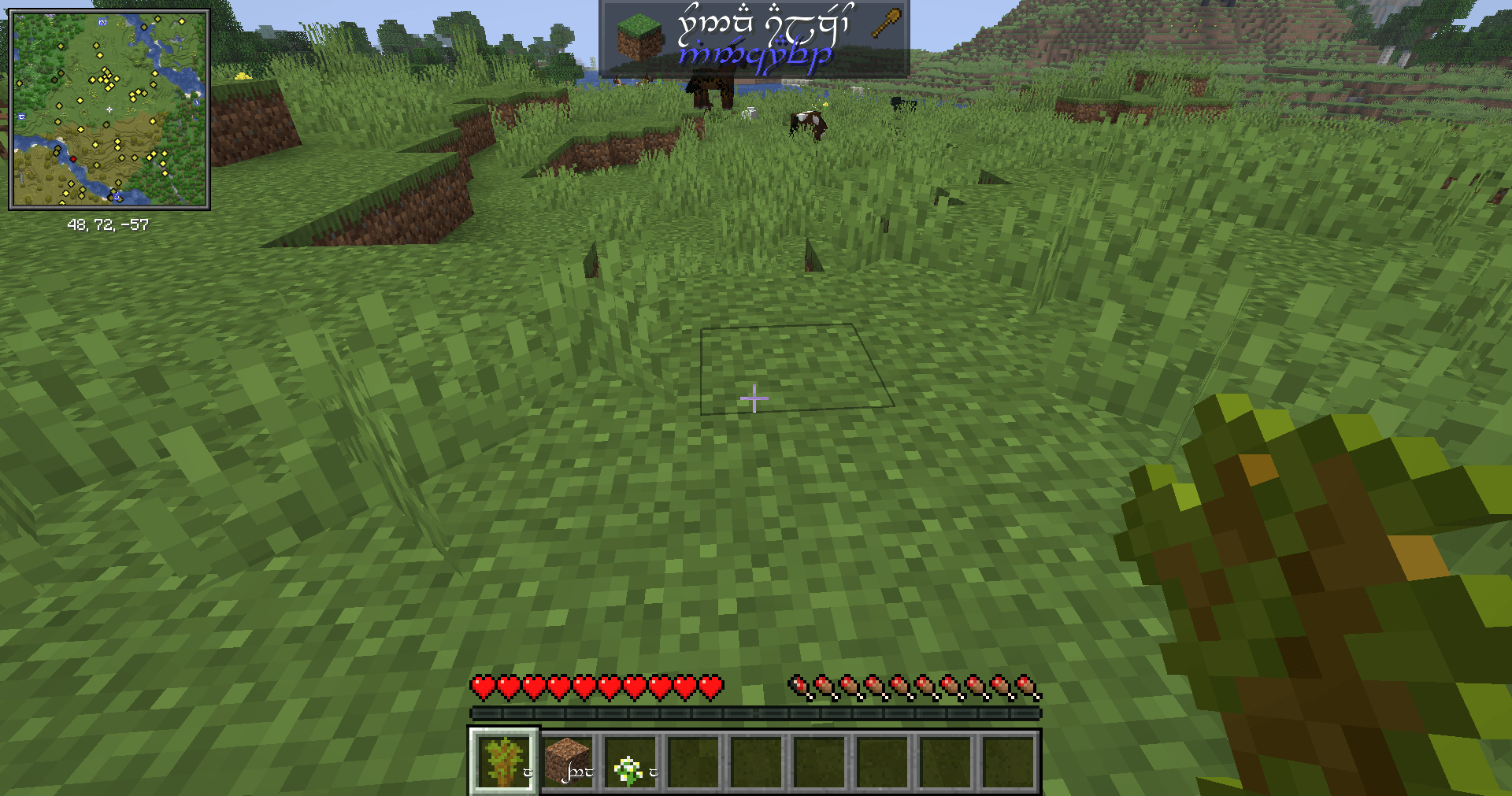
2026-07-22_14.02.01.png
Description
Tengwarize
Tengwarize transliterates Minecraft’s text into Tengwar, allowing you to practice reading Tengwar and become more familiar with Quenya-oriented writing while playing. It changes the writing system rather than translating the meaning of the text.
Most game text can be transliterated, including text added by supported mods. Verified compatibility currently includes Xaero’s maps, Jade, and JEI.
Features
- Switch instantly between Latin and Tengwar writing systems
- Choose from multiple Tengwar fonts with built-in previews
- Transliterates menus, item names, tooltips, chat, mod interfaces, and other displayed text
- Verified compatibility with Xaero’s maps, Jade, and JEI
- Displays item-unit numbers using Tengwar numerals converted to base 12
- Designed for immersive Tengwar reading and Quenya practice
How to use
Press F8 to switch between the Latin and Tengwar writing systems.
Press F9 to open the font selection screen. This displays a list of the available Tengwar fonts together with sample text. Click a font’s button to apply that font immediately.
When Tengwar mode is active, supported Minecraft and modded text will automatically be transliterated. Press F8 again at any time to return to Latin text.
The Tengwarize Team
