
Tandem!
- By
2026-11-14_23.38.39.png
2026-11-14_23.39.20.png
Description

Tandem
Several accounts and servers. One Minecraft client.







About
Tandem keeps several Minecraft players connected in one game instance. Join the same server with different accounts, connect to different servers, and choose which player you control.
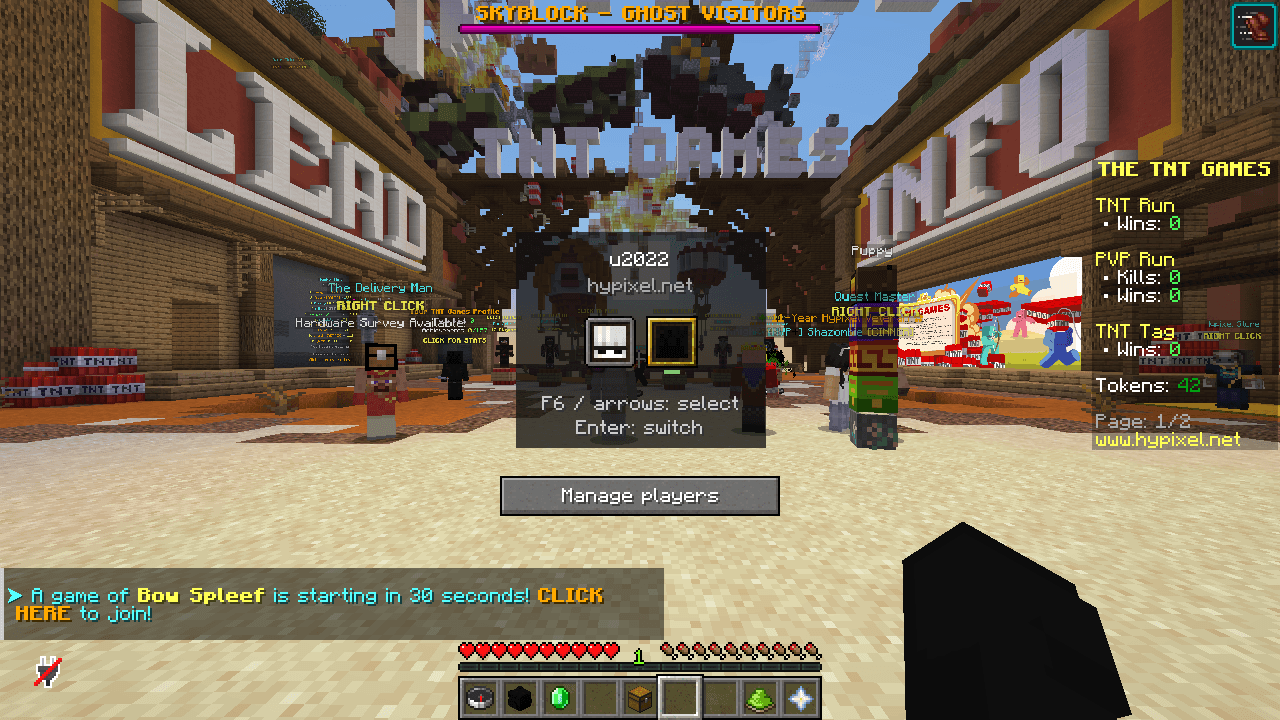
Press Z to cycle through connected players, or open a compact selector inspired by Minecraft's F3 + F4 menu. Each session keeps its own connection, world, inventory, position, dimension, game mode, experience, chat and HUD. Background sessions keep receiving updates while only the selected world is rendered.
Created by Exocutor.
Features
- Multiple simultaneous connections in one Minecraft window.
- Sessions on the same server or different Minecraft 26.3 servers.
- One account connected to different servers at the same time.
- A vanilla-style player selector with skin heads and animated selection.
- Direct cycling with a configurable hotkey.
- Per-session world data, server view distance and registry tags.
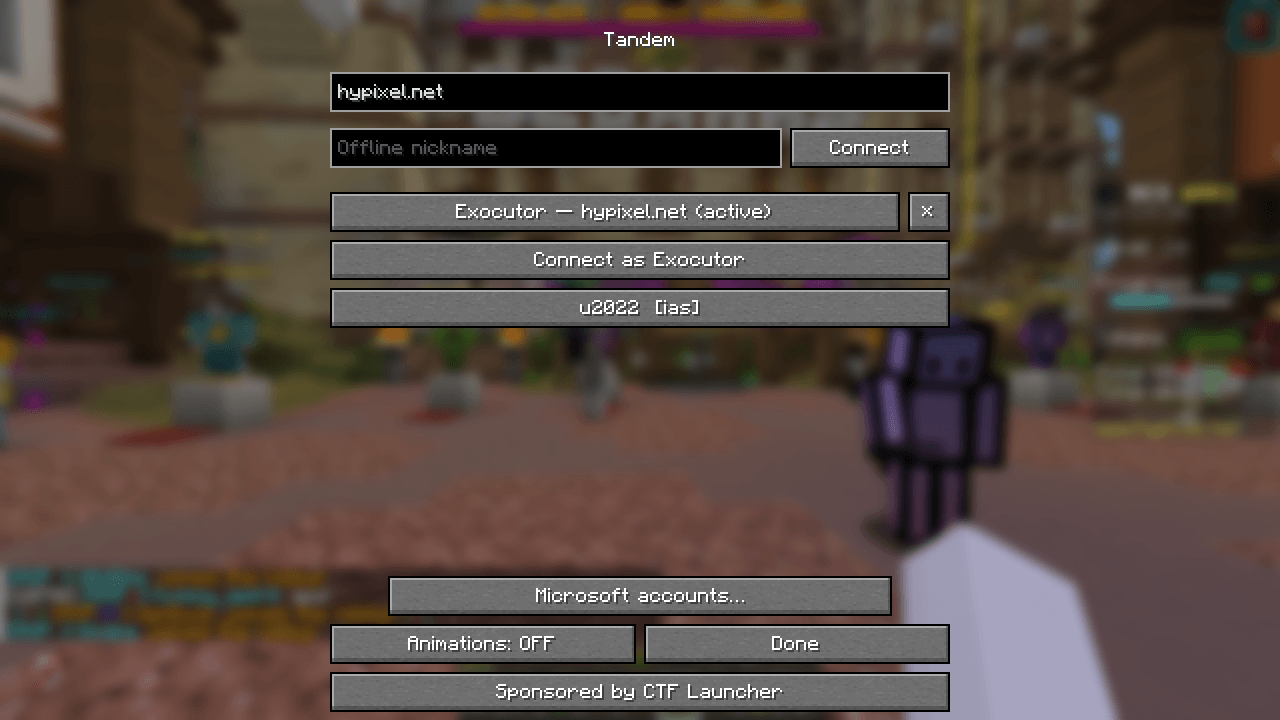
- Microsoft account integration through In-Game Account Switcher.
- Offline nicknames for servers with
online-mode=false. - Settings through Mod Menu on Fabric and the mod configuration menu on NeoForge.
- English and Russian translations.
Installation
Requires Minecraft Java Edition 26.3 and Java 25.
Fabric
- Install Fabric Loader 0.20.1 or newer for Minecraft 26.3.
- Install Fabric API for 26.3.
- Put the Fabric build of Tandem in your
modsfolder. - Optionally install Mod Menu to access Tandem from the mod list.
NeoForge
- Install NeoForge 26.3.0.103 or newer for Minecraft 26.3.
- Put the NeoForge build of Tandem in your
modsfolder. - Open Tandem's configuration from the mod list to manage connections.
Tandem is client-side. Servers do not need to install it.
How to use
- Join your first server normally.
- Press Ctrl + F6 to open connection management.
- Enter a server address and choose an account or offline nickname. This can be the address of another server.
- Wait for the player to finish loading.
- Press Z to cycle between players, or F6 to choose one from the selector.
The selector displays the selected player's name and server address. Leaving the server through Minecraft's normal disconnect flow closes all Tandem sessions. Disconnecting an individual player in Tandem keeps the other sessions connected.
Controls
| Default key | Action |
|---|---|
| Z | Cycle to the next loaded player |
| F6 | Open the player selector |
| F6 or arrow keys in the selector | Move the selection |
| Enter or click | Control the selected player |
| Escape | Close the selector |
| F3 + F6 | Cycle while holding F3; release F3 to switch |
| Ctrl + F6 | Manage connections |
The selector key and cycle key can be changed under Options → Controls → Tandem. Direct cycling works during gameplay and leaves chat and other open screens in control of their normal input.
Accounts
Microsoft accounts
Install In-Game Account Switcher for your Minecraft version and loader, and add your accounts there. Tandem lists those accounts and asks IAS to refresh their authentication when connecting.
Each identity on an online-mode server needs a valid Minecraft account. Tandem can use an account on different servers, but does not create additional identities for that account on the same server. Server rules and connection limits still apply.
Offline nicknames
Enter a nickname in Tandem to connect to a server with online-mode=false. If the server uses /register or /login, enter those commands in that player's chat.
Configuration
Tandem stores its settings in config/tandem.properties:
maxSessions=4
animations=true
offlineNames=
| Setting | Description |
|---|---|
maxSessions |
Maximum simultaneous sessions, from 2 to 8 |
animations |
Enable selector animations |
offlineNames |
Saved offline nicknames |
Microsoft account storage and token refresh are handled by IAS. Graphics, sound settings, resource packs and key assignments are shared by the client.
Resource packs and compatibility
Tandem keeps the current client resource packs while multiple sessions are connected. Additional server resource-pack requests are declined. Join a server that requires a resource pack before opening other sessions.
Background players remain ordinary players: they can take damage, die, or be disconnected for inactivity. Memory use depends on the number of sessions, loaded worlds and view distances.
Tandem is in alpha. Microsoft authentication, secure chat and compatibility with other client mods are experimental. Mods that keep player or world data in global objects may require an integration.
API
Account integrations implement dev.exocutor.tandem.api.AccountProvider. Register a provider through TandemApi.register or Java's ServiceLoader.
TandemApi.sessions()returns session information.TandemApi.select(UUID)schedules a switch on the client thread.TandemApi.SWITCH_LISTENERSreceives control-change notifications.
Read session information on the client thread.
Building
With JDK 25 installed:
./gradlew :fabric:build :neoforge:build
On Windows:
.\gradlew.bat :fabric:build :neoforge:build
The JAR files are written to fabric/build/libs and neoforge/build/libs.
Tandem! Team
