


Tablet
- By
A tablet where you can create your own store, accessible to everyone who has this tablet.
{5721E1C9-8A48-40BF-981C-4B2FD3878FF4}.png
{C39141A8-F248-48AA-A6C6-51D753754DB2}.png
Description
Tablet Shop
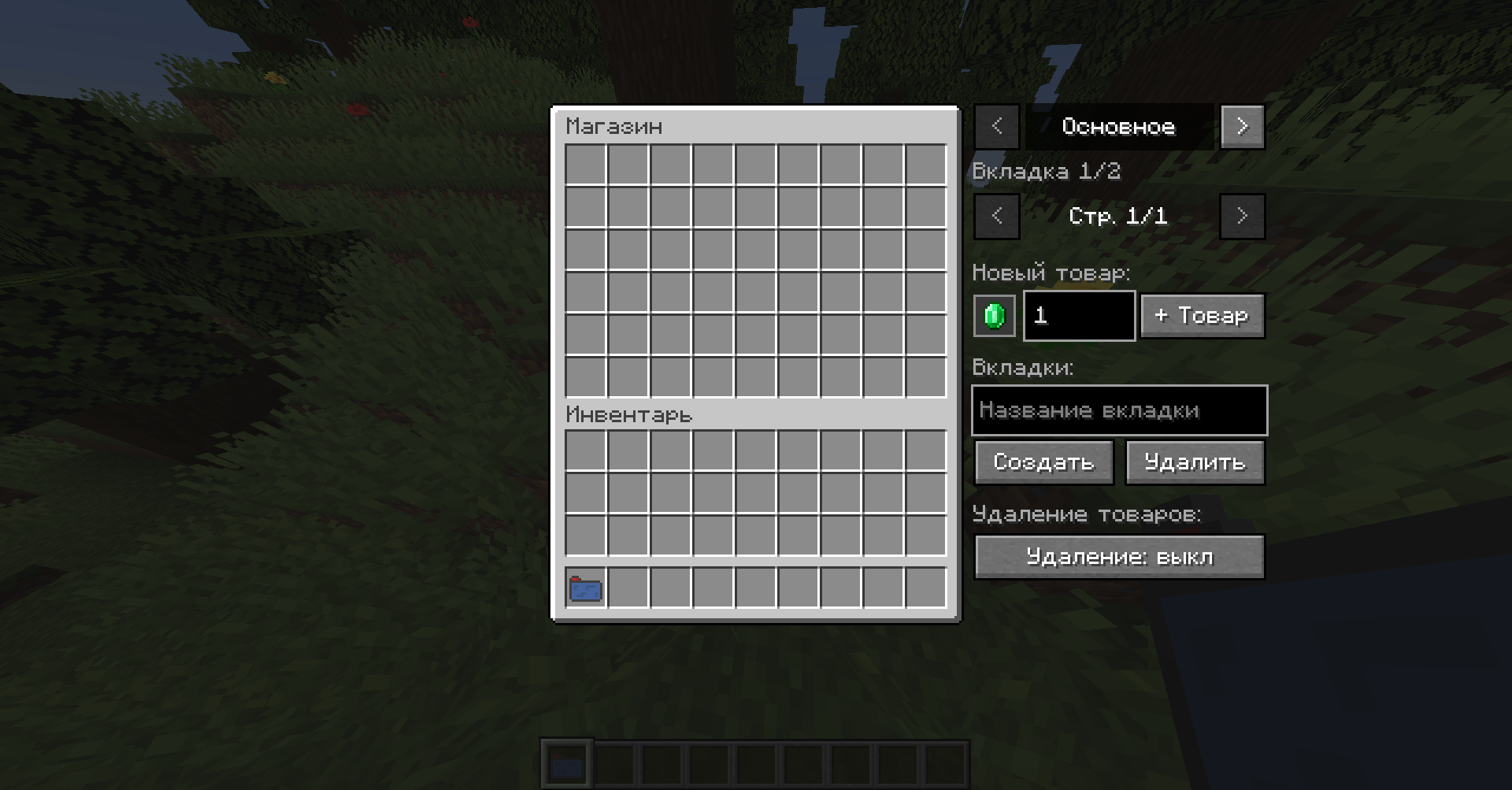
This mod adds a Tablet. Right-click it to open a shop where players can buy items. The shop is shared across the whole world and is saved with it.
Features
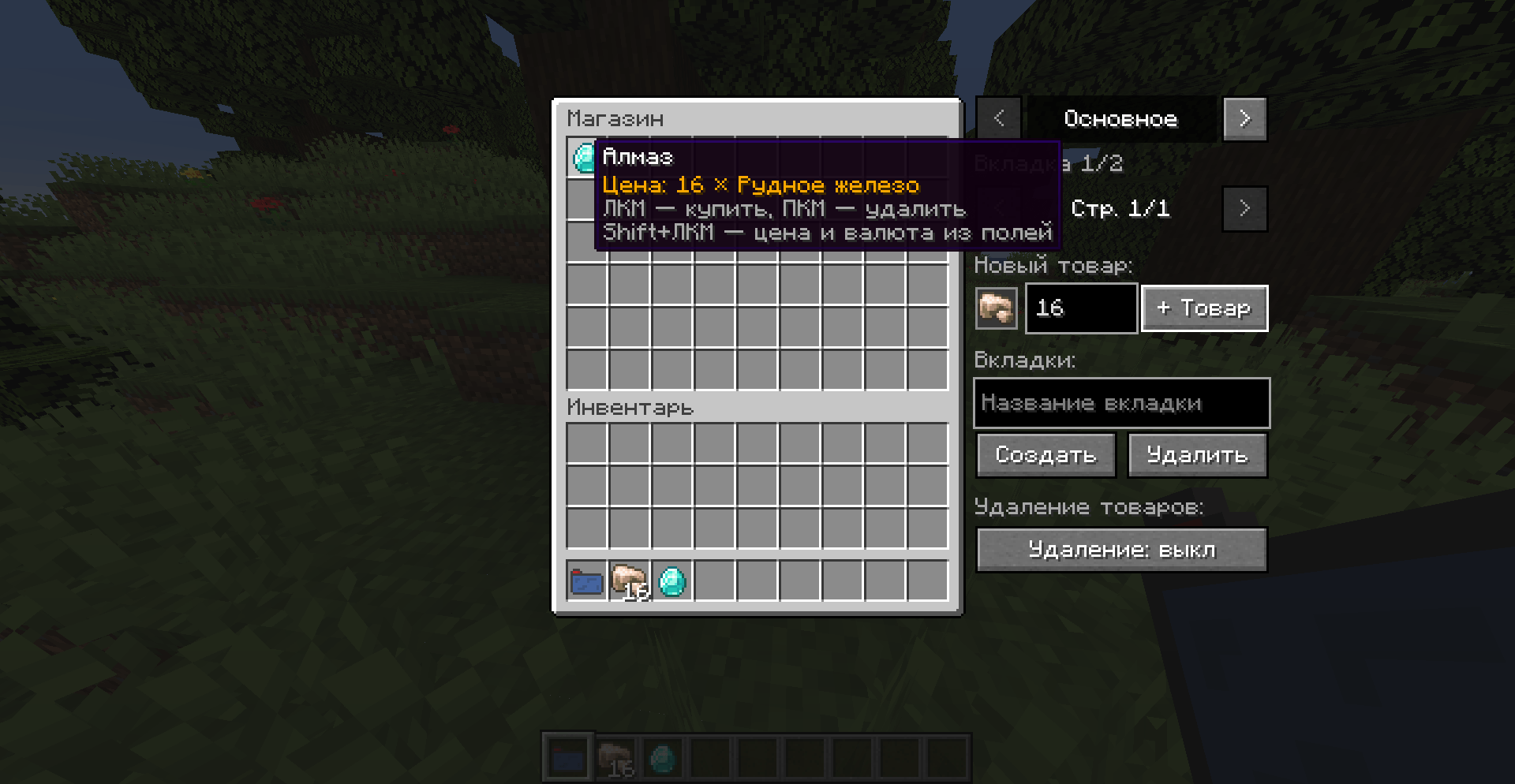
- Shop in a tablet. Right-click with the tablet in hand to open the menu, left-click an item to buy it.
- Only creative-mode players stock the shop. They also set the prices. Survival players can only buy.
- Any item as currency. Not just emeralds: pay with diamonds, gold, items from other mods, anything. Each product has its own currency.
- Price 0. Free items, handy for starter kits.
- Tabs. Up to 20 categories, such as Food, Tools or Blocks. Create and delete them right in the menu.
- Pages. 54 slots per page, with as many pages as you need per tab.
- Removing items. Right-click an item or use the dedicated delete mode button.
- Multiplayer. The shop syncs between players, and all checks (creative mode, prices, payment) are done on the server.
How to use
- Take the Tablet from the Tools & Utilities tab in creative mode.
- Right-click to open the shop.
- Add an item (creative): pick up an item with your cursor, enter a price, click “+ Товар” (add item).
- Choose a currency (creative): pick up an item with your cursor and click the square next to the price field.
- Change a price (creative): enter a new price and Shift+left-click the item.
- Buy: left-click the item.
Compatibility
- Minecraft 1.20.1, Forge.
- In multiplayer the mod must be installed on both the server and the clients.
Status
This mod is in beta. If you find a bug, please report it in the comments or Issues with the mod version and a log.
Tablet Team
